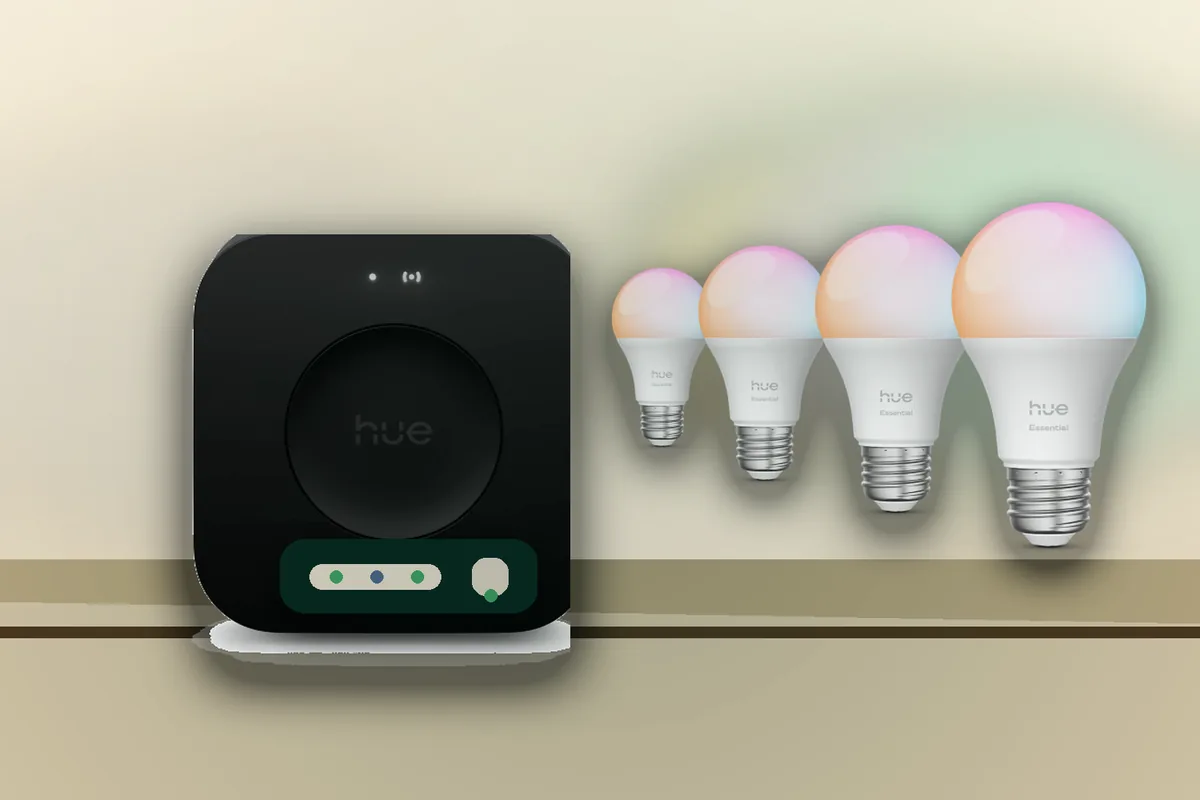
Short Answer: Most Homes Should Keep the Hue Bridge
For most homeowners, the clean answer is: keep the Philips Hue Bridge or Hue Bridge Pro and use Home Assistant's native Philips Hue integration. Home Assistant lists the integration as Local Push, and V2 square Hue bridges push changes over a local event stream. That gives you local Home Assistant automations without asking the family to give up Hue scenes, Hue switches, or the Hue app overnight.
The exception is a local-first rebuild. Local control means commands stay inside the house instead of going out to a vendor cloud for normal on/off and dimming. If you want one strong Zigbee network and no dependency on a Hue account for daily lighting control, pair Hue bulbs, Hue Dimmer switches, and Tap-style controls directly to Home Assistant through ZHA or Zigbee2MQTT. That works, but it is a migration project, not a checkbox. For Matter, treat the Hue Bridge and Bridge Pro as useful sharing bridges, and treat newer Matter-over-Thread Hue bulbs as a new-device path, not as a reason to rework a stable Hue setup this weekend.
In plain terms: Zigbee is the low-power mesh radio Hue has used for many lights, Matter is a cross-platform smart-home language, Thread is one low-power network that can carry Matter, and a Thread border router is the device that connects a Thread mesh back to your home network.
Plain-English rule: Hue Bridge for reliable family lighting, direct Zigbee for a deliberate no-cloud rebuild, Matter for sharing and new Thread bulbs.
The Four Real Hue Paths
| Path | Official support | Local control and cloud dependency | Matter / HomeKit path | Choose or avoid |
|---|---|---|---|---|
| Hue Bridge or Hue Bridge Pro + native Home Assistant Hue integration | Official Home Assistant integration. Philips Hue documents the Bridge at 50 lights and 12 accessories, and Bridge Pro at 150+ lights and 50+ accessories. | Home Assistant control is local. Hue app ownership, account features, remote access, firmware, and some support flows remain Hue ecosystem features. | Hue says Bridge and Bridge Pro support Matter, and connected Hue products work with Matter through the bridge except noted exclusions such as the Play HDMI sync box and Tap dial dial. | Best default for existing Hue homes, family-facing lighting, Hue scenes, dynamic scenes, and a reliable fallback when Home Assistant is being serviced. |
| Direct Zigbee to Home Assistant through ZHA | ZHA is Home Assistant's built-in Zigbee path and supports Zigbee device firmware updates through standard update entities when firmware is available. | Local control. No Hue cloud for daily control, but you need a Zigbee coordinator, a good channel plan, and your own scene and remote automations. | Expose the finished Home Assistant lights to Apple Home through HomeKit Bridge or to other ecosystems through Home Assistant's sharing paths. | Good for a homeowner who wants one Home Assistant-owned Zigbee mesh. Avoid as a first move if the family depends on Hue app scenes or simple Hue remotes. |
| Direct Zigbee to Home Assistant through Zigbee2MQTT | Zigbee2MQTT is a widely used community Zigbee stack that integrates with Home Assistant through MQTT discovery, not a Philips Hue official ownership path. | Local control. Often exposes detailed device options, but adds an MQTT broker and another service to maintain. | Same Home Assistant sharing paths as ZHA after devices are stable. | Good for advanced local-first installs and mixed-brand Zigbee networks. Avoid if you want the simplest supported Home Assistant setup. |
| Hue Bridge or Bridge Pro added through Matter | Philips Hue officially supports Matter through Bridge and Bridge Pro. Home Assistant has a Matter integration, but the native Hue integration is more Hue-specific. | Matter commands are local on the home network, but the Hue bridge still owns the Hue system and app features. | Useful for Apple Home, Google Home, Alexa, SmartThings, or another Matter controller when you want one bridge to share Hue lights. | Use for cross-platform sharing. Avoid replacing the native Home Assistant Hue integration with Matter unless you have tested feature coverage. |
| Matter-over-Thread Hue bulbs direct to a Matter controller | Philips Hue says Matter-enabled bulbs need the Matter logo and a Thread border router. Signify and Silicon Labs announced on June 23, 2026 that select Hue bulbs will gain concurrent Zigbee and Matter-over-Thread support later in 2026. | Local Matter control, but setup depends on the Thread border router and the controller that owns the Thread credentials. | Can pair to Apple Home, Google Home, Alexa, SmartThings, or Home Assistant when the Thread network and Matter controller are ready. | Good for new bulbs and cross-ecosystem homes. Avoid assuming older Hue bulbs, Bluetooth-only products, or all Hue accessories are Thread devices. |
Why the Hue Bridge Is Still the Default Home Assistant Answer
The Hue Bridge is not a random cloud hub. It is also the coordinator, meaning the device that manages the Hue Zigbee lighting network. Home Assistant talks to V2 square bridges locally, and the Hue integration exposes Hue scenes and Hue-specific actions that are not the same as a generic Home Assistant light scene. In the house, that means the family can keep familiar rooms, scenes, switches, and app behavior while Home Assistant starts handling the broader automations.
Bridge Pro makes this argument stronger for large Hue homes because Philips lists support for 150+ lights and 50+ accessories, plus Hue-specific features such as MotionAware and entertainment/security integrations. The regular Bridge is still enough for many homes, but Bridge Pro is the current Hue-native answer when you have a large lighting system or want the newer Hue feature set.
The tradeoff is ownership. If you use the Hue app, Hue account features, remote access, and Hue firmware workflows, you are still using the Hue ecosystem. Firmware means the device software that lives on the bridge, bulb, or switch. Home Assistant published a September 22, 2023 warning when Signify moved toward required Hue accounts and cloud data handling, later noting an October 2 update that data sharing would become optional. The practical 2026 advice is simple: Home Assistant control can be local, but Hue app ownership is not the same thing as a fully Home Assistant-owned lighting system.
When Direct Zigbee Is the Right Move
Direct Zigbee is the right move when the goal is one local Home Assistant-owned mesh, fewer vendor hubs, and a consistent way to mix Hue with IKEA, ThirdReality, Aqara Zigbee, Inovelli, Sonoff, and other Zigbee devices. A Zigbee mesh is the low-power radio network that mains-powered Zigbee devices can help repeat around the house. If you already maintain Zigbee well, adding Hue directly can strengthen that one network instead of running parallel Hue and Home Assistant Zigbee meshes.
The cost is setup work. Each Hue bulb or remote must be removed from its old network and paired to the new coordinator. Hue app scenes are not automatically carried over. Hue Dimmer switches and Tap controls can work well, but button behavior may need Home Assistant automations, blueprints, Zigbee binding, or Zigbee2MQTT-specific configuration. Community threads from 2024 through 2026 show exactly this split: direct Zigbee users report strong local control, but new users keep asking whether they will lose scenes, remote behavior, and the easy Hue app.
For a lived-in house, do not rip out every Hue room at once. Pick one low-risk room, pair the bulbs and one remote directly, rebuild the scenes, test power recovery, test partner acceptance, and only then decide whether the rest of the Hue system should follow.
Where Matter Helps, and Where It Does Not
Matter is a smart-home application standard, not a magic lighting app. It helps different platforms understand the same device. Philips Hue uses Matter in two ways: Bridge and Bridge Pro can expose connected Hue products to Matter controllers, and newer Matter-enabled bulbs can connect directly through Matter over Thread when you have a Thread border router.
For Home Assistant, that does not automatically beat the native Hue integration. The native integration understands Hue-specific behavior and uses the local bridge API. Matter is more useful when you want the same Hue lights available in Apple Home, Google Home, Alexa, or SmartThings without rebuilding the Hue system. It is also relevant for new Hue Matter-over-Thread bulbs where you are intentionally building around Thread.
The network caveat matters. Matter relies on local discovery and IPv6 behavior that can get awkward across VLANs, which are separated home network segments. If your Home Assistant server, phone, Matter controller, Thread border router, and Hue devices live on different networks, fix the network design before blaming the bulbs. For most homeowners, a simple flat network for Matter commissioning is less painful than trying to make every smart-home protocol cross a security boundary on day one.
A Setup Order That Avoids Duplicate Automations
- If Hue already works, add the native Philips Hue integration first. Confirm Home Assistant sees rooms, lights, scenes, switches, and state changes quickly.
- Move automations deliberately. Put serious whole-home logic in Home Assistant, but leave Hue room scenes in Hue if they are stable and family-friendly.
- Use Matter sharing only where it solves a real problem. Add Hue to Apple Home, Google Home, Alexa, or SmartThings through Matter when those apps need control. Do not create the same dusk, bedtime, or motion automation in every app.
- Test direct Zigbee in one room before migration. Confirm channel placement, coordinator range, power-on behavior, remotes, and scenes before moving the rest of the house.
- For new Matter-over-Thread Hue bulbs, decide who owns Thread first. Home Assistant, Apple, Google, Alexa/eero, and SmartThings can all be part of a Matter home, but the first working Thread network affects the smoothness of setup.
What About Apple Home, Google Home, Alexa, and SmartThings?
If the household uses Apple Home or voice assistants every day, do not remove that convenience just to make the architecture look tidy. The safer pattern is usually: Hue Bridge or Bridge Pro owns Hue lighting, Home Assistant owns serious automations, and Matter or HomeKit Bridge shares the right devices to the family-facing app.
Apple HomeKit support through the Hue Bridge is mature for many Hue homes. Matter sharing is the newer cross-platform path. Home Assistant can also expose Home Assistant-controlled devices back to Apple Home through HomeKit Bridge. Pick one path per device group. Duplicate devices are confusing for homeowners because one app may show a light as reachable while another app points at the same light through a stale bridge, a stale Matter fabric, or a duplicate Home Assistant export.
Can Hue Run Without the Internet?
Home Assistant's local Hue integration does not need to send a command through the Hue cloud every time you turn on a light. Internet access can still matter for setup, firmware updates, remote access, and vendor features. Test the functions your household uses before changing the bridge's network access.
The cleaner answer is: local control can work without internet, but ownership chores may not. Account login, Hue app remote access, firmware updates, support diagnostics, partner integrations, and some app behavior can need internet. If you block the bridge, document the choice and test what the family loses before a guest, child, or spouse is standing in a dark room.
Safety and Privacy Guardrails
Lighting is lower risk than locks or alarms, but it still affects a house. Keep manual wall control or a clear fallback for stairs, entries, bathrooms, and bedrooms. If you are replacing line-voltage switches, use a qualified electrician and follow local electrical code. Do not build automations that can leave exits dark during a Home Assistant restart or a failed Zigbee migration.
For privacy, decide which app owns presence and household routines. A Hue motion rule, an Alexa routine, and a Home Assistant automation can all react to the same hallway. That feels convenient until they fight each other. If Home Assistant is your private local brain, keep presence and security-adjacent decisions there and share only the controls the household needs.
Tara's Recommendation
For an existing Hue home, Tara would keep the Hue Bridge or Hue Bridge Pro, add the native Home Assistant Hue integration, and move only the higher-level automations into Home Assistant. That gives you local control, keeps the family-facing Hue experience, and avoids a weekend of re-pairing every bulb.
For a new local-first install, Tara would use direct Zigbee only after a real Zigbee plan: coordinator placement, channel selection, router coverage, backups, and a one-room pilot. For cross-platform homes, Tara would use Matter as the sharing layer, not as a reason to abandon a stable Hue-native setup. For new Matter-over-Thread Hue bulbs, Tara would test one bulb with the chosen Thread border router before buying a houseful.
The simple rule is this: Bridge for reliability, Zigbee for ownership, Matter for sharing.
Related Tara Reading
- Where Should Your Smart Home Automations Live?
- ZHA vs Zigbee2MQTT: Which Should You Use in Home Assistant?
- What Zigbee Channel Should You Use for Home Assistant?
- How to Share One Matter Device Across Home Assistant, Apple Home, Google Home, Alexa, and SmartThings
- Should You Pair Matter Devices to Home Assistant or Apple/Google First?
- How to Run Your Smart Home Without the Cloud
FAQ
Is Philips Hue local in Home Assistant?
Yes when you use the native Philips Hue integration. Home Assistant classifies it as Local Push, and V2 square Hue bridges push state changes to Home Assistant over a local event stream. Hue app cloud features are a separate question.
Should I add a Hue Bridge to Home Assistant through Matter?
Usually no. Use the native Hue integration for Home Assistant unless you specifically need a Matter test path or a standard Matter sharing path for another ecosystem. Native Hue is the Hue-specific Home Assistant path.
Does direct Zigbee remove Hue cloud dependency?
Direct Zigbee control through Home Assistant is local and does not require Hue cloud for normal control. The tradeoff is that you must re-pair devices and rebuild Hue app scenes, remotes, and household workflows.
Do Hue Matter-over-Thread bulbs replace the Hue Bridge?
Not for every home. Matter-over-Thread Hue bulbs are useful for new cross-platform setups with a Thread border router, but the Hue Bridge or Bridge Pro still gives the most complete Hue feature path for many Hue homes.
Can I block a Hue Bridge from the internet?
Home Assistant's local Hue control can keep working after setup, but Hue app features, remote access, accounts, firmware updates, and vendor support behavior may be affected. Test one room before relying on it.