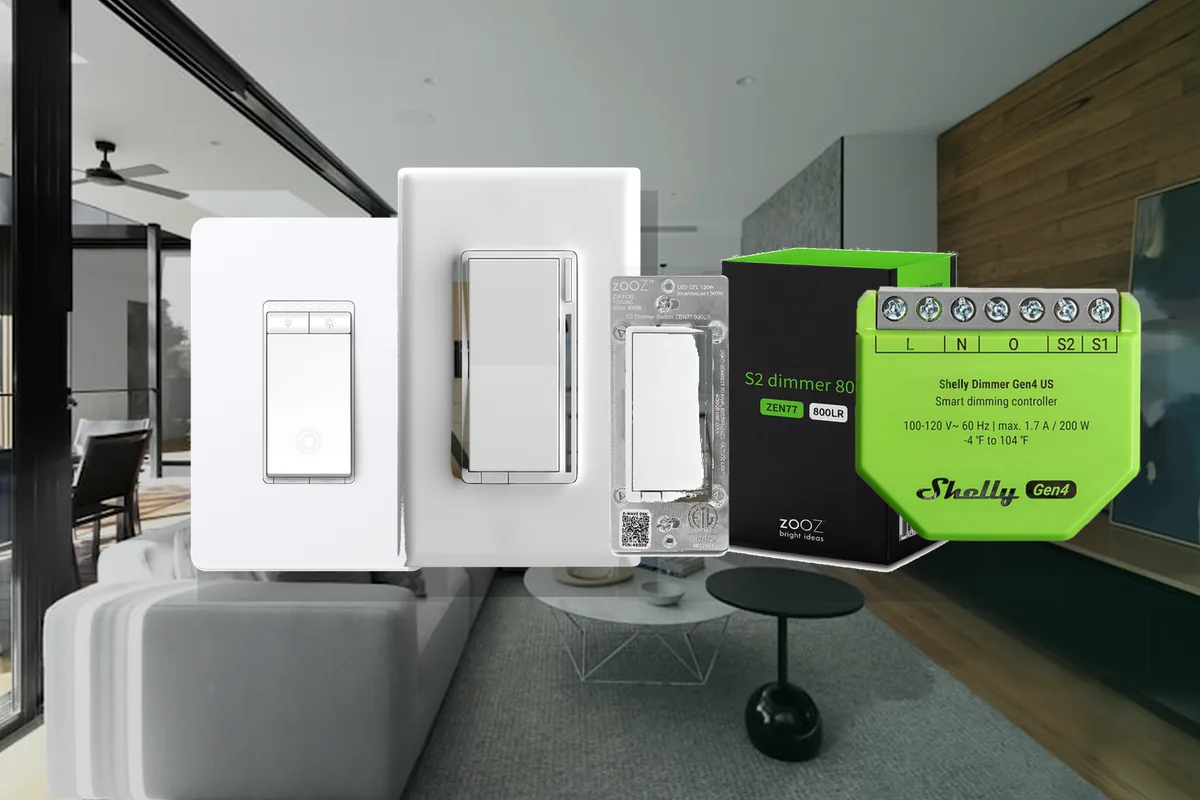
Short Answer: Pick the Switch for the Wiring and the Controller
For a Home Assistant home in 2026, the practical answer is this: use Lutron Caseta Diva Smart Dimmer DVRF-6L or Claro Smart Switch DVRF-5NS with the Lutron Smart Hub when you want the steadiest installed-lighting system. Use Zooz ZEN77, ZEN72, or ZEN71 when Home Assistant already has a strong Z-Wave network. Use Inovelli Blue Series 2-1 VZM31-SN when Zigbee scenes, an LED notification bar, and smart-bulb mode matter. Use Inovelli White Series 2-1 VTM31-SN, Kasa KS225, or Tapo S505D when a native Matter path to Apple, Google, and Home Assistant is more important than mature advanced features. Use Shelly Dimmer Gen4, Shelly 1 Gen4, or ubisys modules when an installer needs behind-switch retrofit hardware.
Local control means Home Assistant can control the switch inside the house without waiting for a vendor cloud server. Zigbee, Z-Wave, and Thread are low-power local smart-home radios. Matter is the cross-platform control standard that can run over Wi-Fi or Thread. HomeKit is Apple's smart-home platform. Those words are not interchangeable, and the difference matters once the switch is hardwired into the wall.
Safety first: turn off the breaker, verify the wires are dead with a real tester, follow the manufacturer wiring diagram, and hire a licensed electrician for crowded boxes, multi-way circuits, aluminum wiring, fans, heaters, outlets, or anything you cannot identify confidently.
Current Smart Switch Shortlist
| Switch or path | Official support | Home Assistant path | Local or cloud? | Matter / HomeKit path | Choose or avoid |
|---|---|---|---|---|---|
| Lutron Caseta Diva DVRF-6L / Claro DVRF-5NS + Smart Hub | Home Assistant has an official Lutron Caseta integration for supported Lutron hubs. Lutron documents Diva and Claro as Caseta wall controls. | Lutron Caseta integration. You need the Lutron hub; Home Assistant talks to the hub, not directly to each switch. | Local Push in Home Assistant. Lutron app/cloud may still be used for account setup, remote access, or ecosystem features. | No Matter needed. Apple Home can use Lutron's own HomeKit path or Home Assistant HomeKit Bridge. | Choose for the lowest-drama whole-home lighting path, especially with Pico remotes and no-neutral Diva dimmers. Check neutral requirements on Claro switches. Avoid if you do not want another hub or want open-radio devices only. |
| Zooz ZEN77, ZEN72 dimmers / ZEN71 switch | Home Assistant's Z-Wave JS integration is official, and Zooz publishes Home Assistant inclusion guides for these models. | Z-Wave JS or Z-Wave JS UI with a supported Z-Wave adapter. | Local Z-Wave. No Zooz cloud is required for normal Home Assistant control. | No native Matter or HomeKit. Export selected switches to Apple Home through Home Assistant HomeKit Bridge if needed. | Choose if you already run Z-Wave locks, sensors, or switches. Avoid if you do not want to maintain a Z-Wave adapter or cannot confirm the wiring/load requirements. |
| Inovelli Blue Series 2-1 VZM31-SN | Inovelli documents the Blue Series as a Zigbee 2-in-1 dimmer/on-off switch with smart-bulb mode, scenes, bindings, and LED notifications. | ZHA or Zigbee2MQTT with a Zigbee coordinator. | Local Zigbee when paired directly to Home Assistant's Zigbee stack. | No native HomeKit. Export through Home Assistant HomeKit Bridge. Do not assume Blue Zigbee models behave like White Matter/Thread models; verify the exact SKU and firmware before buying. | Choose for scene control, LED bar status, and smart-bulb mode in a Zigbee home. Avoid if you want the simplest electrician-friendly mass-market choice. |
| Inovelli White Series 2-1 VTM31-SN | Inovelli documents the White Series as a Thread/Matter 2-in-1 dimmer/on-off switch. | Home Assistant Matter integration plus a Thread border router. | Local Matter over Thread after commissioning. | Native Matter path can be shared with Apple Home, Google Home, and Home Assistant. | Choose when Apple or Google coexistence is a requirement. Avoid buying in bulk until one switch proves the dimming, events, multi-tap behavior, and firmware path you need. |
| Shelly Dimmer Gen4 / Shelly 1 Gen4 | Home Assistant has an official Shelly integration, and Shelly documents Home Assistant local control. Gen4 products add multiple protocol options by model and firmware. | Shelly integration for local Wi-Fi/LAN, or Matter/Zigbee paths on supported Gen4 firmware modes. | Local options are available. Shelly cloud is optional for remote app features, not required for the local Home Assistant path. | Supported Gen4 models can use Matter or be exposed to Apple Home from Home Assistant. Verify the exact model and selected protocol mode. | Choose when you want to keep existing wall hardware or need a behind-switch module. Avoid DIY installation in small boxes, unknown wiring, or heat-sensitive locations. |
| Kasa KS225 / Tapo S505D Matter Wi-Fi dimmers | Home Assistant's TP-Link integration is official. TP-Link product pages list Matter support on these switch/dimmer models. | Home Assistant Matter integration, or the TP-Link Smart Home integration where supported. | Matter control is local. The TP-Link integration is local polling after authentication, but Home Assistant docs require TP-Link cloud credentials for Tapo and newer Kasa devices. | Native Matter path can be shared with Apple Home, Google, Alexa, and Home Assistant. | Choose as a budget Matter test switch after trying one exact model. Avoid as the default no-cloud answer if you do not want a TP-Link account or firmware/app caveats. |
| ubisys S1, S2, C4 behind-switch modules | Home Assistant announced ubisys as a Works with Home Assistant partner in 2026 for professional Zigbee retrofit modules. | ZHA or Zigbee2MQTT, usually as part of an installer-grade retrofit plan. | Local Zigbee when paired to Home Assistant. No cloud path is needed for normal control. | No native Matter/HomeKit requirement. Home Assistant can expose selected entities to Apple Home. | Choose when an installer wants robust behind-switch modules, especially in European retrofit contexts. Avoid as the casual US retail default. |
| Zunzunbee Slate Switch | Home Assistant announced Zunzunbee Slate Switch as Works with Home Assistant certified in 2026. | ZHA with Home Assistant's Zigbee integration. | Local Zigbee. It is a battery scene controller, not a hardwired load switch. | No native Matter/HomeKit needed. Home Assistant can bridge actions into Apple Home scenes indirectly. | Choose for renters, smart-bulb scene control, and no-wiring locations. Avoid if you need to control the actual electrical circuit. |
Before You Choose: Wiring Comes First
Start at the wall box, not the product page. Check whether the switch box has neutral, line, load, ground, and traveler wires. In plain English, line brings power from the panel, load sends power to the light, neutral completes the circuit for many smart switches, and traveler wires are used in 3-way or 4-way lighting where more than one wall switch controls the same fixture. If those terms are not clear at the box, the next step is an electrician.
Also check the load. A dimmer for dimmable LED ceiling lights is not the same thing as a fan controller, receptacle controller, heater switch, transformer dimmer, or motor control. Do not put a smart dimmer on an outlet. Do not put a lighting switch on a ceiling fan or heater unless the manufacturer explicitly rates it for that load. Smart-home forums are full of automation ideas; electrical ratings still win.
Smart bulbs add another wrinkle. If a switch cuts power to a smart bulb, the bulb disappears from Home Assistant and cannot receive commands. For Philips Hue, IKEA, or other smart bulbs, use a switch with smart-bulb mode, a scene controller, a Pico remote, or an automation plan that keeps power available while still giving people a normal wall control.
Best Default: Lutron Caseta
Lutron Caseta is the easiest recommendation when the goal is a stable whole-home lighting system instead of a hobby project. The Home Assistant Lutron Caseta integration is official and lists Local Push. Lutron's Caseta line has mature wall controls, a dedicated hub, Pico remotes, good family ergonomics, and strong real-world reliability. The Diva Smart Dimmer DVRF-6L is especially useful because Lutron markets it as a no-neutral dimmer for many common residential lighting circuits; the Claro switch path needs a closer neutral-wire check.
The tradeoff is architecture. Lutron Caseta is local to Home Assistant through the hub, but it is not hub-free, not Zigbee, not Z-Wave, and not a generic Matter switch. That is not automatically bad. In many homes, a dedicated lighting hub is exactly why the lights keep working smoothly. It just needs to be named honestly so a no-cloud, no-hub buyer does not misunderstand the path.
Choose Lutron when switches need to feel simple, fast, and family-friendly; when Pico remotes solve awkward 3-way or bedside controls; and when you would rather have one strong lighting system than a mix of bargain switches. Avoid it if your main goal is open-radio experimentation, deep per-switch telemetry, or avoiding every vendor hub.
Best Local Home Assistant Paths: Zooz Z-Wave and Inovelli Blue Zigbee
Z-Wave is a local mesh radio often used for switches, locks, and sensors. If the house already has a Z-Wave adapter, Zooz ZEN77, ZEN72, and ZEN71 are practical Home Assistant picks because Zooz publishes Home Assistant inclusion guides and the official Home Assistant Z-Wave JS integration is mature. Zooz is a good fit when Home Assistant is the primary controller and you want local control without a brand cloud.
The model matters. A neutral-optional dimmer, a dimmer that requires neutral, and a simple on/off switch are not interchangeable. Confirm wiring, 3-way compatibility, minimum load requirements, and whether the fixture is dimmable. Then include one switch, check the entities and central scene behavior, and only then standardize on a batch.
Zigbee is another local mesh radio, common in sensors, bulbs, plugs, and some wall controls. Inovelli Blue Series 2-1 is the Zigbee enthusiast pick because it can act as a dimmer or on/off switch, supports scenes, has an LED bar, and is designed for smart-bulb mode. It is a strong choice when the home already has a good Zigbee network and the user wants Home Assistant to drive scenes directly.
The caveat is complexity. Advanced Zigbee switch features can depend on firmware, ZHA quirks, Zigbee2MQTT support, bindings, and exact coordinator behavior. That is acceptable for a Home Assistant-first installation with documentation. It is less ideal when the homeowner just wants twenty switches installed once and forgotten.
Matter and HomeKit: Useful, but Test One Switch First
Matter is best understood as a sharing and interoperability path. A Matter switch can often be commissioned into Apple Home, Google Home, Alexa, SmartThings, and Home Assistant without using a one-brand integration for daily control. Thread is the low-power mesh network some Matter devices use. A Thread border router, such as a supported Apple TV, HomePod, or Home Assistant Thread setup, connects Thread devices to the rest of the home network.
Inovelli White Series 2-1 is the current switch to watch for Matter-over-Thread homes. It is attractive because it brings the Inovelli switch concept into a native Matter path. But community discussions around Matter switches, multi-tap behavior, ZHA discovery confusion, and a Home Assistant core issue fixed in 2026.3.1 show why Matter switches should be tested in one room before a full rollout. Basic on/off and dimming may be fine while advanced events or device-specific settings still evolve.
Kasa KS225 and Tapo S505D are budget Matter-over-Wi-Fi options to evaluate if the homeowner already accepts TP-Link. Home Assistant's TP-Link integration is official and local polling after authentication, but the docs require TP-Link cloud credentials for Tapo and newer Kasa devices. The Matter path is local for control, but setup, firmware, app behavior, and exposed features still need to be tested on the exact model.
HomeKit has two paths. A native Matter/HomeKit switch can be added directly to Apple Home. Or Home Assistant can own a Zigbee, Z-Wave, Shelly, or Lutron device and expose a simple switch to Apple Home through Home Assistant HomeKit Bridge. In a Home Assistant-first house, the second path is often cleaner because Home Assistant remains the source of truth.
Retrofit Modules: Shelly and ubisys
Retrofit modules sit behind the existing switch or in the fixture box. They are useful when you want to keep a particular wall switch style, need more flexible wiring behavior, or have an installer comfortable with in-wall modules. Shelly Dimmer Gen4 and Shelly 1 Gen4 are the mainstream examples for many homeowners. Home Assistant's Shelly integration is official and local, and Shelly's own Home Assistant page emphasizes local network operation without requiring internet for control.
The good part is flexibility. Depending on the exact Gen4 product and firmware mode, Shelly can support local Wi-Fi, Matter, Zigbee, MQTT, scripting, and cloud-optional app features. The risky part is also flexibility: small boxes, heat, wiring density, firmware mode choices, and mixed loads matter more than they do with a simple plug-in device. Treat Shelly in-wall modules as electrical design work, not a casual impulse buy.
ubisys is the more installer-grade Zigbee module path. Home Assistant announced ubisys as a Works with Home Assistant partner in April 2026, highlighting professional Zigbee modules such as S1, S2, and C4. That is valuable for retrofit and European-style installations, but it is not the first US retail pick for someone who just wants a dimmer from a big-box aisle.
What to Avoid
Avoid random no-name wall switches where the only integration story is a vendor app, a cloud workaround, or a vague Tuya listing with changing hardware. Some Tuya-based devices can be made to work, but they are not a calm default recommendation for installed lighting. The cost of replacing a bad wall switch is too high for mystery firmware.
Avoid buying twenty of anything before testing one exact model on the exact path you intend to keep. Matter, Z-Wave, Zigbee, Lutron, Shelly, and TP-Link all have details that only show up after pairing: entity names, event support, dimming range, LED behavior, restore state, firmware update process, and family usability. A one-room pilot is cheaper than a house-wide rework.
Avoid using dimmers where they do not belong. Do not dim outlets. Do not put a lighting dimmer on a fan, heater, motor, garage opener, disposal, transformer, or unknown load unless the manufacturer explicitly says that model supports it. If a switch controls a receptacle, a fan canopy, or a mixed load, stop and redesign the control path.
Setup Order That Avoids Most Pain
Use this order before a large rollout.
- Map the circuit. Identify line, load, neutral, ground, and traveler wires, or hire an electrician to do it.
- Confirm the load. Note LED fixture type, dimmability, wattage, fan/motor presence, outlet control, and 3-way or 4-way behavior.
- Pick one control path. Decide whether this room is Lutron, Z-Wave, Zigbee, Matter, Shelly, or a no-load scene controller.
- Install one test switch. Pair it to the system you intend to keep, not a temporary app path you plan to abandon.
- Check Home Assistant entities and events. Verify switch, dimmer level, scene/multi-tap events, LED settings, restore state, and firmware information.
- Test power loss and family behavior. Power-cycle the circuit and make sure the light returns the way you expect. Ask whether the wall control makes sense without opening an app.
- Document the exact model and firmware. Switch product pages change, and similar-looking models can have different neutral, protocol, or feature requirements.
Tara's Take
For a Tara-style Home Assistant install, I would not mix five switch ecosystems because each product was on sale. I would standardize by room and control path. Use Lutron Caseta when lighting must be uneventful and family-proof. Use Zooz when the house already has Z-Wave. Use Inovelli Blue when Home Assistant scene control and smart-bulb mode are worth the extra setup. Use Matter switches where cross-platform ownership is the main requirement. Use Shelly or ubisys when the wiring plan calls for modules instead of faceplate-style switches.
The quiet win is a written lighting plan: which circuits stay dumb, which use smart switches, which smart bulbs need constant power, which wall controls are scene-only, what gets exposed to Apple Home, and who updates firmware. That planning matters more than chasing the newest logo on the box.
Related Tara Reading
Smart switches sit inside the larger local-home design. These pages are useful next.
- Smart lighting kit
- Home Assistant smart home kit
- Local smart home hub
- ZHA vs Zigbee2MQTT
- Z-Wave JS vs Z-Wave JS UI
- HomeKit Device vs HomeKit Bridge
- Pair Matter devices to Home Assistant or Apple/Google first?
- Home Assistant Zigbee channel planning
- Configurator
FAQ
What smart switch should I buy for Home Assistant?
Start with Lutron Caseta Diva or Claro plus the Lutron Smart Hub if you want the most reliable whole-home wall-switch system. Choose Zooz ZEN77, ZEN72, or ZEN71 if you already run Z-Wave. Choose Inovelli Blue if you run Zigbee and want scenes or smart-bulb mode. Choose Inovelli White, Kasa KS225, or Tapo S505D only after one Matter test switch proves the features you need.
Is Lutron Caseta local in Home Assistant?
Yes. Home Assistant's Lutron Caseta integration is listed as Local Push, so normal Home Assistant control talks locally to the Lutron hub. It is still a hub-based Lutron system, not direct Matter, Zigbee, or Z-Wave control from Home Assistant.
Do I need Matter for smart switches?
No. Matter is helpful when Apple Home, Google Home, Alexa, or SmartThings also need direct access. If Home Assistant is the main controller, Lutron, Z-Wave, Zigbee, and Shelly local paths can be more mature. Buy Matter for interoperability, then test the exact switch before using it everywhere.
Should I use smart bulbs or smart switches?
Use smart switches for ordinary ceiling lights so the wall still works naturally. Use smart bulbs for lamps, color, tunable white, and rooms where bulb-level control matters. If smart bulbs are on a wall circuit, use smart-bulb mode or a scene controller so the bulbs keep power.
Can I install smart switches myself?
Only if local code allows it and you can identify the wiring and load confidently. Turn off the breaker, verify power is off with a tester, follow the manufacturer instructions, and use a licensed electrician for multi-way circuits, crowded boxes, aluminum wiring, fans, heaters, outlets, or anything unclear.