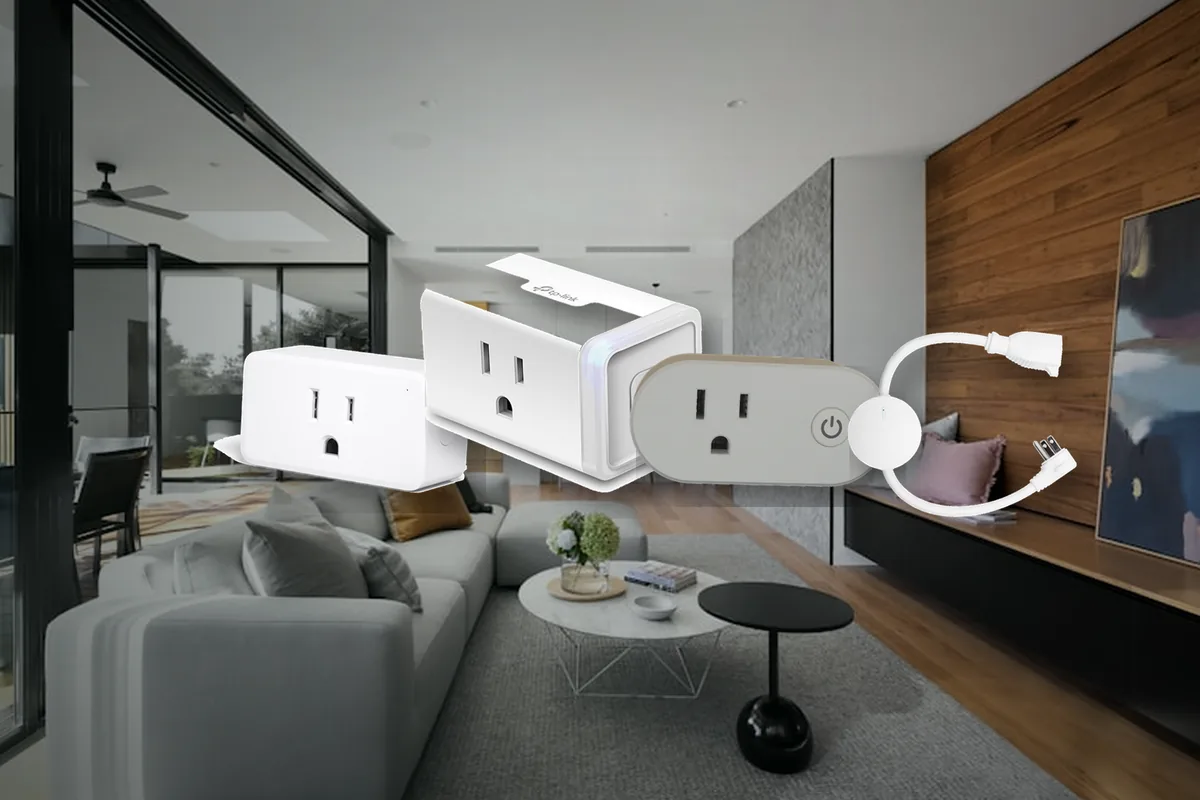
Short Answer: Buy by Control Path, Not by App Screenshot
For a Home Assistant home in 2026, the practical answer is this: ThirdReality Zigbee Smart Plug Gen2 is the safest budget pick if you already have a good Zigbee network, Zooz ZEN04 is the clean Z-Wave pick if you already run Z-Wave, Shelly Plug US Gen4 is the flexible local Wi-Fi pick in the United States, KAUF PLF12 is the ESPHome Wi-Fi pick for people who want Home Assistant-native firmware, and Eve Energy is the premium Matter-over-Thread pick if you already have a reliable Thread border router. TP-Link Kasa KP125M, Tapo P110M, and Meross MSS315 can be useful budget Matter plugs, but do not buy them in bulk until one exact plug shows the energy entities you need in your own Home Assistant setup.
Local control means Home Assistant can turn the plug on and off inside the house without waiting on a vendor server. Energy monitoring means Home Assistant sees useful power values, usually live watts and accumulated kilowatt-hours. Those are different things. A plug can be local for on/off control while still hiding full energy history in its phone app, or requiring vendor credentials for setup, firmware updates, or its native integration.
Tara's rule: use smart plugs for lamps, fans, chargers, media gear, dehumidifiers, and energy visibility. Treat refrigerators, sump pumps, washers, space heaters, and medical or safety equipment as load-rating and failure-mode projects, not dashboard conveniences.
Current Shortlist for Home Assistant
| Plug or path | Official support | Home Assistant path | Local or cloud? | Matter / HomeKit path | Choose or avoid |
|---|---|---|---|---|---|
| ThirdReality Zigbee Smart Plug Gen2 / E2 | Third Reality is a Works with Home Assistant partner. Its product page lists Home Assistant, ZHA, and Zigbee2MQTT support for power monitoring and restore status. | ZHA, Home Assistant's built-in Zigbee integration, or Zigbee2MQTT. Requires a Zigbee coordinator. | Local when paired directly to Home Assistant Zigbee. No vendor cloud needed for normal control. | No native HomeKit on the Zigbee model. You can expose it to Apple Home through Home Assistant HomeKit Bridge. ThirdReality also sells Matter smart plugs separately. | Choose for a local, inexpensive energy-monitoring plug that also strengthens the Zigbee mesh. Avoid if you do not want to add or maintain Zigbee. |
| Shelly Plug US Gen4 | Shelly docs list power metering, 15 A / 1800 W resistive load, Wi-Fi, Bluetooth, Zigbee, Matter certification, HomeKit compatibility, local schedules, scripting, and safety protections. | Home Assistant Shelly integration for local Wi-Fi, or Matter/Zigbee depending on firmware mode and setup. | Local options available. Shelly cloud is optional for remote app features, not required for a local Home Assistant path. | Matter and Apple HomeKit support are built in. Home Assistant can also export the Shelly integration entity to Apple Home. | Choose when you want a flexible US plug with strong local tooling. Avoid toggling between protocol modes after automations are built. |
| Zooz ZEN04 800LR | Zooz product and support docs list Z-Wave Long Range, SmartStart, S2 security, energy monitoring, and Home Assistant inclusion instructions. | Z-Wave JS or Z-Wave JS UI with a Z-Wave adapter such as Home Assistant Connect ZWA-2. | Local Z-Wave. No vendor cloud needed for normal Home Assistant control. | No native Matter or HomeKit. Export to Apple Home through Home Assistant HomeKit Bridge if needed. | Choose if the house already uses Z-Wave or needs Z-Wave Long Range. Avoid for heavy motors or appliances that exceed Zooz's small-plug limits. |
| Zooz ZEN15 Power Switch | Zooz positions ZEN15 as a heavier-duty Z-Wave power switch with energy monitoring and overload protection for 110 V appliances. | Z-Wave JS or Z-Wave JS UI. | Local Z-Wave. | No native Matter or HomeKit. Export through Home Assistant if Apple Home needs a control tile. | Choose for dehumidifiers, window AC units, fans, and appliance monitoring where a normal mini plug is the wrong tool. Still verify the exact load before use. |
| Eve Energy, Matter over Thread | Eve is a Works with Home Assistant partner for Matter products. Eve says Energy connects directly to Home Assistant via Thread and provides power, voltage, amperage, and cumulative consumption when supported. | Home Assistant Matter integration plus a compatible Thread border router. | Local Matter/Thread. No Eve cloud dependency for normal control. | Native Matter path works with Apple Home, Home Assistant, Google, Alexa, and SmartThings. Good when Apple Home coexistence matters. | Choose for a privacy-first Thread home. Avoid if you do not already have a reliable Thread border router or if cost matters more than ecosystem fit. |
| TP-Link Kasa KP125M / Tapo P110M | TP-Link's KP125M page lists Matter and energy monitoring. Home Assistant's TP-Link integration is platinum quality and Local Polling, but it requires TP-Link cloud credentials for Tapo and newer Kasa devices. | TP-Link Smart Home integration or Home Assistant Matter integration. | Native TP-Link integration uses local polling after authentication. Matter control is local. Some setup, firmware, and authentication behavior still depends on TP-Link account/app details. | Matter path can work with Apple Home and Home Assistant. Energy over Matter is model- and firmware-sensitive; community reports show changing behavior across Tapo firmware and Home Assistant versions. | Choose as a budget plug after testing one exact firmware. Avoid as the default if you require cloud-free setup and stable energy data with no vendor account. |
| KAUF PLF12 ESPHome smart plug | KAUF documents Home Assistant setup and says the plug ships with ESPHome firmware made for Home Assistant. | ESPHome native API in Home Assistant. Uses Wi-Fi. | Local Wi-Fi with no third-party app or cloud required after Wi-Fi setup. | No native Matter or HomeKit. Export to Apple Home through Home Assistant HomeKit Bridge. | Choose if you want ESPHome from day one and can tolerate a smaller vendor. Avoid if you want mainstream retail availability or native Apple/Google/Matter onboarding. |
| Meross MSS315 Matter smart plug | Meross product docs list Matter and app-based energy monitoring. Community and Matter reports show firmware/version caveats for energy data exposed to platforms. | Home Assistant Matter integration, or a community Meross path if you deliberately choose that route. | Matter control is local. Firmware updates and some energy history may require the Meross app. | Matter path works across Apple, Google, Alexa, SmartThings, and Home Assistant for control; verify energy entities before scaling. | Choose as a low-cost Matter test plug. Avoid if the reason you are buying is guaranteed Home Assistant energy history without app involvement. |
Official Support vs Community-Supported
For non-technical homeowners, split smart plug claims into three buckets. Official Home Assistant support means the product family or integration has a documented Home Assistant path. Works with Home Assistant means a partner product line has been tested for local operation and long-term support commitments. Community-supported means users have working setups, but you may rely on forum knowledge, custom integrations, or exact firmware behavior.
ThirdReality and Eve have the cleanest Works with Home Assistant story in this plug category. Home Assistant's Third Reality docs say its Zigbee and Matter devices work locally through the Zigbee or Matter integration. Home Assistant's Eve docs say Eve Matter devices work locally through Matter. Shelly's Home Assistant story is also strong: Home Assistant's Shelly integration is local, Shelly documents local control, and Shelly joined Works with Home Assistant for certified Z-Wave devices, though not every Shelly Wi-Fi plug is automatically certified.
TP-Link Kasa/Tapo is officially integrated, but it is a different kind of official. Home Assistant labels the TP-Link Smart Home integration Local Polling, but the docs also say Tapo and newer Kasa devices require the TP-Link cloud username and password for authentication. That is not a dealbreaker. It is a caveat you should know before buying twenty plugs for a no-cloud house.
Best Zigbee Path: ThirdReality First
Zigbee is a local low-power mesh radio. In plain English, it keeps small smart-home devices off your Wi-Fi and lets powered Zigbee devices relay messages for nearby battery sensors. A plug-in Zigbee smart plug can be useful twice: it controls the appliance plugged into it, and it can strengthen the Zigbee network for nearby sensors.
ThirdReality Zigbee Smart Plug Gen2 is the default recommendation for a Home Assistant Zigbee home because the official pieces line up. Third Reality is a Works with Home Assistant partner. Its smart plug product page says real-time power monitoring is supported by Home Assistant, SmartThings, Hubitat, and ThirdReality Hub Gen2, and it specifically names ZHA and Zigbee2MQTT support for restore status. Home Assistant's ZHA docs also list Third Reality among the manufacturers with OTA firmware providers, which matters when you want updates without inventing a maintenance ritual.
The caveat is still your mesh. If the plug is behind a metal appliance, in a basement, or far from the coordinator, the brand is not the only variable. Pair one plug near the coordinator first, confirm Home Assistant sees the switch and energy data, then move it to the final room and watch signal quality before buying a whole pack.
Best Z-Wave Path: Zooz ZEN04, ZEN15 for Heavier Jobs
Z-Wave is another local smart-home radio, common in locks, sensors, switches, and North American installed devices. If your house already has a Z-Wave adapter, the Zooz ZEN04 800LR is the straightforward smart plug pick for lamps, media cabinets, and small appliance visibility. Zooz says it has live energy readings, Z-Wave Long Range support, S2 security, SmartStart, and ETL certification. The Zooz Home Assistant article gives specific Z-Wave JS inclusion steps.
Do not confuse "15 A resistive" with "plug anything into it forever." Zooz's own FAQ says the ZEN04 is suitable for lamps and small appliances, and warns against washers, dryers, refrigerators, or motors over 1/3 hp. That is exactly the kind of fine print a buying guide has to surface. A smart plug relay failing off on a lamp is annoying. A relay failing on or off around a refrigerator, sump pump, or heater can become expensive or unsafe.
For heavier 110 V appliance monitoring, look at Zooz ZEN15 Power Switch instead of forcing a mini plug into the job. It is still not a license to ignore ratings, but it is designed for a different class of load.
Best Wi-Fi Path: Shelly or ESPHome, Not Random Cloud Plugs
Wi-Fi smart plugs are tempting because they do not require a separate Zigbee or Z-Wave adapter. The tradeoff is that every plug is another Wi-Fi client, and many cheap Wi-Fi plugs are built around vendor apps or cloud accounts. For Home Assistant, the best Wi-Fi plugs are the ones that make local control explicit.
Shelly Plug US Gen4 is the strongest mainstream US example. Shelly's documentation lists Wi-Fi, Bluetooth, Zigbee, Matter certification, Apple HomeKit compatibility, power and energy meters, local schedules, webhooks, MQTT, scripting, and safety protections. Shelly's Home Assistant page says communication stays on the local network and works without the internet. For a homeowner, that means Shelly can be simple at first and still useful later when automations get more specific.
KAUF PLF12 is the nerdier local Wi-Fi option. KAUF ships the plug with ESPHome firmware made for Home Assistant. ESPHome is a local firmware system that lets Home Assistant talk to ESP-based devices through a native local API. The benefit is no vendor app account. The cost is that you are buying into a more DIY-friendly support model, not a mass-market retail ecosystem.
Matter Plugs: Good Direction, Uneven Energy Reality
Matter is the open smart-home standard that lets devices work across platforms. Home Assistant's Matter docs say it controls Matter devices locally over Wi-Fi or Thread. The Connectivity Standards Alliance released Matter 1.3 on May 8, 2024 with new energy-management support. Home Assistant has also moved quickly: Eve Energy custom energy measurements appeared in the Home Assistant Core 2023.12 changelog, and Home Assistant's June 23, 2026 Matter upgrade improved the platform's Matter foundation.
The buying caveat is simple: Matter support does not guarantee useful Home Assistant energy entities. The device firmware must expose the right clusters, the plug may need a vendor app firmware update, and Home Assistant must map what the device exposes. Community threads around Tapo P110M, Kasa KP125M, Meross MSS315, and other Matter plugs show why testing one exact model matters. Some users report reliable energy over Matter after updates. Others report only on/off, duplicate entities, unavailable energy sensors, or data that depends on firmware and internet time behavior.
That does not mean "avoid Matter." It means buy Matter plugs for the right reason. If Apple Home, Google Home, and Home Assistant all need direct control, a Matter plug can be the cleanest path. If the only thing you need is reliable watts and kWh in Home Assistant tomorrow, Zigbee, Z-Wave, Shelly, or ESPHome may be calmer.
HomeKit and Apple Home Paths
There are two Apple paths people mix up. A plug with native Matter or HomeKit can be added directly to Apple Home. A plug controlled by Home Assistant can also be exported to Apple Home through Home Assistant's HomeKit Bridge. Those are not the same architecture.
Eve Energy is the clean native Apple-friendly pick because it is Matter over Thread, privacy-focused, and officially described by Eve and Home Assistant as local. It needs a compatible Thread border router, which is the always-on bridge that connects low-power Thread devices to your home network. In many Apple homes, a recent Apple TV or HomePod already does that job. In a Home Assistant-first house, you may use Home Assistant's own Thread setup instead.
Zigbee and Z-Wave plugs do not need native HomeKit to be useful in Apple Home. If Home Assistant is the main controller, it can expose selected plug switches to Apple Home through HomeKit Bridge. That is often cleaner than forcing every device to be Apple-native.
Kasa and Tapo: Good Budget Plugs, Read the Fine Print
TP-Link deserves a balanced answer because many homeowners already own Kasa or Tapo plugs. The Home Assistant TP-Link Smart Home integration is official, widely used, and labeled Local Polling. TP-Link's Kasa KP125M product page lists Matter and energy monitoring. The problem is not that Kasa and Tapo are unusable. The problem is that their Home Assistant story is not as cloud-free and uniform as the product card suggests.
Home Assistant's TP-Link docs require a TP-Link cloud username and password for Tapo and newer Kasa devices. The same docs call out troubleshooting around Tapo third-party compatibility and note that newer Kasa/Tapo devices may not report total consumption the same way older Kasa devices did. Home Assistant Community threads around Tapo P110M show how Matter energy behavior has changed across firmware versions, with users reporting missing or moved energy entities.
Plain-English recommendation: Kasa KP125M and Tapo P110M can be good budget plugs, especially if you are comfortable with TP-Link's app and account. They are not the first pick for a strict no-cloud Home Assistant install unless one exact sample proves the setup and energy data you need.
Where Smart Plugs Are Useful, and Where They Are a Bad Idea
Smart plugs are best for jobs where switching failure is annoying, not dangerous. A lamp, fan, TV cabinet, 3D printer power monitor, air purifier, dehumidifier, holiday decoration, desk charger, or coffee maker can be a good fit if the load rating is appropriate. Energy data can also make automations smarter: a washing machine finished alert, a TV-on lighting scene, a dehumidifier runtime report, or a notification when a sump pump draws abnormal power.
Be more careful with refrigerators, freezers, sump pumps, washers, dryers, window AC units, space heaters, medical equipment, and anything that must stay on. Use a product rated for that exact kind of load, consider monitor-only hardware when you do not need switching, and keep the physical button and manual fallback understandable. Do not put a cheap mystery relay between the house and something expensive because a forum automation looked clever.
If you only need energy monitoring and never want Home Assistant to turn the device off, a monitor-only device or a plug with the relay disabled may be safer. Shelly and ESPHome-style devices can often support more careful local behavior, but the right answer depends on the exact load and local electrical rules.
Getting Data into the Energy Dashboard
Home Assistant's Energy dashboard generally wants accumulated energy in kWh for long-term tracking. Live power in watts is still useful for automations, but watts alone may not appear as the monthly energy sensor you expect. If your smart plug reports only current power, you may need Home Assistant's integration helper to calculate energy over time. If the plug reports both power and total energy, use the vendor-provided kWh entity when it is stable.
Keep the recorder in mind. Smart plugs can be chatty, especially if voltage, current, power factor, and live watts change every few seconds. For a normal homeowner dashboard, keep the entities you actually use and avoid storing every noisy diagnostic forever. The right answer is not "track nothing"; it is "track the switch, watts, kWh, and useful health signals."
Setup Order That Avoids Most Pain
Use this order before buying a large batch.
- Pick one room and one plug. Do not buy ten until one works exactly the way you expect.
- Pair it through the path you intend to keep. If you want Zigbee, pair it to ZHA or Zigbee2MQTT. If you want Matter, pair it through Matter. If you want Shelly local, use the Shelly integration.
- Check entities. Confirm Home Assistant sees the switch, watts, kWh, and any safety or restore settings you care about.
- Power-cycle it. Unplug the smart plug, plug it back in, and confirm restore behavior. You do not want a bedroom fan, TV, or appliance changing state after an outage unexpectedly.
- Block internet only after setup if that is your plan. Some devices need app or firmware steps before they behave locally. Test the actual no-internet behavior, not the marketing claim.
- Move it to the real outlet. Watch signal strength, Wi-Fi stability, Zigbee route, or Z-Wave health in the final location.
- Document the model and firmware. Buying the "same" plug six months later can mean different hardware or firmware.
Tara's Take
For a Tara-style local Home Assistant install, I would standardize by radio instead of collecting random plugs. If the house uses Zigbee sensors, use ThirdReality Zigbee plugs as both useful outlets and mesh strength. If the house uses Z-Wave locks and sensors, use Zooz for plug-in jobs and ZEN15-class hardware for heavier monitoring. If the house is Wi-Fi-first, use Shelly or ESPHome instead of cloud-first app plugs. If the homeowner is Apple-heavy and already has Thread, use Eve Energy where the premium makes sense.
The mistake is buying "Matter energy plug" and assuming the details are solved. The better approach is to decide who owns the device, how it behaves without internet, what energy data reaches Home Assistant, and what happens if the plug fails. That is the difference between a useful smart outlet and a maintenance chore.
Related Tara Reading
Smart plugs sit inside the larger local-home plan. These pages are useful next.
- Home Assistant smart home kit
- Local smart home hub
- Smart lighting kit
- Why your sensor will not show up in Home Assistant Energy Dashboard
- ZHA vs Zigbee2MQTT
- Z-Wave JS vs Z-Wave JS UI
- Should Home Assistant live on your main LAN or IoT VLAN?
- Configurator
FAQ
What smart plug should I buy for Home Assistant?
If you already use Zigbee, start with ThirdReality Zigbee Smart Plug Gen2 or E2. If you already use Z-Wave, start with Zooz ZEN04 for small plug loads or ZEN15 for heavier appliance monitoring. If you want local Wi-Fi, start with Shelly Plug US Gen4 or KAUF PLF12. If you want native Apple/Home Assistant Matter over Thread, start with Eve Energy. If you want cheap Matter over Wi-Fi, test one Kasa, Tapo, or Meross plug before buying a multi-pack.
Do Matter smart plugs always show energy monitoring in Home Assistant?
No. Matter 1.3 added energy-management support, and Home Assistant's Matter support keeps improving, but the plug firmware still has to expose the right data. Some Matter plugs show only on/off, some show power but not energy, and some need a firmware update or re-interview before the right entities appear.
Are TP-Link Kasa and Tapo plugs local?
Partly. Home Assistant labels the TP-Link Smart Home integration Local Polling, so normal communication can happen locally after setup. But the official docs require TP-Link cloud credentials for Tapo and newer Kasa devices. Matter models can be controlled locally through Matter, but energy reporting over Matter depends on model and firmware.
Can I put a smart plug on a refrigerator, washer, or space heater?
Only if the plug is rated for that exact type of load and you understand the failure mode. Many mini plugs are fine for lamps and electronics but not for compressors, motors, long high-current heating, or critical appliances. For monitoring-only jobs, consider hardware that does not rely on switching the load.
Can Apple Home control my Zigbee or Z-Wave smart plug?
Yes, if Home Assistant exposes it through HomeKit Bridge. That is different from native HomeKit or Matter support. In a Home Assistant-first house, Home Assistant can own the Zigbee or Z-Wave plug and publish a clean switch to Apple Home for family control.