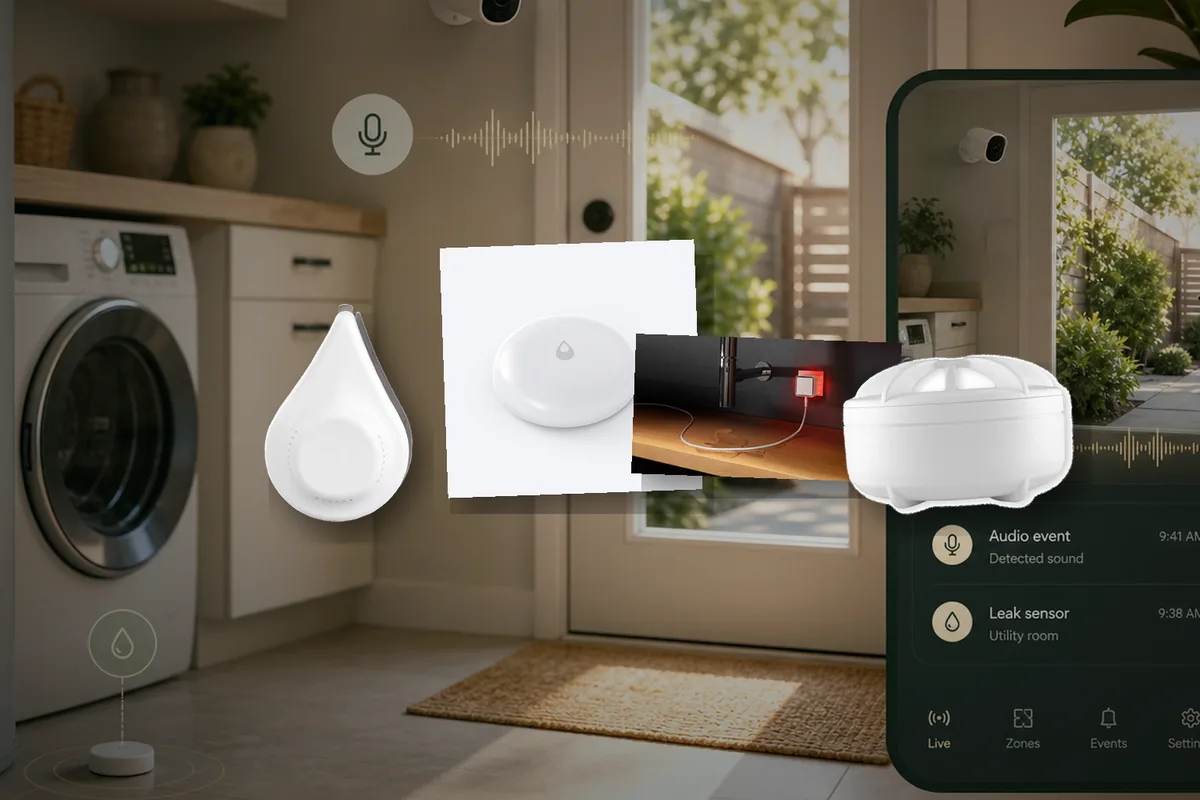
Short Answer: Match the Sensor to Your Existing Home Assistant Radio
If you want the least drama, do not start with the cheapest multi-pack. Start with the network your Home Assistant system already runs well. Zigbee and Z-Wave are local low-power sensor radios, Matter is the newer local cross-platform smart-home standard, and HomeKit Device is Home Assistant's path for many Apple HomeKit accessories. For a Z-Wave home, the Zooz ZSE42 800LR Water Leak XS Sensor is the cleanest local-first pick. For a Zigbee home, start with ThirdReality Smart Water Leak Sensor or frient Water Leak Detector because both have an official Home Assistant story. If you want a Matter sensor, test one IKEA KLIPPBOK, Shelly Flood Gen4, or ThirdReality KM1 before buying ten. Matter is local, but Matter-over-Thread still needs a Thread border router, which is the small hub or bridge that lets low-power Thread sensors talk to the rest of the home network.
Local control means Home Assistant can receive the leak event inside your home network without waiting on a vendor cloud. That matters because a leak is not like a mood light. If the internet is down, you still want the local siren, dashboard, speaker, and phone-on-Wi-Fi alert to work. Cloud options such as the official YoLink integration can be useful for long range, but they should be chosen knowingly, not by accident.
Tara's rule: leak sensors are cheap insurance only if they are placed, named, tested, and included in boring alerts. A drawer full of untested sensors is not protection.
Current Shortlist for Home Assistant
| Sensor path | Official support | Home Assistant path | Local or cloud? | Matter / HomeKit path | Choose or avoid |
|---|---|---|---|---|---|
| Zooz ZSE42 800LR Water Leak XS Sensor | Works with Home Assistant certified list and Zooz Home Assistant support article. | Z-Wave JS or Z-Wave JS UI with a Z-Wave adapter. Z-Wave is a local low-power mesh radio. | Local. No vendor cloud needed for leak events. | No Matter or HomeKit path needed. | Choose if you already run Z-Wave or want long-range Z-Wave. Avoid if you do not want to add a Z-Wave radio. |
| ThirdReality Smart Water Leak Sensor, Zigbee | Third Reality is a Works with Home Assistant partner; product page lists Home Assistant compatibility. | ZHA, Home Assistant's built-in Zigbee integration, or Zigbee2MQTT, a separate Zigbee controller stack, with a Zigbee coordinator. Zigbee is a local mesh radio where plug-in devices often help relay battery sensors. | Local when paired directly to Home Assistant Zigbee. The sensor also has a loud local alarm. | Not the main path. ThirdReality also sells separate Matter products. | Choose for a low-cost Zigbee puck with a loud alarm. Test one first if your Zigbee network is thin near the appliance. |
| frient Water Leak Detector / Probe Version | Home Assistant's frient Works with Home Assistant announcement lists both leak detector versions. | ZHA on Home Assistant Green plus ZBT-1 is the tested certification path; Zigbee2MQTT may also work but is not the certification path. | Local Zigbee, no cloud or Wi-Fi needed. | No Matter or HomeKit path. | Choose if you want a certified Zigbee sensor, especially in markets where frient is easy to buy. The probe version helps in tight cabinets. |
| IKEA KLIPPBOK, Article 506.177.69 | IKEA product page says it is Matter compatible and uses Matter over Thread. | Home Assistant Matter integration, plus a Thread border router. Thread is the low-power mesh network that some Matter sensors use. | Local Matter, once commissioned. It can still beep by itself without the smart-home path. | Matter over Thread. It can pair through Home Assistant or another Matter controller, depending on your setup. | Choose as a budget Matter test sensor. Avoid buying in bulk until your specific Thread network and firmware behavior are proven. |
| Shelly Flood Gen4 | Official Home Assistant Shelly integration; Shelly product docs list Wi-Fi, Bluetooth, Zigbee, and Matter. | Shelly integration, Matter, or Zigbee depending on firmware mode and setup. Shelly integration is local push. | Local options available; Shelly cloud can be disabled for local-first use. | Matter support is built in; Zigbee mode is also available. The device can switch between Matter and Zigbee firmware modes. | Choose if you want a cable-style sensor and multi-protocol flexibility. Avoid if you need a tiny puck under every appliance. |
| Aqara Water Leak Sensor / Water Leak Sensor T1 | Aqara's official path expects an Aqara hub; not every Aqara sensor is on the current Works with Home Assistant certified list. | Direct Zigbee via ZHA or Zigbee2MQTT is common in the community; Aqara hub can also be exposed through HomeKit Device in some setups. | Local if paired directly to your Home Assistant Zigbee network. Cloud or hub-dependent if you rely on Aqara app behavior. | HomeKit through an Aqara hub can be useful. Do not buy the leak sensor assuming direct Matter exposure unless the exact hub/device path says so. | Choose for small, cheap sensors if you already know Aqara behaves well on your Zigbee mesh. Avoid if your Zigbee routers are weak or mixed in ways Aqara dislikes. |
| Eve Water Guard | Eve product docs list Bluetooth and Thread, a 100 dB siren, and a 6.5 ft / 2 m extendable sensing cable. | HomeKit Device integration. Home Assistant can add HomeKit accessories over Wi-Fi, Bluetooth, or Thread, but HomeKit devices normally pair to one controller at a time. | Local HomeKit path, but firmware and app management may still be easier in Apple Home. | HomeKit over Thread or Bluetooth. Not the same buying question as a cheap battery puck. | Choose for a laundry, utility, or mechanical room where a cable can cover a larger area. Avoid for a low-cost whole-home puck rollout. |
| YoLink Water Leak Sensor 1 / 4, YS7903 and YS7906 | Official Home Assistant YoLink integration lists several YoLink water leak sensor models. | Official YoLink integration with account linking. YoLink also sells a Local Hub with local API support, but that is not the same as assuming every YoLink hub is local. | Official Home Assistant integration is Cloud Push. Local-hub paths need exact-device verification. | No normal Matter/HomeKit path for the leak sensors themselves. YoLink Hub 3 is not the same as the Local Hub. | Choose for long range, detached garages, outbuildings, or basements where other radios fail. Avoid if cloud independence is the top requirement. |
Official Support vs "It Works for Me"
Home Assistant has two different meanings people often blur together. An integration is the software path that lets Home Assistant talk to a device family, such as ZHA, Z-Wave JS, Matter, Shelly, HomeKit Device, or YoLink. Works with Home Assistant is a certification program where specific products have been tested for a good Home Assistant experience, local control, and longer-term support commitments.
That difference matters for leak sensors. A random Zigbee water puck may join your network and expose a wet/dry entity today, but another visually identical puck may use different firmware tomorrow. The Home Assistant Community thread "Water sensors - what's good?" makes the practical caveat clear: support is easy to look up, and no puck can detect water that never reaches its probes. For a homeowner, the useful lesson is simple: buy exact models, not search-result lookalikes.
Best Zigbee Path: ThirdReality or frient, Aqara with Caveats
Zigbee is a local low-power mesh. Battery leak sensors are usually end devices, meaning they sleep most of the time and do not relay messages for other devices. Plug-in Zigbee outlets and repeaters can help the network carry messages across the house, but a battery puck under a washing machine cannot strengthen the mesh for another puck.
For a clean official path, ThirdReality and frient are the easier recommendations. Home Assistant's Third Reality docs say Third Reality Zigbee devices work locally with the Zigbee integration, and Third Reality's product page lists a loud 120 dB alarm and Home Assistant-compatible Zigbee hub support. Home Assistant's 2025 frient announcement lists the Water Leak Detector and Probe Version as Works with Home Assistant devices tested with ZHA.
Aqara sensors are popular, small, and often inexpensive, but I would not make them the default recommendation for a non-technical homeowner unless the installer knows the Zigbee mesh. Aqara's official product page expects an Aqara hub, and many Home Assistant users pair Aqara sensors directly through ZHA or Zigbee2MQTT as a community-supported path. That can work well. It can also be frustrating if the sensor is routed through weak or incompatible Zigbee repeaters.
Best Z-Wave Path: Zooz ZSE42 800LR
If the house already has Z-Wave, the Zooz ZSE42 800LR is the straightforward Home Assistant pick. Z-Wave JS is Home Assistant's official Z-Wave path, and the Zooz support article has specific Home Assistant inclusion instructions, including Z-Wave Long Range support when you have compatible hardware and firmware.
Z-Wave Long Range can be useful for basements, detached utility spaces, and water heaters far from the hub, but it is not magic. You still need the right regional hardware, the right Z-Wave adapter, and careful inclusion. If you are already invested in Z-Wave for locks or sensors, Zooz keeps the leak system on that same local radio instead of adding another app.
Matter Sensors Are Real, but Test One First
Home Assistant's Matter docs say Matter devices can be controlled locally over Wi-Fi or Thread without needing a vendor cloud for normal operation. That is the good part. The caveat is setup reality. A Matter-over-Thread leak sensor still needs a working Thread border router, and the phone, border router, Home Assistant, and network need to cooperate during pairing.
IKEA KLIPPBOK is the interesting budget option. IKEA's current U.S. product page lists it at $7.99, says it is Matter compatible, and says it uses Matter over Thread with a Thread border router. That is attractive, especially for a house that already has a good Thread network. But user reviews and Home Assistant forum discussions show a mixed early experience around Thread stability and firmware behavior. Buy one or two, test them under real appliances, then scale.
Shelly Flood Gen4 is the more flexible technical option. Shelly's product docs list Wi-Fi, Bluetooth, Zigbee, and Matter, plus a 2 m leak sensor cable that can be extended up to 150 m. Home Assistant's Shelly integration is local push, and Shelly Gen4 can also be used through Matter or Zigbee depending on firmware mode. That flexibility is useful, but it also means you should choose one path deliberately instead of toggling modes after automations are built.
ThirdReality KM1 is a Matter-over-Wi-Fi kit with one controller and multiple detector points. It can be attractive if you want Matter without Thread, but it is a kit architecture rather than a normal single puck. Treat it as a separate system to test, not as a drop-in replacement for every Zigbee or Z-Wave sensor.
HomeKit Path: Eve Water Guard and Aqara Hub Setups
Home Assistant's HomeKit Device integration connects accessories with the Works with HomeKit logo to Home Assistant. This is not the same as HomeKit Bridge, which exposes Home Assistant devices to Apple Home. HomeKit Device is useful when the accessory is a good HomeKit product first and a Home Assistant product second.
Eve Water Guard is the best example. It is mains powered, has a 100 dB siren, and uses a sensing cable instead of just bottom contacts. That makes it a good fit under a water heater, along a laundry wall, or near a utility room where water may spread across a wider path. The caveat is pairing and management: HomeKit accessories generally pair to one controller at a time, and firmware/app features may be easier through Apple Home. For a HomeKit-heavy house, that is acceptable. For a pure Home Assistant house, Zigbee or Z-Wave is usually simpler.
Aqara hubs can also expose some Aqara devices into Home Assistant through HomeKit Device or other hub paths. That can be the right answer when the homeowner already owns Aqara. It is not the same as saying every Aqara leak sensor is a direct Matter sensor or that every Aqara hub path is equally local.
YoLink Is the Long-Range Exception
YoLink deserves a separate category because its best feature is range. YoLink leak sensors use a long-range low-power hub system, and the official Home Assistant YoLink integration lists multiple water leak sensor models, including YS7903, YS7904, YS7906, and YS7916. That can solve real houses where Zigbee, Z-Wave, Wi-Fi, and Thread do not reach a detached garage, pump house, or far basement corner.
The tradeoff is cloud dependency. Home Assistant currently labels the YoLink integration Cloud Push, and the docs use account linking. YoLink's newer Local Hub product page says it supports a local API for Home Assistant-style local control centers, but YoLink also notes that Hub 3 is not the same local-integration product. A 2026 Home Assistant GitHub issue about YoLink login and status failures is a useful reminder: when the normal path depends on vendor authentication or cloud status, Home Assistant can be fine while the vendor side is the weak link.
Plain-English recommendation: use YoLink when range is the problem you actually have. Do not choose it as the default local-first leak sensor unless you have verified the exact local-hub path you plan to maintain.
Placement Beats Brand
Most leak pucks work by closing an electrical path between metal contacts when water touches them. That means the sensor must be where water will collect. A puck on a dry shelf next to a leaky pipe will not help.
- Water heater: put the sensor in the drain pan if there is one, or on the floor where water first appears.
- Washing machine: use one behind the washer near the hoses and another near the front if the floor slopes away.
- Dishwasher: place it under the toe-kick or in the cabinet path where water emerges, not on top of the counter.
- Refrigerator ice maker: place the sensor behind or beside the fridge where the line would drip.
- Under sinks: use a probe or cable if the cabinet bottom is uneven or full of cleaning supplies.
- Sump pump and basement: place one at the earliest pooling point and one where water would threaten finished flooring.
- HVAC condensate: place it near the pan, drain line, or floor area where overflow would first show up.
Alerts That Actually Wake Someone Up
The Home Assistant Community notification thread exists because a sensor firing is only half the job. The alert must reach a human fast enough to matter. For leak sensors, use multiple channels:
- Local sound: prefer sensors with a built-in siren or pair the automation with a local siren or speaker.
- Phone alert: send a high-priority notification to every adult phone, not just the person who built Home Assistant.
- House signal: flash common-area lights or announce on local speakers when people are home.
- Escalation: if still wet after five minutes, repeat the alert and include the exact room name.
- Recovery: notify when the sensor returns to dry, so nobody assumes the problem is still active after cleanup.
Name the entities, which are Home Assistant's device-state names, like a person would say them: "Laundry washer leak," "Water heater pan leak," and "Kitchen sink cabinet leak." Do not leave names like binary_sensor.water_leak_sensor_3 in a system you expect someone else to trust during a panic.
Automatic Water Shutoff: Useful, but Not a Toy
Home Assistant can trigger a water valve controller, and there are real products in this category: Zooz Titan Water Valve Actuator, Aqara Valve Controller T1, YoLink valve kits, and professional whole-home systems such as Moen Flo or Phyn. But a valve automation is a safety project, not a clever template.
Before automating shutoff, answer three questions. First, can someone manually reopen the valve without an app? Second, does shutting off water create risk for a boiler, humidifier, irrigation, fire-suppression line, medical equipment, or guest who does not know the system? Third, has the valve actually been tested under normal household pressure?
A conservative setup is best: leak sensor triggers loud alerts immediately, waits a short grace period, then shuts off water only for confirmed high-risk zones or when nobody cancels the action. For vacation homes, rentals, and unattended basements, automatic shutoff can be worth it. For a normal occupied home, start with alerts and a clear manual procedure.
The Maintenance Routine
Leak sensors fail quietly if you never test them. Build a maintenance routine that does not depend on memory.
- Test with water monthly or quarterly: use a damp paper towel or a shallow tray, then dry the contacts.
- Watch unavailable state: alert if a leak sensor has not checked in for more than a day or two.
- Track batteries: replace before vacation season, not after the first low-battery warning.
- Retest after firmware updates: battery sensors often sleep, and firmware, the software inside the sensor, can expose weird battery or entity behavior after an update.
- Document placement: keep a simple list of sensor location, battery type, and radio path.
Tara's Take
For a Tara-style Home Assistant house, the best water-leak plan is boring: local sensors, clear locations, loud alerts, and tested maintenance. If the home already has Z-Wave, use Zooz. If it already has Zigbee, use ThirdReality or frient, with Aqara only when the Zigbee mesh is known good. If the homeowner wants Matter, use IKEA KLIPPBOK or Shelly Flood Gen4 as a small pilot, not a bulk purchase. Use Eve Water Guard when a cable makes more sense than a puck. Use YoLink when range matters more than strict cloud independence.
The mistake is buying by app rating. Buy by what happens when water hits the floor, the internet is down, and the person who needs the alert is not the person who installed the system.
Related Tara Reading
Leak sensors sit inside a larger local-home plan. These pages are useful next.
- Home Assistant smart home kit
- Local smart home hub
- Door and window sensors
- ZHA vs Zigbee2MQTT
- Z-Wave JS vs Z-Wave JS UI
- Do you need one or two radios for Zigbee and Thread?
- Should you pair Matter devices to Home Assistant or Apple/Google first?
- Configurator
FAQ
What water leak sensor should I buy for Home Assistant?
If you already have Z-Wave, start with Zooz ZSE42 800LR. If you already have Zigbee, start with ThirdReality or frient. If you want Matter, test IKEA KLIPPBOK, Shelly Flood Gen4, or ThirdReality KM1 before buying many. If you want HomeKit and a cable sensor, use Eve Water Guard. If you need long range more than local control, evaluate YoLink carefully.
Are Matter water leak sensors better than Zigbee or Z-Wave?
No. Matter is attractive because it is local and cross-platform, but Matter-over-Thread sensors need a good Thread border router and a network that supports commissioning reliably. A mature Zigbee or Z-Wave setup can be more dependable for leak sensors today.
Should I avoid cloud leak sensors?
Avoid them as the default for critical leak alerts. A cloud sensor can still be useful for range or a specific product ecosystem, but the homeowner should understand that app notifications and Home Assistant updates may depend on vendor login, internet service, and cloud status.
Can Home Assistant shut off water automatically?
Yes, with the right valve controller, but do it carefully. Test the valve, keep manual override, confirm no safety system depends on constant water supply, and make alerts obvious before and after shutoff. For many homes, alerts are the first phase and automatic shutoff is the second phase.
How many leak sensors do I need?
Most homes should start with the water heater, washing machine, dishwasher, refrigerator ice maker, under sinks, sump pump, basement low point, and HVAC condensate area. Add sensors where water would actually pool, not just where plumbing exists.