Short Answer: Yes—You Do Not Need Another Thread Radio
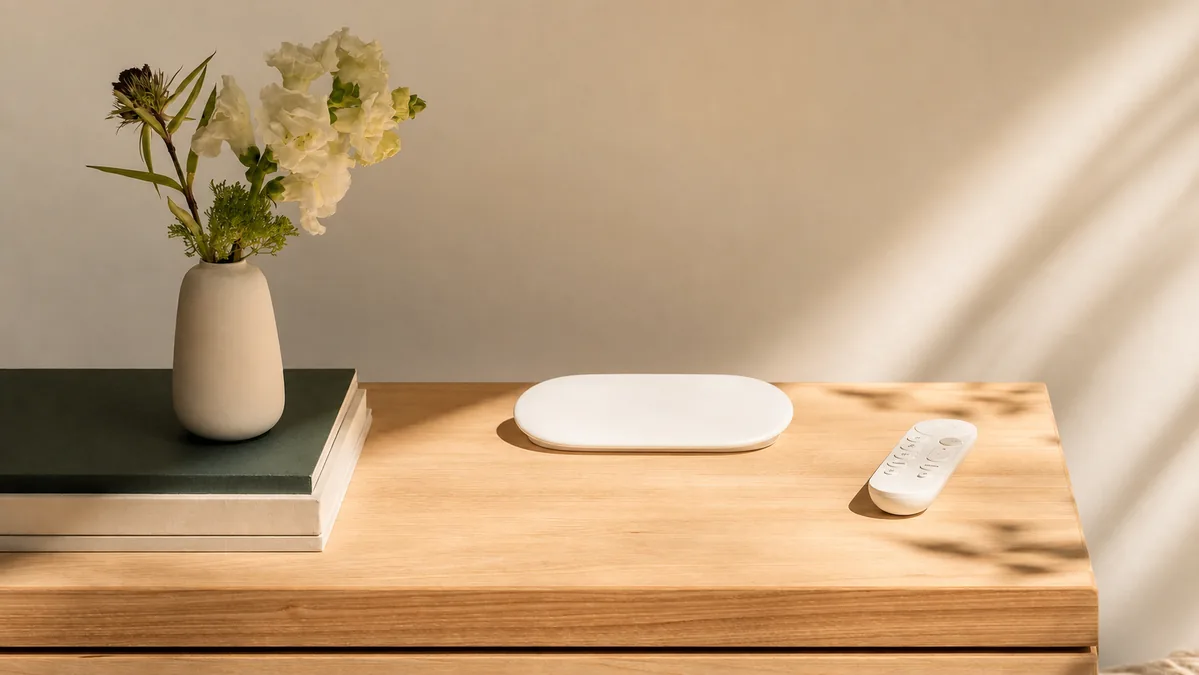
Google TV Streamer (4K) can be the Thread border router for Matter devices controlled by Home Assistant. A Thread border router is the always-on bridge between low-power Thread devices and your normal Wi-Fi or Ethernet network. It forwards encrypted local traffic; it does not become the owner of the device. Home Assistant remains the Matter controller—the brain that adds and controls the accessory—and runs your automations.
If you already use Google Home, the calmest setup is to add the new Matter-over-Thread accessory there first, confirm it works, and then share it to Home Assistant. If Home Assistant should be the only controller, an Android phone can copy the Google-created Thread network details into Home Assistant and add the accessory directly. In either case, the Google device supplies the radio route and Home Assistant supplies the local control.
You do not need the paid Google Nest integration for this. That separate cloud integration is for supported Google thermostats, cameras, and doorbells. You also do not need any Thread border router for Matter-over-Wi-Fi devices. Before buying hardware, check the accessory box for both the Matter logo and the Thread logo.
Which Google Devices Actually Provide Thread?
Google uses the word hub for several devices that can run Matter over Wi-Fi. Only the models in the Thread column provide the radio needed by a Matter-over-Thread sensor, lock, bulb, or switch.
| Google device | Google's current Thread support | Home Assistant status | Homeowner recommendation |
|---|---|---|---|
| Google TV Streamer (4K) | Yes. Google documents a built-in Thread border router and a Thread on/off toggle. | Explicitly listed as known to work. | Best dual-purpose choice when you also want the TV streamer. Do not confuse it with Chromecast with Google TV. |
| Nest Hub (2nd gen) | Yes. | Explicitly listed as known to work. | Use it if you already own one. Confirm it is second generation; the first-generation display has no Thread radio. |
| Nest Hub Max | Yes. | Explicitly listed as known to work. | A good existing border router when its location helps cover the house. |
| Nest Wifi Pro (Wi-Fi 6E) | Yes. | Explicitly listed as known to work. | Use the mesh you already have. Do not replace a stable router only to collect another Thread badge. |
| Google Home Speaker (2026) | Yes. Google's current page lists Thread. | Not yet named on Home Assistant's current known-to-work list. | Early option: reasonable for Google Home, but do not buy it solely for a Home Assistant Thread plan until Home Assistant documents the model. |
| Older Nest Wifi router and point | Google's specifications identify them as Thread border routers, but its current Matter-over-Thread hub table names only Nest Wifi Pro and the legacy specifications still label Matter support “coming soon.” | Home Assistant lists Nest Wifi as known to work for Thread routing. | Keep a working unit for Thread. Do not buy the old line expecting the same current Google Matter-hub path as Nest Wifi Pro. |
| Nest Hub (1st gen), Nest Audio, Nest Mini, Google Home Mini, original Google Home, Google Wifi, Chromecast with Google TV | No Thread border-router support on Google's current list or product specifications. | Not listed as Thread border routers. | Avoid for this job. Some are Matter hubs over Wi-Fi, which is not the same as providing Thread. |
The label trap: Google TV Streamer (4K) is the current low-profile box that sits near the TV. Chromecast with Google TV is the older dongle. The older product cannot become a Thread border router through a Home Assistant setting.
Thread, Matter, Google Home, and the Nest Integration Are Four Different Jobs
- Thread is the low-power wireless network used by many battery devices.
- The Google border router connects that Thread network to the home's normal local network. It forwards packets and cannot read the encrypted Matter content.
- Matter is the shared control language. Home Assistant's Matter Server is the controller that adds devices and gives Home Assistant their controls and sensor readings.
- Google Home is another Matter controller and household app. One Matter device can belong to both Google and Home Assistant.
- The Google Nest integration is an unrelated cloud API for selected Google-branded thermostats, cameras, and doorbells. It does not expose or unlock a Nest Hub's Thread radio.
This separation explains why no Google Nest entity appears in Home Assistant for the Streamer's Thread router. Home Assistant discovers the Thread network locally, usually with a name such as NEST-PAN-1234. The router is infrastructure, not a switch that should appear on a dashboard.
Choose One of These Three Setup Paths
1. Google Home First, Then Share to Home Assistant
Choose this when the household wants both Google Home and Home Assistant. It uses Google's working Thread network first and avoids trying to make the setup phone choose a different network.
- Set up Google TV Streamer, Nest Hub, or Nest Wifi Pro in Google Home. For Google TV Streamer, confirm Settings > Network and Internet > Thread network is on.
- Add the new Matter-over-Thread accessory in Google Home and confirm it responds with Bluetooth turned off.
- In the Home Assistant Companion app, open the Matter add-device flow and choose Yes, it's already in use.
- Select the Google Home sharing path and follow the prompts to add Home Assistant as another Matter controller.
- Keep automations in one place. If Home Assistant runs them, do not also export the Home Assistant copy back into Google or create the same routine twice.
This is Matter multi-admin: the device gets a direct, encrypted relationship with both platforms. Google and Home Assistant do not copy room names, scenes, users, or automations between them.
2. Add the Device Directly to Home Assistant Through Google Thread
Choose this when Google Home does not need to control the accessory. Home Assistant's current documentation uses an Android phone for a Google-created Thread network.
- Put the Android phone, Google border router, and Home Assistant on the same ordinary home network.
- In the Home Assistant Companion app, go to Settings > Devices & services > Thread, select Configure, then Import Credentials.
- Refresh the Thread page. Confirm Home Assistant knows the
NEST-PANcredentials, then make that network preferred if the button is available. - Open the Home Assistant Matter add-device flow, choose a new device, and scan its Matter code while the phone is close to the accessory.
The preferred-network label in Home Assistant is useful, but it is not absolute. Home Assistant warns that adding a device still follows the phone's preferred Thread network. If the phone keeps choosing an old network, fix the saved network details on the phone before resetting every accessory.
3. Add a Home Assistant Border Router to Google's Existing Network
Choose this when you want a second route or Home Assistant-owned radio without creating a second mesh. Copy the saved Google Thread network first, make it preferred, and then enable the OpenThread Border Router app for Home Assistant Yellow, Connect ZBT-1, or Connect ZBT-2. Home Assistant's documented flow joins its border router to the existing third-party network.
Do not form a fresh ha-thread network first and assume it will merge later. A second network with a different password does not extend the first. Also remember that a Connect ZBT-2 runs either Zigbee or Thread firmware at one time, not both.
What Is Local, and What Still Uses Google?
| Part of the setup | Local or cloud? | What this means in the house |
|---|---|---|
| Home Assistant controlling a Matter device | Local. | Commands travel across the local network through the Google Thread border router. Normal control does not need the vendor cloud. |
| Google border-router forwarding | Local network function. | The Google device routes encrypted local messages between Thread and Wi-Fi or Ethernet; it is not the Home Assistant controller. |
| Google device setup and saved Thread network backup | Google account and services are involved. | Google documents storing the Streamer's Thread network details securely in the Google Account. Setup and recovery are not account-free. |
| Google Home control while you are away and some voice, account, and notification features | Cloud-dependent features. | Google says in-home Matter commands can run locally, while away-from-home control uses its cloud. Home Assistant's local control remains separate. |
| Firmware updates | Usually vendor-managed. | Keep the Streamer or Hub updated through Google. The accessory itself may also need its manufacturer's app or Matter update path. |
| Home Assistant Nest integration | Cloud integration. | Use only for its supported thermostat, camera, and doorbell features. It is not required for Thread or Matter routing. |
During an internet outage, routine Home Assistant Matter control should remain local if Home Assistant, the Google border router, the LAN, and the accessory all remain powered and reachable. Test this before relying on a lock, leak alert, or safety routine. Local protocol design is not a substitute for a physical key, audible alarm, or manufacturer-approved safety control.
What About Apple Home and HomeKit?
A Matter accessory can be shared with Apple Home as another Matter controller. That sharing does not move the accessory to a new Thread network, merge Apple and Google Thread networks, or copy automations. If direct Apple control matters, use Apple's documented Matter setup and make sure the Apple household has a supported home hub or third-party Thread route for that accessory.
A HomeKit-over-Thread accessory is different: it speaks Apple's HomeKit protocol over Thread rather than Matter. Home Assistant can use compatible HomeKit devices through its HomeKit Device integration, but its setup and saved-network path are not the same as Matter sharing. Do not buy a Thread-only product and assume the Matter logo is optional.
For Google-created Thread networks, Home Assistant's current setup specifically calls for Android. An iPhone-only household should use a documented Google-first sharing flow or choose an Apple- or Home Assistant-owned Thread plan instead of assuming an iPhone will copy Google's saved network details.
Thread 1.4 Helps, but It Does Not Automatically Merge Everything
Thread credential sharing is a defining Thread 1.4 capability. Home Assistant added Thread 1.4 support to its OpenThread Border Router app in the June 23, 2026 Matter upgrade. Google's production notes, also updated June 23, say Google TV Streamer build UTTK.260317.003 adds Thread credential sharing. Google's note does not itself label that build “Thread 1.4,” so treat the new sharing feature as useful progress rather than proof of automatic cross-brand merging.
Google says Google TV Streamer can create a Thread network or join an existing one, but that does not prove every Streamer, Nest Hub, Apple border router, and Home Assistant radio will automatically become one mesh. Home Assistant's current documentation still says vendors can form separate networks, saved network details must be copied, and the phone's preferred network affects device setup. Use the documented copy-and-join flow; do not factory-reset a stable house merely because two network names appear.
If Pairing Fails, Try These in Order
- Confirm the hardware. Google TV Streamer (4K) is supported; Chromecast with Google TV is not. Nest Hub must be second generation or Max.
- Check the Google side. Update the Google device and Google Home app. Google's June 23 production notes list Streamer build
UTTK.260317.003with Thread credential sharing. On Streamer, make sure the Thread toggle is on. - Use one simple home network. Keep the phone, border router, and Home Assistant on the same network while adding the device. Guest Wi-Fi or network rules that stop devices from seeing one another can prevent discovery.
- Check IPv6. Thread uses IPv6, the local addressing system that lets its devices reach Home Assistant. A setup can appear to pair and then become unavailable if that path is blocked.
- Copy the right Thread network. On Android, use Home Assistant's Import Credentials button and confirm its icon appears beside the intended
NEST-PANnetwork. - Use the right Matter flow. A factory-new device uses the new-device path. A device already in Google Home uses the already-in-use sharing path.
- Restart normally. Reboot the Streamer or Hub and Home Assistant once. Do not begin by clearing all Google Play Services data; that can disturb other phone services and does not repair a broken LAN.
- Reset last. Factory-reset only the one accessory after the saved Thread network, IPv6, same-network discovery, and the correct sharing path have been checked.
Tara's Recommendation
If Google TV Streamer, Nest Hub (2nd gen), Nest Hub Max, or Nest Wifi Pro already works in the house, use it as the first Thread border router. Pair through Google first when both Google Home and Home Assistant need the device. Pair directly to Home Assistant after copying Google's saved Thread network when Home Assistant should be the only controller.
Buy a Google TV Streamer for its combined TV and Thread job, not only for a logo. For an iPhone-only, Home Assistant-first house—or a home that wants Home Assistant to configure and troubleshoot its own border router—a dedicated Connect ZBT-2 or Yellow Thread setup is usually clearer. Whichever path you choose, keep one stable Thread network, one main automation brain, and a tested recovery plan.
Frequently Asked Questions
Do I need Connect ZBT-2 if I already have Google TV Streamer?
No. Google TV Streamer (4K) is a Thread border router that Home Assistant lists as known to work. Add a Home Assistant radio later only when it solves a coverage, ownership, or recovery problem.
Is Chromecast with Google TV a Thread border router?
No. Chromecast with Google TV is the older dongle and is not on the current Google or Home Assistant Thread border-router lists. The supported product is Google TV Streamer (4K).
Do I need the Google Nest integration to use Nest Hub for Thread?
No. The Nest integration is a separate cloud path for supported Google thermostats, cameras, and doorbells. Thread border routers are discovered locally and do not become Nest entities in Home Assistant.
Will Matter devices work when the internet is down?
Home Assistant's routine Matter control is local. It can continue if Home Assistant, the Google border router, the LAN, and the accessory remain powered and reachable. Google remote access, account services, some voice features, and some firmware paths may not.
Can an iPhone import Google's Thread credentials into Home Assistant?
Home Assistant's current documented setup calls for Android when importing a Google-created Thread network and iPhone when importing an Apple-created network. Use a documented Google-first sharing path or a Home Assistant-owned Thread network in an iPhone-only home.
Does Thread 1.4 automatically merge Google and Home Assistant networks?
No. It makes authorized sharing of saved Thread network details possible, but current products and apps still need the documented copy-and-join flow. A shared Matter device also does not merge two Thread networks.
Related Tara Guides
Compare every major platform in Tara's 2026 Thread border-router guide. If Home Assistant reports missing Thread hardware, use the Thread border-router error checklist. For two-app control, follow the Matter multi-admin guide. For weak coverage, learn how to extend one Thread mesh without creating another.