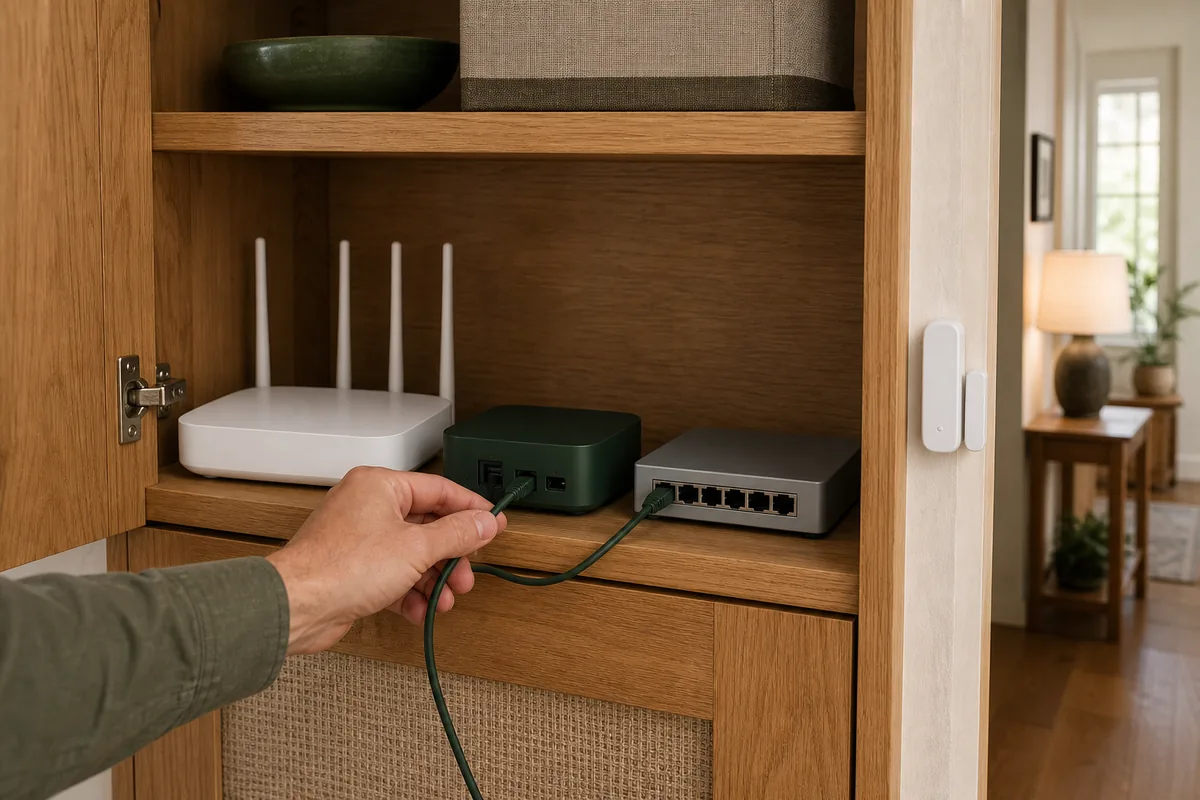
Short Answer: Keep the Matter Path on One Local Network
Matter is the smart-home standard that lets devices from different brands communicate locally over Wi-Fi, Ethernet, or Thread, a low-power mesh used by many battery devices. A VLAN is a separate virtual network inside a router or managed switch. It can be useful for keeping cameras, guests, or cloud gadgets away from family computers. Matter is the awkward exception: as of July 15, 2026, Home Assistant's documentation says Matter's local addressing and discovery traffic must travel freely, warns that VLANs and multicast filtering can cause failed setup or random outages, and recommends putting Matter-over-Wi-Fi devices and Thread border routers on the same VLAN as Home Assistant.
For most homes, use either one simple home LAN (local network) or one dedicated automation VLAN that contains Home Assistant, its Matter Server, Matter-over-Wi-Fi devices, and the Wi-Fi or Ethernet side of each Thread border router. Let trusted phones and computers reach Home Assistant, and temporarily join the setup phone to that automation Wi-Fi when commissioning, which simply means adding a device. Block unnecessary internet access at the router instead of separating the Matter devices that must find and reach one another.
The practical answer is not “VLANs never work.” Skilled network administrators can route IPv6 and reflect discovery across segments. The important point is that this is an advanced, unsupported design with more failure points. It should not be the default for a homeowner who wants lights and sensors to recover after a router update.
Why More Homes Are Hitting This in 2026
Home Assistant reported on June 23, 2026 that Matter was running in 38% of participating installations. The same release moved the official Matter Server app to Matter Server 9 and added a network view for Thread and Wi-Fi devices. Meanwhile, affordable Matter-over-Thread sensors and plugs are bringing people who already use segmented UniFi, OPNsense, Proxmox, or other home-lab networks into the Matter setup flow.
Recent r/homeassistant and Home Assistant Community discussions repeat the same pattern: Home Assistant sits on a server VLAN, Matter devices or a Thread border router sit on an IoT VLAN, an mDNS reflector is enabled, and commissioning still stalls. Some advanced users make the layout work with carefully managed IPv6 routes, multiple interfaces, or a Matter Server placed beside the devices. Others spend weeks troubleshooting. The official guidance remains much simpler: keep the critical Matter endpoints on the same local segment.
What Actually Needs to Reach What
| Part | Where it belongs | What it needs | What breaks when separated |
|---|---|---|---|
| Home Assistant and Matter Server | Together on the same supported Home Assistant OS host and local network | Working local IPv6, mDNS, multicast, and direct reachability to Matter devices | Discovery can succeed while control, commissioning, or recovery still times out. |
| Matter over Wi-Fi | The same LAN or VLAN as Home Assistant | 2.4 GHz Wi-Fi when required by the device, plus local IPv6 and multicast | A firewall or subnet boundary can hide the usable IPv6 address even when a name is reflected. |
| Thread border router | Its Wi-Fi or Ethernet side on the Home Assistant LAN | IPv6 routing between the Thread mesh and adjacent home network, plus service discovery | Home Assistant may see the border router but lack a usable route to the Thread devices. |
| Commissioning phone | Near the new device and border router, on the intended local Wi-Fi during setup | Bluetooth, the current Companion app, local-network permission, and the correct Wi-Fi or Thread credentials | The phone can hand off the wrong network or fail while testing the new device's local connection. |
| Apple, Google, Alexa, or SmartThings controller | On a network where that controller can reach the shared Matter device | Its own secure Matter controller pairing and direct local path | Multi-admin does not relay through Home Assistant or repair a VLAN boundary. |
IPv6 is the addressing system Matter uses inside the house; your internet provider does not need to supply IPv6, but it must work on the local network. mDNS, or multicast DNS, is the local announcement system that helps devices find one another without a manually entered address. Multicast means one local message can reach a group of listeners. These pieces must work together: seeing a device name does not prove that Home Assistant can reach its address.
Three Layouts, From Calm to Fragile
| Layout | Home Assistant support | Local control and cloud | Choose or avoid |
|---|---|---|---|
| One flat home LAN | Matches Home Assistant's recommended simple topology | Matter control stays local during an internet outage. Internet access can still be blocked per device. | Choose for most homes. Use guest Wi-Fi and good router security for simpler separation. |
| One automation VLAN | Matches the same-VLAN requirement when Home Assistant, Matter Wi-Fi devices, and border routers all live inside it | Core control stays local during an internet outage. Trusted devices can be allowed in; unnecessary device internet access can be denied. | Choose when you already understand VLANs and want one clear smart-home security boundary. |
| Matter split across VLANs | Not Home Assistant's recommended or supported homeowner topology | Can remain local if IPv6 routing, discovery, multicast, and firewalls are engineered correctly. | Avoid as the default. Router updates, border-router failover, or a changed Thread prefix can silently break it. |
| Custom Matter Server on the IoT VLAN | Self-managed container installs are documented as unsupported and at your own risk | May keep the Matter process beside Wi-Fi devices, but adds container networking, storage, backup, and upgrade responsibilities. | Only for an experienced operator who accepts recovery work. Home Assistant OS plus the official app is the supported choice. |
The Safe Layout for a Segmented Home
- Choose one automation network. This can be the main LAN or a dedicated automation VLAN. Give it reliable 2.4 GHz Wi-Fi and Ethernet where needed.
- Place Home Assistant and its Matter Server there. Home Assistant OS with the official Matter Server app is the supported path. Keep local IPv6 set to Automatic unless you deliberately manage it.
- Put Matter-over-Wi-Fi devices on that network. Do not send them to a different “IoT” Wi-Fi network merely because the box says smart home.
- Put every Thread border router's LAN side there. That includes a Home Assistant Connect ZBT-2 or Yellow running OpenThread Border Router, and compatible Apple or Google border routers used by Home Assistant.
- Let trusted devices initiate access. Family phones and computers should reach Home Assistant. The automation network should not receive unsolicited access from guest or untrusted networks.
- Restrict internet separately. Deny internet access to local-only devices when practical. Allow only what Home Assistant, a vendor update path, voice service, or remote-access method actually needs.
- Commission one non-critical device. Put the phone on the automation Wi-Fi, enable Bluetooth, stay near the device and border router, and confirm local control before scaling.
If remote access is part of the design, use a maintained path such as Home Assistant Cloud, a VPN (a private remote connection), or a carefully managed web gateway. Do not make Home Assistant “reachable” by dropping it into an internet-exposed DMZ or forwarding port 8123 directly. Tara's remote-access guide explains the safer choices.
Why an mDNS Reflector Is Not Enough
An mDNS reflector can repeat a discovery announcement from one network into another. That is useful for many printers, media players, and native integrations. Matter can still fail after the name appears because the address inside the announcement and the route needed to reach it belong to IPv6.
- Link-local addresses stay on one link. An address beginning with
fe80:needs the correct network interface. It is not a normal address that a router forwards between VLANs. - Thread adds another local address range. The border router announces routes between the Thread mesh and its adjacent Wi-Fi or Ethernet network. A separate VLAN may never learn or accept that route.
- Multicast filters can look helpful and still hurt. Router features that manage group traffic—including IGMP snooping, multicast enhancement, client isolation, and mesh Wi-Fi optimization—can block or reshape traffic Matter expects.
- The commissioning phone has its own path. It uses Bluetooth for the first handoff, but then the new device, phone, border router, and Matter controller must agree on the local network.
This is why “open UDP 5353 and 5540” is not a universal recipe. Exact ports do not replace local address discovery, the messages that announce IPv6 routes, or a working route back to the device. If you choose a cross-VLAN design, document those pieces and expect router-specific maintenance; do not treat a copied firewall list as a permanent fix.
Matter over Wi-Fi and Thread Need Different Mental Models
A Matter-over-Wi-Fi plug or switch joins the home's Wi-Fi directly, so its VLAN is the Wi-Fi network you choose. A Matter-over-Thread sensor does not join the IoT Wi-Fi. It joins a low-power Thread mesh. The Thread border router then connects that mesh to the adjacent Wi-Fi or Ethernet LAN using IPv6.
Home Assistant's documentation names Home Assistant Connect ZBT-2 or Yellow with the OpenThread Border Router app, HomePod mini and supported Apple TV 4K models, and Nest Hub (2nd gen) or Nest WiFi Pro as current examples. The border router forwards encrypted Matter packets; it does not need to control the accessory in its own app. Keep its LAN side beside Home Assistant, then import or sync the right Thread credentials before commissioning. Multi-admin is Matter's built-in way to pair that same device with more than one controller; it shares control, not network routes.
Official Paths, Local Control, and Platform Caveats
| Path | Official Home Assistant path | Local control | Cloud dependency | Matter / HomeKit path | Main caveat |
|---|---|---|---|---|---|
| Direct Matter over Wi-Fi | Official Matter integration on Home Assistant OS; same VLAN recommended | Yes, directly between Home Assistant and the device | No cloud for normal Matter control; vendor setup or updates may differ | Share the Matter device to another controller with multi-admin | The exact device may expose fewer features through Matter than through its brand-specific Home Assistant connection. |
| Connect ZBT-2 or Yellow as Thread border router | Documented Home Assistant OpenThread Border Router setup; Thread enablement is manual and still evolving | Yes, encrypted local Matter control through Home Assistant | No Home Assistant cloud required for normal control | Matter devices can still be shared to Apple Home, Google Home, Alexa, or SmartThings when supported | The adapter runs in Zigbee or Thread software mode at one time; follow the exact adapter procedure. |
| HomePod mini or supported Apple TV 4K | Listed by Home Assistant as a usable third-party Thread border router | Home Assistant's Matter control remains local and encrypted | Apple account, Siri, remote access, and Apple-side features are separate | Share the Matter device to Apple Home; use HomeKit Bridge to export non-Matter Home Assistant devices to Apple Home | As of July 15, 2026, Home Assistant says its Matter device updates do not work with any Apple Thread border router. On a mixed network, its troubleshooting step is to turn off the Apple border routers, wait at least 30 minutes, and retry. |
| Nest Hub (2nd gen) or Nest WiFi Pro | Listed by Home Assistant as a usable third-party Thread border router | Home Assistant's Matter control remains local and encrypted | Google voice, remote access, account setup, and routines are separate | Import Google Thread credentials with Android when needed, then share Matter devices between controllers | The phone's preferred Thread network can still affect commissioning. |
| Alexa or SmartThings as another controller | Matter multi-admin can add another controller when the exact device type is supported | Device control can be local, but each platform's implementation is separate | Voice, remote access, notifications, accounts, and some routines may use cloud services | Use multi-admin for a true Matter device; it is not the same as HomeKit Bridge | Adding a controller does not bridge VLANs or copy Home Assistant automations. |
If Your Matter Setup Is Already Split Across VLANs
- Do not reset devices first. Save the Matter setup codes, note which controller and Thread network each device uses, and take a Home Assistant backup.
- Confirm the symptom. A device that pairs only when Home Assistant, the phone, and the border router share a VLAN is strong evidence of a network path problem.
- Test the supported shape. Temporarily place the Matter Server path, Wi-Fi device or border router, and commissioning phone on one local network. Enable local IPv6 and remove aggressive multicast filtering for the test.
- Use the Matter Server 9 network view. Confirm the device and border router appear and that control survives a Home Assistant restart before changing the rest of the house.
- Choose a permanent boundary. Moving the core Matter pieces into one automation VLAN is usually calmer than preserving a split design with static routes and special exceptions.
- Retest without internet. Turn off internet access briefly, not power. Local Matter commands should still work. Restore internet before testing vendor device-software updates, voice assistants, or remote access.
If you intentionally keep the advanced design, treat it like infrastructure: record the local IPv6 address ranges, route announcements, mDNS reflection, multicast policy, allowed directions, which network connection Home Assistant uses, Matter Server storage, and what happens when a Thread border router fails over. A community fix that depends on one fixed Thread route may stop working when the mesh chooses a different border router or address range.
Does Keeping Matter Together Make the Home Less Secure?
Not automatically. A useful security boundary is about who can initiate connections and who can reach the internet, not just the number of VLANs. A dedicated automation VLAN can keep Matter devices together while blocking guest access, denying unsolicited connections toward the trusted LAN, and limiting internet access for devices that do not need it.
The risk flips when Home Assistant is placed in a DMZ merely because the IoT devices are there. A DMZ is normally a network for services exposed to less-trusted traffic. Home Assistant holds device credentials, automation logic, presence state, and sometimes locks or cameras. Keep it patched, back it up, use strong authentication, and do not expose it directly just to satisfy Matter's local-network needs.
For cameras, locks, alarms, leak shutoffs, and heating or cooling equipment, test failure behavior after every network change. Do not make an advanced VLAN experiment the only path for a safety-critical action. Keep manual control and vendor-required recovery steps available.
Local Matter Does Not Mean Every Feature Is Offline
Home Assistant's Matter documentation says normal Matter device control is local and does not require an internet connection. That remains true on a flat LAN or an automation VLAN. The same network relationship is not permission to reach the cloud.
A vendor may still require its app or account to enable Matter on a bridge, install device-software updates, or expose extra features. Apple, Google, Alexa, and SmartThings may use cloud services for voice, remote control, notifications, account setup, or routines. Home Assistant remote access may use Home Assistant Cloud, a VPN, or another maintained path. Write those dependencies down separately so “local control” does not become a vague label.
Tara's Recommendation
Use one boring, well-documented automation network. Put Home Assistant OS, the official Matter Server app, Matter-over-Wi-Fi devices, and the LAN side of Thread border routers together. Let trusted phones reach it, switch the setup phone onto that Wi-Fi for commissioning, and block internet access device by device where it is not needed.
If a house already has a complex network, prove the Matter path with one plug or sensor before moving locks, switches, or dozens of IKEA devices. The goal is not the most impressive firewall diagram. The goal is local control that still works after an update, an internet outage, or a family member changes phones.
Frequently Asked Questions
Can Home Assistant Matter work across VLANs?
Sometimes, with advanced IPv6 routing, multicast, discovery, and interface configuration. Home Assistant does not recommend or support that as the normal homeowner setup. Keep Home Assistant, Matter Server, Matter-over-Wi-Fi devices, and Thread border routers on one local network.
Is an mDNS reflector enough for Matter across VLANs?
No. It can repeat discovery announcements, but Matter also needs the advertised IPv6 address to be reachable, the correct route to exist, multicast to work, and the commissioning phone to use the intended network.
Do Matter-over-Thread devices join the IoT Wi-Fi VLAN?
No. They join a separate Thread mesh. The Thread border router's Wi-Fi or Ethernet side joins the home LAN, and that LAN side should be on the same network as Home Assistant.
Can Apple TV, HomePod, or Nest remain the Thread border router?
Yes. Home Assistant documents compatible Apple and Google border routers as usable Thread paths. Keep them on the Home Assistant LAN and import or sync the correct Thread credentials. Their platform-specific voice, remote, and update behavior remains separate.
Does Matter multi-admin fix a VLAN boundary?
No. It gives each controller its own encrypted connection to the device. It does not relay Home Assistant traffic, copy a Thread route, merge networks, or turn Apple Home, Google Home, Alexa, or SmartThings into a VLAN bridge.
Does Matter need the internet?
Normal Matter control does not. Some setup steps, current certificate data, device-software updates, vendor apps, voice assistants, and remote-access features may still need an online service. Test local control separately from those extras.