Short Answer: The Hub Is Optional for Native Aqara Matter Devices
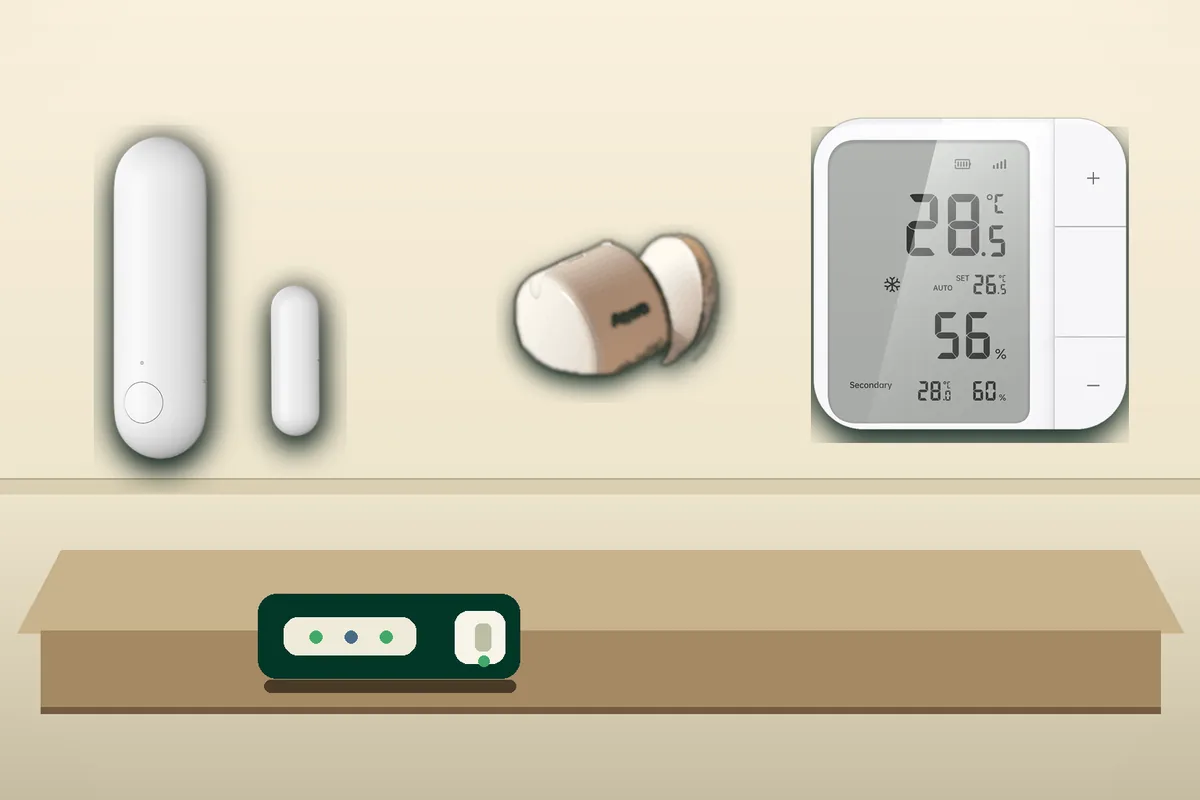
If the Aqara device is a native Matter-over-Thread device, you do not need an Aqara hub just to use it in Home Assistant. Examples include Aqara Door and Window Sensor P2, Aqara Motion and Light Sensor P2, Aqara Presence Multi-Sensor FP300 in Thread mode, and Aqara Climate Sensor W100 in Thread mode. In plain English, Matter is the shared smart-home language, Thread is the low-power wireless mesh those battery sensors use, and Home Assistant can be the controller that owns the device.
A Thread border router is still required. That is the small always-on radio bridge that lets Thread devices reach your normal home network. It can be Home Assistant Connect ZBT-2, Connect ZBT-1, Home Assistant Yellow, Apple TV 4K, HomePod mini, Nest Hub, Nest Wifi Pro, Google TV Streamer, or an Aqara hub with Thread, as long as the setup phone knows the correct Thread network credentials during pairing.
The practical requirement is not an Aqara box. It is a working setup chain: Home Assistant's Matter integration, the chosen Thread border router, and a phone that can commission the device onto that Thread network.
Use the Aqara hub path when you want the Aqara Home app, Aqara-specific device settings, Zigbee mode, Aqara-guided firmware updates, or a separate family-facing control surface. Do not use it because someone said Matter cannot work locally. Home Assistant's own Aqara page says Aqara Matter devices integrate through Home Assistant's Matter integration and communicate locally.
Tara's rule: buy Aqara Thread devices for Home Assistant only after you decide who owns the Thread network. The sensor is not the hard part. The phone credentials and controller path are.
Which Aqara Devices Fit This Advice?
Start by separating native Matter-over-Thread devices from older Zigbee Aqara devices. Matter is the cross-platform smart-home control standard. Thread is the low-power wireless mesh used by many battery Matter devices. Zigbee is a different low-power mesh that can be excellent in Home Assistant, but it is not the same radio and not the same setup path.
| Aqara example | Best Home Assistant path | Local control | Cloud or app dependency | Main caveat |
|---|---|---|---|---|
| Door and Window Sensor P2 Native Matter over Thread contact sensor. |
Pair directly to Home Assistant Matter when your Thread network is ready, or share from Aqara/Apple/Google with Matter multi-admin. | Local Matter control in Home Assistant. | No Aqara cloud needed for normal Home Assistant state and automations. Aqara app features and updates may still matter to some owners. | Aqara's page requires a Matter-compatible Thread border router for each ecosystem. Do not confuse that with requiring an Aqara hub. |
| Motion and Light Sensor P2 Native Matter over Thread motion and illuminance sensor. |
Direct Home Assistant Matter pairing is the clean local path. Apple or Google first can be practical if that ecosystem already owns the Thread network. | Local Matter control once commissioned correctly. | No vendor cloud for ordinary Home Assistant automations. Feature depth depends on what the Matter firmware exposes. | Community testing reports fewer tuning settings than some Zigbee Aqara sensors. Test motion timing and light entities before buying many. |
| Presence Multi-Sensor FP300 Can use Thread/Matter or Zigbee depending on mode. |
Use Thread/Matter for cross-platform local control. Use Zigbee when Aqara app settings or Zigbee behavior are more important. | Thread mode can integrate with Home Assistant as a Matter controller. Zigbee can be local through a Home Assistant Zigbee network or an Aqara hub path. | Aqara says Zigbee mode unlocks exclusive Aqara Home app features. Thread mode avoids the hub but may expose a different feature set. | Do not assume Thread and Zigbee run simultaneously. Choose the mode for the room and support path. |
| Climate Sensor W100 Matter-over-Thread or Zigbee temperature/humidity display. |
Use Matter-over-Thread for Apple, Google, Alexa, and Home Assistant style interoperability. Use Zigbee with an Aqara hub for Aqara-specific extras. | Local control is possible through Matter when the Thread path is healthy. | Aqara's product copy points Zigbee users back to an Aqara hub for exclusive features and enhanced performance. | Regional availability and firmware behavior can vary. Verify exact entities in Home Assistant before standardizing on it. |
| Older Aqara Zigbee sensors Water leak, contact, temperature, vibration, buttons, and many pre-Matter devices. |
Use an Aqara hub, HomeKit Device path, ZHA, or Zigbee2MQTT depending on the install. | Direct Zigbee to Home Assistant can be local. Aqara hub paths vary by model and bridge behavior. | Aqara app and hub may be part of the official support path. Direct Home Assistant Zigbee is common community practice, not the same as Matter certification. | Do not buy older Zigbee Aqara gear expecting native Matter-over-Thread behavior. |
The Four Real Setup Paths
Use this table before resetting devices or buying another hub. It separates official support, local control, cloud dependency, Matter/HomeKit paths, and community caveats.
| Path | Official support | Local control and cloud dependency | Matter / HomeKit path | Choose or avoid |
|---|---|---|---|---|
| Pair Aqara Matter device directly to Home Assistant | Home Assistant documents Aqara as a Works with Home Assistant partner for Matter products, and its Aqara page says Aqara Matter devices work locally through the Matter integration. | Best local-first path. Home Assistant controls the Matter device inside the home. Internet is not required for normal local automations after setup. | Use the Home Assistant companion app to add the Matter device. For Thread devices, the phone must know the intended Thread network credentials. | Choose when Home Assistant is the automation brain. Avoid if you do not have a stable Thread border router, IPv6/mDNS basics, or a supportable phone setup path. |
| Pair to Aqara Home first through Aqara hub Examples: Hub M3 or Hub M100 where supported by exact model and firmware. |
Aqara Hub M100 product material describes Thread border-router, local automation, and Matter bridge roles. Aqara's M3 announcement describes a multi-protocol Matter controller with edge capabilities. | Some Aqara automations can run locally on newer hubs, but Aqara app setup, remote access, notifications, updates, and account behavior are separate from Home Assistant. | After adding the device to Aqara Home, generate a fresh Matter sharing code and add that device to Home Assistant as another Matter controller. | Choose for Aqara-specific settings, Zigbee mode, firmware convenience, or a family Aqara app. Avoid expecting Aqara-paired Thread devices to auto-import into Home Assistant. |
| Pair to Apple Home or Google Home first | Apple's May 7, 2026 Matter support page documents adding and sharing Matter accessories and says Thread accessories need a Thread-enabled home hub or compatible border router. Google's Matter docs list Matter hubs and Thread border routers. | Matter commands can be local, but Apple or Google app features, voice assistants, accounts, remote access, and notifications remain ecosystem features. | Add to Apple or Google when that is the working Thread network, then share to Home Assistant with Matter multi-admin. | Choose when the household already lives in Apple or Google. Avoid duplicate automations and remember Home Assistant OTA updates for Thread devices have limits when only Apple border routers are present. |
| Use Aqara Zigbee directly or through a bridge | Aqara's official app-and-hub path supports many Zigbee products. Home Assistant community users also commonly pair Aqara Zigbee devices through ZHA or Zigbee2MQTT. | Direct Zigbee to Home Assistant is local. Aqara hub bridging may still be useful for family control, firmware, or Aqara-specific settings. | HomeKit Device, Matter bridge, ZHA, and Zigbee2MQTT are different paths. Pick one deliberately. | Choose for older Aqara sensors or when Zigbee is more mature in the home. Avoid mixing this advice with native Matter-over-Thread devices. |
Direct Home Assistant Setup: The Order That Wastes the Least Time
- Confirm the exact model and protocol. P2 Door and Window and P2 Motion and Light are Matter-over-Thread. FP300 and W100 can be Thread/Matter or Zigbee depending on mode. Older Aqara sensors are often Zigbee, not Matter.
- Make sure Home Assistant Matter is current. Home Assistant's June 23, 2026 Matter upgrade focused on stability, faster startup and recovery, and better network visibility. Use current Home Assistant Core, Matter Server, OTBR, and companion apps before judging the device.
- Choose the Thread border router. Home Assistant-owned Thread is cleanest for a local install. Apple, Google, SmartThings, Alexa/eero, or Aqara Thread can also work when that ecosystem already owns the working network.
- Sync or import Thread credentials to the phone. Home Assistant's Thread docs are clear: the phone is part of commissioning. Home Assistant can see a Thread network without knowing its credentials.
- Pair one test device. Add a contact sensor or motion sensor before buying many. Keep the phone close to the device and border router during commissioning.
- Put serious automations in one place. Share the device to family apps if needed, but do not create the same light, HVAC, or security automation in Aqara, Apple, Google, Alexa, and Home Assistant.
What If Home Assistant Mentions an AqaraHome Thread Network?
An AqaraHome-... Thread network name during setup does not prove the sensor requires an Aqara hub. It can mean the setup phone, vendor app, or previous pairing attempt still knows an Aqara-created Thread network. Home Assistant's Thread docs explain that different vendors can create separate Thread networks with separate credentials, and the preferred-network behavior is not completely implemented in every companion-app flow.
Before buying a hub out of frustration, check the boring causes first: remove stale Matter accessories from the phone's Matter settings, reboot the phone, sync Thread credentials again, try a different phone if available, and confirm Home Assistant has the credentials for the Thread network you intend to use. The November 2025 community thread where a different phone solved the Aqara pairing problem is a useful warning: the phone can be the bad state, not the sensor.
When the Aqara Hub Is Actually the Right Answer
An Aqara hub is not a failure. It is just a different owner. Use one when the homeowner wants Aqara Home as a first-class app, when an installer needs Aqara's guided update path, when a device exposes important settings only in Aqara's app, or when dual-protocol products such as FP300 and W100 make more sense in Zigbee mode for that room.
The important nuance is that adding the device to Aqara Home first does not automatically make it a Home Assistant device. Matter uses separate controller fabrics. In plain English, Aqara Home and Home Assistant each need their own secure invitation. Use the Aqara app or hub to share the Matter device and generate a new setup code, then add that shared device to Home Assistant.
What Stays Local, and What May Still Need Cloud or Vendor Apps
Direct Matter control in Home Assistant is local. Home Assistant talks to the Matter device over your LAN and Thread border router. The device state and automations do not need to bounce through Aqara cloud servers.
That does not mean every part of ownership is cloud-free. Aqara app account features, remote push notifications, support diagnostics, some firmware workflows, and Aqara-specific configuration screens can still belong to Aqara. Apple, Google, Alexa, and SmartThings voice or remote features also involve their own ecosystems. Treat Matter as the local control layer, not as a promise that every vendor app feature disappears.
Safety and Privacy Guardrails
For sensors, start with low-risk rooms and noncritical automations. A contact sensor turning on a pantry light is a good test. A Thread lock, alarm, water shutoff, garage door, or HVAC safety rule is not the place to discover that the phone used the wrong Thread network. For locks and security devices, keep a physical key or manual fallback, avoid remote-unlock automations unless you understand the risk, and test notification delays before relying on them.
For privacy, keep cameras, voice assistants, and household presence logic out of Aqara/Apple/Google/Alexa routines unless the household has agreed to that app owning those events. If Home Assistant is the private automation brain, let it stay the brain.
Tara's Recommendation
For a Tara-style Home Assistant home, I would use direct Home Assistant Matter for Aqara P2 contact and motion sensors when the Home Assistant Thread network is healthy. I would test FP300 and W100 one room at a time because their Thread/Matter and Zigbee paths can expose different settings. I would keep or add an Aqara hub only when the homeowner wants Aqara Home features, Zigbee mode, vendor-guided updates, or a fallback app the family actually understands.
The simple rule is this: Home Assistant first for local automations, Aqara first for Aqara-specific ownership, Apple/Google first only when that ecosystem already owns the working Thread network. Anything else creates duplicate networks and duplicate automations.
Related Tara Reading
- Which Thread Border Router Should You Use with Home Assistant in 2026?
- Should You Pair Matter Devices to Home Assistant or Apple/Google First?
- How to Share One Matter Device Across Home Assistant, Apple Home, Google Home, Alexa, and SmartThings
- Can You Use Eve Matter-over-Thread Devices With Home Assistant Without Apple Home?
- Home Assistant: Thread Border Router Required Fix
- How to Add mmWave Presence Sensors to Home Assistant via Matter & Thread
FAQ
Do I need an Aqara hub for Aqara Door and Window Sensor P2 or Motion and Light Sensor P2 in Home Assistant?
No. These are Matter-over-Thread devices, so Home Assistant can add them directly through the Matter integration if you have a working Thread border router and the setup phone has the right Thread credentials.
When should I still use an Aqara Hub M3, M100, or another Aqara Matter hub?
Use an Aqara hub when the Aqara Home app, Aqara-guided firmware updates, Zigbee mode, Aqara-specific settings, or a family-facing Aqara control surface matter more than keeping Home Assistant as the only controller.
Why does an Aqara device paired to Aqara Home not automatically appear in Home Assistant?
Matter controllers use separate secure fabrics. If the device was added to Aqara Home first, use the Aqara app or hub sharing flow to generate a fresh Matter setup code, then add that shared device to Home Assistant.
Is the direct Aqara Matter path cloud-free?
Normal Home Assistant control over Matter is local. Aqara app features, remote app behavior, some firmware workflows, notifications, and advanced vendor settings may still need Aqara software or an Aqara account.
Should I use Thread/Matter or Zigbee for Aqara FP300 and W100?
Use Thread/Matter when you want cross-platform local control without an Aqara hub. Use Zigbee through an Aqara hub or a Home Assistant Zigbee setup when you need the Aqara-specific tuning or Zigbee behavior that the Matter path does not expose.