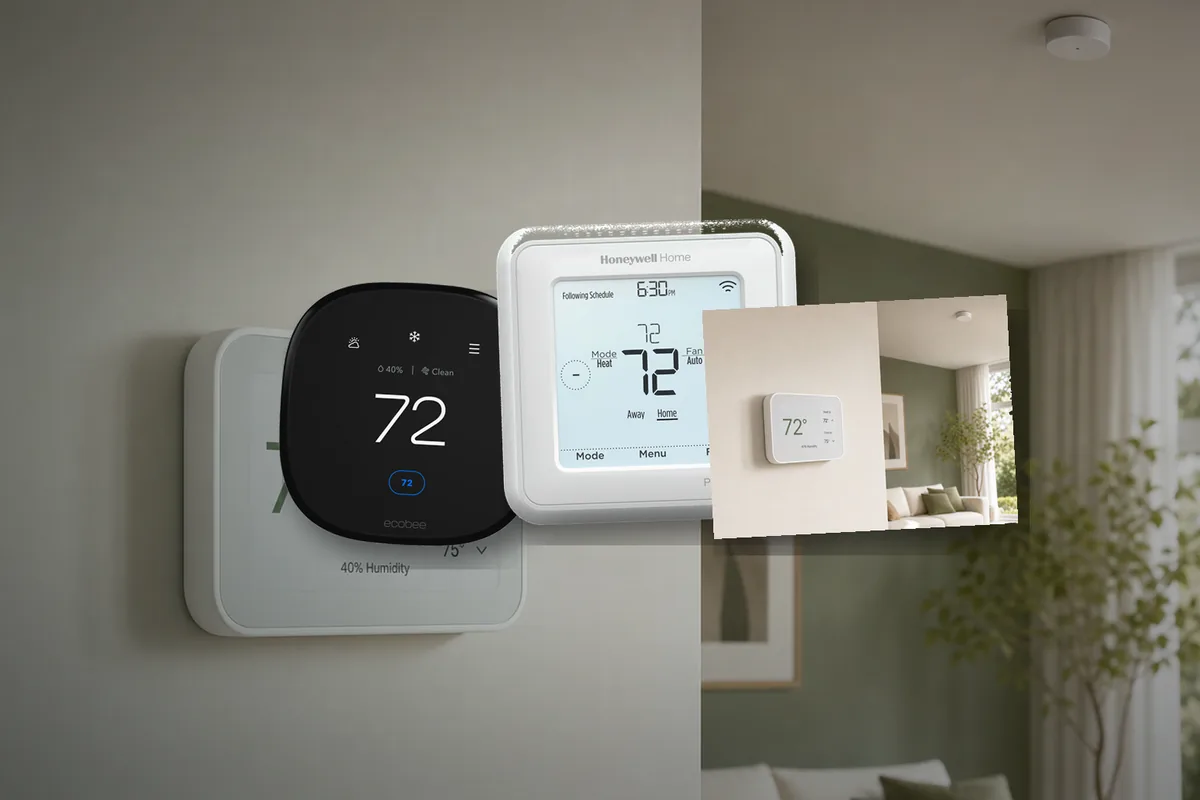
Short Answer: Buy the Control Path, Not Just the Screen
For a typical Home Assistant house in the United States, the calmest thermostat answer in mid-2026 is still a thermostat that either talks directly over Z-Wave or exposes a clearly documented local LAN path. That usually means Z-Wave first, or a thermostat like Venstar with an explicit local API if you know you want Wi-Fi.
ecobee can still be reasonable, but only if you decide up front whether you are comfortable with its official cloud-polling integration or you want to bring a supported model in through HomeKit Device for a more local path. Nest can work, but Home Assistant's own docs make clear that Nest is a Google-cloud integration with OAuth setup and a paid Device Access project, which is the opposite of a boring local path. Matter thermostats are real, but they are not automatically the best Home Assistant thermostat just because the box says Matter.
Tara's rule: buy the thermostat that keeps a sane schedule and sane manual control even when Home Assistant is down. The prettier cloud app is rarely the part that keeps a house comfortable for years.
Compatibility Before Protocol
Before comparing Z-Wave, Wi-Fi, HomeKit, Nest, or Matter, filter by HVAC compatibility. Thermostats are not generic wall tablets. The current Resideo T6 Pro Z-Wave SmartStart model says it works with 3H/2C heat pump or 2H/2C conventional systems. That is a normal low-voltage HVAC range, not universal thermostat magic.
This article is mainly about 24-volt residential HVAC and similar zone-control setups. If you have line-voltage electric baseboard, a proprietary communicating system, or something unusual in a commercial space, stop treating protocol shopping as the first step. Match voltage, stages, and manufacturer compatibility tables before you worry about Home Assistant elegance.
| Path | Why people choose it | Why it works well | What still bites |
|---|---|---|---|
| Z-Wave thermostat direct to Home Assistant | You want the lowest-drama local path. | Local radio, normal thermostat fallback behavior, no vendor login in the Home Assistant control path. | You need a Z-Wave adapter and region-appropriate thermostat availability. |
| Local Wi-Fi thermostat with documented API | You want Wi-Fi without a vendor cloud being the only way in. | Direct LAN control can still be clean when the API is explicit and supported. | Model-by-model security differences, IP management, and fewer good options. |
| HomeKit Device path for a thermostat | You want a local LAN path on supported hardware like some ecobee or HomeKit-capable models. | Home Assistant supports thermostat entities through HomeKit Device and can use push updates. | Single-controller pairing rules and some model-specific quirks. |
| Vendor cloud integration | You already own the thermostat or want a specific brand's app features. | Easy brand familiarity and usually broad feature exposure. | Auth, token refresh, vendor policy, and internet dependency all become part of the thermostat story. |
| Matter thermostat | You want a standards-first device and maybe multi-ecosystem control. | Can be a clean local path, especially for Wi-Fi Matter, when the exact device is mature. | Matter is not a feature guarantee, and Thread-based devices still inherit Thread complexity. |
Current Device Shortlist: What To Actually Look At
Here is the concrete shopping map as of June 27, 2026. The names matter because "Z-Wave," "Wi-Fi," "Matter," and "works with Home Assistant" can mean very different failure modes.
| Device or family | Home Assistant path | Control path | When it makes sense |
|---|---|---|---|
| Honeywell Home / Resideo T6 Pro Z-Wave TH6320ZW2007/U | Z-Wave JS | Local Z-Wave | The default boring pick for compatible 24-volt U.S. HVAC. Verify stages, wiring, and that you have a Z-Wave adapter. The older TH6320ZW2003 still appears in discussions, but Resideo's current SmartStart page points buyers to the 2007 model. |
| Venstar ColorTouch, Explorer, and similar Wi-Fi models | Home Assistant Venstar integration | Local LAN API | The clean Wi-Fi answer when you want local control without adding Z-Wave. Confirm the exact model, enable the local API, and check whether that model supports HTTPS/authentication or only plain local HTTP. |
| ecobee Smart Thermostat Premium / Enhanced | Official ecobee integration or HomeKit Device | Cloud polling through ecobee, or local HomeKit Device on supported setups | Good hardware and sensors, reasonable if you like ecobee. Choose the control path deliberately. The official integration got easier after Home Assistant 2026.3 removed the new-user developer-key problem, but it is still cloud polling. |
| Honeywell Home T9 / T10 / T6 Wi-Fi and other Resideo-app thermostats | Honeywell Total Connect Comfort integration when supported | Vendor cloud | Fine if you already own one or got a utility rebate. I would not buy this path for a local-first Home Assistant house because Home Assistant's own Honeywell docs warn that automations may need retry logic due to Total Connect Comfort instability. |
| Google Nest Thermostat / Nest Learning Thermostat | Official Nest integration, or a separate Matter path only where the exact model supports it | Mostly Google cloud in the official Home Assistant path | Keep it if it is already installed and acceptable. Do not make it the default purchase for a local-first Home Assistant build unless you have proven the exact Matter-capable model and feature exposure you need. |
| Aqara Thermostat Hub W200 | Home Assistant Matter path, with feature verification | Matter-oriented smart thermostat and hub | Interesting new 24VAC option if you want Matter and Aqara's room-control ecosystem. Treat it as an exact-device validation project: confirm HVAC compatibility, C-wire needs, exposed Matter climate entities, and whether the features you care about appear in Home Assistant. |
| Aqara Radiator Thermostat W600 or E1 SRTS-A01 | Matter/Thread or Zigbee2MQTT, depending on model | Local radiator-valve control when paired correctly | Relevant for radiator/TRV rooms, especially outside standard U.S. central HVAC. These are not drop-in replacements for a forced-air wall thermostat. The E1 is documented in Zigbee2MQTT as exposing climate, preset, schedule, battery, and external-temperature inputs. |
The practical takeaway: Honeywell/Resideo T6 Pro Z-Wave and Venstar are still the least surprising local-control answers. ecobee is the better mainstream consumer-brand compromise. Aqara is the interesting Matter/Aqara ecosystem path, but it deserves testing by exact model before it becomes the default Tara recommendation. Honeywell Wi-Fi and Nest are usually "already own it" answers, not clean local-first purchases.
Why Z-Wave Is Still the Default Recommendation
Home Assistant's Z-Wave docs are still the cleanest thermostat-control story on the page. The official setup path is straightforward: a supported Z-Wave adapter, the Z-Wave JS app, the Z-Wave integration, and the thermostat as a normal end device. No vendor account is required in that Home Assistant control path.
On the hardware side, Resideo's current pro catalog still lists the TH6320ZW2007/U SmartStart model as of June 26, 2026, while the older TH6320ZW2003 is marked discontinued. Resideo's spec sheet says the 2007 model adds SmartStart and keeps the same basic compatibility class as the older thermostat. That matters because community threads keep pointing users toward the T6 Pro family precisely for this reason: it behaves like a thermostat first and a smart-home endpoint second.
The big advantage is boring locality. Your schedule can still live on the thermostat. Home Assistant can still automate around it. If Home Assistant reboots, the thermostat does not forget how to heat or cool the house. That is the right failure mode for climate.
Local Wi-Fi Can Be Good If the API Is Real
If you do not want to add another radio, the good Wi-Fi answer is not "any thermostat with an app." The good Wi-Fi answer is a thermostat with a local API the platform actually documents. Home Assistant's Venstar integration is a good example because the docs label it Local Polling and explicitly say the local API must be enabled on the thermostat itself.
That sounds small, but it is the difference between a thermostat that Home Assistant can talk to on your LAN and a thermostat that only feels local until a vendor API or account flow changes. Venstar also keeps the caveats honest: exact setup steps vary by series, only some ColorTouch models support HTTPS plus username/password, and other models still expose only unencrypted HTTP with no authentication.
So the Wi-Fi lesson is not "Venstar is universally best." The lesson is: if you want Wi-Fi, demand a thermostat whose local network behavior is spelled out before you buy it.
ecobee Is Fine If You Choose Cloud or Local on Purpose
ecobee is where a lot of Home Assistant buyers get sloppy about the word local. Current consumer models like Smart Thermostat Premium and Smart Thermostat Enhanced are popular because the hardware is polished and the occupancy/sensor story is strong. Home Assistant's official ecobee integration, however, still starts from an ecobee.com username and password, and the integration is still labeled Cloud Polling. The nice change is that since Home Assistant 2026.3, you no longer need a separate developer API key just to get started.
That does not make the official ecobee integration local. It only makes the cloud path easier to set up.
If you want a more local ecobee path, Home Assistant's HomeKit Device integration is the more interesting answer. The docs explicitly support climate devices there, say Wi-Fi and Ethernet accessories can use push updates, and warn that HomeKit devices can only be paired to a single controller at once. That warning matches what keeps showing up in the community: ecobee can work well locally through HomeKit, but you need to manage pairing ownership on purpose instead of assuming Apple Home and Home Assistant can both be first-class owners at the same time.
Tara's interpretation: ecobee is a reasonable choice when you already own one, like the hardware, or want to keep a path open between cloud and local control. It is not the cleanest answer when the question is simply "what gives me the least operational drama in Home Assistant?"
Plain translation: "ecobee works with Home Assistant" is true. "ecobee is automatically a local Home Assistant thermostat" is not.
Why Nest Is the Wrong Answer for a Local-First House
Nest deserves a more direct answer because a lot of houses already have one on the wall. Home Assistant's official Nest docs say the integration uses Google OAuth credentials, a Nest Device Access Project, and a US$5 fee for that project. The docs also warn that if the Google app stays in Testing status, you will get logged out every 7 days. The integration's IoT class is Cloud Push.
That does not mean Nest never works. It means Nest is fundamentally a cloud-path thermostat in Home Assistant, even when the hardware sitting on your wall looks modern and reliable. Recent GitHub issue #149438, opened on July 25, 2025, describes Home Assistant becoming unauthenticated against the Google API after a few days and then leaving the user with stale thermostat data until restart and re-auth.
Some newer Nest thermostat conversations also bring up Matter. That should be treated as an exact-model test, not a blanket Nest recommendation. If you already own Nest and it behaves well enough, fine. If you are shopping specifically for a Home Assistant-friendly thermostat in 2026, Nest is hard to defend as the default answer.
Where Matter Fits, and Where It Does Not
Matter thermostats are not fake, but they are easy to oversimplify. Home Assistant's Matter docs tell you to check whether the device uses Wi-Fi or Thread on the box. That distinction matters. Wi-Fi Matter may be perfectly reasonable. Thread Matter inherits all the Thread-network questions that Tara has already had to answer elsewhere: border routers, phone commissioning, and network ownership.
The same community thermostat thread that explored local control also drifted into a very practical Matter question: whether a specific thermostat correctly exposed HVAC fan control over Matter. That is the real 2026 lesson. Matter is a transport and data model, not a guarantee that every thermostat exposes every feature you care about in the exact way you expect.
That is where Aqara gets interesting. The Thermostat Hub W200 is a new wall thermostat/hub product aimed at Matter-era homes, while the Radiator Thermostat W600 and older Radiator Thermostat E1 live in the radiator-valve world rather than standard U.S. forced-air HVAC. They belong in the shortlist, but not in the same bucket. The W200 is the Aqara model to inspect for 24VAC wall-thermostat installs; W600/E1 are room radiator controls. For Home Assistant, the buying question is not "is it Aqara?" It is "which Aqara thermostat, which heating system, which protocol, and which entities appear after pairing?"
If the thermostat you want is Matter and the exact feature set is proven, fine. If you are buying mainly for Home Assistant calm, Matter is still not the first checkbox I would optimize around.
Practical Buying Advice
If you want the shortest possible decision path, use this:
- If you want the most boring local answer and your HVAC system is compatible, buy a Z-Wave thermostat.
- If you want Wi-Fi and no extra radio, buy a thermostat with a documented local API, not just a nice app.
- If you already own ecobee or prefer its hardware, choose between cloud ecobee and local HomeKit Device on purpose.
- If you are considering Aqara, separate the W200 wall thermostat from W600/E1 radiator valves and verify the exact Home Assistant entity support before buying.
- If you are considering Honeywell Wi-Fi, do not confuse it with the T6 Pro Z-Wave. The Wi-Fi/TCC path is a cloud integration and Home Assistant's docs warn about reliability caveats.
- If you already own Nest, keep it only if you accept that Home Assistant talks to it through Google's cloud path.
- If you want Matter, verify whether the exact thermostat is Wi-Fi Matter or Thread Matter and whether the climate features you care about are actually exposed.
- If your system is line-voltage or unusual, stop protocol shopping and confirm wiring and voltage compatibility first.
Tara's Take
For a real Home Assistant house, comfort systems should fail gracefully. That is why Tara still prefers a thermostat that can maintain its own schedule, respond locally, and avoid dragging a vendor cloud into the control loop unless there is a clear reason. In most homes, that means Z-Wave first, then explicit local Wi-Fi APIs, then everything else.
The wrong thermostat choice is not always the one with the worst hardware. It is usually the one whose control path you did not inspect closely enough before you put it in charge of heating and cooling.
Related Tara Reading
If thermostat shopping pulls you into bigger architecture or protocol choices, these are the next useful pages.
- Smart thermostat kit
- Best Home Assistant Hardware in 2026
- Home Assistant HomeKit Device vs HomeKit Bridge
- Should Home Assistant Be on an IoT VLAN?
- Matter vs Thread vs Zigbee vs Z-Wave for Homeowners
- How to Run Your Smart Home Without the Cloud
- Configurator
FAQ
Is Z-Wave still the best local thermostat path for Home Assistant?
Usually yes, especially for a standard low-voltage HVAC system. It is still the cleanest path that keeps the thermostat local to your house and Home Assistant without demanding a vendor cloud login for routine control.
Can I use ecobee locally in Home Assistant?
Yes, on supported models through HomeKit Device. But Home Assistant's official ecobee integration is still Cloud Polling, so you need to choose the local path on purpose instead of assuming the brand is local by default.
Does Matter automatically mean easy and local?
No. Matter can still mean either Wi-Fi or Thread, and the exact thermostat may or may not expose all the climate controls you care about. Matter removes some ecosystem friction, but it does not remove the need to inspect the control path.
Do I need to stay in Apple Home forever if I use HomeKit Device?
Not necessarily. Home Assistant's HomeKit Device docs describe pairing rules where a device may first join the network through Apple Home and then be removed so Home Assistant can pair it directly. The important constraint is that a HomeKit device can only be paired to one controller at a time.
Should I buy Nest if Home Assistant is the real automation brain of the house?
Usually no. Nest can be kept if you already own it and accept the Google-cloud path, but it is hard to recommend as the calm local-first purchase when Z-Wave or explicit local API options exist.