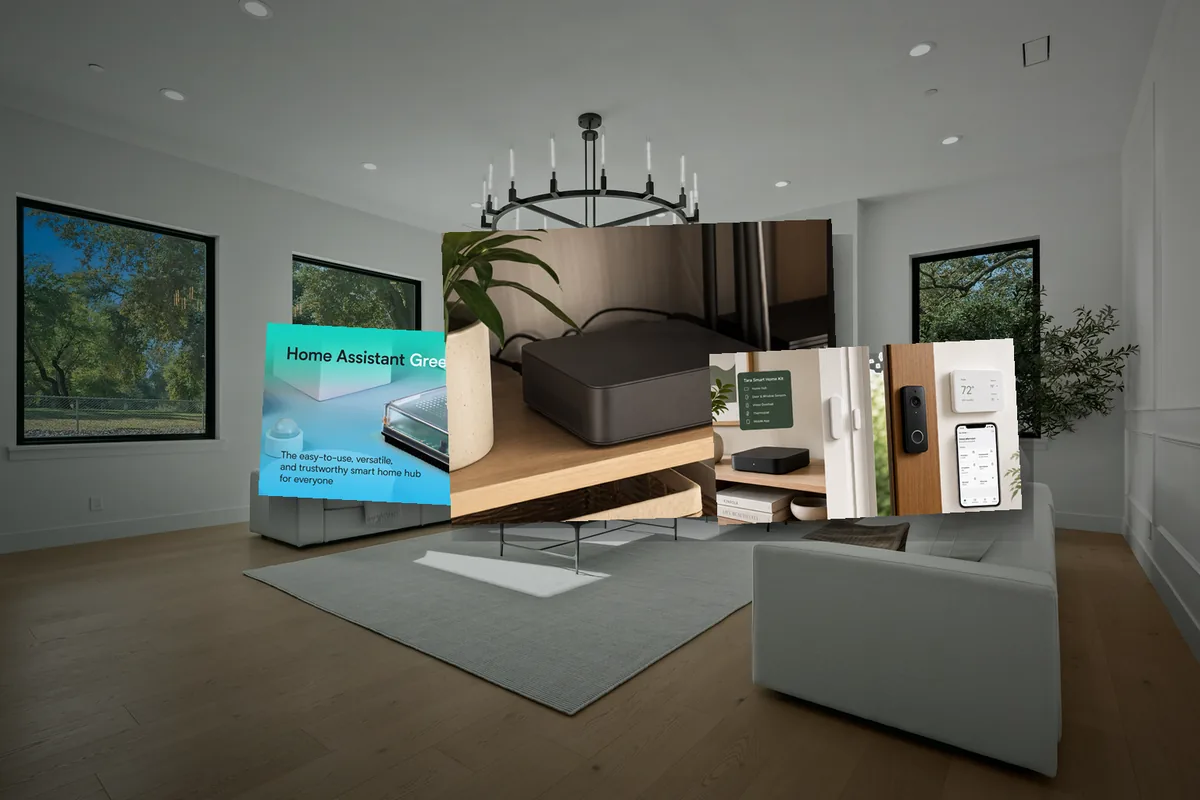
Short Answer: Pick the Hardware Around the Home You Are Building
For most first-time Home Assistant users in 2026, the safest answer is simple: choose Home Assistant Green if you want the easiest official appliance, choose a mini PC if you expect cameras, voice, local AI, heavy add-ons, or years of expansion, and choose a Raspberry Pi 5 with SSD or NVMe if you already like Pi hardware and want a low-power DIY route.
The wrong answer is treating the hub like a weekend toy when it is going to run the lights, thermostat, sensors, cameras, and family routines. Home Assistant can run on many devices, but a home hub should be boring: wired Ethernet, stable storage, clean power, good backups, and radios placed where the mesh actually works.
Tara's practical rule: if the home needs to feel reliable to non-technical residents, optimize for storage, recovery, and support before optimizing for the lowest hardware price.
The 2026 Hardware Decision Table
Use this as the first filter before reading hardware forums for hours.
| Hardware path | Best for | Watch-outs |
|---|---|---|
| Home Assistant Green | First Home Assistant setup, official support, low noise, low setup burden, basic to moderate homes. | 32 GB eMMC and 4 GB RAM are fine for many homes, but not ideal for heavy cameras, databases, or local AI. |
| Raspberry Pi 4 or 5 | DIY users who already own Pi hardware or want a very low-power box. | Use reliable power and SSD/NVMe storage for serious installs. Avoid building the whole home around a weak microSD card. |
| x86 mini PC / NUC-style box | Growing homes, cameras, Frigate, local voice, local AI, larger databases, fast restores, and long upgrade runway. | More setup choices, more ways to overcomplicate the system, and USB radio placement still matters. |
| NAS, Proxmox, or VM host | People who already run home infrastructure and understand backups, passthrough, storage, and host updates. | Not the simplest first setup. A host reboot should not accidentally take down the whole home's basic controls. |
| Old laptop or desktop | Testing, learning, or reusing hardware you already own. | Check power draw, fans, battery condition, BIOS auto-start, and whether it can run headless reliably. |
What Actually Matters in a Home Assistant Hub
CPU matters, but it is usually not the first bottleneck. The home notices instability before it notices benchmark scores.
- Storage: prefer eMMC, SSD, or NVMe for a real home. Databases, logs, backups, add-ons, and updates create constant writes.
- RAM: 4 GB can work for many installs. 8 GB or 16 GB gives more breathing room for cameras, voice, add-ons, and local AI tooling.
- Wired Ethernet: the hub should not depend on Wi-Fi if it is coordinating the home.
- USB and radios: Zigbee, Thread, and Z-Wave need clean placement. A powerful server in a metal rack can still be a bad radio location.
- Power and thermal behavior: use a good power supply, consider a UPS, and avoid tiny boxes that throttle or crash under heat.
- Backups and restore speed: Home Assistant supports backup restore during onboarding, including migration from one device type to another. That only helps if the target has enough storage and your backup key is safe.
- Supportability: choose hardware you can explain, restart, back up, and replace under stress.
Home Assistant Green: Best Official Beginner Box
Home Assistant Green is the cleanest first answer for a homeowner who wants Home Assistant without turning the hardware into a side project. Home Assistant describes Green as the easiest plug-and-play way to start, with Home Assistant OS already installed. The official Green specs list a Rockchip RK3566 quad-core Arm Cortex-A55, 1.8 GHz CPU, 4 GB LPDDR4X memory, and 32 GB eMMC storage.
That is enough for a lot of homes: lights, plugs, sensors, climate, dashboards, simple automations, and a normal set of integrations. It also supports the Home Assistant project through official hardware.
The tradeoff is headroom. Green is not where I would start if the plan includes multiple camera streams, Frigate object detection, local voice pipelines, local LLMs, a large recorder database, and years of experiments. For that, a mini PC gives you more storage and RAM without turning every add-on into a capacity question.
Raspberry Pi: Still Useful, But Build It Like Infrastructure
A Raspberry Pi 4 or 5 can still be a good Home Assistant host, especially if you already own one. Home Assistant's Raspberry Pi install path lists Pi 4 or Pi 5 with at least 2 GB RAM, a power supply, microSD storage, and Ethernet as the basic requirements.
The beginner trap is stopping there. A Pi that runs a weekend dashboard is not the same as a Pi expected to run the home for years. If you use a Pi, spend the effort on reliable power, wired Ethernet, cooling, and SSD or NVMe storage. The point is not that every microSD card dies instantly; the point is that the home should not depend on the cheapest write-heavy storage path available.
Use Pi when you value low power, small size, and hands-on learning. Skip Pi when you already know you want cameras, local speech, local AI, or a pile of add-ons.
Mini PC: Best Growth Path for Serious Local Homes
A modern or lightly used x86 mini PC is the strongest default for a serious Home Assistant build. Home Assistant supports generic x86-64 machines with Home Assistant OS, and the official x86 guide says the system must be 64-bit capable and boot with UEFI. The same guide calls Home Assistant OS the recommended installation type for most users.
The reason mini PCs show up constantly in community discussions is not only raw CPU. It is the total package: SSD or NVMe storage, easy RAM upgrades, stable Ethernet, multiple USB ports for radios, fast backups and restores, and enough headroom for local services around Home Assistant.
For a Tara-style home, this is usually the most future-proof lane. The local hub can run Home Assistant, device health checks, voice experiments, local AI support tools, and a bigger database without asking the homeowner to replace the brain after the first 100 devices.
NAS, Proxmox, and VMs: Great If You Already Operate Them
Running Home Assistant in a VM or on a NAS can be excellent when the homeowner already knows that infrastructure. It can also be a bad first setup when the person just wants lights and comfort to work.
The main issue is operational coupling. If your NAS, Proxmox host, or homelab machine reboots for maintenance, does the whole home's basic automation disappear? Can Zigbee, Thread, and Z-Wave radios pass through reliably? Are backups tested? Can another person in the house recover it?
If those answers are clear, a VM can be a strong setup. If they are fuzzy, use Home Assistant OS on a dedicated box first.
Radios Matter More Than People Expect
The compute box is only half the system. The home also needs local radio networks that are placed correctly.
Home Assistant Connect ZBT-2 can run either Zigbee or Thread, but not both at the same time. That is fine if you plan clearly, but it means a mixed Zigbee and Thread home may need two coordinators or a different radio plan. Home Assistant Connect ZWA-2 covers Z-Wave and is optimized for Home Assistant; Home Assistant's Z-Wave docs recommend an 800 series adapter with updated firmware for new Z-Wave users.
Do not hide every radio behind a metal server, inside a networking closet, or next to a noisy USB 3.0 device. A reliable home is often built from boring placement choices: USB extension cable, clear antenna location, wired hub, and enough routers or repeaters in the mesh.
Backups Are Part of the Hardware Decision
Hardware is replaceable only if recovery is boring. Home Assistant's backup system supports restore during onboarding, which also works when migrating from one device to another. The official docs warn that the new device needs enough storage for the existing installation, and the backup emergency kit is needed to decrypt encrypted backups.
Home Assistant 2025.1 also added a more guided automatic backup flow with scheduled encrypted backups and selectable storage locations. That makes hardware upgrades less scary, but only if backups are turned on before something breaks.
A good hub plan includes three recovery questions:
- Where are backups stored if the hub dies?
- Who has the encryption key or backup emergency kit?
- How long would it take to restore lighting, climate, sensors, and locks on replacement hardware?
What About Home Assistant Yellow?
Home Assistant Yellow was a meaningful official hardware product, especially because it combined the Raspberry Pi Compute Module approach with expansion and a built-in radio path. But on October 15, 2025, Home Assistant announced that Yellow production is ending. The same announcement says software support continues, and Home Assistant points new buyers toward Green or other ways to run Home Assistant.
If you already own Yellow and it works, keep using it. If you are buying new hardware in 2026, compare Green, Pi 5 with SSD/NVMe, and a mini PC before paying a premium for remaining Yellow stock.
Tara's Recommendation
If you are building a hobby lab, choose the hardware you want to learn. If you are building a home for residents, choose the hardware that makes the home easiest to support.
For a small apartment or a first experiment, Green is clean. For a growing whole-home setup, Tara prefers a dedicated local hub with SSD or NVMe storage, wired Ethernet, enough RAM, and external radio placement. That gives the home room for device health, local automations, voice, cameras, and AI-assisted setup without pushing every feature into the cloud.
The final product is not the box. The final product is the handoff: rooms named clearly, devices placed correctly, automations tested, backups enabled, radios located well, and a resident who does not need to become the IT person for the house.
Related Tara Reading
If you are deciding where Home Assistant fits into a local smart home, these Tara guides connect the hardware decision to protocols, privacy, AI, lighting, sensors, and cameras.
- How to Use AI with Home Assistant
- How to Set Up a Fully Local Voice Assistant in Home Assistant
- Home Assistant vs a Preconfigured Smart Home Kit
- Matter Protocol Explained: The Future of Smart Homes
- Matter vs Thread vs Zigbee vs Z-Wave for Homeowners
- How to Run Your Smart Home Without the Cloud
- How to Add mmWave Presence Sensors to Home Assistant via Matter and Thread
- No-Subscription Smart Home Camera Setup
FAQ
What is the best Home Assistant hardware for most beginners in 2026?
Home Assistant Green is the easiest official starting point if you want a plug-and-play box and do not plan to run camera analysis or many heavy add-ons. A mini PC is better when you want more storage, faster restores, local AI, Frigate, or room to grow.
Is a Raspberry Pi still good for Home Assistant?
Yes, especially if you already own a Raspberry Pi 4 or 5. For a serious always-on home, use reliable power, Ethernet, cooling, and preferably SSD or NVMe storage rather than treating a microSD card as long-term infrastructure.
Should I run Home Assistant on a NAS or Proxmox server?
Use NAS, Proxmox, or another VM host if you already maintain that infrastructure and understand USB radio passthrough, backups, and restart behavior. If not, a dedicated Home Assistant OS box is usually simpler.
Should I buy Home Assistant Yellow in 2026?
Home Assistant announced on October 15, 2025 that Yellow production is ending, while software support continues. Existing Yellow owners can keep using it, but new buyers should compare Green, a Raspberry Pi setup, or an x86 mini PC before chasing remaining stock.
How much RAM and storage does Home Assistant need?
Small installs can run comfortably on modest hardware, including Home Assistant Green's 4 GB RAM and 32 GB eMMC. Larger setups with cameras, voice, add-ons, databases, and local AI benefit from 8-16 GB RAM and SSD or NVMe storage.