Short Answer: AI in Home Assistant Is a Control Layer, Not the Smart Home Itself
You can use AI with Home Assistant to control exposed devices by voice or chat, summarize camera events, draft automations, explain configuration errors, answer questions about the current home state, and let external AI clients interact with Home Assistant through the Model Context Protocol. The important part is the boundary: the AI should sit on top of a reliable local automation system, not replace it.
Think of Home Assistant AI as three layers. Assist handles voice and conversation inside Home Assistant. AI Task lets automations ask an AI model for structured output, such as a camera summary or notification text. MCP lets tools such as Claude Desktop, ChatGPT connectors, or coding agents inspect Home Assistant through a controlled server interface.
The practical rule: use normal automations for routines that must always work, then use AI for language, reasoning, summaries, drafting, troubleshooting, and suggestions that ask before changing anything important.
What AI Can Do in Home Assistant
The useful jobs are narrower and more powerful than “chatbot in the house.” The best Home Assistant AI setups combine deterministic automations with a language model that can understand context, explain tradeoffs, and prepare actions.
| AI use case | What it does well | Best Home Assistant layer |
|---|---|---|
| Voice and chat control | Turns exposed lights, scenes, covers, climate, and scripts into natural language commands. | Assist with an LLM conversation agent |
| Home state questions | Answers things like “are any windows open?” or “why is the office cold?” when the right entities are exposed. | Assist API for LLMs |
| Automation drafting | Turns plain English into an automation draft, then lets you review names, triggers, conditions, and edge cases. | MCP, coding agent, or chat model |
| Camera event summaries | Writes a short notification from a camera snapshot, zone event, or Frigate clip. | AI Task, Frigate, or camera automation |
| Device health support | Looks for unavailable entities, dead batteries, failed automations, or noisy devices. | MCP plus Home Assistant entity state |
| Setup help | Explains Matter, Thread, Zigbee, MQTT, bridges, and integration steps when a device is being added. | MCP, HACS tools, docs, and support workflow |
1. Natural-Language Voice Control
Home Assistant’s Assist pipeline can already run local voice commands with wake word, speech-to-text, intent handling, and text-to-speech. When you add an LLM conversation agent, commands can become more flexible: “make downstairs ready for movie night,” “turn off everything except the nursery,” or “set the guest room comfortable for tonight.”
This is where entity exposure matters. Do not give the model your whole house by default. Start with rooms, lights, scenes, climate, and scripts that are safe to control. Keep locks, garage doors, ovens, water valves, and alarm modes behind explicit scripts or confirmation flows.
2. Questions About the Home
The Home Assistant LLM API gives conversation agents a structured way to understand exposed entities and call supported tools. That means an AI assistant can answer questions from live state, not just guess from memory.
Good examples are “which windows are open?”, “is anyone in the kitchen?”, “what lights are still on upstairs?”, or “did the side gate open after midnight?” Poor examples are vague safety claims like “is my home safe?” because the model can only reason over sensors you actually have.
3. Automation Drafting and Debugging
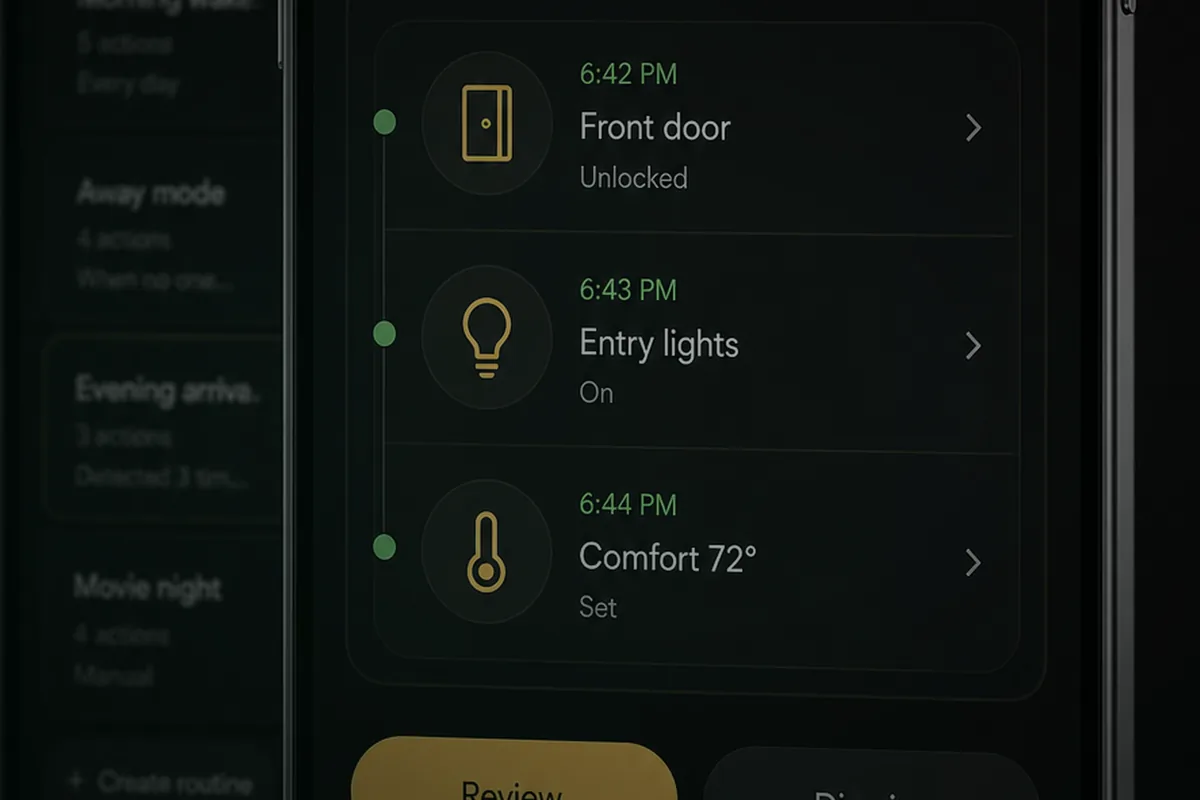
AI is useful at turning intent into a first draft: “when I open the front door after sunset, turn on entry lights, set the thermostat to evening comfort, and send me a notification if the garage door is open.” It can also explain why an automation is not firing when the trigger, condition, or entity name is wrong.
It should not silently publish every automation it writes. The right workflow is draft, review, test, and then enable. That is also how Tara thinks about home agents: the server can notice a repeated habit, but it asks before saving the routine.
4. Camera and Notification Summaries
Home Assistant’s AI Task building block is designed for automations that need a model to generate text or structured data. A camera automation can pass a snapshot to an AI model and ask for a compact notification, such as “person at front walk carrying a package,” instead of a generic motion alert.
This pairs well with local camera tooling such as Frigate, which can already detect objects, zones, snapshots, and events. The AI layer is then used to summarize or route the event, not to replace the camera pipeline.
5. MCP Access from External AI Tools
The Home Assistant MCP Server exposes Home Assistant as a Model Context Protocol server. MCP is the standard that lets an AI client connect to tools and data sources through a consistent interface. In practice, that can let an AI assistant inspect entities, call supported Home Assistant tools, or help troubleshoot a local setup.
Use the official MCP Server first if your goal is controlled Home Assistant access from an external AI client. Use community HACS MCP integrations only when you need extra tools and you are comfortable reviewing custom code, tokens, permissions, and update behavior.
What AI Cannot Do Reliably
AI does not remove the engineering part of a smart home. It changes where the work happens. Instead of manually writing every sentence trigger or YAML condition, you spend more time deciding what the assistant is allowed to see, what it can control, and which actions require confirmation.
- It cannot make cloud-only devices local. If a device only exposes a vendor cloud API, AI cannot magically turn it into a local Matter, Thread, Zigbee, Z-Wave, MQTT, or LAN device.
- It cannot control devices you do not expose. Built-in Home Assistant AI tooling works through exposed entities and supported tools. If a device, scene, script, or area is not exposed, the model should not know or control it.
- It cannot guarantee safety-critical decisions. Locks, garage doors, alarms, ovens, heaters, water shutoffs, and medical routines need explicit guardrails and human confirmation.
- It cannot reliably reason over messy entity names. “switch.sonoff_10012a3_left” is bad context. “Living room lamp” is good context.
- It cannot fix bad sensor coverage. If you do not have presence sensors, door sensors, window sensors, or camera zones, the model cannot infer reliable real-world state.
- It cannot be trusted as a private system if you use cloud models blindly. If you send home state, camera snapshots, or voice text to a cloud model, your privacy depends on that provider’s policy and configuration.
The Four Setup Paths
There is no single “AI with Home Assistant” setup. Pick the path based on what you want the AI to do.
Path 1: Cloud LLM for Better Assist Conversations
Use this when you want the easiest natural-language control and you are comfortable sending exposed home context to a cloud provider. Home Assistant has official integrations for OpenAI Conversation, Anthropic, and Google Gemini.
- Add the conversation integration in Home Assistant.
- Create or edit an Assist pipeline.
- Select the LLM conversation agent.
- Expose only the entities, areas, scripts, and scenes the model should control.
- Test safe commands before exposing locks, covers, cameras, alarms, or climate extremes.
Path 2: Local LLM with Ollama
Use this when privacy matters and you have enough hardware. Home Assistant’s Ollama integration can connect Home Assistant to a local model running on your own machine.
The tradeoff is capability. A local model on a mini PC can be excellent for bounded commands, room labels, routine suggestions, and support summaries. It may be weaker than a frontier cloud model at long reasoning, messy device inventories, or complex troubleshooting. Start with a small exposed entity set and expand only after the model behaves predictably.
Path 3: Official MCP Server
Use this when you want an external AI client to talk to Home Assistant. The official MCP Server integration is the cleaner starting point because it follows Home Assistant’s supported architecture and exposes Home Assistant through MCP rather than asking every AI tool to learn Home Assistant directly.
- Install or enable the Home Assistant MCP Server integration.
- Create a secure remote or local URL for the MCP endpoint if your client needs it.
- Connect the MCP-compatible AI client to the Home Assistant MCP endpoint.
- Use Home Assistant permissions and entity exposure to keep the tool scope narrow.
- Start with read-only inspection and safe scripts before broader control.
Path 4: HACS MCP for Advanced Tools
Some users mean the community ha-mcp project when they say “HACS MCP.” This is not the same thing as the official MCP Server integration. It can be useful for advanced workflows, but it should be treated as community software.
The general HACS custom repository path is:
- Open HACS in Home Assistant.
- Open the three-dot menu and choose Custom repositories.
- Paste the repository URL.
- Choose Integration as the category.
- Download the integration, restart Home Assistant, then add it from Settings > Devices & Services.
- Review generated tokens, endpoint URLs, and exposed tool permissions before connecting an AI client.
Safe Design: How to Give AI Power Without Giving It the Whole House
The difference between useful and scary comes down to permissions. A good setup is not “AI can do everything.” A good setup is “AI can inspect the right context, call safe scripts, and ask before the actions that matter.”
- Name entities like a human would. “Kitchen island lights” is better than “light.zha_group_0x0004.”
- Expose areas, scenes, and scripts first. Scripts let you wrap a risky action in your own conditions.
- Use confirmation for doors, locks, alarms, and water. The model can draft the action, but a person should approve it.
- Separate read-only agents from control agents. One assistant can inspect device health; another can control lights and comfort.
- Log every AI action. If a model calls a service, you should be able to see when, why, and with what parameters.
- Keep deterministic automations for core routines. Arrival lights, leak shutoffs, bedtime checks, and smoke or carbon monoxide response should not depend on an LLM being clever.
Where Tara Fits Into This
Tara’s view is that homeowners should not have to become the AI and Home Assistant integrator. A local server should run the reliable routines, watch device health, help connect new devices, draft automations from voice or chat, and ask before saving habits.
That matters when you add robot vacuums, lawn devices, TVs, speakers, shades, or other smart devices later. The local AI can try to identify the integration path and prepare the steps. If it struggles, the support request should include the device model, protocol, logs, current entities, and what the homeowner was trying to do so Tara can help without starting from zero.
Related Tara Reading
If you are planning a Home Assistant AI setup, these Tara articles connect the pieces around protocols, privacy, sensors, lighting, cameras, and local voice.
- How to Set Up a Fully Local Voice Assistant in Home Assistant
- How to Run Your Smart Home Without the Cloud
- What Is a Smart Home Hub and Why You Need One
- Matter Protocol Explained: The Future of Smart Homes
- How to Pair IKEA Matter-over-Thread Devices in Home Assistant Without Cloud
- How to Add mmWave Presence Sensors to Home Assistant via Matter and Thread
- Presence Detection: The Missing Piece of Smart Homes
- How to Set Up Smart Lighting in Every Room
- Smart Home Security: Protect Your Connected Home
FAQ
Is Home Assistant AI local?
It can be. If you use Ollama, local voice components, local automations, and local device protocols, the core flow can stay on your network. If you use OpenAI, Anthropic, Gemini, or another cloud model, the prompt and selected context go to that provider.
Do I need HACS for MCP?
No. Home Assistant has an official MCP Server integration. HACS MCP projects are advanced community options for users who need extra tools and are comfortable reviewing custom code and permissions.
Can AI create Home Assistant automations?
Yes, it can draft automations and explain configuration issues. The safer workflow is to review the generated automation, test it, then enable it. Let the model suggest, not silently rewrite the home.
Can AI help add robot vacuums, lawn devices, TVs, and speakers?
Yes, if the device has a compatible Home Assistant integration or local control path. AI can help find the integration, explain the setup, and prepare support details. If the device is cloud-only or poorly documented, the AI can still help troubleshoot, but it cannot guarantee local control.
Should I use OpenAI, Claude, Gemini, or Ollama?
Use a cloud model when you need the strongest reasoning and are comfortable with selected home context leaving your network. Use Ollama when privacy and local operation matter more than maximum model capability. Many homes will use both: local for routine control, cloud for opt-in troubleshooting or drafting.