TLDR
- Buy Ecowitt GW3001 for the best local-first setup. Its WS90 sensor and GW3000 gateway send readings straight to Home Assistant over your home network, with Ethernet or Wi-Fi and room for more sensors.
- Choose the current Tempest Weather Station for the easiest polished system. Home Assistant can read raw observations locally, but the app, forecasts, corrected values, remote access, and initial setup still involve the cloud.
- Avoid assuming Ambient Weather is local. Its built-in integration uses Ambient Weather Cloud. Keeping its data local requires a separate community add-on and more maintenance.
- Do not choose one for Matter or HomeKit. None has a useful native Matter path; Home Assistant can pass only supported individual sensors, such as temperature and humidity, into Apple Home.
- Check the bundle and mounting spot before ordering. Ecowitt needs the right gateway and radio region, while every station needs a stable, open, safe location to produce useful wind and rain readings.
The short answer: Ecowitt GW3001 is the best all-around choice
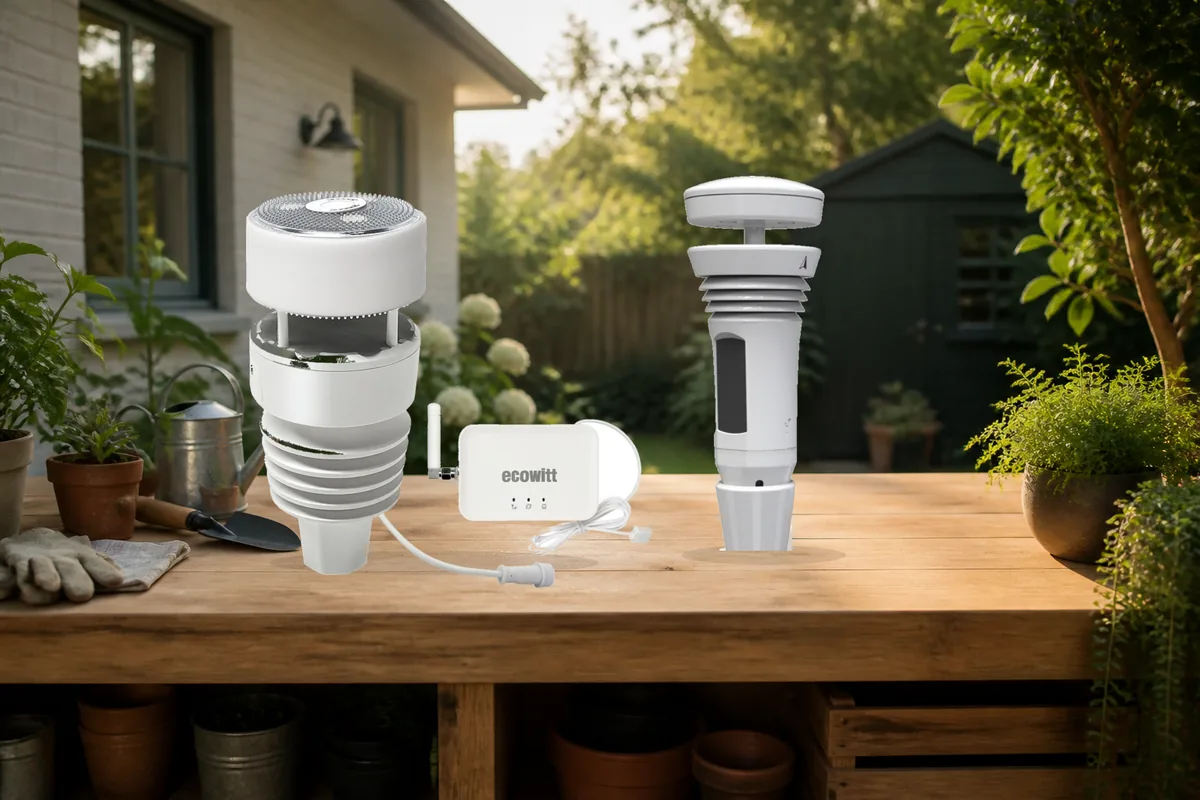
The Ecowitt GW3001 is the strongest current buy for someone who wants backyard readings to drive dependable Home Assistant automations without routing every update through a vendor server. The bundle includes the WS90 outdoor array and the GW3000 indoor gateway. A gateway is the small box that receives the sensor's radio signal and sends the readings onto your home network.
Home Assistant's built-in Ecowitt integration lists both the GW3000 and WS90 and labels the connection Local Push. In plain English, the gateway sends new readings straight to Home Assistant inside the home. It can be configured from its local web page without creating an Ecowitt account. The GW3000 also offers Ethernet as well as 2.4 GHz Wi-Fi, a microSD slot for its own logs, and support for add-on soil, rain, lightning, air-quality, and leak sensors.
Tempest is the better fit if you want one tidy consumer product with an included hub, excellent official siting guidance, and less interest in expanding into a yard full of probes. Ambient Weather remains appealing when a color console and Ambient Weather Network are priorities, but its built-in Home Assistant integration uses the cloud. That makes it a weaker answer to a local-first buying question.
| Current model | Official Home Assistant support | Local data path | Cloud dependency | Matter and HomeKit path | Community caveat |
|---|---|---|---|---|---|
| Ecowitt GW3001 WS90 + GW3000 |
Built-in Ecowitt integration; Home Assistant lists both GW3000 and WS90 and classifies it as Local Push. | The gateway sends readings straight to Home Assistant. Its local setup page works without an account. The callback uses local HTTP, not HTTPS. | None for the Home Assistant data path. Ecowitt's app and uploads to online weather services are optional. | No native Matter or HomeKit support is documented. HomeKit Bridge can expose supported temperature or humidity entities to Apple Home, not the complete station. | Some owners who care most about precise rainfall totals add the WH40 tipping-bucket gauge. Check exact gateway-and-sensor issues before buying add-ons. |
| Tempest Weather Station current 2026 system |
Built-in WeatherFlow integration for local observations; separate WeatherFlow Cloud integration for forecasts and cloud data. | The hub broadcasts raw readings to Home Assistant on the same home-network segment. | Initial app setup, forecasts, corrected values, history, remote access, and the app use Tempest's online service. No paid subscription is required. | No native Matter or HomeKit support is documented. HomeKit Bridge can expose supported sensor entities selectively to Apple Home. | A separate guest or IoT network can block the local feed. Local readings may differ from the app's cloud-corrected values. |
| Ambient Weather WS-2902D outdoor array + color console |
Built-in Ambient Weather Station integration; classified as Cloud Push and requires application and API keys. | No built-in local path. A community add-on called ecowitt2mqtt can send data locally through MQTT. | The official path needs an Ambient Weather Network account, internet access, and Ambient's cloud. The console still shows readings locally during an outage, but Home Assistant stops updating. | No native Matter or HomeKit support is documented. HomeKit Bridge can expose supported sensor entities selectively to Apple Home. | Owners who lose internet see gaps in Home Assistant. The community local route adds another service to install and maintain. |
Observation is not forecasting. A backyard station tells you what is happening at your property now. Forecasts and corrected rainfall can still come from a cloud service. Decide whether your automation needs a local measurement, an online forecast, or both.
Why the Ecowitt GW3001 wins for local Home Assistant automations
The naming is easy to get wrong, so buy the bundle rather than a loose WS90 unless you already own a compatible Ecowitt console or gateway. The GW3001 package pairs one WS90 sensor with one GW3000 gateway. The WS90 does not join Wi-Fi or Home Assistant by itself.
After adding the Ecowitt integration, Home Assistant gives you a server address, path, and port. Those values go into the gateway's custom weather-service settings. The gateway then posts readings to Home Assistant. The official documentation also warns that Ecowitt gateways send this callback over local HTTP rather than HTTPS. If your Home Assistant installation accepts only HTTPS, follow the documented local reverse-proxy arrangement; do not solve it by opening an incoming port on your internet router.
The bundle is especially useful if weather is the start of a larger outdoor sensor system. Home Assistant currently documents Ecowitt entities for rainfall, wind, temperature, humidity, pressure, light, UV, soil moisture, air quality, lightning, leak detection, battery status, and signal strength. The exact list you receive depends on the sensors you own. The WS90 itself covers wind, temperature, humidity, light, UV, and haptic rainfall; lightning needs an additional compatible detector such as the WH57, and soil moisture needs separate probes.
What to check before buying Ecowitt
- Radio region: choose the version intended for your country. Current Ecowitt bundles are sold in different 915, 868, and 433 MHz versions, and the gateway and sensors must match.
- Rain measurement: the WS90 uses a piezoelectric, or haptic, rain sensor rather than a tipping bucket. Ecowitt has not yet published a finished rain-accuracy figure on the current product page. If rainfall totals are the deciding feature, compare that behavior carefully or consider adding the supported WH40 tipping-bucket sensor.
- Mount: the WS90 product page says the pole is not included. Plan a stable location and the correct pole diameter before the box arrives.
- Exact combinations: current GitHub reports show why brand-level support is not enough. One July 2026 issue concerns WH51 soil entities on a GW1200A after a Core update. It is not a GW3001 failure, but it is a reminder to check known issues for your precise gateway, sensor, firmware, and Home Assistant version.
Choose Tempest when simple ownership matters most
The current Tempest Weather Station is the easier appliance-style choice. The system includes the outdoor sensor and its Wi-Fi hub, has no moving wind or rain parts, and presents one straightforward product rather than a menu of gateway and sensor combinations. It is the better recommendation for a household that wants useful weather automations without building an expandable backyard instrument network.
Home Assistant offers two distinct paths, and this distinction is the reason Tempest is often described unclearly. The built-in WeatherFlow integration listens for the station's UDP broadcasts on the local network. It is local-only and exposes temperature, humidity, pressure, wind, precipitation, lightning, light, UV, battery, signal, and event entities. Home Assistant says the server and Tempest hub must be on the same subnet and must be able to pass UDP traffic on port 50222.
The separate WeatherFlow Cloud integration uses an API key and supplies forecast and cloud data similar to the Tempest app. You may use both. The local values can differ slightly from the app because the app also considers forecasts and neighboring stations. That is expected, not proof that the local integration is broken.
Tempest is therefore local for station observations, not cloud-free as a complete product. The quick-start process uses the mobile app, Bluetooth, a user account, and 2.4 GHz Wi-Fi. Remote app access, vendor forecasts, history, and corrected data depend on Tempest services. No paid subscription is required. If internet-independent raw readings are enough, the local Home Assistant path is still valuable.
Mounting is part of the product decision
Tempest's current siting guide recommends an open location with sun exposure, distance from buildings and heat or moisture sources, and a stable mount that does not sway or vibrate. Its haptic rain sensor can mistake vibration for rain. The company says a practical installation around 6 to 8 feet above ground works for most owners and encourages an accessible location rather than an elaborate roof installation.
That advice applies more broadly: a premium station in a bad location can produce less useful data than a modest station in a good one. Decide where the station can safely live before choosing it. Do not climb onto a roof merely to chase an ideal wind reading; choose a safe accessible mount or use a qualified installer.
Choose Ambient Weather only when the console and cloud ecosystem are the point
The current Ambient Weather WS-2902D is a complete station with an outdoor array and a color display. It can be a sensible household weather product when people want to glance at a physical console and use Ambient Weather Network. It is not our local-first Home Assistant pick.
Home Assistant's built-in Ambient Weather Station integration communicates through Ambient Weather Cloud and needs an Application Key and API Key. The documentation mentions ecowitt2mqtt in Ambient mode as a local alternative. That is community software that receives station data and publishes it through MQTT. It can work for an experienced owner, but it adds another service to install, update, and troubleshoot.
If the buying requirement is “official built-in integration that keeps receiving backyard observations when the internet is down,” Ecowitt or the local Tempest WeatherFlow path is cleaner. The Ambient console can still show readings during an internet outage, but the official Home Assistant entities stop updating. If the requirement is “good color console, familiar app, and Home Assistant is a secondary destination,” the WS-2902D remains reasonable.
Matter and Apple Home do not replace these integrations
None of the three current products compared here advertises native Matter commissioning. Home Assistant also documents that it is a Matter controller, not a Matter bridge: it cannot turn an existing Ecowitt, Tempest, or Ambient Weather integration into a shareable Matter device. There is no useful Matter QR-code shortcut around the gateway and integration choices above.
Apple Home is more limited but not completely closed off. Home Assistant's HomeKit Bridge can expose supported entities to the Home app even when the original device is not a HomeKit accessory. Its current support list includes temperature and humidity sensors. It does not provide a full weather-station accessory with all wind, rain, lightning, solar, and UV data, so keep the complete station dashboard and richer automations in Home Assistant. Our HomeKit Device versus HomeKit Bridge guide explains that direction of travel.
Use this five-point checklist before ordering
- Write down the measurements that will trigger actions. Temperature and light are common. Rain, wind, lightning, soil moisture, and a physical console are separate requirements and may change the hardware.
- Buy the complete connection path. For the Ecowitt recommendation, that means WS90 plus GW3000, sold together as GW3001. For Tempest, confirm the system includes its hub. For Ambient Weather, confirm the exact console revision.
- Decide what must work without internet. Separate local live readings from vendor forecasts, app history, remote access, and corrected rainfall. A “no subscription” claim does not automatically mean every feature is local.
- Check the network before the return window closes. Put the gateway or hub where it has a reliable link to both the outdoor sensor and Home Assistant. Tempest local UDP can be blocked by VLAN separation; Ecowitt's callback needs the local HTTP route described in its integration guide. If the network is the uncertain part, read the mesh Wi-Fi guide for smart-home devices before blaming the station.
- Test placement temporarily. Confirm signal strength and compare readings for several days before drilling or using a tall permanent mount. Keep the site open, stable, sun-exposed where required, and safe to reach.
The automations that make a personal station worth buying
A weather station earns its place when the measurement changes a real decision at your home. Start with one or two low-risk routines and keep sensible time limits and manual controls.
- Rain and irrigation: skip or shorten a watering cycle after measured rain instead of relying only on a regional forecast. Soil probes can add a second check.
- Wind: notify someone to retract an awning, lower a fragile shade, or postpone spray irrigation. Use conservative thresholds and the equipment maker's own safety controls.
- Frost: send an alert when backyard temperature stays near freezing long enough to threaten plants or exposed plumbing.
- Rain start: close a safe motorized skylight or send a reminder about open windows. Tempest exposes a local precipitation-start event; Ecowitt exposes a rain-state sensor when supported by the connected hardware.
- Light: use measured illuminance or solar radiation to control exterior lighting or shades based on the light at your property, not only sunset time.
- Lightning: Tempest exposes local lightning events and distance readings. Ecowitt owners need the separate WH57 detector for that measurement.
If cloud independence is a household priority, see how to run home automation without the cloud. If you are still choosing the controller that will hold these automations, the current Home Assistant hardware guide separates ordinary sensor workloads from heavier camera and AI work.
What I would buy
Buy Ecowitt GW3001 when local Home Assistant data, Ethernet, expansion, and account-free gateway setup matter most. Buy the current Tempest Weather Station when simple hardware and a polished vendor experience matter more than keeping setup, forecasts, and the app completely offline. Buy Ambient Weather WS-2902D only when its color console and network are priorities and you accept the official cloud path.
Whichever station you choose, treat the exact model, gateway, radio region, mounting location, and integration as one system. A good product name cannot compensate for the wrong gateway or a sensor mounted beside a hot wall. For a packaged local controller path, see the Home Assistant smart-home kit options; the weather station itself remains a separate outdoor purchase.
Frequently asked questions
What is the best weather station for Home Assistant?
For most local-first Home Assistant households, the best current choice is the Ecowitt GW3001 bundle, which combines the WS90 outdoor sensor with the GW3000 gateway. Home Assistant's built-in Ecowitt integration receives local updates, the gateway supports Ethernet or Wi-Fi, and the system can expand with additional Ecowitt sensors.
Does Ecowitt work locally with Home Assistant?
Yes. Home Assistant classifies its built-in Ecowitt integration as Local Push. A supported Ecowitt gateway sends readings to a callback on the Home Assistant server. The gateway can be configured through its local web interface without an Ecowitt account, although Home Assistant must accept the local HTTP callback described in the official documentation.
Does Tempest work with Home Assistant without internet?
The built-in WeatherFlow integration reads Tempest station observations locally over UDP when the Tempest hub and Home Assistant are on the same subnet. Tempest app data, forecasts, corrected values, remote access, and initial app-based setup still use online services, so the whole product should not be treated as cloud-free.
Does Ambient Weather work locally with Home Assistant?
Not through the built-in Ambient Weather Station integration. That integration uses Ambient Weather Cloud and requires API keys. Home Assistant documents a community MQTT option for local data, but it adds extra software and is not the built-in path.
Do Ecowitt, Tempest, or Ambient Weather stations use Matter or HomeKit?
The current models compared here do not advertise a native Matter or HomeKit accessory path. Home Assistant cannot turn them into Matter devices, but its HomeKit Bridge can expose supported individual entities such as temperature and humidity sensors to Apple Home. Rain, wind, UV, and the full station view are better kept in Home Assistant.