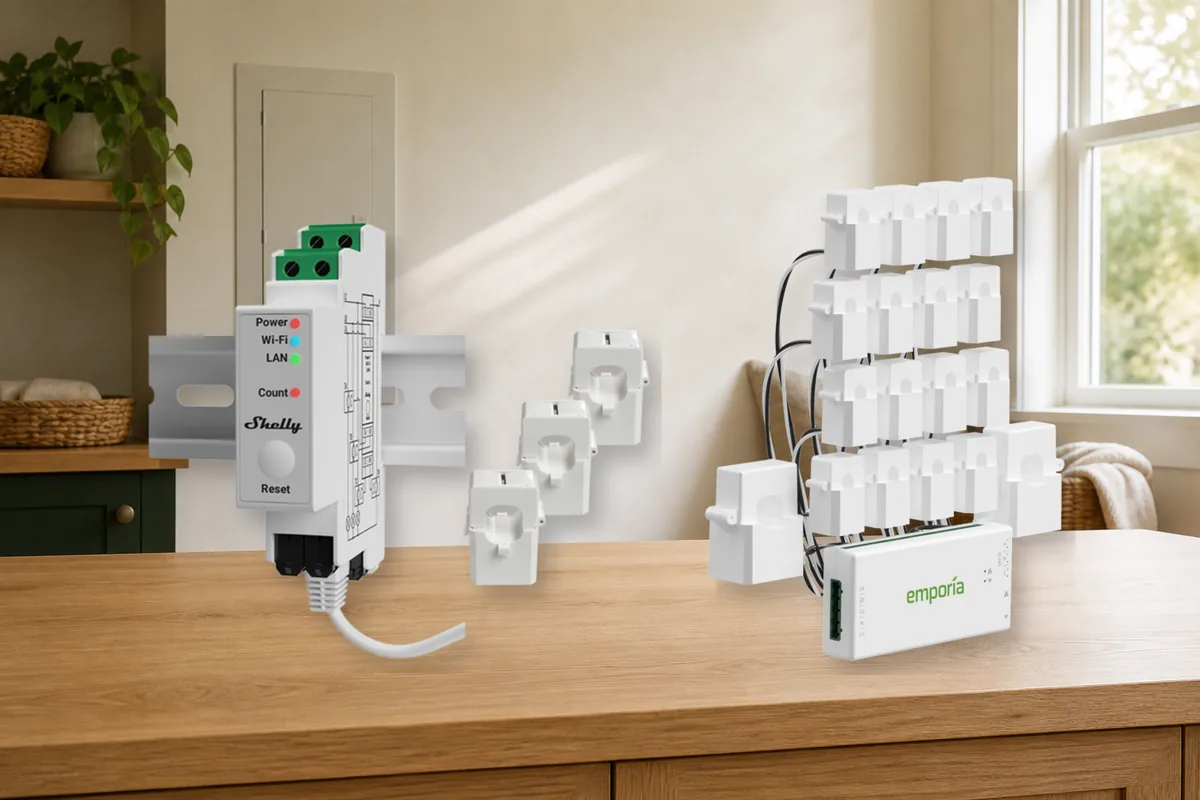
Short Answer: Shelly for Local Totals, Patience for Local Circuit Detail
The best whole-home energy monitor for most local-first Home Assistant homes in July 2026 is the Shelly Pro 3EM line, provided an electrician confirms the exact variant fits the electrical service. Home Assistant's official Shelly integration talks directly to the device, Shelly Cloud is not required, and the product can report accumulated energy plus live voltage, current, and power. It is a strong choice for the whole home, each phase, solar flow, or a few large circuits. It is not a sixteen-breaker monitor.
If you want a separate reading for many breakers, there is no equally simple winner today. The Refoss EM16 is named in Home Assistant's official local integration, while the newer EM16P has vendor-documented local API and MQTT support but is currently backordered and is not named in the official integration's model list. CircuitSetup's expandable six-channel board is genuinely local through ESPHome, but it is a do-it-yourself system and its main board is temporarily out of stock. Emporia Vue 3 is current, certified, and easy to buy, but stock firmware requires the internet and has no official Home Assistant Core integration.
That is the practical decision: choose Shelly when totals are enough; wait or accept extra setup for local circuit detail; choose Emporia only when its cloud or an unsupported community modification is an informed tradeoff, not a surprise.
Safety first: this guide helps you choose a product. It does not give panel-wiring instructions. Even a clamp-style current sensor—usually called a current transformer or CT—is installed around conductors in a hazardous enclosure. Use a qualified electrician and the manufacturer's instructions.
Four terms make the table easier: an official integration is the built-in Home Assistant software connector; local means Home Assistant can read the monitor inside the house without asking a vendor server; cloud polling means Home Assistant retrieves readings from that server; and a community path means you maintain extra software or replacement device firmware yourself.
Current Whole-Home Monitor Comparison
| Monitor | Official Home Assistant support | Local control and cloud | What it measures | Matter / HomeKit path | Current buying caveat |
|---|---|---|---|---|---|
| Shelly Pro 3EM 120A / 400A | Yes. Home Assistant's built-in Shelly integration communicates directly with the device. | Local LAN, Wi-Fi, MQTT, HTTP, and WebSocket options. Shelly Cloud is optional, not required for Home Assistant. | Up to three phases or three single-phase measurement points, plus import/export and live electrical values. Not a full per-breaker kit. | Shelly calls Pro 3EM Matter-ready. For complete Home Assistant energy data, use the Shelly integration. No direct HomeKit advantage is documented for this job. | In stock when checked. An electrician must match the 120A or 400A version, conductor size, phases, panel space, and regional approvals. |
| Refoss EM16 / EM16P | The built-in Refoss integration lists EM16 firmware 3.1.7 or newer. It does not currently name EM16P. | EM16 uses Home Assistant's Local Polling integration. Refoss says EM16P can run offline with a local web page, Open API, and MQTT. | EM16P advertises up to eighteen circuits, import/export handling, and channel merging. | No clear direct Matter or HomeKit panel-monitor path in the reviewed model documentation. Let Home Assistant own the energy data. | EM16P was backordered when checked. Verify the suffix, firmware, integration method, certification, current-transformer sizes, and stock before paying. |
| Emporia Vue 3 | No official Home Assistant Core integration. Available paths are community maintained. | Stock firmware requires an active internet connection and stores data in Emporia's cloud. Community cloud and unsupported ESPHome-flashing paths exist. | Whole-home mains plus as many as sixteen branch circuits per unit; multiple units can be combined in Emporia's app. | No documented direct Matter or HomeKit path for the panel monitor. | Easy to buy and UL 61010 / UL 2808 certified, but not a stock local-first Home Assistant product. Do not assume flashing preserves warranty or support. |
| CircuitSetup expandable 6-channel meter | Uses ESPHome's official ATM90E32 component and Home Assistant's ESPHome integration; there is no turnkey product-specific Core integration. | Local through ESPHome over Wi-Fi or an optional Ethernet build. No vendor cloud required. | Six channels on the main board, expandable to forty-two with add-on boards. | No native Matter or HomeKit route. Home Assistant is the controller. | For experienced builders: it needs the right ESP32, current transformers, voltage reference, enclosure, firmware, and calibration. The main board reports a four-to-six-week wait. |
| IoTaWatt | Yes. Home Assistant has an official IoTaWatt Local Polling integration and accepts configured inputs and outputs in the Energy dashboard. | Local device web server and local Home Assistant polling; cloud service is not required for core measurement. | Multiple current-transformer inputs with calculated outputs for mains, solar, import, and export. | No native Matter or HomeKit route. Use Home Assistant for dashboards and automations. | Excellent for existing owners, but new-unit and matching-transformer availability varies. Confirm a real current distributor and regional certification before treating an old recommendation as purchasable. |
| Sense Home Energy Monitor | Yes, for existing owners. Home Assistant's integration is Cloud Polling. | Cloud dependent for Home Assistant data. | Whole-home usage plus software-detected appliance estimates rather than a current transformer on every branch. | No useful direct Matter or HomeKit buying path for this comparison. | Sense ended sales of new Home Energy Monitors on December 31, 2025 or when stock ran out. Keep using a working unit; do not make it a new-system pick. |
First Decide Whether You Need Totals or Every Circuit
A whole-home total answers, "How much power is the house using right now?" It is enough for daily energy cost, peak-demand alerts, solar import and export, and automations such as delaying an EV charge when the house is already near a limit. A phase is one leg of the electrical supply; the exact number and arrangement depend on the country and service. Shelly Pro 3EM and IoTaWatt are strong at this kind of local data.
Per-circuit monitoring answers, "Is the dryer, heat pump, oven, workshop, or water heater responsible?" Emporia Vue 3, Refoss EM16-class hardware, and an expanded CircuitSetup system can provide that detail. More channels also mean more current transformers, more panel space, more entity naming, and more history to maintain.
Do not assume every branch needs a sensor. Start with mains, solar, and the handful of expensive or automation-worthy circuits. Use energy-monitoring smart plugs for safe individual plug loads. Home Assistant's Energy dashboard now supports upstream-device relationships, which can prevent a branch or plug from being counted twice under the whole-home total.
Best Local-First Pick: Shelly Pro 3EM
Shelly Pro 3EM has the cleanest combination of current availability, official Home Assistant support, and local operation. Home Assistant says the Shelly integration communicates directly with the device and does not need the cloud. Shelly's current US product page lists Ethernet, Wi-Fi, local protocols, on-device history, three included current transformers, import and export measurement, and both 120A and 400A variants.
The reason it is not an automatic purchase is electrical fit. A 120A current transformer is not interchangeable with a 400A one, and a three-phase product still has to be applied correctly to a North American split-phase, European single-phase, or three-phase installation. The electrician should check the service rating, conductor diameter, panel or enclosure space, neutral measurement needs, phase arrangement, and the exact approvals required where you live.
The Matter-ready badge is secondary. Matter can be useful for cross-platform controls, but this job depends on complete live-power and accumulated-energy entities. The official Shelly integration is the documented Home Assistant path, so use it unless you have verified a specific reason to commission the meter through Matter.
Best Local Per-Circuit Prospect: Refoss, With a Model-Suffix Warning
Refoss is attractive because it promises the shape many Home Assistant buyers actually want: one panel monitor, lots of circuits, and local data without opening the device to replace firmware. The important detail is the model suffix.
Home Assistant's built-in Refoss integration currently lists EM06 and EM16, with minimum firmware versions, and labels the integration Local Polling. The vendor's newer EM16P page says it can work offline without an app or account, supplies a local web interface, Open API and MQTT, monitors up to eighteen circuits, and works with Home Assistant without flashing. However, EM16P is not named in Home Assistant's current official model table. That makes its Home Assistant route vendor-documented, not the same as a model explicitly listed in Core.
EM16P was also backordered when this guide was checked. If it returns to stock, confirm the integration steps, firmware, current-transformer sizes, service compatibility, and certifications before buying. If you find a regular EM16, confirm its firmware is new enough for the official integration and that the seller is supplying the exact model advertised.
Emporia Vue 3: Good Hardware, Cloud-First Stock Firmware
Emporia Vue 3 is easy to understand and easy to find. The current product line can monitor mains plus eight or sixteen branch circuits, supports common single-phase, split-phase, and some three-phase systems, and carries current safety certifications. For a homeowner who likes the Emporia app and accepts its cloud, it can be a practical monitor.
It is not the local-first Home Assistant winner. Emporia's own product page says an active internet connection is required for real-time monitoring, cloud storage, and updates, and says the device has no local data storage. Home Assistant Core does not provide an official Emporia integration. Community paths include a cloud integration and replacing stock firmware with ESPHome, but they change the support story.
Firmware replacement is not a checkbox beside "local." It can require opening the monitor, making a hardware connection, accepting upgrade risk, and maintaining community instructions. It may affect warranty or the assumptions behind product support and certification. If that sounds like an unwanted project, either accept stock Emporia cloud behavior or choose a monitor designed for the local path you want.
CircuitSetup for Builders; IoTaWatt for Existing Owners or Verified Stock
CircuitSetup's expandable six-channel meter is the most flexible local builder option in this shortlist. ESPHome officially documents its ATM90E32-based boards, and CircuitSetup supplies Home Assistant-oriented configurations. A main board can cover six channels and add-on boards can expand the system to forty-two.
It is not a finished consumer box. The project can require a board, ESP32, current transformers, voltage reference, enclosure, firmware, and careful calibration. As of July 29, CircuitSetup said more meters were being manufactured with availability expected in four to six weeks. That makes it a strong plan for an experienced builder who is willing to wait, not a same-day recommendation for a non-technical homeowner.
IoTaWatt remains one of the nicest Home Assistant integration stories. The official integration is Local Polling and feeds inputs and calculated outputs directly into the Energy dashboard. The catch is purchase continuity. The project's own community says the original creator is no longer manufacturing new units, with limited stock and European distribution efforts varying over time. Keep a working IoTaWatt. For a new purchase, confirm current stock, matching transformers, support, and certification from the actual seller before planning around it.
Sense Is an Existing-Owner Path, Not a New Buy
Sense deserves a clear answer because it still appears in old comparisons. Sense says it stopped selling its Home Energy Monitor on December 31, 2025 or when inventory ran out. The company continues to support existing monitors, and Home Assistant still has an official Sense integration.
That integration is Cloud Polling. Existing owners can keep using it, including usage, production, trend, and detected-device sensors. New buyers should not hunt for old inventory and build a fresh system around discontinued hardware, cloud data, and uncertain long-term replacement options.
Matter and HomeKit Are Not the Main Decision
Matter is a cross-platform smart-home standard, while HomeKit is Apple's older native device path. A panel energy monitor is different from a light bulb or plug: you are not mainly buying a control tile for several apps; you are buying reliable power and energy measurements for history and automations. A Matter-ready label does not automatically prove that every phase, import/export total, branch channel, or long-term energy counter will arrive in Home Assistant exactly as needed.
None of the compared products offers a compelling direct HomeKit energy-monitor path. Shelly advertises Matter readiness, but its official Shelly integration is still the clearer route for detailed Home Assistant data. Refoss, Emporia, CircuitSetup, IoTaWatt, and Sense should also be chosen by their documented Home Assistant and cloud path, not by hopes of adding a rich energy monitor directly to Apple Home.
If family members need a simple status view in Apple Home, decide that after Home Assistant receives reliable data. Do not let a secondary dashboard choose the electrical hardware.
Seven Checks Before You Buy
- Ask whether you already have a usable source. A utility meter, solar inverter, battery system, or EV charger may already expose whole-home or grid data to Home Assistant.
- Choose totals or branches. Three main readings are a different project from sixteen or forty-two breaker readings.
- Match the electrical system. Record the country, service amperage, single-phase, split-phase, or three-phase layout, solar and battery direction, and any subpanels. Give that information to the electrician.
- Check the exact current transformers. Their rating, opening size, connector, and direction matter. Do not assume a clamp from one model fits another.
- Separate official, vendor, and community support. A Home Assistant Core model list is not the same as vendor MQTT instructions, HACS, or replacement firmware.
- Decide the internet rule before purchase. If the monitor must work during an outage or after a vendor service closes, verify that behavior with stock firmware.
- Plan safe installation and maintenance. Confirm panel space, enclosure, Wi-Fi or Ethernet reach, approvals, electrician access, and how the system can be serviced without guessing later.
After Installation: Keep the Home Assistant Setup Simple
Once the electrician finishes the hardware, add the monitor through the documented integration and name the important channels plainly: Grid L1, Grid L2, Solar, Heat Pump, Dryer, EV Charger, and Workshop are more useful than CT 1 through CT 8. Confirm the sign of import and export, then compare a full day or billing period with the utility reading before building cost or safety-adjacent automations.
Home Assistant's Energy dashboard wants accumulated energy in kWh for long-term totals. Live power in watts is useful for the Now view and automations. If a monitor supplies only watts for a channel, Home Assistant can calculate energy over time, but a stable device-provided total is usually simpler. If a sensor does not appear, use Tara's Energy dashboard sensor checklist before creating duplicate helpers.
Start with visibility. Add alerts only after the readings are trustworthy, and avoid treating a hobby-grade sensor as a certified protective device. An automation can warn that a dryer appears finished or that the house is near a demand threshold. It should not replace breakers, overcurrent protection, an electrician's design, or a manufacturer's safety control.
Tara's Take
Buy the least complicated monitor that answers the real question. If the goal is whole-home consumption, solar flow, and a few large loads, Shelly Pro 3EM is the strongest current local-first choice. If the goal is every breaker, wait for a suitable Refoss or CircuitSetup path unless you consciously accept Emporia's cloud or a community hardware project.
The durable part is not the prettiest app. It is a supported local data path, an electrician-approved fit, sensible channel names, and energy history that still works when an internet service changes. A local smart home hub can then turn those readings into useful alerts and automations without making the electrical panel another cloud dependency.
FAQ
What is the best whole-home energy monitor for Home Assistant?
For a local-first whole-home or phase-total setup, start with the Shelly Pro 3EM line. It has an official Home Assistant integration that communicates directly with the device without requiring Shelly Cloud. Have an electrician select the correct 120A or 400A variant and confirm regional fit.
Is the Emporia Vue 3 local in Home Assistant?
Not with stock firmware. Emporia says the Vue 3 requires an active internet connection and has no local data storage. Community cloud and ESPHome replacement-firmware paths exist, but neither is the same as a supported local feature in stock hardware.
Is Refoss EM16P officially supported by Home Assistant?
Home Assistant's official Refoss integration currently names EM16 and EM06, not EM16P. Refoss says EM16P supports offline use, Open API, MQTT, and Home Assistant without flashing. Treat that as a vendor-documented path, verify the exact setup, and note that the model is currently backordered.
Should I use Matter or HomeKit for a panel energy monitor?
Usually not as the primary path. Use the brand's documented Home Assistant integration for detailed energy entities. Matter readiness does not guarantee every phase, branch, or accumulated-energy value appears, and none of the monitors here has a compelling direct HomeKit energy-monitor advantage.
Do I need an electrician to install a whole-home energy monitor?
Yes for equipment mounted in or connected to an electrical panel unless local rules and your qualifications clearly say otherwise. An electrician should verify the service, phases, current-transformer rating, conductor fit, enclosure, certifications, and safe installation.