Short Answer: Most Homes Should Try Bluetooth First
You usually do not need a SwitchBot hub to use SwitchBot devices with Home Assistant. Home Assistant's official SwitchBot Bluetooth integration—the connector that adds SwitchBot products—says so directly. It supports local control for Bot, Curtain 3, Blind Tilt, Roller Shade, meters, sensors, current locks, plugs, lights, leak detectors, and more. Home Assistant calls this Local Push: normal updates and commands stay inside the home instead of visiting SwitchBot's cloud first.
Start with a Bluetooth adapter in Active mode, which lets Home Assistant send commands instead of only listening. If a curtain, lock, or meter is too far away, put an ESPHome Bluetooth proxy nearby. This small local radio extender relays Bluetooth between that room and Home Assistant, often fixing range without a SwitchBot hub.
Buy Hub 2 or Hub 3 only for an extra job: translating supported Bluetooth devices into Matter, learning infrared remotes, providing SwitchBot's display and buttons, or keeping a separate SwitchBot app experience. Matter is the shared standard used by Home Assistant, Apple Home, Google Home, Alexa, and SmartThings. A hub can be useful; it is not the admission ticket for Home Assistant.
The simplest rule: try direct Bluetooth, improve Bluetooth range if needed, then add Matter only for a specific cross-platform reason. Use one main connection method per device once testing is over.
The Three SwitchBot Paths Are Not the Same
“Works with Home Assistant” can mean local Bluetooth, local Matter, or SwitchBot Cloud. All three can create controls and sensor readings in Home Assistant, but they differ in hardware, internet dependence, available features, and where setup lives. The HomeKit column below means Apple HomeKit—not Matter—and explains the cleanest Apple path.
| Path | Official support | Local control and cloud dependency | Matter, HomeKit, and other platforms | Best use and caveats |
|---|---|---|---|---|
| Direct SwitchBot Bluetooth Bot, Curtain 3, Blind Tilt, Roller Shade, meters, sensors, locks, plugs, lights, and more. |
Official Home Assistant integration; Gold quality; Local Push. Home Assistant explicitly says a SwitchBot hub is not required. | Daily control is local. Some encrypted devices may use a SwitchBot account during setup to import keys; advanced users can enter the keys manually. The app is also needed for calibration and some product settings. | No Matter hub needed. Home Assistant can expose compatible controls and sensor readings to Apple Home through HomeKit Bridge. Alexa and Google paths depend on how you expose Home Assistant. | Best default. Requires active Bluetooth in range. A proxy is usually the first range fix. Feature support varies by model. |
| Hub 2 or Hub 3 as a Matter bridge The child remains Bluetooth; the hub translates it to Matter over the local network. |
Home Assistant's SwitchBot Matter partner page explicitly certifies selected children through Hub 2 and Hub 3. It is Local Push. | Home Assistant Matter commands are local. The SwitchBot app/account and internet are still part of hub registration, built-in software updates, and choosing secondary devices. | The same bridge can be added to Home Assistant or another supported Matter ecosystem. Matter multi-admin—the feature for sharing one device with several platforms—can share it when the controller and device support that path. | Choose for sharing supported devices with other platforms through Matter, infrared control, hub controls, or deliberate bridge placement. Matter can expose a smaller standardized feature set than direct Bluetooth. |
| Hub Mini Matter Enabled | SwitchBot documents it as a Matter bridge with four secondary-device slots. Home Assistant's current partner certification page names Hub 2 and Hub 3, not Hub Mini. | Routine Matter control is designed to stay local, but Home Assistant does not currently list this hub on its SwitchBot partner page. The SwitchBot app/account remains the configuration path. | Vendor documentation lists Apple Home, Google Home, Alexa, and SmartThings paths. Do not confuse it with the older plain Hub Mini, which has no Matter support. | Budget bridge for a small setup, but Hub 2 is the safer Home Assistant recommendation because it is explicitly named on the partner page and has eight slots. |
| Standalone Matter over Wi-Fi Air Purifier, Air Purifier Table, K20+ Pro, and K11+ on Home Assistant's current certified list. |
Official Home Assistant SwitchBot Matter certification for the listed models; no SwitchBot hub required. | Local Matter control over Wi-Fi. Vendor-app setup, updates, or extra functions may still use an account or internet. | Pair or share with Home Assistant, Apple Home, Google Home, Alexa, or SmartThings when that exact model and platform support the device type. | Choose if you own one of the exact certified models. Do not assume a similar product name uses the same path. |
| SwitchBot Cloud | Official Home Assistant integration; classified as Cloud Polling. | Needs a SwitchBot account, cloud service, and internet. Sensors poll about every 10 minutes; pushed updates require a publicly reachable Home Assistant URL or Home Assistant Cloud. | Separate from Matter and HomeKit. Infrared appliance state can be only Home Assistant's best guess if another remote is used. | Use only when the local integrations do not expose a function you need. Avoid as the default for locks, leak alerts, presence, or outage-sensitive automations. |
If You Need a Hub, Which One Should You Buy?
These were the listed U.S. one-unit prices when checked on July 12, 2026; promotions can change them. The capacity figures come from SwitchBot's hub comparison, and mean the number of secondary devices that can be synchronized to a third-party service.
| Current model | Listed price and Matter capacity | What it adds | Tara recommendation |
|---|---|---|---|
| SwitchBot Hub Mini Matter Enabled | US$59.99; up to 4 bridged secondary devices. | Small Matter bridge and infrared remote. No built-in display, temperature/humidity sensor, light sensor, or manual scene buttons. | Only for a tiny, price-sensitive bridge plan. Confirm the exact device and controller path first. |
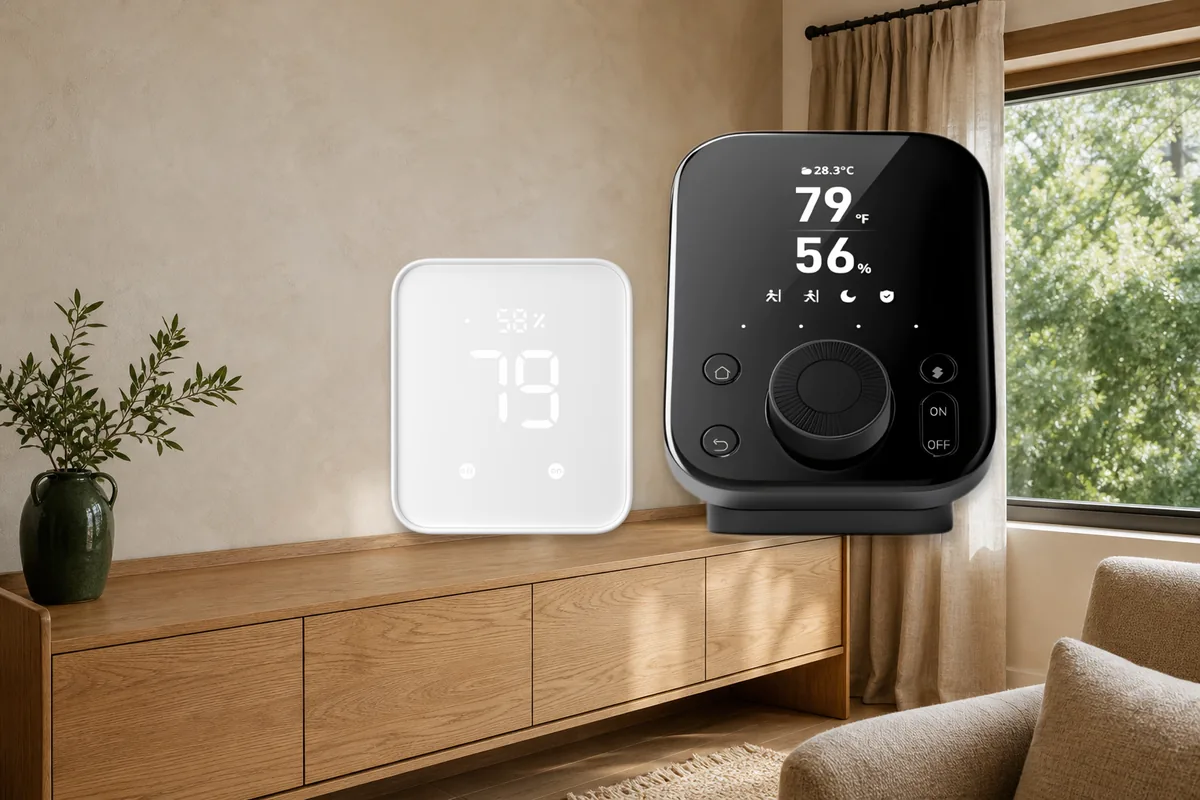
| SwitchBot Hub 2 | US$69.99; up to 8 bridged secondary devices. | Matter bridge, infrared remote, display, temperature/humidity and light sensing, two touch controls, and offline IR control. | Best default hub. It costs little more than the Mini, is explicitly covered by Home Assistant's partner page, and is enough for a focused room or small home. |
| SwitchBot Hub 3 | US$119.99; up to 30 bridged secondary devices. | Larger screen, Dial Master control, scene buttons, sensors, infrared, and SwitchBot control of supported third-party Matter devices. | Choose for a larger SwitchBot installation or because you want its physical controls. Do not pay the premium merely to connect one curtain to Home Assistant. |
The older plain SwitchBot Hub Mini is not the same product. SwitchBot's comparison lists no Matter function for it. A discounted listing that omits “Matter Enabled” may give you cloud and infrared features without the local Matter bridge you expected.
Hub 2 and Hub 3 are also not Thread border routers. Thread is the low-power wireless network used by many battery-powered Matter devices, and a border router connects that network to the rest of the home. SwitchBot's Hub 2 documentation describes Bluetooth children bridged to Matter over Wi-Fi, while the Hub 3 specifications list Wi-Fi and Bluetooth Low Energy connectivity, not Thread. Buying either one will not provide the Thread radio needed for IKEA, Eve, Aqara, or Nanoleaf Matter-over-Thread devices.
The Local Bluetooth Setup Order
This order keeps the first attempt simple and gives range problems an obvious fix.
- Update Home Assistant first. SwitchBot support changes quickly, and the integration's device list is much broader than it used to be.
- Configure the device in the SwitchBot app. Calibrate Curtain 3, Blind Tilt, Roller Shade, and locks before asking Home Assistant to control them.
- Check active Bluetooth. In Home Assistant, open Settings → Devices & services → Bluetooth. Active mode is required to connect and control, not just listen for the small broadcasts that devices send.
- Add SwitchBot Bluetooth. Use Settings → Devices & services → Add integration, then choose SwitchBot Bluetooth.
- Add a proxy if needed. Place an ESPHome Bluetooth proxy in the room with the device. Do not hide the proxy inside a metal cabinet or behind a television.
- Test the exact feature. Operate the curtain, read the sensor, or lock and unlock while watching Home Assistant. Check the status field named
last_run_successif commands are intermittent.
Some SwitchBot products are encrypted. Home Assistant can import their encryption keys from a SwitchBot username/password account, or advanced users can enter keys manually. This does not turn daily Bluetooth control into cloud control; it does mean “local” and “never touched a vendor account” are different promises.
The Matter Bridge Setup Order
Choose this only after you have decided a bridge is useful. Hub 2 is the most straightforward Home Assistant choice for a small setup.
- Add the hub to the SwitchBot app, update its firmware, and keep it on the same trusted home network as Home Assistant.
- Add and calibrate the SwitchBot child device in the app. Confirm it works through the hub before involving Matter.
- Open the hub's Matter settings in the SwitchBot app, then add the child under Secondary Devices. Not every product or every feature is available; some entries may be labeled as a lab feature.
- Add the hub to Home Assistant's Matter integration with the Home Assistant companion app, or share it from the first Matter controller using a new pairing code.
- Rename bridged entities clearly—for example, “Office Curtain via Hub 2”—so you can tell them from any Bluetooth test entities.
- Compare the exposed controls. If Bluetooth provides the feature set you need and Matter does not, keep Bluetooth and remove or disable the duplicate.
Home Assistant's official Matter page currently certifies selected SwitchBot locks, sensors, meters, Curtain 3, Contact Sensor, Roller Shade, and related products through Hub 2 or Hub 3. SwitchBot's own compatibility page is broader and includes beta entries. Treat the Home Assistant list as the safer promise for a new purchase.
What This Means for Real SwitchBot Devices
Bot
Use direct Bluetooth first. Home Assistant can press it, switch it, and report battery level. Add a proxy if the mechanical button is in a far room. SwitchBot documents Bot as Matter-over-bridge capable, but it is not on Home Assistant's current certified Hub 2/Hub 3 child list, so do not buy a hub solely on that assumption without checking the live compatibility pages.
Curtain 3, Blind Tilt, and Roller Shade
Calibrate in the SwitchBot app, then try Bluetooth. Home Assistant's Bluetooth integration supports position control and model-specific details such as Curtain 3 movement speed. Curtain 3 and Roller Shade also appear on Home Assistant's certified Matter-via-hub list, so Hub 2 or Hub 3 is a reasonable alternative when bridge placement or sharing the curtain with another platform matters. Blind Tilt works over Bluetooth; vendor Matter support is broader than Home Assistant's certified list.
Meters, Contact Sensor, Motion Sensor, Presence Sensor, and leak detection
Bluetooth is usually the better local sensor path because Home Assistant receives the model's native data without a generic bridge in the middle. A nearby proxy matters more than a hub badge. For Presence Sensor in particular, community reports compare Bluetooth and Matter latency with mixed results. Test your room and automation before standardizing on one path. Safety alerts should have a second notification or physical check, not depend on a single wireless event.
Lock, Lock Pro, and Lock Ultra
Use only an officially supported path for the exact lock. These are encrypted products and need proper calibration. Home Assistant supports local Bluetooth for current lock models, while selected models are certified through Hub 2 or Hub 3. Keep the physical key or keypad fallback, test door-state reporting, and never make the first migration while someone could be locked out. Home Assistant also notes limitations around dual-lock mode and primary lock state.
Air purifiers and newer robots
Some exact models are standalone Matter-over-Wi-Fi devices, so a SwitchBot hub adds nothing to their Home Assistant Matter connection. Home Assistant's current certified list names Air Purifier, Air Purifier Table, K20+ Pro, and K11+. Similar model names are not proof of the same connection method; match the product page and Matter code to the exact unit.
Apple Home, Google Home, Alexa, and SmartThings Paths
If Home Assistant already controls a SwitchBot device over Bluetooth, Apple households can often keep that local path and expose the compatible controls and sensor readings through Home Assistant's HomeKit Bridge integration. In that design, Home Assistant is the bridge to Apple Home and no SwitchBot hub is needed. HomeKit Bridge is different from adding an Apple accessory to Home Assistant through the HomeKit Device integration.
A SwitchBot Hub 2, Hub 3, or compatible bridge can instead present supported children to Matter platforms. Matter multi-admin may let you share the bridge between Home Assistant and another controller, but device types and exposed features still vary. Alexa, Google Home, and remote voice services can add account or cloud dependencies even when the Matter traffic inside the house is local.
Choose one place for automations—usually Home Assistant—and use family platforms for voice and convenient room control. Running the same curtain schedule in SwitchBot, Apple Home, Google Home, Alexa, SmartThings, and Home Assistant creates duplicate commands and support headaches.
Where the SwitchBot Cloud Still Appears
There are three separate cloud questions:
- Direct Bluetooth: normal commands stay local. The app or account may still be used for calibration, key import, firmware, and product settings.
- Matter through a SwitchBot hub: normal Home Assistant control is local, but the SwitchBot app/account remains the management path for the hub and bridged children.
- SwitchBot Cloud integration: the integration itself depends on SwitchBot's service and internet access.
The cloud integration can cover products or functions missing from local paths, but it comes with real tradeoffs. Home Assistant says ordinary sensors request cloud status every 10 minutes. Some sensors and vacuums receive automatic pushed updates only when SwitchBot's service can reach your Home Assistant through a public web address or Home Assistant Cloud. Infrared appliance state is inferred from commands and can be wrong after someone uses the original remote.
For a no-cloud home, do not call the cloud integration a harmless fallback. Use it deliberately, label its entities, and decide what should happen when the internet or vendor service is unavailable.
Five Mistakes to Avoid
1. Buying a hub before testing direct Bluetooth
A $69.99 bridge is an expensive Bluetooth range extender if a proxy would have solved the room. Confirm that the device is supported, active Bluetooth is enabled, and a proxy cannot fix placement before adding another ecosystem box.
2. Assuming Matter means more features
Matter gives products a shared control language. It does not guarantee every SwitchBot calibration, diagnostic, scene, button, battery detail, or vendor-specific setting. Read Home Assistant's exact device lists and the Matter missing-features guide before switching a working Bluetooth device.
3. Confusing Hub Mini with Hub Mini Matter Enabled
The old Hub Mini has no Matter function. Product names in marketplace listings are often shortened, so check the exact model before buying. Also remember that Home Assistant's partner certification page currently calls out Hub 2 and Hub 3.
4. Keeping Bluetooth, Matter, and cloud copies forever
Temporary duplicates are useful for comparison. Permanent duplicates create ambiguous dashboards, double automations, and the chance of acting on stale cloud state. Rename test entities, choose a winner, then disable or remove the unused path.
5. Buying a SwitchBot hub for Thread
Hub 2 and Hub 3 are Wi-Fi Matter bridges for supported Bluetooth products, not Thread border routers. A separate supported Thread border router is still required for Matter-over-Thread devices.
The Best Choice for Most Home Assistant Homes
Start with direct SwitchBot Bluetooth. Use active Bluetooth, configure the device in the SwitchBot app where necessary, and add an ESPHome Bluetooth proxy when the radio path is weak. This is officially supported, local, and often exposes the richest Home Assistant feature set.
Buy Hub 2 when you need a small, officially named Matter bridge, infrared control, or SwitchBot's display and buttons. Buy Hub 3 for a larger SwitchBot installation—up to 30 synchronized secondary devices—or because its dial, screen, and physical controls have household value. The Matter-enabled Hub Mini is a budget four-device option, but Home Assistant's current partner page gives Hub 2 and Hub 3 the clearer certification story.
Use SwitchBot Cloud only for a feature that the local Bluetooth and Matter paths cannot provide. Whatever you choose, keep one automation brain, one primary integration per device, and a written note about which functions still depend on the SwitchBot app, account, or internet.
Related Tara Reading
- Home Assistant Bluetooth Proxy: Fix Range Without Another Vendor Hub
- Why a Matter Device Can Be Missing Features in Home Assistant
- Share Matter Devices With Home Assistant, Apple, Google, Alexa, and SmartThings
- HomeKit Device vs HomeKit Bridge in Home Assistant
- Will Home Assistant Matter Work Without Internet?
- Can Home Assistant Be a Matter Bridge?
FAQ
Do I need a SwitchBot Hub for Home Assistant?
Usually no. Home Assistant's official SwitchBot Bluetooth integration controls many products locally and explicitly says a SwitchBot Hub is not required. Use active Bluetooth or an ESPHome Bluetooth proxy for range.
Is SwitchBot Matter control in Home Assistant local?
Yes. Home Assistant classifies SwitchBot Matter as local. With a bridged child, the child still talks Bluetooth to the hub and the hub talks Matter to Home Assistant over the local network. The SwitchBot app and account remain part of registration, firmware, and secondary-device setup.
Should I buy Hub 2 or Hub 3?
Hub 2 is the practical default: eight bridged-device slots, IR, sensors, a display, and explicit Home Assistant partner coverage. Hub 3 supports up to 30 secondary devices and adds a dial and more physical controls. Pay for Hub 3 only if those extras solve a real household need.
Is Hub 2 or Hub 3 a Thread border router?
No. They bridge supported SwitchBot Bluetooth devices into Matter over Wi-Fi. They do not provide the Thread radio required by Matter-over-Thread devices.
Can SwitchBot Bluetooth devices appear in Apple Home without a SwitchBot hub?
Often yes. Add the supported device to Home Assistant over Bluetooth, then expose its compatible controls and sensor readings through Home Assistant's HomeKit Bridge integration. Home Assistant becomes the local bridge to Apple Home.