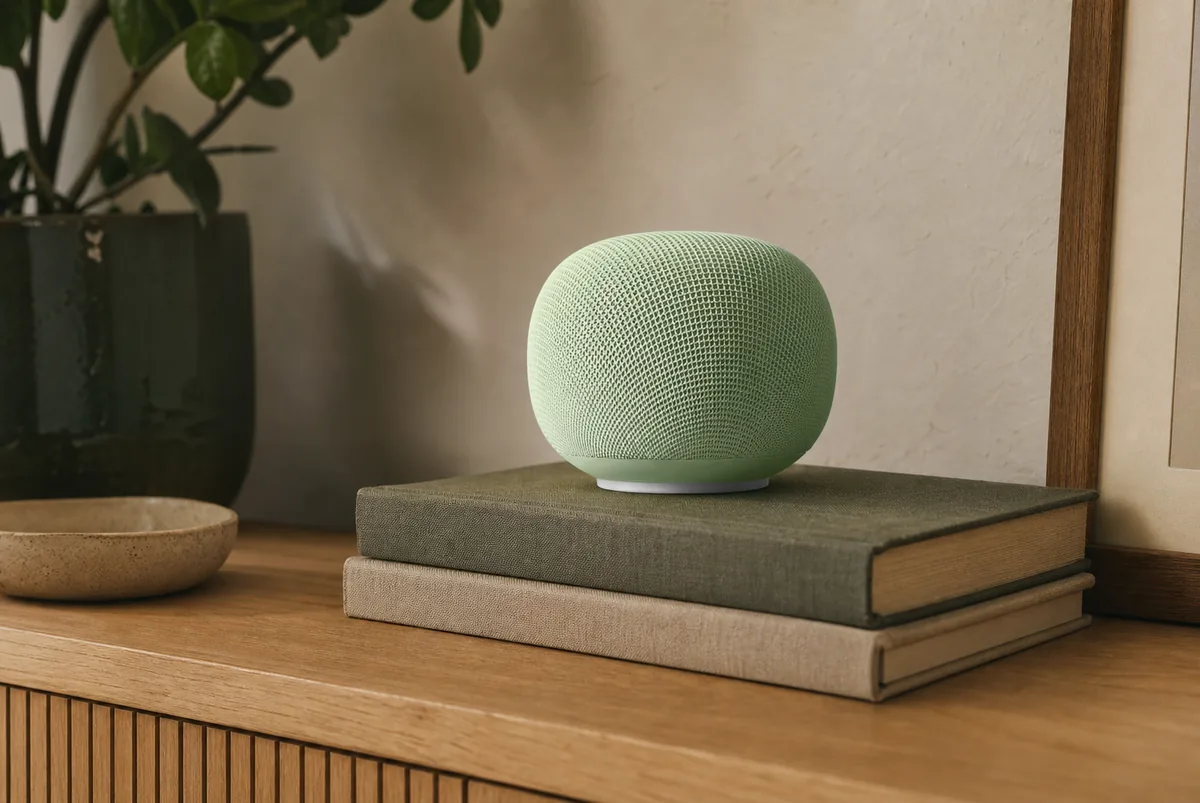
Short Answer: It Has the Right Hardware, but Home Assistant Has Not Verified It Yet
The Google Home Speaker (2026) is officially a Thread border router for Google Home. Matter is a common smart-home compatibility standard. Thread is the low-power local network used by many Matter devices, and a border router is the bridge that carries their traffic onto the regular home network. Google's product specifications list Thread 1.3, Matter support, and operation as a Google Home Matter hub. That is different from older speakers such as Nest Audio and Nest Mini, which can act as Google Matter hubs for Wi-Fi devices but do not provide Thread hardware.
For Home Assistant, call it a cautious yes rather than a guaranteed yes. Home Assistant says it can use third-party Thread border routers to pass encrypted Matter traffic, and one early owner has seen the new speaker join a Thread network visible in Home Assistant. But as of July 14, 2026, Home Assistant's named “known to work” Google list includes Google TV Streamer (4K), Nest Hub (2nd gen), Nest Hub Max, Nest Wifi Pro, and Nest Wifi—not the new Google Home Speaker. If you already want the speaker, test it. If you only need a dependable Home Assistant Thread radio, use a listed model or Home Assistant Connect ZBT-2 instead.
Tara's recommendation: buy the Google Home Speaker for the combined speaker, Google Home, and Thread jobs. Do not buy it solely as Home Assistant infrastructure until Home Assistant names the model or your own one-device test proves the exact path. Connect ZBT-2 is the more controllable Home Assistant option, but it must be dedicated to either Thread or Zigbee, the older local device network; one adapter cannot run both at once.
One Speaker, Three Different Smart-Home Jobs
The confusion starts because “hub” can mean several things. Keep these jobs separate:
- Thread border router: moves encrypted local traffic between the low-power Thread network and the home's Wi-Fi or Ethernet network. It does not run your Home Assistant automations.
- Matter controller: gives Google Home permission to control a Matter device. Home Assistant has its own Matter controller, called Matter Server.
- Google voice speaker: listens for voice requests and uses Gemini for Home. This is the cloud-and-account side of the product, not the Thread routing job.
Adding the speaker to Google Home does not create a new Home Assistant connection, expose Home Assistant devices and controls to Google voice, or make Google the owner of Home Assistant's automations. An automation is simply a rule that runs by itself. These are separate setup choices.
Official Support, Local Control, and the Practical Caveat
| Hardware | Official Thread status | Home Assistant path | Local and cloud boundary | Choose it when |
|---|---|---|---|---|
| Google Home Speaker (2026) | Google lists a Thread 1.3 border router and Matter hub. | Not yet named on Home Assistant's known-to-work list. Use as an early Google third-party route and test before relying on it. | Thread routing and in-home Matter commands are local. Setup, Gemini, remote control, account services, and some updates use Google. | You want the new speaker and Google Home anyway, and you are comfortable validating the Home Assistant path. |
| Google TV Streamer (4K) | Google lists Matter and Thread. | Named by Home Assistant as known to work. | Local Thread route; Google account and services still manage the product. | You want the most clearly documented Google streaming-and-Thread combination. |
| Nest Hub (2nd gen) or Nest Hub Max | Google lists both as Thread border routers. | Both are on Home Assistant's known-to-work list. | Local Thread route plus Google cloud features for the display and voice assistant. | You already own one or want a screen as well as Thread. |
| Nest Wifi Pro | Google lists a built-in Thread border router. | Named by Home Assistant as known to work. | Local Thread route, but replacing it also changes the home's Wi-Fi infrastructure. | You already use Nest Wifi Pro. Do not replace a good router just to collect another Thread radio. |
| Home Assistant Connect ZBT-2 or Yellow | Home Assistant's own OpenThread path. Both start in Zigbee mode and must be switched to Thread. | Home Assistant can configure the OpenThread Border Router app and network directly. ZBT-2 must be dedicated to either Thread or Zigbee, not both. | Local and independent of a Google account. It does not provide Google voice or a Google Matter hub. | Home Assistant should own the Thread network, recovery plan, and troubleshooting path. |
The support split matters more than the hardware spec. A Thread chip can be present and still depend on vendor setup, saved network details, phone behavior, local IPv6, and device software. Home Assistant can discover many border routers on the home network, but discovery alone does not prove it has the saved Thread network key—the private details used to join—or that the new speaker joined the Thread network you intended.
The Safest Google-First Setup
Use this path when the family wants both Google Home and Home Assistant to control the device. It keeps the speaker inside Google's officially documented job and uses Matter multi-admin—the feature that lets one physical device trust more than one controller.
- Update first. Update Home Assistant, the Matter Server app, the Google Home app, and the speaker before adding an accessory.
- Set up the speaker in Google Home. Google says no special switch is required for supported hub devices; connect it to the home Wi-Fi and let it finish setup and updates.
- Keep the network simple. Put the speaker, phone, and Home Assistant on the same ordinary home network. Matter uses IPv6 inside the home plus mDNS, the network traffic that lets devices find one another. Guest Wi-Fi and isolated smart-device networks are common failure points.
- Add one non-critical Matter-over-Thread device to Google Home. Confirm it responds before involving Home Assistant.
- Share it to Home Assistant. In the Home Assistant Companion app, go to Settings > Matter > Add device, choose Yes, it's already in use, select Google Home, and follow the sharing flow.
- Put the automation in one place. If Home Assistant turns the hallway light on, do not build the same rule again in Google Home.
The device receives a separate secure connection to each controller. Google Home and Home Assistant do not copy rooms, names, users, scenes, or automations between one another.
When Home Assistant Should Own Thread Instead
Use Connect ZBT-2 or Home Assistant Yellow as the Thread border router when local ownership is the main goal. This gives Home Assistant the clearest view of the network and avoids making a Google account part of Thread recovery.
- Enable Thread on the Home Assistant radio with the documented OpenThread Border Router app flow.
- Mark the Home Assistant Thread network as the one new devices should join, then send its saved network details to the setup phone.
- Add the Matter-over-Thread accessory directly to Home Assistant.
- If Google voice or the Google Home app also needs that device, use Home Assistant's Share device action to add Google as another Matter controller.
The Google Home Speaker can still be Google's Matter hub and voice endpoint. It does not need to become the owner of the same Thread network for Google to be another Matter controller. Do not assume the speaker will merge its Thread network with Home Assistant's just because both devices use Thread.
If You Already Have Google, Apple, Eero, or Home Assistant Thread
Leave the working border router online when you add the speaker. Home Assistant's current Thread documentation says vendors can create separate networks with separate saved details, and devices do not roam between them automatically. Some early Google Home Speaker owners report that the new speaker joined an existing Eero or Aqara Thread network. That is encouraging, but it is a community observation, not a promise for every account, phone, speaker-software version, or network.
After setup, open Settings > Devices & services > Thread in Home Assistant. Check which network name the speaker appears under and whether Home Assistant knows that network's credentials. A border router can appear because of a local announcement while the key remains unknown. For a Google-created network, Home Assistant's documented import path uses an Android phone signed into Google.
Only test retiring the old border router after powered and battery devices, important automations, and a short internet-outage test all pass. Restore the old router immediately if devices vanish. Do not start by factory-resetting the speaker, the old router, or every Matter accessory.
What Is Local, and What Still Needs Google?
| Part of the system | Local or cloud? | What this means at home |
|---|---|---|
| Speaker acting as a Thread border router | Local network job. | It routes encrypted traffic between Thread and the home network. It is not reading Home Assistant's Matter commands. |
| Home Assistant controlling a Matter device | Local. | Commands stay on the home network when Home Assistant, the route, and the accessory remain available. |
| Google Home controlling a Matter device while you are home | Google documents local delivery through its Matter hub. | The device-manufacturer cloud is not required for the normal Matter command. |
| Google Home Speaker setup, Gemini, remote control, accounts, and subscriptions | Cloud-dependent features. | The product is not a no-account or fully no-cloud speaker. Some advanced Gemini features require Google Home Premium. |
| Home Assistant devices and controls in Google voice | Separate connection. | Use Home Assistant Cloud or the official manual Google Assistant integration. The Thread radio does not expose those devices and controls. |
| Apple Home or HomeKit | Separate ecosystem. | The speaker is not an Apple home hub. Share real Matter devices with Apple Home through multi-admin; use Apple hardware for Apple-specific features. |
The speaker has a physical microphone mute switch, but muting the microphone does not make the Google account, setup, or remote-service side local. If privacy or independence is the deciding requirement, use a Home Assistant-owned Thread radio and expose only the few devices that the household needs in Google Home.
The Matter and HomeKit Boundary
A device with the Matter logo can be shared with Home Assistant, Google Home, and Apple Home as separate Matter controllers when each platform supports that device type. The device stays one physical accessory. Multi-admin does not copy automations and does not turn the Google speaker into an Apple home hub.
A HomeKit-over-Thread accessory is different. It uses Apple's older HomeKit connection over Thread, not Matter. The Google Home Speaker does not add Apple Home support to it. Use Home Assistant's HomeKit Device connection or supported Apple hardware, depending on where the accessory should live.
For an iPhone-only home, a HomePod or supported Apple TV is usually the cleaner third-party Thread choice. Home Assistant's current Google credential-import procedure is documented around Android, while its Apple procedure is documented around iPhone.
If the Speaker Appears but Pairing Still Fails
- Check the model. The new 2026 Google Home Speaker has Thread. Nest Audio, Nest Mini, Google Home Mini, and the original Google Home are Wi-Fi Matter hubs, not Thread border routers.
- Check the Home Assistant status honestly. The new speaker is not yet on Home Assistant's named known-to-work list. If a listed Google device is available, compare with it before resetting accessories.
- Check IPv6 inside the home. Home Assistant does not need IPv6 internet service, but local IPv6 must be enabled and able to move between Home Assistant, the border router, and the Matter device.
- Use one home network. Put the phone, speaker, Home Assistant host, and border router on the same simple network during setup. Read Tara's main-network versus isolated-device-network guide before adding advanced router rules.
- Use the right pairing flow. A factory-new device uses its printed Matter code. A device already in Google Home uses Google's fresh sharing code and Home Assistant's already-in-use option.
- Check the saved Thread network. A visible network name does not mean Home Assistant knows the private credentials. Import the intended Google network with the documented Android flow when needed.
- Reset last. Reboot the speaker and Home Assistant once, then retry one accessory. Do not wipe a stable Thread network to make the Thread screen look tidy.
Safety boundary: use a lamp or plug as the first test device, not a door lock, leak alarm, smoke alarm, garage door, or HVAC safety control. Keep physical keys, audible alarms, and manufacturer-approved controls available while validating a new border-router path.
Tara's Recommendation
If you already want the Google Home Speaker for Google Home and Gemini, its Thread hardware is a useful bonus. Set it up without disturbing the existing Thread network, pair one low-risk device through Google, share that device to Home Assistant, and verify local control. Keep the older border router powered until several days of normal use and an outage test are boring.
If your only goal is Home Assistant Thread, choose Home Assistant Connect ZBT-2, Yellow, or a Google model that Home Assistant already names as known to work. A smart home should not depend on an undocumented hardware path merely to avoid one small adapter.
Frequently Asked Questions
Does the Google Home Speaker (2026) have a Thread border router?
Yes. Google officially lists a Thread 1.3 border router and Matter hub. Home Assistant has not yet added the new speaker to its named known-to-work list, so test the Home Assistant path before relying on it.
Does it replace Home Assistant Connect ZBT-2?
Not automatically. It may provide the Thread route in a Google-first home. Keep ZBT-2 or Yellow when Home Assistant should own, configure, and recover the Thread network.
Does adding the speaker expose Home Assistant devices to Gemini?
No. Thread routing and Google voice exposure are separate. Use Home Assistant Cloud or the official manual Google Assistant integration, then expose only the devices and controls the household needs.
Will Home Assistant Matter devices work without internet?
Routine Home Assistant Matter control can stay local if Home Assistant, the Thread route, the home network, and the accessory remain powered. Google setup, Gemini, remote access, account services, and some update paths still require internet.
Can the speaker join an existing Home Assistant Thread network?
Do not assume it will. Early owners report successful cross-brand joining in some homes, but Home Assistant still warns that vendors can create separate networks. Keep the existing router online until the expected network and real devices are proven.
Does it work as an Apple Home or HomeKit hub?
No. It is a Google Home hub. A real Matter device can still be shared with Apple Home, but the speaker does not provide Apple-specific HomeKit, Siri, or Apple home-hub features.
Related Tara Guides
For a Google model already named by Home Assistant, read the Google TV Streamer Thread guide. Compare every major option in Tara's 2026 Thread border-router guide. Then choose the first Matter controller and use Matter multi-admin without duplicating automations.