Short Answer: Prove Whether You Have Two Triggers or Two Actions
If a Home Assistant automation runs twice, start by deciding whether Home Assistant saw two separate trigger events or whether one trigger path did the same action twice. That one distinction prevents most wasted debugging. Open the automation's Traces. If you see two traces for one door opening, button press, motion event, or sensor update, the trigger side is repeating. If you see one trace but two notifications, two light commands, or two script calls, the action side is duplicating the work.
The common fixes are practical. For a state trigger, name the exact change you care about, such as off to on, open to closed, or a value above a threshold for a short time. For two physical sensors on one door, combine them into a helper or add a short cooldown so one opening creates one household event. For motion lights, choose the automation mode deliberately instead of guessing. For loops, stop watching the same entity that the automation changes unless you add a guard condition.
Do not start by blaming Home Assistant or by changing every automation to parallel. A duplicate run is usually Home Assistant telling you the house produced two inputs, the automation is too broad, or another routine is touching the same device.
The Trace-First Checklist
Use this order before rewriting the automation.
- Open Traces for the automation. Look at the time of the household event. Two traces means the automation started twice. One trace means the duplication happened inside the action path or somewhere else.
- Check the triggering row. Home Assistant's trigger docs say multiple triggers are treated as alternatives: processing starts whenever one of them fires. If two sensors, two button events, or two time patterns are present, each one can start the automation.
- Check Related activity and the logbook. If another automation, script, scene, Node-RED flow, or manual dashboard tap changed the same device, the duplicate may not come from the automation you are staring at.
- Check the action list. Home Assistant action docs say actions are processed in order. A script can be called twice, a choose branch can fall through in a surprising way, or two actions can target the same light group.
- Only then change mode. Mode handles overlap while the automation is already running. It does not fix a trigger that is too broad or another automation doing the same job.
The Usual Causes and the Right Fix
| What you see | Most likely cause | Plain-English fix |
|---|---|---|
| Two traces for one door opening or button press | Two sensors, two triggers, button down/up events, or a device that reports more than one event | Use one helper group or one trigger event, add trigger IDs, or add a short cooldown that treats the physical action as one household event. |
| Notifications repeat while the value stays high | Trigger is too broad or the sensor keeps updating while still matching the condition | Use a threshold trigger, a for duration, or a helper that records that the alert has already been sent. |
| A motion light turns on, waits, then the timer behaves strangely | Mode and delay do not match the room behavior | Use restart when new motion should reset the timer, single when new motion should be ignored, and a timer helper for longer waits. |
| The automation flips something back and forth | Feedback loop: the action changes the same entity or state that triggers another automation | Add a guard condition, split control from observation, or use a helper that says the change was intentional. |
| The same device command appears from two places | Duplicate automation, blueprint copy, old YAML file, script, scene, or Node-RED flow | Search by entity ID and automation alias, disable one routine at a time, and keep one owner for each household behavior. |
| MQTT device triggers duplicate after a broker or add-on update | Integration or broker edge case | Confirm in MQTT logs before changing automation logic. A 2026 Home Assistant Core issue documents duplicate MQTT trigger behavior with overlapping subscriptions under Mosquitto 2.1+. |
Tighten State Triggers Before Adding Clever Logic
A state trigger watches an entity, such as binary_sensor.front_door, light.porch, or sensor.outdoor_uv. An entity is Home Assistant's named version of something in the house. State is the main value, such as on, off, open, closed, home, away, 72, or unavailable. Attributes are extra details attached to that entity.
Home Assistant's state object docs explain that an entity has one main state and can also have attributes, timestamps, and context. Community examples show why broad state triggers surprise people: if you only tell Home Assistant "watch this entity" and do not say which state change matters, a noisy update can look like a duplicate run.
The homeowner-safe pattern is boring and clear. Say the exact transition. For a door, use closed to open or open to closed. For motion, use clear to detected, and consider a short for only if the sensor is noisy. For a numeric value, use a numeric-state trigger and avoid alerting every time the sensor reports while still above the threshold. If you truly need every update, keep that automation small and harmless.
Automation Mode Is Not the Same as Debounce
Home Assistant's mode docs say the default single mode ignores a new trigger while the current run is still active. That is useful, but it is not a magic "only once per door opening" setting. If the automation starts, sends a notification, and finishes in one second, a second sensor event two seconds later can start it again.
Use modes this way:
single: use when the automation should ignore overlap while it is still busy. This is useful for short throttles or critical sequences that should not stack.restart: use when a newer event should reset the timer, common for motion lighting where new motion should extend the light.queued: use when every command must finish in order, especially for devices that dislike simultaneous commands.parallel: use only when overlapping copies are safe, such as independent notifications that do not touch the same device state.
If the real requirement is "one alert per 10 minutes" or "one temporary scene per open door event," use a timer, an input boolean, or an input datetime as a cooldown. That is debounce: treating several noisy signals as one household event.
Two Sensors Can Be Correct and Still Too Noisy
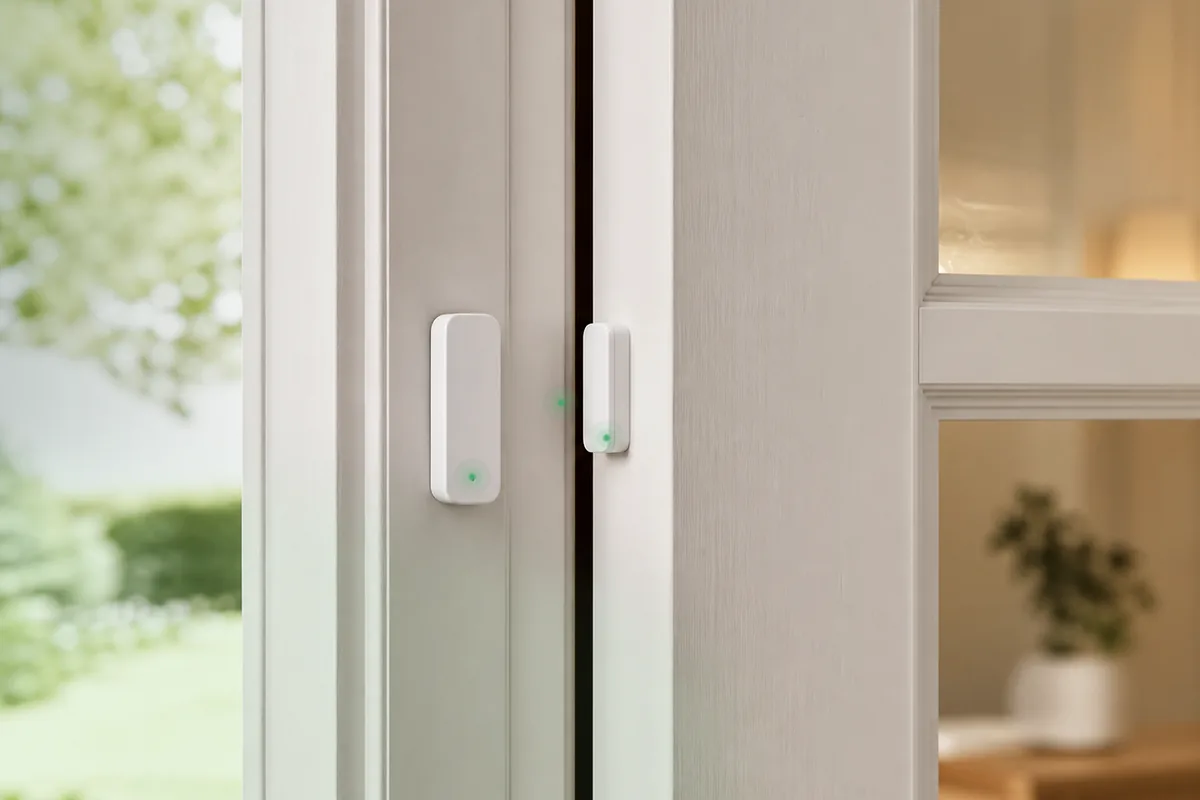
The cover image for this post shows the simplest real-world case: one opening can have two sensors. A Home Assistant Community thread describes a door with two door sensors where one door opening caused two triggers close together. Neither sensor is necessarily broken. The automation just needs to define what counts as one event.
If both sensors mean the same thing, create a binary sensor group or helper that represents the door as a household state. If the two sensors mean different things, use trigger IDs and a choose action so each trigger has one intended path. Do not let both paths send the same camera snapshot, unlock command, or announcement unless that is truly what the family wants.
For cameras, locks, alarms, and garage doors, treat duplicate sensor events as useful evidence until proven otherwise. Start by sending notifications that show which trigger fired. After a week of clean traces, turn on the control action.
How Loops Happen
A loop starts when automation A changes something that automation B watches, and then B changes something A watches. It can also happen inside one automation: a state change turns on a light, the light state change triggers another branch, and the system keeps reacting to itself.
Look for phrases like these in your own logic:
- When the light turns on, change the same light again.
- When the switch turns off, turn the switch back on.
- When a scene changes the room, run another automation that also changes the room.
- When a notification action toggles a helper, use that helper to trigger the original notification again.
The fix is to separate observation from control. Use one automation to decide that the room is occupied, one automation to act on occupancy, and a helper that records whether Home Assistant intentionally made the change. Home Assistant's state object context can help advanced users trace what caused a state change, but most households benefit more from simpler ownership: one routine owns one behavior.
The MQTT Edge Case: Do Not Assume It, but Do Check It
Most duplicate automations are design or trigger problems. Still, integration-specific edge cases exist. A Home Assistant Core GitHub issue from 2026 reports MQTT triggers firing multiple times per physical event when overlapping subscriptions met Mosquitto 2.1+ behavior. That does not mean every MQTT automation is broken. It means you should check logs before adding workarounds.
If the automation uses MQTT, Zigbee2MQTT, or a remote button that publishes events, verify the raw event stream. If the broker, integration, or device sends two messages, Home Assistant may be doing exactly what it was told. If the broker sends one message and the automation still runs twice, search the Home Assistant side for duplicate triggers, device triggers, blueprints, and scripts.
Safety and Privacy Guardrails
Duplicate runs are annoying for lights and notifications. They can be risky for access, security, water, power, recording, or comfort systems.
- Locks and garage doors: do not hide repeated open, close, lock, or unlock signals until you know the physical device state is trustworthy. Use notifications and manual confirmation first.
- Alarms and cameras: do not suppress duplicate motion or door events if they may represent real activity. Debounce alerts carefully and keep recording logic separate from alert logic.
- HVAC: avoid loops where window, occupancy, and thermostat automations fight each other. Keep fallback temperatures and manual control.
- Leak and shutoff routines: test with water-safe simulations, not by removing safeguards. A duplicate leak alert is better than a silently ignored real leak.
A good local smart home should explain itself. Tara's approach is to make automations small enough that a trace tells the story: what started it, what could block it, what it changed, and what it did if the signal looked uncertain.
Tara's Take
For a Tara-style Home Assistant install, duplicate automations are a design smell, not a reason to fear automation. The fix is usually naming the household event more clearly: "front door opened," "kitchen occupied," "UV alert already sent," or "bedtime routine running." Once the event has a clear owner, the automations around it get quieter.
Keep important routines local, visible, and boring. Use helpers for household state, trigger IDs for multi-trigger automations, traces for proof, and conservative modes for devices that should not receive overlapping commands. The point is not fewer automations at any cost. The point is fewer surprises.
Related Tara Reading
Duplicate-run debugging pairs naturally with broader automation, backup, network, and update hygiene.
- Why your Home Assistant automation is not firing
- Why Home Assistant notifications are delayed or not arriving
- Why your Home Assistant person entity is stuck at home or away
- How to back up Home Assistant so you can actually restore it
- How to update Home Assistant safely without breaking your house
- Configurator
FAQ
Why does my Home Assistant automation run twice?
Usually because Home Assistant received two trigger events, two automations are acting on the same device, the trigger is too broad, or the automation changes the same entity that starts it. Open Traces first so you know which case you have.
Will mode: single stop duplicate runs?
Only while the first run is still active. If the first run ends quickly, a second sensor bounce, button event, cloud update, or MQTT message can start another run. Use a clear trigger and a cooldown helper when you need debounce behavior.
What should I check first in Traces?
Check whether there are two separate traces for one household event. If yes, fix the trigger source. If there is one trace but two actions, inspect choose paths, scripts, scenes, and duplicate automations.
Can a state trigger fire twice without the device really changing twice?
It can look that way when the trigger is too broad, when attributes or unavailable states are involved, or when an integration reports more than one event. Specify the exact to and from states where possible.
Is it safe to debounce locks, alarms, garage doors, or leak shutoff automations?
Use conservative debouncing and test with notifications first. Do not hide repeated safety events until you know whether they are sensor noise, a real condition, or a device integration problem.