The Short Answer
When MYGGBETT changes immediately in IKEA Home smart or Apple Home but Home Assistant remains stuck, the disagreement is the clue. The sensor is awake, the magnet works, and the device can still send an event through at least one app. Home Assistant's own secure Matter connection may simply have stopped receiving changes. Even a successful ping only proves that Home Assistant reached the sensor once; it does not prove that every open-and-close event is arriving.
Start by updating Home Assistant and its official Matter Server app—the part that manages Matter devices—then restart that app once. Test MYGGBETT beside a known-good Thread border router, the hub that connects its low-power wireless network to the home network, and compare the last-change time in every app. If only Home Assistant remains stale, first record its sensor names and automations, then remove only the stale Home Assistant device relationship while preserving the working IKEA or Apple controller. Ask that working app for a new temporary sharing code and add the sensor back as already in use. Factory-reset only if the old relationship cannot be removed or the safer checks fail.
There is no universal one-click fix. Some owners report stable direct Home Assistant use, while others report missed events after minutes or hours even though IKEA or Apple stays current. The steps below show how to decide whether to keep, re-share, reset, or return the sensor.
What MYGGBETT Officially Is
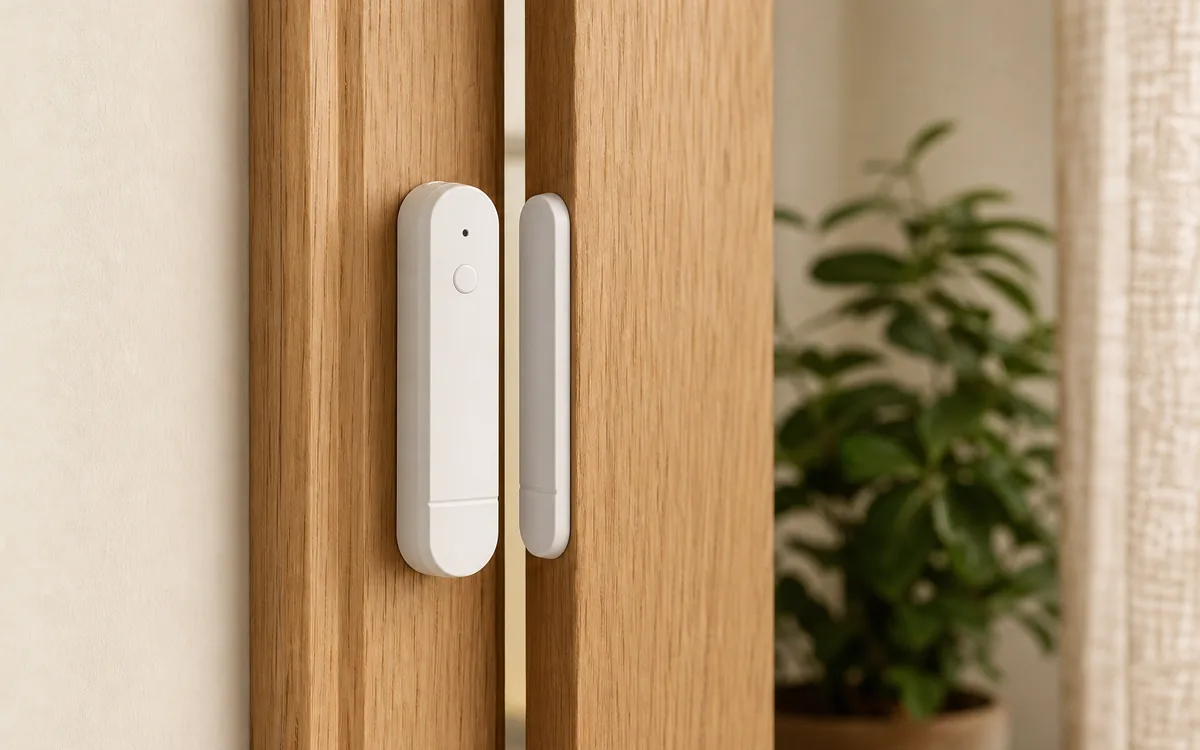
IKEA's current US MYGGBETT, article 606.176.41, is a $9.99 two-piece door and window sensor checked on July 20, 2026. It uses Matter over Thread: Matter is the common smart-home language, while Thread is the low-power wireless mesh carrying the messages. It needs one AAA HR03 battery and a Thread border router for app control. IKEA names Amazon, Apple, Google, Homey, and Samsung as compatible smart-system examples. Home Assistant is not named on IKEA's page, but Home Assistant provides an official certified Matter controller and receives supported contact changes over the home network without sending each event through a cloud service.
The controller is the app or hub that owns the device and runs automations—household rules such as turning on a light when a door opens. The border router only connects Thread to the normal home network; one product can do both jobs. DIRIGERA is one possible path, not a required translator. Home Assistant Yellow, Connect ZBT-1, or Connect ZBT-2 can provide a Home Assistant-managed Thread radio after the documented setup; they run Zigbee, a separate smart-home radio system, out of the box and are not automatically ready for both jobs. Current third-party border-router examples known to Home Assistant include Apple HomePod mini and selected Apple TV 4K models, plus Google Nest Hub (2nd gen), Nest Hub Max, Nest Wifi Pro, and Google TV Streamer (4K). Matter's multi-admin feature lets one device be shared securely with more than one controller.
Choose the Path You Actually Use
In the table, local control means the open-or-closed event can travel inside the home and keep reaching the local controller during an ordinary internet outage. Accounts, remote access, voice services, and device updates can still add separate cloud requirements.
| Setup path | Official support | Local control | Cloud dependency | Matter or HomeKit path | Community caveat |
|---|---|---|---|---|---|
| Home Assistant first Home Assistant OS with Matter Server; Yellow, Connect ZBT-1, or Connect ZBT-2 with the OpenThread Border Router app when used for Thread |
Home Assistant officially supports its Matter integration on Home Assistant OS. IKEA documents MYGGBETT as Matter-certified but does not publish a model-specific Works with Home Assistant listing. | Normal contact events use encrypted Matter traffic over the home's local IPv6 network—the in-home addressing system Matter needs. Changes arrive automatically rather than waiting for a cloud check. | No cloud is required for normal in-home state and automations. Home Assistant Cloud is optional; sensor-update availability is a separate vendor and controller question. | Add directly with the Home Assistant Companion app. This is Matter, not Home Assistant's HomeKit Device path for native HomeKit accessories. Share outward later with a new multi-admin code if another platform is needed. | Direct setups range from rock solid to missed events. A self-managed Matter Server container is outside Home Assistant's supported installation path and adds network variables. |
| IKEA DIRIGERA first MYGGBETT in IKEA Home smart, then shared to Home Assistant |
IKEA's own documented path uses DIRIGERA and the IKEA Home smart app. Home Assistant officially supports adding an already-used Matter device, but IKEA controls which sharing and update options its app exposes. | Normal in-home device traffic is hub-based and the shared Matter relationship to Home Assistant is local. | The IKEA app, account, remote access, support, and update experience may use internet services. Home Assistant's normal shared Matter state does not require Home Assistant Cloud. | Use a fresh Matter sharing code from the working controller. Adding DIRIGERA as a bridge does not guarantee that this individually commissioned Thread child appears the same way. | Several reports describe IKEA staying current while the Home Assistant copy freezes. That points to Home Assistant's separate secure device connection before it points to the magnet. |
| Apple or Google first HomePod mini, compatible Apple TV 4K, Nest Hub (2nd gen), or Nest Wifi Pro, then share |
IKEA names Apple and Google compatibility. Home Assistant documents both controller-sharing and these border-router examples. | Matter device traffic is local. The border router forwards encrypted packets and does not become the Home Assistant controller. | Platform accounts, remote access, voice services, and some updates may use cloud services; the contact event itself can remain local. | MYGGBETT follows Matter multi-admin. It is not a native HomeKit-over-Thread accessory, so do not add it through HomeKit Device or expose it back to Apple with HomeKit Bridge to fix Home Assistant's stale on-screen sensor entry. | A live Apple or Google state is excellent diagnostic evidence, but it does not prove Home Assistant's separate secure connection or in-home network path is healthy. |
| Amazon, SmartThings, or Homey first | IKEA lists Amazon, Samsung, and Homey as compatible system examples. Confirm that the exact hub model supplies Thread, not merely Matter over Wi-Fi. | Normal Matter control can be local, but automation execution and remote behavior vary by platform and hub. | Accounts, remote control, voice processing, and automation services can add cloud dependence. Check the chosen platform's current product documentation. | Share the already-commissioned Matter device to Home Assistant with a fresh code. Avoid building duplicate open-door automations in two apps. | “Matter controller” and “Thread border router” are separate jobs. A hub can advertise one without providing the other for this battery Thread sensor. |
First, Identify Which Failure You Have
Put the larger sensor body and the narrow magnet beside each other, then separate them five times. Wait two or three seconds between movements. Watch the open/closed state and last-changed time in Home Assistant and every other controller that already owns the device. This one test prevents a great deal of unnecessary network work.
- IKEA or Apple changes every time, but Home Assistant does not: focus on Home Assistant's Matter Server, its secure device connection, and event delivery. Magnet alignment, battery, and the basic Thread radio path have just passed a useful test.
- No app changes: bring the two pieces closer, try a known-good battery, and inspect the Thread path. The sensor or magnet may be the problem.
- Home Assistant shows unavailable and every Thread device is affected: troubleshoot Matter Server, the border router, local IPv6, and the local discovery messages called multicast. Do not reset one MYGGBETT.
- Only one location fails: move that sensor beside a known-good border router for a day. If the failure stays with the location, improve same-mesh Thread coverage. If it follows the unit, suspect the battery, firmware, or hardware.
- Ping succeeds but the state stays old: a response proves some communication, not that the contact-event subscription is healthy. Continue with the controller steps below.
Use This Safe Fix Order
1. Prove the Magnet and Battery Before Touching the Network
Take the sensor off the door temporarily if needed and bring its two pieces together by hand. IKEA says they can be mounted opposite, side by side, or perpendicular, so a thick trim profile is not automatically wrong. A hand test removes door movement and adhesive placement from the diagnosis. If another app sees every hand test but Home Assistant does not, remounting will not repair Home Assistant's on-screen sensor entry, called an entity.
Fit one fresh AAA HR03 cell with the correct polarity. IKEA recommends its 1.2-volt LADDA rechargeable battery and estimates about 15 months from a new cell, but radio conditions and reporting change real life. The red LED indicates low battery. Do not keep pulling the battery as the everyday remedy; a sensor that needs repeated power cycles is not reliable enough for an important automation.
2. Update the Supported Software Stack
Install the current stable Home Assistant release, the official Matter Server app, the Home Assistant Companion app, and current OpenThread Border Router software where Home Assistant owns Thread. Home Assistant's June 2026 Matter Server 9 upgrade moved the controller to matter.js and added faster recovery plus a Thread and Wi-Fi network view. Let the migration finish before judging the sensor.
On Home Assistant OS, open Settings > Apps > Matter Server, restart that app once, and retest. If a restart restores MYGGBETT for only a short time, you have learned something useful: the Home Assistant controller path is involved. It still does not prove whether the final cause is Matter Server, the secure device connection, or a route that later disappears.
3. Check MYGGBETT Device Software (Firmware)
Firmware is the software stored inside the sensor. The latest public Connectivity Standards Alliance certification record checked on July 20, 2026 lists firmware 1.1.4, hardware P2.0, and Matter 1.4 for MYGGBETT. That is a certification record, not a live retail update feed. It does not prove your unit has 1.1.4, that every controller can deliver it, or that 1.1.4 fixes every missed-event report.
Check the device page in the controller that owns the sensor. Home Assistant creates an update entity only when the Matter device and update provider expose the optional update path. If DIRIGERA owns the product and offers an IKEA firmware update, use that supported path and retest before re-sharing. Do not erase a working IKEA or Apple relationship merely to chase a version number.
4. Read the Current Matter Network View
Open the Matter Server web interface and compare MYGGBETT with a working sensor. MYGGBETT is a battery-powered sleepy end device: it turns its radio off between check-ins and does not route traffic for other devices. The map therefore will not look like a constantly powered plug, and a moment without a fresh link is not automatically a fault.
Look for the network name, device type, recent reachability, and whether failures cluster by room or by border router. A HomePod mini, Nest Hub (2nd gen), Connect ZBT-2 with the OpenThread Border Router app, or powered Thread router helps only when it belongs to the same Thread network. A second, separate Thread mesh nearby is not a range extender for the first.
5. Run a One-Day Location Test
Place MYGGBETT near a known-good border router or powered Thread router on the same mesh. Perform 20 deliberate open-and-close cycles, leaving a couple of seconds between each, and compare Home Assistant's Logbook with what physically happened. Then leave the sensor there for a full day and repeat the test.
If it is dependable there but fails after returning to the door, improve the mesh near the final location. Building material, metal frames, mirrors, appliances, and the exact orientation can change 2.4 GHz performance. If a different MYGGBETT also fails in that location, that strengthens the placement diagnosis. If the same unit fails beside the router while its peers work, exchange or warranty service becomes more reasonable.
6. Remove the Stale Home Assistant Copy, Then Re-share
If IKEA Home smart, Apple Home, Google Home, SmartThings, or another controller still shows current events, preserve that working relationship. Before removing anything, record the old Home Assistant entity names, take screenshots of the device page, and list every automation that uses the sensor. A new entity may not keep the old name.
In Home Assistant, go to Settings > Matter > Devices, open MYGGBETT, and delete only the stale Home Assistant device. Do not remove it from the working IKEA, Apple, Google, or other controller. Matter generally will not add the same secure controller relationship, called a fabric, twice, so trying a fresh sharing code while the old Home Assistant relationship remains can be rejected.
Next, use the working controller's option to connect or share the Matter device with another service. This opens a temporary multi-admin window and produces a new code. In the Home Assistant Companion app, go to Settings > Matter > Add device, choose Yes, it's already in use, select the existing controller, and follow the prompts. Do not scan the original sticker code as though the device were factory-new.
If the old Home Assistant relationship could not be removed because the sensor was unreachable and the new addition is rejected as already commissioned, stop retrying. Use a clearly labeled fabric-management option only when you can identify and remove the stale Home Assistant fabric without touching the working controller. Otherwise continue to the documented reset step after preserving the QR code and automation details. Once the new Home Assistant entity records every test event, repair its entity name and automations.
7. Treat a Shared Outage as Infrastructure
If several Thread devices stop updating together, inspect the common path: Matter Server, the Thread border router, and local IPv6 between Home Assistant and that border router. Internet IPv6 is not required, but Matter does require working IPv6 inside the home. Guest Wi-Fi, a separate smart-device network called a VLAN, blocked local discovery messages, a virtual machine's private network, or a self-managed Matter Server container can let ordinary web access work while Matter events fail.
Home Assistant OS with the official Matter Server app is the only supported Matter installation type. Custom containers are possible but run without that support boundary and require correct host networking. Do not paste a forum user's router advertisement, firewall, or DHCP setting into a different network. First prove the sensor on the documented, flat local path or get help from someone who can restore every change.
8. Factory-Reset Only at the End
Before a reset, save the Matter QR code from the sensor or its instructions, record the current entity names, and list every automation that uses them. IKEA's official reset is to hold the system button for 10 seconds, or until the red LED stops blinking. The sensor restarts and becomes available for pairing for 15 minutes.
Use that reset when no controller has a healthy relationship, the old owner is gone, or a carefully documented re-share cannot repair Home Assistant. A reset does not strengthen Thread coverage, fix the Home Assistant host's IPv6 route, or make an unsupported container supported. Pair to one intended controller first, verify 20 events and a full day of stability, then add a second controller only if the household actually needs it.
Stale State Is Not the Same as Offline
A genuinely offline sensor cannot deliver current events to any controller. A stale Home Assistant entity can coexist with a perfectly current IKEA or Apple view because Matter lets one device hold separate encrypted controller relationships, called fabrics. Each controller maintains its own subscription to changes. One can be healthy while another has stopped receiving reports.
This is why a successful ping is not a complete test. It may show that Home Assistant can reach the node at that moment, while the open-and-close event subscription remains stale. It is also why deleting DIRIGERA or rebuilding Thread first is too destructive: preserve the working controller, remove only Home Assistant's stale relationship, and use that working controller to create the fresh sharing code.
Protect Automations From a Stuck Contact
A door sensor can turn on a closet light, pause heating when a window opens, or notify someone that a side door was left open. It should not silently run an automation forever on yesterday's state. Add a stale or unavailable guard and make the failure visible.
- Require the contact state to be recent before shutting off heating, cooling, or ventilation.
- Send an alert when the entity becomes unavailable or has not changed during a scheduled physical test.
- Keep manual light switches, equipment safeties, door locks, and ordinary household procedures usable when Home Assistant is down.
- Do not use one consumer wireless contact sensor as the only burglar-alarm, child-safety, freezer, medicine-storage, or other serious safety boundary.
- After re-pairing, confirm every automation points to the new entity and test both the open and closed branches.
The Practical Recommendation
MYGGBETT is compelling at $9.99, uses one replaceable AAA battery, and can be a clean local Matter contact sensor. Buy or install one first, update it, and prove a full day of event delivery in the exact room before buying a houseful. Direct Home Assistant pairing is the simplest local-first path when Home Assistant will own the automations. DIRIGERA-first can make sense when the household wants the IKEA app and vendor update route.
Keep the unit if it records every test after current software, correct placement, and a clean controller relationship. Improve the same Thread mesh if failure follows the room. Return or exchange the unit if failure follows that hardware beside a known-good border router while peers remain stable. If IKEA or Apple always stays current and only Home Assistant freezes, preserve the working platform, remove only Home Assistant's stale relationship, and re-share it rather than blaming the door sensor blindly.
FAQ
Why does MYGGBETT update in IKEA or Apple but not Home Assistant?
That usually means the sensor, battery, magnet, and at least one Thread and Matter path are working. Update and restart Home Assistant's Matter path. If it remains stale, document the old entity names and automations, remove only the stale Home Assistant device relationship while preserving the working IKEA or Apple controller, then add it back with a fresh temporary sharing code.
Does IKEA MYGGBETT need DIRIGERA?
No. MYGGBETT can join Home Assistant's official Matter integration directly, but it still needs a compatible Thread border router. DIRIGERA is optional when you want the IKEA Home smart app, IKEA's update and support path, or an IKEA-managed Thread network.
What MYGGBETT firmware is current?
The latest public Connectivity Standards Alliance certification record checked July 20, 2026 names firmware 1.1.4. That record does not promise that every retail unit has received it or that it fixes every stale-state report. Check the version and update option shown by the controller that owns your sensor.
Should I factory-reset a MYGGBETT that is stuck open or closed?
Only after checking the magnet, battery, current Home Assistant and Matter Server software, another controller, Thread coverage, and the device's update path. IKEA's official reset is holding the system button for 10 seconds until the red LED stops blinking.
Does MYGGBETT extend Thread range?
No. Home Assistant identifies this kind of battery contact sensor as a sleepy end device, which does not route traffic for other devices. Coverage must come from compatible border routers or powered Thread routers on the same mesh.
Can I rely on MYGGBETT as a security sensor?
Use it for awareness and ordinary automations, but do not make one wireless consumer sensor the only burglar-alarm, child-safety, freezer, or other safety boundary. Test every event, alert on stale or unavailable state, and keep a physical or professionally monitored safeguard where consequences are serious.