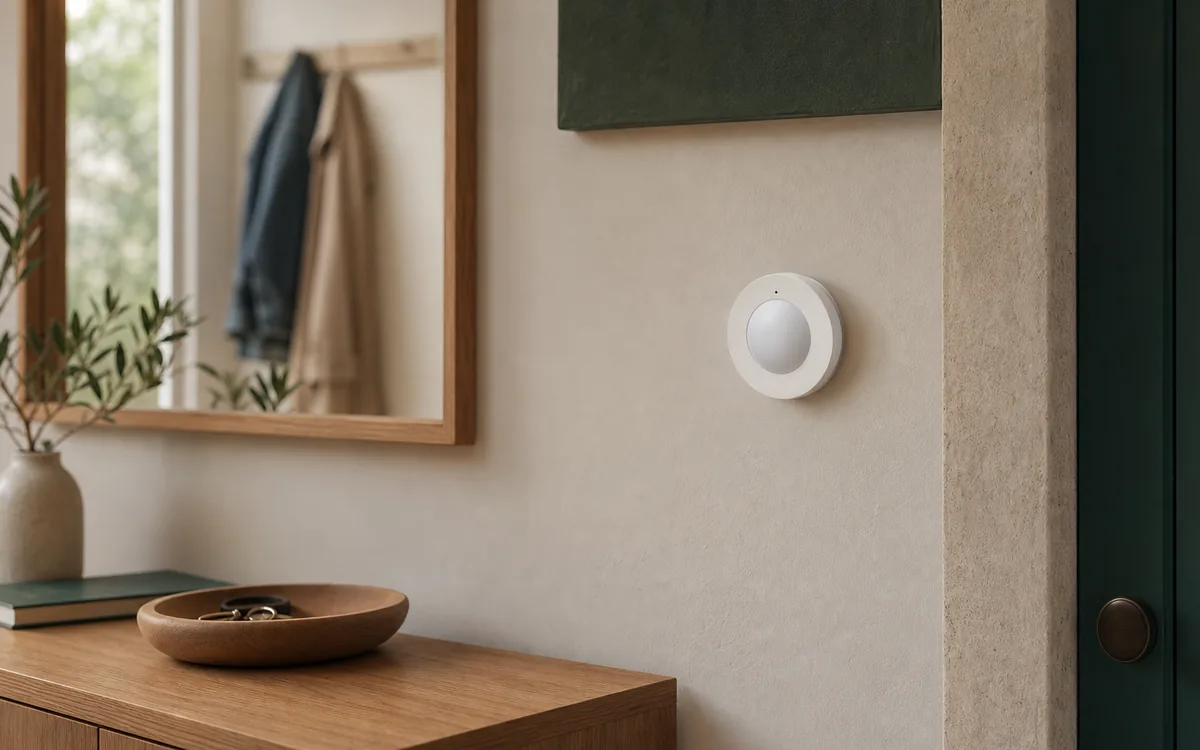
Short Answer: Yes, but Test One Before You Trust It
IKEA MYGGSPRAY works with Home Assistant as a Matter-over-Thread motion sensor. Matter is the common control language. Thread is the low-power wireless mesh that carries the messages. A Thread border router—for example Home Assistant Connect ZBT-2 running the OpenThread Border Router app, a compatible Apple TV or HomePod, or a supported Google Nest hub—connects that mesh to the normal home network. Home Assistant's Matter Server app is the local controller software that turns those messages into useful states and automations.
For a Home Assistant-centered house, the clean path is direct pairing through the Home Assistant Companion app. Daily motion detection and automations then stay local, meaning the command can run inside the house without waiting for IKEA's cloud. DIRIGERA is optional when you want the IKEA Home smart app, IKEA-guided maintenance, or an IKEA-first support path. This guide covers U.S. article 806.194.51, model MYGGSPRAY, technical type E2494. The certification registry separately lists hardware revision P2.0 and Matter product ID 0x3000 (12288); that registry number is not the IKEA model name.
The honest caveat is reliability. Some owners report easy pairing and stable operation; others report failed setup—called commissioning in Matter—delayed motion, or a sensor that becomes unavailable while it still works in IKEA, Apple, or Google. Home Assistant's June 23, 2026 Matter Server 9.0 release improved reconnection and stability. An open community-filed Home Assistant issue still contains MYGGSPRAY dropout reports as of July 17, but it does not confirm one current cause; related cases have involved DIRIGERA device software or custom network and firewall settings. Buy or install one, update the supported software, and prove it in the intended location before relying on several.
Tara's rule: let one platform own the automations, let one Thread mesh carry the sensor, and reset only the part that is actually broken.
Choose One Pairing Path
All three paths can be reasonable. The important distinction is who supplies the Thread network, where the automations live, and which optional cloud or app features you accept. Matter multi-admin is the safe sharing method that lets another controller form its own secure relationship—called a fabric—with the same device. MYGGSPRAY is a Matter device in Apple Home; it is not a legacy HomeKit-only accessory.
| Path | Official support | Local control and cloud dependency | Matter or HomeKit path | Community caveat |
|---|---|---|---|---|
| Home Assistant first Best when Home Assistant runs the automations. |
MYGGSPRAY is Matter-certified. Home Assistant's interface and the Open Home Foundation Matter Server each have their own Connectivity Standards Alliance certification. Home Assistant OS with the official Matter Server app is the supported setup. | Normal Matter control and Home Assistant automations are local. Remote access, phone notifications away from home, and software downloads are separate services. | Add it in Settings > Matter with the Companion app. If Apple or Google already owns the Thread mesh, import or use those credentials instead of making a second mesh. | Best local-first choice only after the phone and border router are using the intended Thread network. Custom containers, separate smart-device networks (often called VLANs), and third-party border-router setups add their own local network variables. |
| Apple, Google, Alexa, or SmartThings first Useful when that ecosystem already owns a stable Thread mesh. |
IKEA lists Amazon, Apple, Google, Homey, and Samsung as compatible Matter systems. Exact hub and Thread support depends on the platform model. | Matter device commands can be local, but voice, remote access, accounts, notifications, and some routines remain platform features and can use cloud services. | Pair once, then use Matter multi-admin to create a fresh sharing code for Home Assistant. Apple Home is controlling a Matter accessory here; HomeKit Bridge is the separate Home Assistant feature that exports Home Assistant controls to Apple Home. | Do not commission the sticker code separately in every app or recreate the same motion automation everywhere. Sharing another Matter fabric should not create another Thread mesh. |
| IKEA DIRIGERA first Useful for IKEA Home smart and IKEA's support path. |
IKEA documents MYGGSPRAY with DIRIGERA and says the hub unlocks additional app features. DIRIGERA is also a Thread border router and Matter controller. | In-home IKEA control is hub-based. IKEA app accounts, remote features, voice integrations, and some maintenance can add internet or cloud dependencies. | Pair in IKEA Home smart, then share the individual Matter device where supported. Do not assume DIRIGERA's bridge automatically imports every new Thread child into Home Assistant. | Native Matter sensors need individual sharing; the DIRIGERA bridge is a separate path for supported bridged products. Some earlier event-delivery reports resolved through DIRIGERA updates, so check current hub software before blaming the sensor. |
Pair MYGGSPRAY in This Order
- Save the setup code. Photograph the Matter QR code on the sensor or manual and label it with the room. A factory reset needs that code again.
- Update the stable stack. Update Home Assistant, the official Matter Server app, and the OpenThread Border Router app or third-party border-router device software (firmware). Matter Server 9.0 is the major replacement announced on June 23, 2026; use the current stable version, not an old beta workaround from a forum post.
- Confirm one Thread network. In Home Assistant, open Settings > Devices & services > Thread. If Home Assistant created the network, follow the official Thread instructions to make it preferred and send its credentials to the phone. If Apple or Google already has the mesh you intend to keep, import or use that network instead of quietly creating another. Use an iPhone to import Apple's Thread network details or Android to import Google's. Home Assistant warns that the phone's preferred Thread network currently drives setup, so check it deliberately.
- Pair close to the working equipment. Put the phone, MYGGSPRAY, and a known border router close together. Insert two fresh, matching AAA batteries. IKEA says the sensor enters pairing mode for 15 minutes; a pulsing white light indicates pairing.
- Add it from the Companion app. Open Settings > Matter > Add device, choose that it is new, scan the code, and add it to Home Assistant. On Android, choose Home Assistant if the phone asks which app should handle Matter setup.
- Name and test before mounting. Give it a room-specific name, trigger motion repeatedly, watch the light-level reading if exposed, and leave it running near the border router before moving it to the final wall.
How to Put It Back in Pairing Mode
If the 15-minute window closes, open the battery compartment and press the system button once to reopen pairing mode. IKEA says the white LED pulses while it is available and blinks twice after it connects.
Use the Official Reset Only as a Last Step
IKEA's manual says to hold the system button for 10 seconds, or until the red LED stops blinking. The sensor restarts and becomes available for pairing for another 15 minutes. Do that only when the sensor is genuinely new, has been removed from its old controller, or the fabric is known to be stale. Resetting first can turn one connection problem into renamed entities and broken automations.
Why Motion May Be Named “Occupancy”
After pairing, look for a binary sensor named Occupancy as well as any entity named Motion. A binary sensor is simply an on/off state on the device page, and Home Assistant calls each individual state or control an entity. Home Assistant currently labels Matter's standard motion feature as Occupancy. A Home Assistant GitHub issue opened March 5, 2026 tracks using the sensor's passive infrared (PIR) hardware detail to label it as Motion instead.
In the house, the label is less important than the state change. Walk in front of the sensor and confirm that the binary sensor changes to detected/on, then later returns to clear/off. Use that entity as the trigger for a Home Assistant automation. If you also use the illuminance reading, add it as a condition so the light turns on only when the room is actually dim.
Fix the Symptom You Actually Have
Pairing Never Finishes
- Confirm the official Matter integration and Matter Server app are installed and current.
- Confirm the phone has Bluetooth enabled and the intended Thread credentials. On a Home Assistant-owned mesh, use the official Sync Thread credentials or Send credentials to phone step.
- Move the phone, sensor, and border router close together for commissioning. The final location can be tested later.
- Use fresh matched batteries and reopen pairing mode. If the unit has belonged to another controller, remove that relationship cleanly before using the 10-second reset.
- If Home Assistant runs in a container, virtual machine, or segmented network, compare the setup with Home Assistant's supported Home Assistant OS (HAOS) path. Matter needs local IPv6, its network-addressing system, and multicast discovery, the way nearby devices announce themselves. Copying a terminal command from a different router or VM can make the network less predictable.
It Pairs, but Motion Never Changes
First look for Occupancy, not only Motion. Trigger movement several times, then check the device page rather than a dashboard card that may be pointing at the wrong entity. Download the device diagnostics from the Matter integration if the state never changes. Those diagnostics include technical device and network information with sensitive details redacted.
Matter Server normally identifies battery-powered MYGGSPRAY as a sleepy end device: it saves power by turning its radio off between check-ins. That does not mean repeated missing motion reports or a permanently unavailable entity is normal. If light level changes but occupancy does not, or another ecosystem sees motion while Home Assistant does not, treat it as a Home Assistant reporting or mapping problem rather than weak motion detection.
It Works, Then Becomes Unavailable
- Update first. Matter Server 9.0 and later were designed to recover devices faster and make the network more stable. Also update the border router and use a supported MYGGSPRAY firmware path when one is offered.
- Check the new network map. Matter Server 9 can show Thread nodes and connection quality when the needed network details are available. Compare MYGGSPRAY with another working device; one failing sensor and a healthy mesh is different from every Thread device dropping together.
- Move it temporarily. Put MYGGSPRAY near a known border router or a powered Thread plug or light that extends the same mesh. If it stays stable there, improve same-mesh coverage before changing controllers.
- Restart one service once. Restart Matter Server and retest. This briefly interrupts every Matter device connected to Home Assistant, so choose a safe time and keep manual control available for locks, heating or cooling, and other important equipment. Repeatedly rebooting the whole home, deleting the device, and creating new Thread networks hides the evidence.
- Stop if one current unit still fails. If fresh batteries, current stable software, a strong same-mesh path, and direct testing do not help, return or exchange that sensor rather than designing a critical automation around battery pulls.
It Works in IKEA, Apple, or Google but Not Home Assistant
That result proves the sensor detects motion and reaches at least one controller; it does not prove the Home Assistant fabric is healthy. If the sensor is already commissioned elsewhere, open a fresh Matter sharing window in the working controller and add it to Home Assistant as an already-used device. Do not factory-reset it or rescan the original sticker just to repair one platform.
DIRIGERA adds one more distinction: the hub can be the Thread border router, the IKEA controller, and a bridge for some products. A new Thread sensor visible in IKEA Home does not automatically have to appear as a child of the DIRIGERA Matter bridge. Use direct pairing or individual multi-admin sharing where the current app supports it.
A Firmware Update Appears or Fails
The Connectivity Standards Alliance record certified MYGGSPRAY firmware 1.1.4 on April 28, 2026 under Matter 1.4. Firmware is the software stored inside the sensor. That record does not guarantee the sensor in your hand has that version or that every controller can deliver it. If Home Assistant offers an update entity, try the current stable Matter path and keep the sensor near reliable Thread coverage.
Home Assistant's current Matter documentation warns that its Matter over-the-air updates do not work on a Thread network while any Apple border router is present, even when another brand's border router is also available. Prefer an update path offered by Apple or IKEA. On a mixed network, Home Assistant's documented workaround is to power down every Apple border router, wait at least 30 minutes, and retry through the other border router; do that only when a temporary Thread interruption is safe. Avoid switching to beta software solely because an old comment says it fixed one household.
Outdoor Placement: Stay Inside IKEA's Limits
IKEA's current U.S. product page describes MYGGSPRAY as suitable indoors or outdoors, and its current revision-3 manual lists IP67—an enclosure rating for dust and water exposure. The same manual says never to submerge it, keep it out of direct sunlight and away from heat sources, mount no higher than 2 meters, and use it from 32–104°F (0–40°C). Follow the current instructions for your exact unit and region, and discard a damaged sensor as IKEA directs.
The manual estimates about 15 months from two new IKEA LADDA AAA batteries, but walls, placement, reporting, temperature, firmware, and battery choice change real life. Use two matched batteries, do not mix ages or types, and test low-battery reporting. MYGGSPRAY is useful for convenience lighting; it is not a certified burglar alarm, emergency detector, or life-safety sensor.
The Practical Recommendation
MYGGSPRAY is an appealing low-cost sensor for a closet, hall, utility room, or other non-critical lighting automation. Pair it directly to Home Assistant when Home Assistant is the automation brain. Use an existing Apple, Google, Alexa, SmartThings, or DIRIGERA Thread path only when that path is already stable and documented.
Buy or install one first. Test pairing, Occupancy updates, light level, battery reporting, recovery after a Home Assistant restart, and stability in the final location for several days. If it passes, expand. If it needs repeated battery pulls on a healthy current setup, exchange it or choose a sensor with a more mature path instead of treating unreliable motion as a normal Matter tradeoff.
FAQ
Does IKEA MYGGSPRAY work directly with Home Assistant?
Yes. It uses Matter over Thread. Home Assistant can receive its readings and run local automations through the official Matter integration when the home has a working Thread border router and the setup phone has the correct Thread network settings.
Do I need IKEA DIRIGERA?
No. DIRIGERA is optional for the IKEA Home smart app, IKEA-specific features, and IKEA's support path. Direct Home Assistant pairing instead needs Matter, a Thread border router, and the Companion app.
Which MYGGSPRAY entities should appear?
Expect a motion-related binary sensor that may be labeled Occupancy, plus light level and battery information when the current firmware and Home Assistant mapping expose them. Treat the exact entity list as version-dependent and verify it on the device page before building automations.
Can an Apple TV or HomePod carry MYGGSPRAY for Home Assistant?
Yes, supported Apple Thread border routers can carry encrypted Thread traffic for Home Assistant. The sensor does not have to be controlled by Apple Home just because Apple supplies the radio path. Home Assistant's own Matter updates do not work on a Thread network while any Apple border router is present, so plan maintenance through Apple, IKEA, or the documented safe workaround.
Is MYGGSPRAY cloud-free in Home Assistant?
Normal direct Matter control and Home Assistant automations are local. Initial setup, remote access, voice assistants, app accounts, security checks during setup, and device updates can still involve internet or platform services. Keep those maintenance paths separate from the daily motion automation.