Short Answer: Find Which Layer Is Offline
A TIMMERFLOTTE that is unavailable in Home Assistant is not automatically a dead sensor. Tap its face: IKEA says it should show temperature, then humidity. If the display is alive, check the device in every Matter controller—the app or hub allowed to control it—that already owns it. A current reading in Apple Home, IKEA Home smart, Google Home, or another platform means the sensor and at least one Thread wireless route still work. Preserve that working path and repair Home Assistant's connection.
If every controller has stopped receiving updates, replace both AAA batteries as a matched pair and give the sensor time to wake and reattach. Then ask whether one TIMMERFLOTTE failed or every Thread device failed. One device points toward its battery, placement, internal software, or individual Matter connection. Several devices disappearing together points toward the border router, Home Assistant host, in-home network addressing, or Matter Server. Factory reset is the last step because it erases the sensor's controller relationships and can break Home Assistant's saved sensor names and household rules without repairing the network underneath.
What the reports actually establish: Home Assistant Community and Reddit users have described TIMMERFLOTTE units going unavailable after hours or days, recovering after a battery pull, failing after a Home Assistant change, or remaining live in one platform while disappearing from another. Those accounts make the problem worth troubleshooting, but they do not prove that every unit has one universal defect in its internal software, called firmware.
Match the Symptom Before You Change Anything
| What you see | What it tells you | Best next move |
|---|---|---|
| The front display is blank | Power is the first suspect. IKEA also uses a red LED to warn about low batteries. | Replace both AAA batteries with a fresh matching pair, check polarity, then wait before reopening pairing mode. |
| The display works, but every app is stale | The measuring hardware has power, but its radio path or Matter session may be down. | Test beside a known border router, inspect the Thread mesh, and battery-cycle only this sensor once. |
| Apple or IKEA is live; Home Assistant is unavailable | The sensor reaches at least one Matter controller. Home Assistant's fabric or controller path is the likely dividing line. | Update and restart Matter Server, then use a fresh multi-admin sharing code from the controller that still works. |
| Several Thread devices disappeared together | A shared service or network path is more likely than several simultaneous battery failures. | Check Matter Server, the border router, local IPv6, multicast traffic, and the Home Assistant host or VM network. |
| Only one TIMMERFLOTTE drops in its final room | Placement, a weak same-mesh route, battery contact, or that unit is more likely. | Test it near a known border router or powered Thread router for a full day before exchanging or resetting it. |
What TIMMERFLOTTE Officially Supports
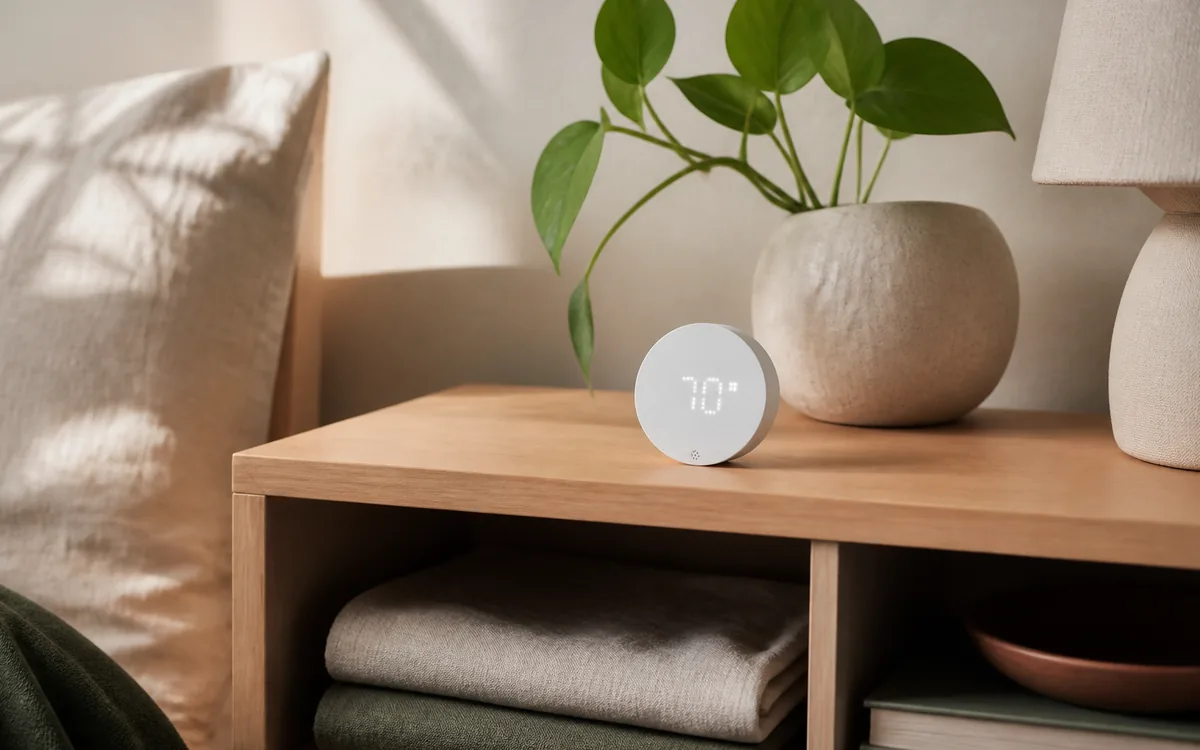
TIMMERFLOTTE is IKEA model E2314, a Matter-over-Thread temperature and humidity sensor powered by two AAA batteries. IKEA's manual says it can be connected through the IKEA Home smart system or another system that follows the Matter standard, and that connected use requires a Thread border router. Its front display also works without a smart-home connection.
The latest public Connectivity Standards Alliance record checked on July 19, 2026 lists Matter 1.3, Thread, Bluetooth for setup, hardware P2.1, and firmware 1.0.21. Treat that as a public certification snapshot, not a guarantee about the version inside every retail sensor or a promise that no later update exists.
| Path | Official support | Local control | Cloud dependency | Matter / HomeKit path | Community caveat |
|---|---|---|---|---|---|
| Home Assistant first | Home Assistant's official Matter integration—its software connection for Matter devices—supports adding this type of sensor. The fully supported server path is Home Assistant OS with the official Matter Server app. | Normal Matter readings and household rules, which Home Assistant calls automations, run on the home network. | Daily readings do not need a vendor cloud. Setup checks, remote access, backups, and updates may use internet services. | Add from the Home Assistant Companion app. HomeKit Bridge, which exports Home Assistant devices to Apple Home, is a separate feature; it is not how this native Matter sensor joins Home Assistant. | The saved Thread network password, local IPv6 addressing, nearby-device discovery messages, and the border-router route still have to work. Running Home Assistant in a container or virtual machine inside another computer can add network variables. |
| Apple, Google, Alexa, or SmartThings first | These platforms can control compatible Matter devices when the chosen hub model supports Matter and Thread. | Matter commands can be local, depending on the platform and feature. | Accounts, voice assistants, remote access, notifications, and some routines can use cloud services. | Pair once, then open a Matter sharing window and add the sensor to Home Assistant with the new temporary code. Do not reuse the sticker code as if it were a new device. | Sharing a Matter device adds another controller; it does not automatically merge separate Thread meshes. The sensor remains attached to one Thread network. |
| IKEA DIRIGERA first | IKEA documents TIMMERFLOTTE with its hub and app. DIRIGERA supplies an IKEA controller and Thread border router. | In-home IKEA control is hub-based. | IKEA app accounts, remote features, voice links, support, and some maintenance can add internet or cloud dependencies. | Use individual Matter sharing where the current IKEA app offers it. A device controlled natively by DIRIGERA is not automatically the same as a product exposed through its Matter bridge. | DIRIGERA is optional, not a required translator for Home Assistant. Keep it when the IKEA app or IKEA support path matters to the household. |
| Display only | IKEA says the sensor can be used on its own to show temperature and humidity. | The reading is entirely on the device. | None. | No Matter controller or HomeKit path is involved. | No history, alerts, remote reading, or automations. |
The Safe Fix Order Before a Factory Reset
1. Check the Display and Replace Both Batteries
Tap the front and look for a current temperature, then humidity. If the display is blank or the red low-battery light appeared, replace both batteries together. IKEA recommends two AAA HR03 batteries and estimates about 24 months with two new LADDA cells, but radio conditions, reporting, temperature, firmware, and battery quality change real life.
After fitting the fresh pair, leave the sensor near a known border router and wait. TIMMERFLOTTE is battery-powered and sleeps between reports, so a controller can take longer to rediscover it than an always-powered plug. Do one battery removal and reinsertion if needed; repeated pulls are evidence of an unresolved fault, not a dependable fix.
2. Compare Every Controller That Already Has It
If the sensor was shared across platforms, open each app and compare the reading and its last update time. A fresh reading elsewhere is valuable: it shows that the sensor still measures, still communicates on Thread, and still has at least one working Matter relationship. Do not erase that evidence with a reset.
Instead, repair the controller that failed. In the working platform, choose its option to share or connect the Matter device to another service. That creates a new temporary setup code for Home Assistant. Matter calls this multi-admin—one device belonging to more than one controller. The code adds a controller relationship; it does not hand Home Assistant the Thread network password or combine two meshes.
3. Update Home Assistant and Matter Server
Use current stable Home Assistant, the official Matter Server app, and current border-router software. Home Assistant released Matter Server 9 in June 2026 with a new matter.js foundation, faster startup and reconnection, and a Thread and Wi-Fi network view. On Home Assistant OS, open Settings > Apps > Matter Server, then use Open Web UI to compare TIMMERFLOTTE with working devices.
The map can reveal whether Home Assistant recently heard the device, how it is classified, and what route information is available. TIMMERFLOTTE should behave as a sleepy end device, not a router. A scattered NoAck event can be normal for a sleeping battery device; continuous failed contact, stale measurements, or a permanently unavailable sensor row is not.
4. Decide Whether One Device or the Shared Path Failed
If only TIMMERFLOTTE failed, move it beside a known border router or powered Thread router that belongs to the same Thread mesh. Leave it there long enough to see multiple reports. If it becomes stable, improve coverage in the final room. A second border router or powered Thread router can help only when it joins the same operational network; creating another Thread network nearby does not extend the first one.
If several Matter-over-Thread devices failed together, stop changing the sensor. Check whether Matter Server is running, whether the border router is online, and whether local IPv6 and the nearby-device discovery messages called multicast still cross the Home Assistant host's network. This is especially important after router, separate smart-device network (VLAN), virtual-machine, container, USB, or host updates. A community case in May 2026 described multiple IKEA sensors staying live in Apple Home while disappearing from a virtualized Home Assistant setup—a strong clue to inspect the controller path, not six sensors at once.
5. Restart One Layer, Then Retest
Restart the official Matter Server app once and watch whether the device recovers. If every Thread device is affected, restart the relevant border-router service or hardware at a safe time. Do not reboot every hub and router at once: that removes the ability to learn which layer fixed the problem and briefly interrupts every device that depends on them.
For a single affected TIMMERFLOTTE, one battery cycle is a reasonable wake-up test after the server is healthy. If recovery still requires repeated battery pulls, leave important automations on manual fallback and continue to firmware, coverage, or replacement rather than pretending the problem is solved.
6. Check Firmware Without Assuming an Update Exists
Open TIMMERFLOTTE's Home Assistant device page and look for an update entity. Also check whichever vendor or platform app already controls it. The public CSA listing names firmware 1.0.21, but it does not say that 1.0.21 fixes every dropout or that every household can obtain an update through every controller.
Home Assistant currently warns that its Matter over-the-air, or wireless, updates for Thread devices do not work when any Apple Thread border router is present on the network. Apple may still deliver the device update through its own path. Read Home Assistant's current wireless-update instructions before powering down border routers, and do maintenance only when a temporary interruption will not affect heating, locks, alarms, or other important equipment.
7. Re-share Home Assistant From a Controller That Still Works
If another platform has current readings, open a new Matter sharing window there and add the already-used device in the Home Assistant Companion app. This can replace a broken Home Assistant controller relationship without erasing Apple, Google, SmartThings, Alexa, or IKEA control. Remove only the stale Home Assistant copy after you have recorded entity names and checked which automations use them.
If no controller can see TIMMERFLOTTE, re-sharing is not available. Keep the Matter QR code from the sensor or manual ready, but first finish the battery, range, border-router, and Matter Server checks.
8. Factory-Reset Only at the End
IKEA's manual says to hold the system button for 10 seconds, or until the red LED stops blinking. TIMMERFLOTTE restarts and returns to pairing mode for 15 minutes. A press of the system button can reopen pairing mode when the normal window expires.
Before resetting, save the QR code, device name, Home Assistant's saved sensor names, any household rules that use them, and the controller you intend to pair first. A reset is appropriate when the old controllers are gone, the encrypted controller relationship is known to be stale, or the sensor cannot be repaired by the safer steps. It will not fix weak Thread coverage, broken in-home IPv6 addressing, an offline Matter Server, or a faulty virtual-machine network.
Why It Can Work in Apple or IKEA but Fail in Home Assistant
Matter separates the device's network transport from the controllers allowed to operate it. TIMMERFLOTTE can communicate over one Thread mesh while holding separate encrypted relationships, called fabrics, with Home Assistant and another platform. Its Apple relationship can be healthy while its Home Assistant relationship is stale. An Apple TV, HomePod, DIRIGERA, Google hub, or another compatible border router can also carry Thread traffic without being the controller that runs your Home Assistant automation.
That distinction explains the safest diagnosis. Live data elsewhere means the sensor's battery, radio, and at least one route are working. Repair or re-share only the missing Home Assistant fabric. It does not mean every part of the Thread network is ideal, and it does not mean Matter multi-admin has merged every border router into one mesh.
Protect Heating, Cooling, and Humidity Automations
A room sensor can improve comfort, ventilation, and mold-prevention routines, but Home Assistant should never act forever on an old reading. Add a freshness check: if temperature or humidity is unavailable, unknown, or older than the interval you consider safe, stop the automation, notify the household, and return control to a conservative fallback.
- Keep the thermostat, heater, dehumidifier, and ventilation equipment's built-in safety controls enabled.
- Do not let one battery sensor be the only protection against freezing, overheating, condensation, or unsafe humidity.
- For heating and cooling, use sensible minimum run times and limits so a reconnecting sensor cannot make equipment cycle rapidly.
- Make the unavailable alert visible before the reading becomes operationally important.
These guards matter even after TIMMERFLOTTE becomes stable. Wireless sensors, batteries, hubs, and networks all fail eventually; a safe automation expects missing data.
The Practical Recommendation
Keep TIMMERFLOTTE if it stays stable with fresh batteries, current software, and a healthy same-mesh Thread route. Pair it first to the platform that will remain easiest for the household to maintain, then share it to Home Assistant if both apps are useful. For a Home Assistant-led home, direct pairing is the cleanest local path; DIRIGERA is optional unless the IKEA app and IKEA support route are valuable to you.
If one unit still becomes unavailable after a full-day test beside a known good border router while comparable devices remain stable, exchange or return it. If several units fail at once, fix the shared Home Assistant or Thread path before replacing hardware. Either way, do not build a safety-critical HVAC or moisture routine around a sensor that needs regular battery pulls.
FAQ
Why does TIMMERFLOTTE show a reading but say unavailable in Home Assistant?
The display proves the sensor has power and can measure locally. Home Assistant can still lose its Matter controller session or its route through the Thread network. If another controller shows a fresh reading, repair or re-share Home Assistant before resetting the sensor.
Does IKEA TIMMERFLOTTE need DIRIGERA?
No. IKEA says TIMMERFLOTTE can use another Matter-standard system, and Home Assistant has an official Matter integration. Connected use still requires a compatible Thread border router. DIRIGERA is optional for the IKEA Home smart app, IKEA-specific support, and an IKEA-managed Thread path.
Should I factory-reset an unavailable TIMMERFLOTTE?
Only after checking the display, both batteries, another controller, Matter Server, Thread coverage, local IPv6, and the Home Assistant host. If another controller still works, create a new Matter sharing code there. Reset with IKEA's 10-second system-button method only when the remaining fabric or device state truly needs to be erased.
What TIMMERFLOTTE firmware is current?
The latest public CSA listing checked July 19, 2026 names firmware 1.0.21. It is a certification record, not a live update catalog, so your unit may differ and a later version may be offered. Use the current device page and supported vendor or controller update path as the final check.
Does TIMMERFLOTTE extend Thread range?
No. It is a battery-powered sleepy end device, so it does not route traffic for other devices. Improve the same Thread mesh with a compatible border router or powered Thread router placed where it can actually reach the weak room.
Can TIMMERFLOTTE safely control heating or cooling?
It can contribute a useful room reading, but one wireless battery sensor should not be the only protection against freezing, overheating, humidity damage, or unsafe equipment operation. Use stale-data guards, alerts, conservative limits, and the HVAC equipment's built-in protections.