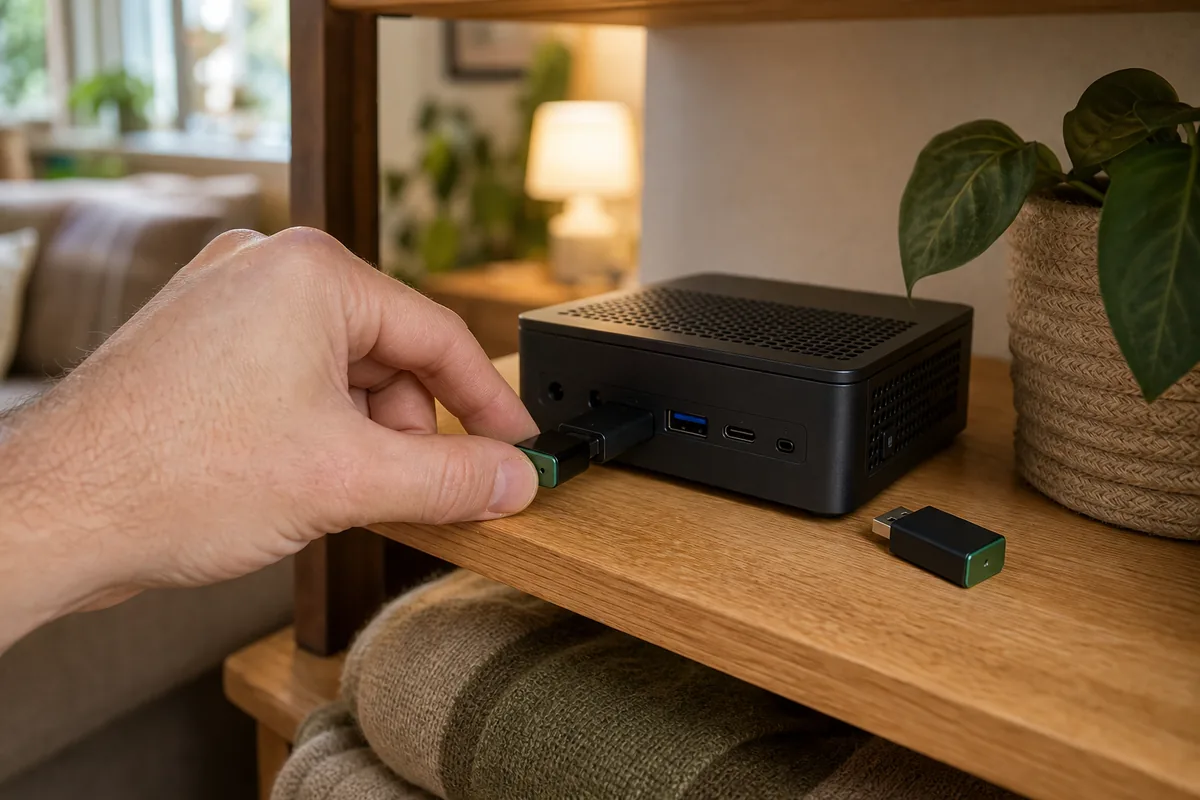
Short Answer: Preserve the Thread Network, Not Just the Network Name
Yes, you can replace a Thread border router without re-pairing Matter devices when the new router receives the same Thread Active Operational Dataset. That dataset is the bundle of network credentials and settings that tells a Thread device which encrypted mesh it belongs to. If the replacement creates a fresh dataset, even with a familiar-looking network name, your existing devices do not automatically know it.
Home Assistant provides the cleanest example. Its official Home Assistant OS migration flow for moving from an existing Thread adapter to Connect ZBT-2 says the Thread network is managed by Home Assistant, not stored only on the USB adapter. The migration changes which radio Home Assistant uses while keeping the network itself. That is why a supported ZBT-1-to-ZBT-2 move should not require every Matter device to be commissioned again.
Apple- and Google-created Thread networks can also be imported into Home Assistant from the matching phone, allowing a Home Assistant border router to join the existing mesh before the old hardware leaves. But there is no universal homeowner button that recovers every Apple, Google, Alexa, eero, SmartThings, IKEA, Aqara, or Nanoleaf Thread network after its last border router is already dead. Use the replacement process belonging to the platform that created the network, and keep the old route alive until the new one works.
The one-sentence rule: add first, test second, remove last. A second border router on the same Thread network adds resilience; a second border router that quietly creates a different network does not.
Border Router, Thread Dataset, and Matter Fabric Are Three Different Things
A Thread border router connects the low-power Thread mesh to the Ethernet or Wi-Fi network used by Home Assistant and other controllers. It routes encrypted packets; it does not own your light names, schedules, or Matter automations.
The Active Operational Dataset is the Thread network identity. OpenThread documents fields such as the network key, channel, PAN identifiers, and network name. The secret values matter more than the visible name. Two networks both called “Home” can still be completely separate.
A Matter fabric is a secure relationship between a Matter controller and a device. Home Assistant, Apple Home, Google Home, Alexa, and SmartThings can each have a separate fabric on the same device through Matter multi-admin. That controller relationship is distinct from the Thread radio network carrying the packets.
This distinction explains the confusing failure mode: Home Assistant can still list a commissioned Matter sensor while showing it as unavailable. The Matter fabric has not necessarily disappeared. The Thread route to the sensor has. Replacing the route with the original dataset can bring it back without creating a new Matter pairing.
What Each Replacement Choice Does
| Replacement situation | What happens to Thread | Re-pair Matter devices? | Safest action |
|---|---|---|---|
| A second compatible border router joins the existing dataset | Both routers serve the same Thread mesh. Devices keep the credentials they already have. | No, normally. Brief reconnection delays are possible, especially for sleeping battery devices. | Add the new router while the old one is online, verify both appear on the same network, then power down the old router for a test. |
| Home Assistant migrates its managed network to a new radio | The radio changes; Home Assistant keeps the Thread network dataset. | No on the supported migration path. | Use the official migration wizard rather than deleting the OpenThread Border Router app or forming a new network. |
| The replacement creates fresh Thread credentials | A separate Thread mesh is formed. Existing devices remain members of the old mesh. | Possibly yes. A supported network migration feature may help, but it is not universal. | Stop before resetting anything. Look for credential import, hub replacement, or Thread 1.4 network-sharing support in the original platform. |
| The last border router died, but credentials survive on a phone or controller | The old mesh can potentially be restored by a compatible router that accepts that dataset. | Not necessarily. | Keep controller data intact, recover or import the original credentials, and test with one powered device before changing accessories. |
| The last border router and every usable credential copy are gone | Devices remember an unreachable Thread network, while controllers may still remember their Matter fabrics. | Often yes. | Create a new supported Thread network and re-commission devices carefully, beginning with a non-critical powered plug or bulb. |
Home Assistant OS: A Safe Seven-Step Adapter Swap
This is the most predictable path when Home Assistant already owns the Thread network and you are moving from Connect ZBT-1 or another supported adapter to Connect ZBT-2. The official flow requires Home Assistant Operating System, current updates, the existing Thread adapter, and the replacement adapter.
- Update before touching hardware. Install current Home Assistant OS, Core, OpenThread Border Router app, Matter Server app, and companion-app updates. Resolve existing unavailable devices first so you are not debugging two problems at once.
- Make a full Home Assistant backup and document the network. Record the Thread network name shown under Settings > Devices & services > Thread, photograph each accessory's original Matter setup code, and save device and automation names. A backup is sensible protection, but do not treat it as a universal exporter for another vendor's Thread network.
- Leave the old adapter connected. Do not delete its integration, uninstall the OpenThread Border Router app, or reset the radio. The working network is your safest recovery path until migration finishes.
- Connect the replacement carefully. Use the supplied USB extension cable. Keep Connect ZBT-2 away from USB 3.0 drives and ports, computers, Wi-Fi routers, metal enclosures, thick walls, wire mesh, and aquariums because 2.4 GHz interference can look like a failed migration.
- Choose the migration action. When Home Assistant discovers Connect ZBT-2, select Add and then Migrate Thread to a new adapter. Do not choose an option that forms a new Thread network. Home Assistant should move use of its existing managed network to the new radio.
- Verify in layers. Confirm the same Thread network remains in the Thread integration. Test a nearby powered plug or bulb, then battery sensors after their normal wake interval. Finally test automations, notifications, and any shared Apple Home or Google Home controls.
- Remove the old adapter last. Only after a power-cycle test and a reasonable battery-device observation window should you delete the old hardware integration and unplug the old adapter. Keep its label and migration notes with your home documentation.
Safety boundary: do not make a lock, garage door, alarm, thermostat, heater, sump pump, or leak shutoff your first migration test. Keep physical keys, wall controls, manual valves, and the original app available. A successful light-bulb test does not prove a sleeping lock or life-safety device has checked back in.
Replacing Apple or Google Thread Hardware with a Home Assistant Border Router
If Apple Home or Google Home created the working Thread network, the safest Home Assistant move is to join that network, not create a competing one. Home Assistant's Thread documentation provides phone-assisted credential import for both ecosystems.
For an Apple-created Thread network
- Keep at least one Thread-capable HomePod or Apple TV online and keep the iPhone signed into the Apple Home that owns the accessories.
- In the Home Assistant companion app on that iPhone, open Settings > Devices & services > Thread, select Configure, and use Send credentials to Home Assistant.
- Refresh the Thread page, confirm Home Assistant knows the credentials, and make that Apple-created network preferred.
- Install and configure the Home Assistant OpenThread Border Router with the new radio. Confirm it joins the existing network before removing any Apple border router.
Apple automatically manages Thread-capable home hubs inside Apple Home, so an Apple-to-Apple replacement should stay inside Apple's Home app and support flow. If your goal is to remove the final Apple hub, add and test the Home Assistant route first. Matter multi-admin alone does not copy the Thread dataset.
For a Google-created Thread network
- Keep the Nest Hub, Nest Wifi Pro, Google TV Streamer, or other Google border router online and use an Android phone signed into the correct Google Home.
- In the Home Assistant companion app, open Settings > Devices & services > Thread, select Configure, and choose Import credentials.
- Refresh, confirm the credential symbol appears, and make the imported Google network preferred.
- Configure the Home Assistant OpenThread Border Router to join that existing network, then test before retiring Google hardware.
The phone is part of commissioning, not a decorative remote. Home Assistant warns that its preferred-network setting is not fully honored in every phone path; the mobile device's preferred Thread network may still decide where a new Matter-over-Thread accessory lands.
The Replacement Boundary for Each Major Platform
These paths all use Thread, but their homeowner replacement tools are not interchangeable. “Thread 1.4 capable” also does not guarantee that every app exposes credential transfer today.
| Current border-router owner | Official replacement or continuity path | Local control and cloud role | Main caveat |
|---|---|---|---|
| Home Assistant OS Connect ZBT-1, Connect ZBT-2, Yellow, or supported OpenThread adapter |
Use Home Assistant's adapter migration flow. Home Assistant states that it manages the Thread network rather than storing it only on the adapter. | Thread routing and Matter commands can remain local. Home Assistant Cloud is not required for ordinary local device control. | The documented wizard is for supported Home Assistant OS arrangements. Container, custom OTBR, or manually managed radios need their own verified dataset backup and restore plan. |
| Apple Home or Google Home HomePod, Apple TV, Nest Hub, Nest Wifi Pro, Google TV Streamer |
Add another compatible hub inside the same ecosystem, or import the phone-held Apple/Google Thread credentials into Home Assistant before removing the last original router. | Thread and Matter traffic are local protocols. Account sign-in, phone credential synchronization, remote access, voice services, and app management still involve the platform's services. | An Apple credential flow needs the appropriate iPhone context; a Google flow needs the appropriate Android and Google Home context. Do not assume one phone can export every vendor's dataset. |
| eero Thread-capable eero 6, 7, Pro, Max, PoE, or Beacon models |
Use the eero app's Replace eero or supported gateway-swap process so the replacement remains part of the existing eero network. | The Thread mesh can carry local Matter traffic. eero account and app services manage the router system and mobile credential sharing. | Do not select Regenerate credentials as a migration shortcut. eero says this creates a new Thread network and that third-party Thread products may need to be reset and configured again. |
| SmartThings Eligible SmartThings or Aeotec hubs |
Use SmartThings Hub Replace or an eligible Hub Group with Hub Backup. Samsung says these can transfer devices and routines or let a secondary hub take over. | Hub-based device routing and some routines can work locally; SmartThings accounts and app services remain part of setup and management. | This is continuity within SmartThings. It is not a general button to export a SmartThings Thread dataset into Home Assistant. Check exact hub eligibility before removing the original. |
| Alexa or Echo Thread-capable Echo and eero products |
Keep another compatible Alexa/eero border router online and follow Amazon's device replacement path. Use Matter multi-admin when the goal is controller sharing. | Thread transport and Matter device commands can be local, while Alexa voice, routines, accounts, and remote features depend on Amazon services. | Amazon's Credential Locker API is a developer feature for smart-home skills and product makers, not a general homeowner export button in the Alexa app. |
| Vendor-specific hub Aqara, IKEA, Nanoleaf, or another product hub |
Use the exact vendor's documented hub replacement, Thread network sharing, or backup procedure while the original hub still works. | Local behavior varies by product. The Matter logo does not guarantee that the vendor's hub-management and firmware paths are cloud-free. | Do not assume a setup code, Matter sharing code, or matching Thread network name contains the Active Operational Dataset needed to rebuild the old mesh. |
Thread 1.4 Helps, but It Is Not a Universal Rescue Button
Thread 1.4 was designed to improve border-router interoperability, network credential sharing, diagnostics, and operation across ecosystems. Home Assistant's updated OpenThread Border Router app supports Thread 1.4, and its 2026 Matter update adds a Thread mesh view that can help confirm which devices and border routers are visible.
That is meaningful progress. It does not mean any new Thread 1.4 router can automatically extract secrets from a dead older router or force every platform to reveal a homeowner migration flow. The border routers, phone operating system, platform app, firmware, and credential-sharing workflow all need to support the same path.
Use Thread 1.4 features when the official app presents them, but still document who created the Thread network and keep more than one border router on that same dataset when the platform supports it.
If the Last Border Router Is Already Dead
Stop resetting things. The Thread end devices may still hold the old dataset, and Home Assistant or another controller may still hold valid Matter fabric credentials. Deleting either side removes recovery options without fixing the missing route.
- Try the boring recovery first. Check the old router's power supply, cable, Ethernet or Wi-Fi connection, USB mapping, app status, and radio placement. A failed power brick or disconnected container device is easier to recover than a whole Thread network.
- Look for another border router on the same network. Home Assistant's Thread page may show multiple routers grouped under one network. Apple Home, Google Home, eero, or SmartThings may also have a secondary hub that can take over.
- Preserve phones and accounts. Do not sign out, delete the Home, clear app data, regenerate credentials, or remove the platform while checking whether the correct iPhone, Android phone, Home Assistant instance, or vendor backup still knows the dataset.
- Use a supported import or replacement flow. Join a compatible new border router to the known network. Confirm the network identity before expecting sleeping devices to respond.
- Call platform support before a critical reset. For a lock, alarm, HVAC control, garage door, or leak-protection device, preserve the manual fallback and ask the platform or device maker whether its current firmware supports network migration.
If no usable copy of the old Active Operational Dataset exists, forming a new Thread network does not make the old endpoints follow it. At that point you may need to factory-reset and commission each device onto the new network. Keep the same Matter device names where practical, but expect automations to need inspection because the controller may create new device or entity records.
Five Things That Turn a Swap into a Rebuild
- Do not regenerate credentials to “refresh” Thread. That deliberately forms a different encrypted network on platforms such as eero.
- Do not remove the last working border router first. Add and test the replacement while the original can still supply continuity.
- Do not delete the Matter integration or fabric. A Thread routing problem is not automatically a Matter commissioning problem.
- Do not factory-reset accessories in a batch. Test one non-critical powered device and learn the actual failure before touching sleeping or safety-related devices.
- Do not trust the visible network name alone. The Active Operational Dataset contains secret identifiers and keys; copying a name does not clone the network.
Tara's Recommendation
For a Home Assistant-first house, keep Thread migration deliberately uneventful. Use Home Assistant's official adapter migration when Home Assistant owns the network. When Apple or Google owns it, import that working dataset and let the Home Assistant border router join before removing the last platform hub. For eero, SmartThings, Alexa, or a vendor hub, stay inside the vendor's supported replacement flow unless it explicitly offers credential sharing to the destination you want.
Afterward, leave two compatible border routers on the same Thread network when the ecosystem supports that arrangement. Put them in different useful parts of the home, keep both on reliable power, and record which platform owns the dataset. That provides real redundancy without creating a second mesh.
The goal is not to make every smart-home box disappear. It is to know which device routes Thread, which platform controls Matter, where the automations live, and what you would replace first after a failure.
Related Tara Reading
- Which Thread Border Router Should You Use with Home Assistant in 2026?
- Why Home Assistant Says “Your Device Requires a Thread Border Router”
- How Matter Multi-Admin Works Across Home Assistant, Apple, Google, Alexa, and SmartThings
- Should You Pair Matter Devices to Home Assistant or Apple/Google First?
- Do You Need One or Two Radios for Zigbee and Thread in Home Assistant?
FAQ
Can I replace a Thread border router without re-pairing Matter devices?
Yes, if the replacement joins or restores the same Thread network with the same Active Operational Dataset. If it creates unrelated Thread credentials, existing devices may need a supported network move or may have to be re-paired.
Can Home Assistant migrate Thread from Connect ZBT-1 to Connect ZBT-2?
Yes on a supported Home Assistant Operating System setup. The official migration flow moves the Home Assistant-managed Thread network to the new radio. Use Migrate Thread to a new adapter, verify devices, and remove the old integration only after the new radio works.
Does Matter multi-admin protect devices if the Thread network is lost?
No. Multi-admin gives the device secure relationships with more than one Matter controller, but those controllers still need a working network route to the device. It does not recreate a lost Thread dataset.
What happens if the last Thread border router dies?
Try to recover the original router or import the existing Thread credentials into a compatible replacement. If no supported credential copy survives, the Matter fabric may remain in the controller while devices stay unreachable on the old Thread mesh. Re-pairing onto a new network may then be unavoidable.
Should I factory-reset the old border router before testing the replacement?
No. Add the replacement, test powered and battery devices, verify critical automations and manual fallbacks, and reset or remove the old router only after the new route is proven.