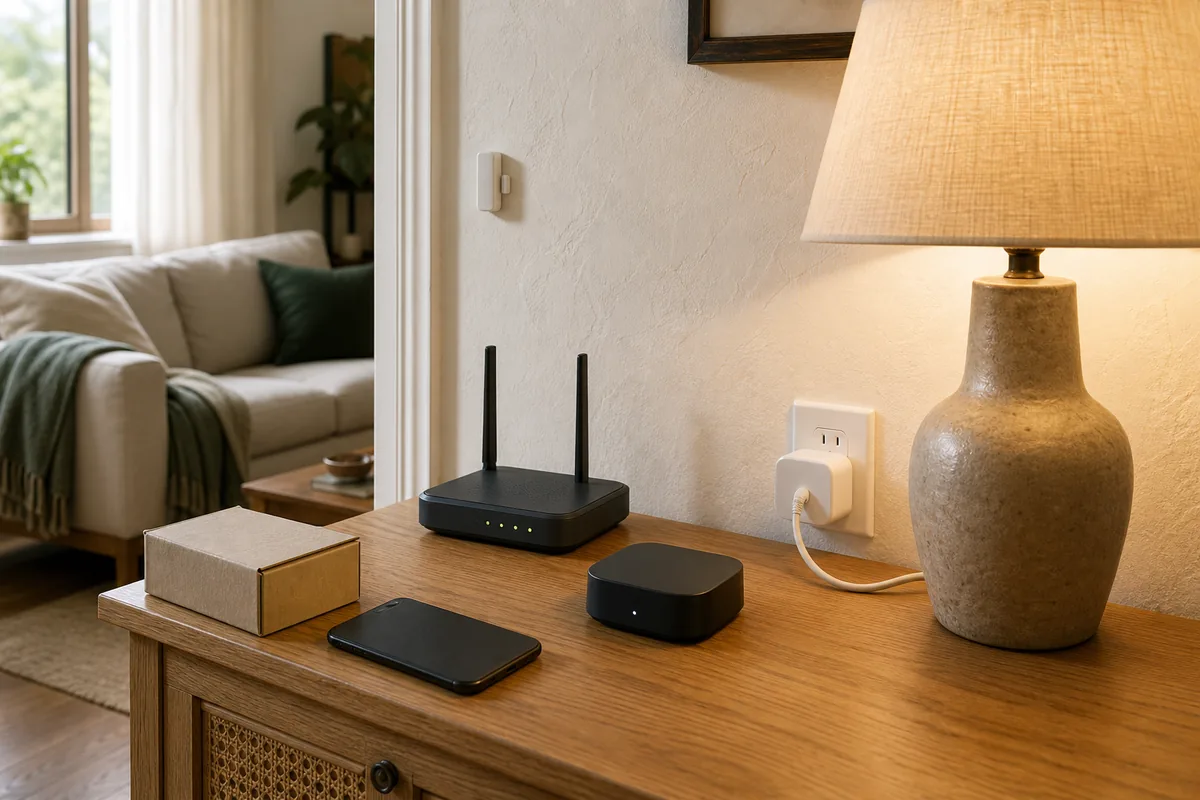
Yes for Core Local Control—Not for Every Feature
An already-added Matter device will usually keep its standard controls working if its manufacturer closes. Matter is the common language that lets a controller such as Home Assistant talk to a certified smart light, plug, sensor, lock, thermostat, or other supported device. Local control means that daily command travels inside the home instead of asking the device maker's cloud for permission.
Once the setup process is complete—Matter calls this commissioning—Home Assistant and the device hold their own secure local relationship. The manufacturer's cloud is not in the normal path for a standard command such as turning a Matter plug on or reading a Matter sensor. The device still needs power, Home Assistant still needs to be running, and the local network must work. Matter-over-Thread devices also need a working Thread border router, the always-on hub or radio that connects their low-power network to the rest of the home. Devices connected through a Matter bridge—the hub that translates another device system into Matter—still need that bridge.
What Matter does not promise is equally important. A vendor app, remote access, cloud history, camera recording, energy analysis, advanced settings, account-based voice features, replacement parts, technical support, and new firmware—the software built into the device—can all disappear. Re-adding a factory-reset device may work, but it is not guaranteed. Matter lowers the chance of instant cloud-service e-waste; it does not make hardware immortal or supported forever.
Tara's rule: ask two separate questions: “Will the basic local command still run?” and “Is this unsupported device still safe and practical to keep?”
What Should Survive, and What May Stop
| Part of the setup | After the manufacturer closes | What it still depends on | Main caveat |
|---|---|---|---|
| Direct Matter light, plug, or sensor already in Home Assistant | Basic Matter controls should normally continue locally. | The device, Home Assistant's local Matter software (Matter Server), and healthy local Wi-Fi, Ethernet, or Thread path. | Vendor-only controls and future firmware may be gone. |
| Matter-over-Thread device | Local control should continue without the device maker's cloud. | A working Thread network and at least one compatible border router, plus the Home Assistant controller. | A border-router problem or wrong or lost Thread network settings can look like a vendor shutdown problem. |
| Device reached through a Matter bridge | Standard bridged controls may continue while the bridge and its child-device radio work locally. | The physical bridge, its power and network, and its local radio link to the connected lights or sensors. | The vendor app may still be required for new child devices, settings, recovery, or bridge updates. |
| Vendor app, account, and remote access | May stop completely. | The company's servers, app-store availability, account system, and ongoing operations. | Matter does not preserve a discontinued cloud service. |
| Vendor-only features | May disappear even while on/off or sensor readings survive. | The vendor app, proprietary commands, cloud analysis, or a paid service. | The Matter feature set can be smaller than the box or app feature set. |
| Firmware and security fixes | Existing firmware keeps running, but new updates are not assured. | A party that can create, sign, test, and publish an update through Matter or another valid method. | Matter provides an update path; it does not manufacture future patches. |
| Factory reset and new setup | It may work with the saved Matter code and a current controller. | Pairing mode, the code, a security identity the controller accepts, compatible software, and no requirement to use a dead vendor app. | A reset can turn a working local device into hardware you cannot add again. |
Five Things the Matter Logo Does Not Guarantee
1. Every Feature on the Box
Matter standardizes supported device types and their common controls. A light may expose power, brightness, and color locally while the vendor app supplies special scenes, effects, energy charts, schedules, or diagnostics. A thermostat may expose temperature and its temperature setting while a vendor cloud handles forecasts or equipment reports. Those extras do not become permanent just because the basic device speaks Matter.
2. Future Firmware
Matter includes a way to deliver over-the-air updates, and a manufacturer may also use its own update method. Neither path writes the next security patch. If no successor takes responsibility for producing and publishing valid firmware, updates can stop even while the old software continues to run.
3. A Trouble-Free Factory Reset Years Later
The setup code and built-in device identity live independently of a normal vendor login on a direct Matter device. That gives it a better recovery path than a cloud-only product. Still, the device must enter pairing mode, the controller must accept that security identity, the device type must remain supported, and a bridge or hybrid product may require the vendor app to expose its Matter setup option.
4. Parts, Warranty, or Help
An open control standard cannot supply a failed internal switch, replacement battery pack, product recall, installation instruction, or specialist support. Keep the model, manual, purchase record, and any safety certification with the device record in Home Assistant or your household documentation.
5. Safe Use Forever
A local device can remain reachable after it stops receiving security or reliability fixes. That may be an acceptable short-term risk for a decorative lamp plug on a separated home network. It is a different decision for a front-door lock, garage door, smoke or carbon-monoxide alarm, heating system, water shutoff, or device wired to household electricity that shows heat, noise, or relay problems.
Make a Matter Device Shutdown-Resilient Now
- Add it to the controller you intend to keep. For a Home Assistant-centered home, add the device to Home Assistant or share it there with Matter multi-admin—Matter's safe way to let more than one platform control the same device—before any vendor service disappears.
- Save the Matter QR code and numeric setup code. Home Assistant's official instructions warn that a reset cannot be added again without one of those codes. Photograph it, label the room and model, and keep a second copy outside the vendor app.
- Write down the real device path. Record whether it is direct Matter over Wi-Fi, Matter over Thread, or a device connected through a Matter bridge. Note which hub supplies the Thread border router and which app currently handles firmware.
- Separate Matter controls from vendor controls. List the power, brightness, lock state, temperature, sensor readings, or other controls shown in Home Assistant. Then list the features that exist only in the vendor app or subscription. The second list is the likely loss area.
- Test without outside internet. Disconnect the cable that brings internet into the modem or router while leaving the router, Wi-Fi, Home Assistant, bridge, and Thread border router powered. Test from the local Home Assistant app or dashboard. Reconnect the internet afterward. This proves the current local path; it does not prove future reset or update support.
- Make and verify a Home Assistant backup. Keep a recent encrypted backup somewhere other than the Home Assistant machine, and store its backup emergency kit and recovery key separately. Home Assistant says an encrypted backup cannot be restored without the matching key. A backup protects the controller record and automations; it cannot repair dead device firmware or replace a lost Matter code.
- Remove duplicate automations. Put each important rule in one system. If Home Assistant and the vendor app both run the same sunset or motion rule, a cloud shutdown can create confusing partial behavior instead of a clean failure.
- Keep manual control. Make sure a wall switch, key, thermostat control, alarm procedure, valve handle, or other physical fallback still works and that household members know where it is.
What Happens After a Factory Reset?
A factory reset removes the device's current secure relationship with Home Assistant. Re-adding a direct, certified Matter device may still work after its maker closes because the device carries its own setup code and built-in security identity. During setup, a controller can check certification and trust information in Matter's Distributed Compliance Ledger, a shared product registry. That registry is not the departed company's app, cloud, firmware archive, or customer-support department.
The cautious answer is therefore possible, not guaranteed. Home Assistant's current Matter setup checks the device identity and whether it has been marked untrusted while adding it. A missing code, broken pairing button, security-identity problem, unsupported device type, old controller, or bridge that needs a dead vendor app can stop the process. A manufacturer simply closing does not mean every already-paired device is automatically switched off.
Do not reset a working device whose manufacturer has closed as an experiment. Test daily local control by disconnecting the outside internet connection. Save reset for a known fault after you have the code, backup, manual, replacement option, and time to recover.
Matter Bridges Are the Middle Case
A Matter bridge translates another device system into Matter. For example, connected lights or sensors may use Zigbee—a common low-power smart-device network—or a brand-specific radio to reach the bridge, while Home Assistant talks Matter to the bridge. The Matter side can be local, but the bridge is still a dependency.
If the bridge keeps its connected-device list locally and continues to run without the vendor cloud, standardized controls may survive. If adding devices, letting another platform pair with the bridge, changing settings, restoring a backup, or installing firmware requires the vendor app and servers, recovery can disappear. A bridge therefore has more shutdown risk than a direct Matter device. Before buying one, check the official documentation for offline control, setup after an outage, local backup or migration, firmware delivery, and whether Matter pairing can be opened without a vendor account.
Wemo Shows Why “Already Paired” Matters
Belkin ended Wemo cloud services and app support for selected products on January 31, 2026. Its official notice says the affected app, remote access, Alexa and Google integrations, updates, and new setup or reconfiguration stopped. Products already configured with Apple HomeKit could continue locally, and Wemo's listed Thread products continued through HomeKit.
That Wemo example is not a Matter case. The surviving products use HomeKit, including HomeKit over Thread, rather than Matter. It is useful because it shows the same practical split: a local relationship created before shutdown can survive while cloud conveniences and future setup disappear. Home Assistant Community and Reddit discussions around the Wemo notice repeatedly focused on the homeowner's hardest question: what happens after the next reset or Wi-Fi change?
When to Keep, Isolate, or Replace the Device
- Keep and monitor: a low-risk light, plug, or sensor has stable local control, no concerning hardware behavior, a saved code, and an easy manual replacement.
- Isolate and plan replacement: the device still works locally but no longer receives patches, tries to reach dead services, exposes unnecessary internet services, or depends on an app that cannot be reinstalled. Block its internet access only if someone in the household can change router settings and retest every needed local control; otherwise replace it.
- Replace promptly: a lock, alarm, heating or cooling control, garage-door path, water valve, camera with sensitive data, or device wired to household electricity has no updates, unclear safety status, unreliable manual control, damaged hardware, a recall, or no supported recovery route.
For smoke and carbon-monoxide alarms, follow the product's end-of-life signal, manual, recall notices, testing schedule, and replacement date. A device that still says “online” in Home Assistant is not a substitute for the alarm's own certified safety function.
The Practical Recommendation
Choose direct certified Matter devices when the standardized controls cover what the household actually needs. Pair or share them to an independently maintained local controller such as Home Assistant, save every setup code, document the Thread and bridge path, and test important behavior without outside internet before buying more of the same model.
Do not buy on the Matter logo alone. Read the product documentation for setup, firmware, vendor-app requirements, and manual operation. Treat cloud extras as optional from day one. If the manufacturer later disappears, preserve a stable working setup, keep good backups, watch security and safety guidance, and replace high-risk unsupported devices on your timetable rather than waiting for the next reset to make the decision for you.
FAQ
Will an Already-Added Matter Light or Plug Keep Working?
Usually, yes. Its standard controls should keep working locally when the device, Home Assistant's local Matter software, home network, and any required Thread hub or device bridge are healthy. Vendor apps, cloud features, firmware, and support can still disappear.
Can I Reset and Add It Again After the Company Closes?
Possibly, but do not count on it. You need the Matter setup code, a working pairing mode, a security identity the controller accepts, compatible controller software, and no requirement to use a dead vendor app. Do not reset a working device whose manufacturer has closed merely to find out.
Will Matter Firmware Updates Continue?
Not automatically. Matter offers a standard update method, but someone still has to create, sign, test, and publish the firmware. Updates stop unless the manufacturer, a successor, or another authorized party continues that work.
What About Devices Behind a Matter Bridge?
Standard controls may remain local while the bridge and its child-device radio keep working. Setup, configuration, recovery, firmware, and vendor-only features may still require the maker's app or service, making a bridge more shutdown-sensitive than a direct Matter device.
Does Matter Make an Unsupported Lock, Alarm, or Thermostat Safe to Keep?
No. Local connectivity does not extend a product's safe life or replace patches, testing, recalls, parts, and manual fallback. Use a risk-based replacement plan for safety, access, heating, water, and devices wired to household electricity.
Should I Delete the Vendor App Once the Device Is in Home Assistant?
Not until you know what it does. Record app-only settings and the firmware path, save the Matter code, make a Home Assistant backup, and test local control first. Remove an unnecessary account only when the official product instructions and your own test show that setup, updates, and needed features will not be lost.