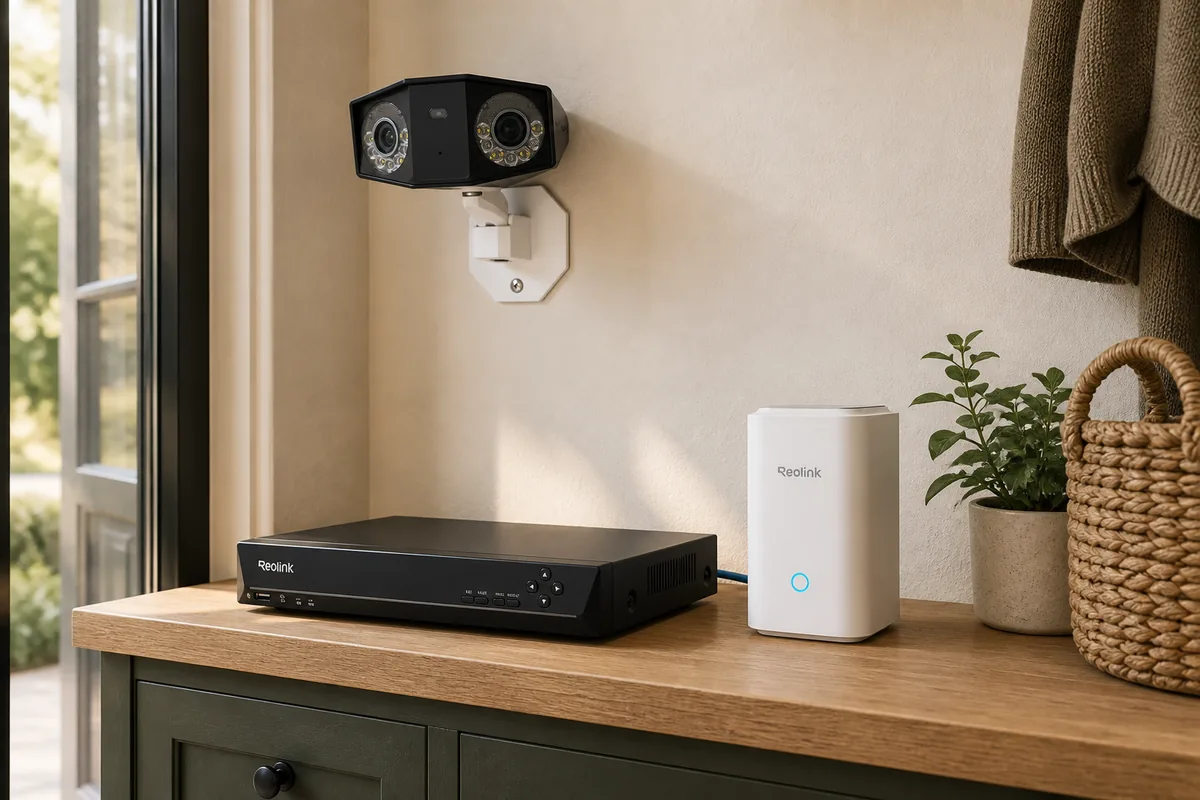
No, not for most powered Reolink cameras
A supported standalone Reolink camera can be both the camera and the Home Assistant connection point. First set it up and update it with the Reolink app or computer client, give it a unique device password, then add the official Reolink integration using the camera's address on your home network. Home Assistant will create the controls and detection signals—such as motion, person, vehicle, pet, or doorbell press—that the exact model provides.
The recorder is a separate decision. Home Assistant can show live video, send a notification when the camera detects someone, control settings, and browse recordings already stored on a supported microSD card, Reolink NVR, or Home Hub. That does not turn Home Assistant into an appliance designed to record several camera streams every hour of every day.
PoE means Power over Ethernet: one network cable carries both data and electrical power to a wired camera. A plug-in Wi-Fi camera uses Wi-Fi for data but still plugs into power. Both types can often connect directly; battery and kit-only cameras need closer checking.
Plain-English rule: Home Assistant decides what should happen; the camera or a dedicated recorder keeps the evidence. A recorder can be useful even when it is not required for integration.
Choose the recording path by the job
| Home and goal | Best starting path | Why | Main compromise |
|---|---|---|---|
| One to four powered standalone cameras | Direct to Home Assistant, recording to a camera-rated microSD card | Lowest cost and fewest boxes; supported cameras remain individually reachable. | The card is outside with the camera, has finite write life, and offers less retention than a central disk. |
| Mostly battery cameras or a small wireless system | Reolink Home Hub; consider Home Hub Pro when more capacity is needed | The bridge provides the fuller supported battery path and keeps recordings indoors. | It stays within the Reolink ecosystem and model compatibility still needs checking. |
| Several PoE cameras with continuous recording | Current RLN8-410, RLN16-410, or RLN36 | A dedicated appliance, central HDD storage, direct monitor output, and a simpler Reolink support path. | Less flexible than a self-built recorder; hardware version and channel limits matter. |
| Mixed brands or custom local video analysis | Frigate on suitable separate hardware | Flexible recording, retention, review, restreaming, and additional local detection across compatible streams. | More setup, compute, storage, stream tuning, updates, and troubleshooting. |
| You want appliance recording and flexible automations | Hybrid: Reolink NVR records; Home Assistant integrates the NVR or reachable cameras | The recorder keeps doing one job during Home Assistant maintenance while automations retain rich camera events. | Too many simultaneous consumers can overload a camera; design the stream paths deliberately. |
Check the exact camera before buying
“Reolink works with Home Assistant” is not a promise that every Reolink model works in the same way. The official integration maintains separate lists for direct cameras, battery cameras, bridge-only cameras, and incompatible cameras. Check that page again before ordering because firmware and support continue to change.
Powered standalone cameras
Current tested direct examples include the CX410, CX810, RLC-810A, RLC-820A, RLC-823S2, TrackMix PoE, Reolink Video Doorbell PoE and Wi-Fi models, and Duo 3 PoE. Reolink's Duo 3 PoE page lists microSD, NVR, and FTP recording, so an NVR is a capacity choice rather than a direct-integration requirement. Duo 3 PoE is also among Reolink's certified Works with Home Assistant devices.
Do not use a model-family name alone. Reolink reuses names across power types and generations, while the same NVR name can cover several hardware revisions. Confirm the complete model, power method, hardware version, firmware, microSD support, and the current Home Assistant tested list.
Battery cameras changed in Home Assistant 2026.6
Home Assistant 2026.6 added a direct connection for some Reolink battery cameras. The release notes and the merged implementation both call this support early: not every model or feature works, and a battery camera cannot be connected directly and through a Hub/NVR at the same time. Home Assistant still says the Home Hub or compatible NVR is the preferred route.
That preference matters in a real home. A bridge can provide the fuller feature set and manage wake-ups more carefully. Repeated live viewing keeps a battery camera awake, so do not leave its stream open on an always-on wall dashboard. Current bridge-tested examples include Argus 3 Pro, Argus 4 Pro, Argus Eco Ultra, Argus PT, Argus Track, Reolink Altas, Altas PT Ultra, and Reolink Doorbell Battery.
Kit-only and incompatible models
Home Assistant's current bridge-only list is B400, B500, B500W, B800, B800W, B1200, D400, D500, D800, D1200, and the base E1. These cameras lack the local web API needed for a direct connection; most of the B and D models are sold as NVR kits. Reolink also explains that add-on kit cameras may have no UID, no microSD slot, and no standalone RTSP or ONVIF path.
Reolink Go and TrackMix LTE variants are on the official incompatible list. A Home Hub or NVR does not turn an LTE camera into a supported Home Assistant camera. If Home Assistant is a requirement, choose a model that is explicitly on the current direct or bridged support list.
What each current path actually supports
| Current example | Official Home Assistant support | Local control and cloud dependency | Matter and Apple Home path | Community caveat |
|---|---|---|---|---|
| Duo 3 PoE, CX410, RLC-810A Powered standalone cameras |
Tested direct connection through the built-in Reolink integration; available entities depend on the model. | The integration uses the camera's local device account. Home Assistant says it and the Reolink app/client can keep working locally when camera internet access is blocked; a Reolink cloud account or subscription is not required for the integration. | This is a Reolink local integration, not Matter. Reolink says its cameras do not natively support Apple HomeKit. Home Assistant HomeKit Bridge can expose a camera live view, but not HomeKit Secure Video recording. | High-resolution H.265 streams do not play in every browser. Start with the lower H.264 fluent stream and read Tara's camera delay and stream guide before adding extra stream consumers. |
| Argus 4 Pro, Argus Track, Doorbell Battery Battery cameras |
Some direct support arrived in 2026.6, but the official preferred path remains a compatible Home Hub or NVR for broader features and battery handling. | Home Assistant's Reolink path remains local. Remote phone access, optional vendor services, and firmware retrieval are separate concerns. | No Matter route is used. There is no native Reolink Apple HomeKit support; Home Assistant can bridge a supported camera entity to Apple live view without Secure Video recording. | Direct support is incomplete, a camera cannot use direct and Hub/NVR paths at once, and frequent live viewing drains the battery. |
| B800, D800, B1200, base E1 Bridge-only examples |
Home Assistant requires the camera to arrive through a compatible Reolink NVR or Home Hub. | The NVR/Hub can provide local integration and indoor storage without requiring a cloud subscription for Home Assistant. | The recorder does not convert the camera to Matter or native HomeKit. Home Assistant's optional Apple bridge has the same live-view and no-Secure-Video boundary. | No-UID add-on cameras do not gain a standalone API merely because the recorder is on the LAN. Buy the complete supported system rather than expecting to separate a kit camera later. |
| Frigate with compatible Reolink streams | Frigate is separate software with its own Home Assistant integration, not the built-in Reolink integration or a Reolink-supported recorder. | It can record and analyze locally on hardware and storage you operate. Optional remote access or outside AI services depend on the features you choose. | Frigate is not a Matter camera path. Apple viewing requires a separate HomeKit route; it should not be confused with HomeKit Secure Video. | Frigate's current documentation gives Reolink-specific stream advice because model behavior varies. Hardware acceleration, H.264/H.265 playback, storage, and stream stability need planning. |
Tara's HomeKit Secure Video guide explains the Apple recording boundary in detail. A live Reolink camera in Apple Home and Apple-managed encrypted Secure Video history are different features.
The four practical recording choices
1. Camera microSD: simplest for a few powered cameras
A high-endurance microSD card is a reasonable start when the camera supports it, the system is small, and motion-based history is enough. It keeps recording independent of the Home Assistant host and avoids another appliance. The official Reolink integration can browse compatible stored clips through Home Assistant's Media section, although Home Assistant currently limits that view to recordings up to one month old.
The tradeoff is physical and operational. If the camera is stolen or damaged, the card may go with it. Cards wear out, so choose a surveillance-rated high-endurance model, enable storage warnings where available, and test playback—not merely the live view—on a schedule.
2. Reolink Home Hub: smaller and battery-focused
The base Reolink Home Hub is a compact indoor bridge for up to eight compatible cameras and uses two microSD slots for up to 2TB total according to Reolink's current page. It is the natural starting point when most cameras are battery-powered or Wi-Fi and you want recordings indoors without a full PoE NVR.
Home Hub Pro is the middle option: Reolink currently lists a built-in 2TB hard drive expandable to 16TB and up to 24 cameras. It suits a battery-heavy system that has outgrown the base Hub. Capacity claims are not a substitute for a compatibility check; verify the exact camera, firmware, recording mode, and expected retention.
3. Reolink NVR: appliance recording for a PoE-heavy home
A current RLN8-410 is the straightforward choice for a modest Reolink PoE system. Reolink's current N7MB01 page lists eight PoE ports, continuous local recording, storage expansion up to 16TB, and up to 12 cameras under its stated mix of powered and battery devices. RLN16-410 adds more ports, while RLN36 is intended for larger systems and uses external PoE switching.
Check the hardware version, not just “RLN8” or “RLN16.” Home Assistant's own compatibility list excludes older hardware revisions from some battery-camera paths because their firmware stopped receiving updates. A used recorder with the right name can still be the wrong revision.
4. Frigate: flexible local recorder for people who want to operate it
Frigate is useful when you want one local recorder for several camera brands, custom retention, review tools, restreaming, or additional local object analysis. Its current documentation includes specific Reolink guidance because stream behavior varies by resolution and generation; newer high-resolution models may use enhanced HTTP-FLV or RTSP, while older RLC-8xx models generally use RTSP.
This path needs deliberate hardware and maintenance. Plan video decoding, detection hardware, disk endurance and capacity, backups of the configuration, and how updates will be tested. Frigate records camera streams without re-encoding when configured appropriately and can retain continuous, motion, alert, and detection footage for different periods. It is powerful, but it is not a checkbox inside Home Assistant.
A hybrid is often the calmest design
For a Reolink-heavy home, the low-drama architecture is often: let a Reolink NVR record continuously, let the official Reolink integration provide camera events and controls, and let Home Assistant run notifications and household automations. A Home Assistant restart then does not interrupt the recorder's main job.
If you want powered standalone cameras to remain directly reachable as well as recorded by the NVR, Reolink documents placing the cameras on a normal PoE switch connected to the router, then adding them to the NVR over the same LAN. Cameras plugged into the NVR's private PoE ports normally sit behind the NVR instead. Current compatible NVRs also have a firmware-dependent HyBridge mode, but it changes network topology and camera addresses, so it is not a casual switch to flip on an established system.
Avoid collecting every possible stream path. The official Home Assistant documentation warns that a camera has a limited number of simultaneous connections; Home Assistant, Frigate, ONVIF, Scrypted, and a vendor client can compete until the camera briefly drops connections. Use one restreamer where practical, favor the lower-resolution feed for dashboards and detection, and reserve the main stream for recording.
A safe setup order
- Confirm the exact model and hardware version. Check the current Home Assistant direct, battery, bridge-only, and incompatible lists before opening the box.
- Choose recording before cabling. Decide whether footage lives on microSD, Home Hub, Reolink NVR, Frigate, or two independent places. Estimate retention from camera count, resolution, frame rate, and continuous versus event recording.
- Put powered PoE cameras on the right network path. Use a normal PoE switch when individual LAN access matters. Use the NVR's PoE ports when the appliance-managed private camera network is the desired design.
- Initialize and update each Reolink device. Set a unique local device password. Reolink auto-update does not always show the newest firmware, so compare the installed version with the official download center.
- Add one supported endpoint to Home Assistant. Use the camera's address for a direct setup or the NVR/Hub address for bridged channels. Test live view, a real detection event, a notification, and playback.
- Test failure cases. Restart Home Assistant, disconnect the internet while leaving the LAN running, and verify that the recorder still captures footage. Then check remote access separately.
- Expand only after the first camera is boring. Stable playback and useful alerts matter more than adding every stream and sensor at once.
Keep the camera system local without locking yourself out
- Do not port-forward RTSP, ONVIF, HTTP, or NVR administration pages. Use a trusted VPN or a properly secured remote Home Assistant path when you need access away from home.
- Give cameras and recorders unique passwords. Home Assistant uses the local Reolink device account, not a Reolink cloud login. Store credentials in a password manager.
- Separate remote access from local operation. Test the camera, Home Assistant integration, and recorder with internet access blocked before assuming the whole path is local.
- Protect the recorder and its power. Put the NVR, Hub, or Frigate disk somewhere less accessible than the cameras. A small UPS can help it finish writes cleanly during a short outage.
- Review who can see cameras. Camera dashboards, notifications, Apple Home exposure, vendor accounts, and remote users can each have different permissions.
- Respect household and local privacy rules. Aim cameras away from private neighboring areas, disable audio where it is not lawful or wanted, and agree on indoor-camera behavior with everyone who lives there.
Tara's practical recommendation
For a small home with supported powered Reolink cameras, begin without a Reolink NVR. Use a normal PoE switch or reliable Wi-Fi, put a high-endurance microSD card in each camera, connect the cameras directly to Home Assistant, and prove that alerts and playback are genuinely useful. Add central recording when the consequences of losing a card or a camera justify it.
For a battery-heavy setup, use a current compatible Home Hub unless you have a specific reason to accept the limits of direct battery support. For several PoE cameras and continuous history, use a current Reolink NVR or a carefully planned Frigate host. Choose Frigate for flexibility, not because Home Assistant needs it.
For a larger home where camera placement, cable routes, retention, and privacy need to be designed together, Tara's local camera kit planning path is the closest commercial owner for the full system. The broader no-subscription camera guide explains the layers without tying the decision to one brand.
Frequently asked questions
Do Reolink cameras need a Reolink NVR for Home Assistant?
No. Most supported standalone Reolink PoE and plug-in Wi-Fi cameras connect directly to the official integration. Certain no-UID kit cameras need a compatible NVR or Home Hub, and a bridge remains the preferred route for battery cameras.
Can Home Assistant replace a Reolink NVR?
Not by itself. Home Assistant can show cameras, react to detections, and browse compatible recordings already stored elsewhere. Use microSD, a Reolink recorder, Frigate, or another dedicated recorder for dependable retention.
Can a Reolink battery camera connect directly to Home Assistant?
Some can as of Home Assistant 2026.6, but model and feature support remain incomplete. Home Assistant still calls a Home Hub or compatible NVR the preferred method, and the camera cannot be connected directly and through the bridge at the same time.
Which Reolink cameras need a Hub or NVR?
Home Assistant's current bridge-only list includes B400, B500, B500W, B800, B800W, B1200, D400, D500, D800, D1200, and the base E1. Reolink LTE cameras are listed as incompatible. Always recheck the official page for the exact model and hardware revision.
Is a Reolink NVR or Frigate better with Home Assistant?
A Reolink NVR is simpler for a Reolink-heavy PoE system and continuous appliance recording. Frigate is more flexible for mixed brands and custom local video analysis, but it brings more hardware, storage, stream tuning, and maintenance work.
Do Reolink cameras support Matter or Apple Home?
The official Home Assistant path is a local Reolink integration, not Matter. Reolink's current support page says its cameras do not natively support Apple HomeKit. Home Assistant can expose a camera entity to Apple Home through HomeKit Bridge, but HomeKit Secure Video recording is not supported.