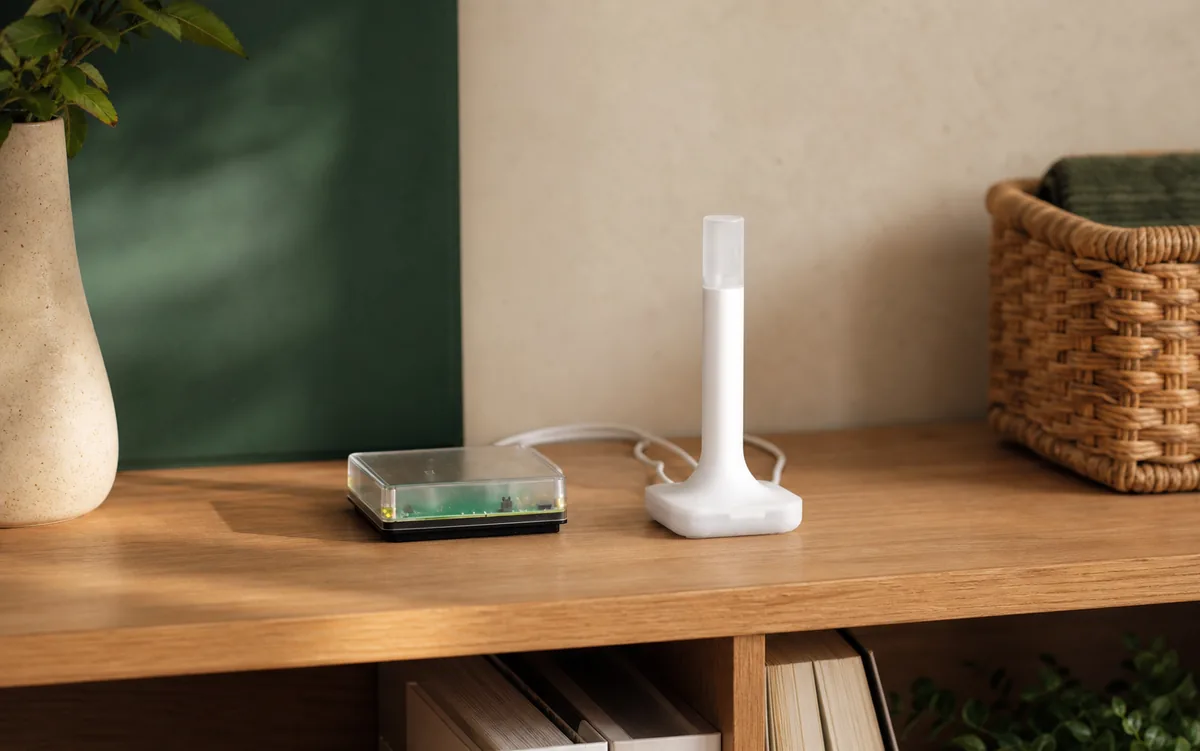
The Short Answer for a Green Owner
Home Assistant Green can be the computer that controls Matter devices, but it does not include its own Zigbee or Thread radio. A Matter-over-Wi-Fi plug or light uses your normal Wi-Fi, so Green needs no ZBT-2 for that device. A Matter-over-Thread sensor, lock, button, or plug needs a Thread border router—a small radio bridge between the low-power Thread network and your home network.
That border router does not have to be attached to Green. Home Assistant lists working Apple paths through HomePod mini, HomePod (2nd generation), Apple TV 4K (2nd generation), and Apple TV 4K (3rd generation Wi-Fi + Ethernet). Its Google list includes Nest Hub (2nd generation), Nest Hub Max, Nest Wifi, Nest Wifi Pro, and Google TV Streamer 4K. Google also lists the 2026 Google Home Speaker, although Home Assistant has not yet named that model in its own known-working list. If a documented model already runs a stable Thread network, check it before spending the current $49 US MSRP on Connect ZBT-2; taxes, retailers, and regional prices vary.
Choose Connect ZBT-2 when you want Green to provide its own Thread connection, when you are starting with no Thread network, or when a second router can join the same network for useful coverage. The important caveat is simple: ZBT-2 runs either Zigbee or Thread, never both at once.
The one-sentence decision: If the device says Matter over Wi-Fi, buy nothing; if it says Matter over Thread, use a supported border router you already own or dedicate a ZBT-2 to Thread.
Green, Matter, and Thread Do Three Different Jobs
The names get bundled together on boxes, but they are separate parts of the house:
- Home Assistant Green is the computer. It runs Home Assistant Operating System, the Matter Server app, dashboards, and automations.
- Matter is the control language. Home Assistant uses it locally to operate a supported light, plug, sensor, lock, or bridge.
- Thread is one possible radio network. It carries small encrypted packets for low-power devices. A border router connects that Thread network to the Ethernet or Wi-Fi network where Green lives.
A border router is not the automation brain. Home Assistant's Matter controller talks directly to the accessory over your home network, and the border router forwards the encrypted traffic. Home Assistant says the third-party router cannot read the Matter content. That is why a Nest Hub or HomePod can supply the radio path while Green still owns the automation.
Which Path Should a Green Owner Choose?
| Green setup | Official support and control path | Local control and cloud dependency | Matter or HomeKit path | Main caveat |
|---|---|---|---|---|
| Green only Matter-over-Wi-Fi device |
Home Assistant Matter Server controls the device over the existing home Wi-Fi. No Thread border router is involved. | Ordinary Matter control is local and can work without internet. A vendor account or app may still be needed for setup, device software, or extra features. | Add the Matter device to Home Assistant. Share it to Apple, Google, Alexa, or SmartThings later only if those apps are useful. | Check the box carefully. A Matter logo does not tell you whether the transport is Wi-Fi or Thread. |
| Green + Apple route HomePod mini, HomePod 2, eligible Apple TV 4K |
Home Assistant documents Apple border routers as a supported Thread path and can import the saved Apple Thread network details with the correct iPhone. | Matter commands remain local. Apple account, iCloud home management, Siri, and remote features have their own platform dependencies. | A Matter device can belong to Home Assistant without first belonging to Apple Home. A HomeKit-over-Thread device is different and uses Home Assistant's HomeKit Device path. | Home Assistant currently says an active Apple border router can prevent it from delivering Matter-over-Thread device software updates. |
| Green + Google route Nest Hub 2/Max, Nest Wifi/Pro, Google TV Streamer; Google-listed 2026 Home Speaker |
Home Assistant names the Nest and Streamer models as known working. Google lists its 2026 Home Speaker, but Home Assistant has not added it to that list yet. Compatible saved network details can be imported with the correct Android phone. | Local Matter control does not require Google to run the automation. Google account, Assistant, remote control, and app management remain separate services. | Add a new Matter device directly to Home Assistant, or share one that another platform already added. The Google hub can provide only the Thread connection. | The Thread network details saved on the phone can decide where a new device lands, even when Home Assistant shows another network as preferred. |
| Green + Connect ZBT-2 Dedicated to Thread |
Nabu Casa's official radio works with the OpenThread Border Router app and Home Assistant's Thread integration. | Thread routing, Matter control, and automations can stay local. Home Assistant Cloud is not required for ordinary in-home control. | Use Matter Server for Matter-over-Thread. ZBT-2 does not convert HomeKit-only Thread accessories into Matter. | It cannot run Zigbee simultaneously. Home Assistant also labels its Thread integration a work in progress, so use the documented setup order. |
| Green + another vendor hub IKEA DIRIGERA, Aqara Hub M3, Echo (4th Gen), eero Pro 6E, SmartThings Station |
Support varies by exact hub, device software, phone, and whether the vendor lets another platform use its Thread network or share control of one Matter device. | Thread packet forwarding can be local, while vendor accounts, apps, voice, device updates, and remote features may still use cloud services. | Sharing a Matter device can give Home Assistant control without moving its Thread network. A Matter bridge is a separate path for supported child devices. | Seeing a vendor network in Home Assistant does not prove Green has its saved network password. Do not assume every hub can join a Home Assistant-owned Thread network. |
Keep a Working Apple or Google Thread Network
If the home already has a reliable Apple or Google Thread network, the lowest-risk choice is usually to keep it. Do not factory-reset devices or form a new ha-thread network merely because Green is the automation controller.
- Inventory the router. In Home Assistant, open Settings > Devices & services > Thread and check which network and border routers are visible.
- Use the matching phone. Use an iPhone for an Apple-created Thread network or an Android phone for a Google-created network. Sign into the correct household and keep the phone on the normal home Wi-Fi.
- Import the saved network details. Follow Home Assistant's current Thread instructions in the Home Assistant mobile app. A saved key indicator means more than a network name alone.
- Install Matter Server on Green. Add the Matter integration and let Home Assistant OS install the official Matter Server app.
- Add one non-critical device. Confirm its network name and local control before adding a lock, alarm sensor, HVAC control, or a room full of switches.
Home Assistant warns that its preferred-network behavior is not complete yet: during Home Assistant mobile app setup, the phone's preferred Thread network can still win. If a device joins the wrong network, stop and fix the Thread network details saved on the phone before resetting more hardware.
Buy ZBT-2 When You Want Green to Provide the Thread Connection
A dedicated Connect ZBT-2 is the cleanest choice when the home has no Thread network, when you want one Home Assistant-managed path, or when you deliberately want another border router on the same existing network. It can also give Home Assistant a route for Matter device software updates, but an active Apple border router on that Thread network can still prevent the update. Home Assistant tells owners to power down every Apple border router, wait at least 30 minutes, and then retry.
For a fresh setup, connect ZBT-2 to Green with its supplied USB cable, choose Thread in the setup flow, install the OpenThread Border Router app, make the intended network preferred, and sync the saved network details to the phone before pairing accessories. Keep the antenna upright, in the open, and away from the Green enclosure, Wi-Fi access point, USB 3 noise, metal cabinets, and dense cable bundles.
If Green already uses a ZBT-2 for Zigbee, leave that working network alone. Either use the Apple/Google Thread route already in the home or add a second radio dedicated to Thread. Our one-radio-versus-two guide explains why Home Assistant no longer recommends running Zigbee and Thread on one adapter.
Three Purchases You May Not Need
- No Thread radio for Matter-over-Wi-Fi. A Wi-Fi Matter plug, bridge, or light already uses the home network. Adding ZBT-2 does not improve that connection.
- No DIRIGERA just because the device is IKEA Matter-over-Thread. IKEA says its native Matter products can use another compatible Matter platform and Thread border router. DIRIGERA remains useful for the IKEA app, guided setup, older products, and the features IKEA documents.
- No extra smart speaker just to make Thread look redundant. A second border router improves coverage only when it joins the same Thread network. A separate Apple, Google, Amazon, IKEA, Aqara, or Home Assistant Thread network does not extend the first one.
Use the hardware that already solves the job. Buy ZBT-2 for ownership, a documented capability, or a measured coverage gap—not because every smart-home computer needs an antenna beside it.
Matter and HomeKit Use the Same Radio Differently
A Thread logo describes the network, not the control protocol. A device may use Matter over Thread, HomeKit over Thread, or another application layer. Green handles Matter accessories through the Matter integration. It handles a compatible HomeKit accessory through the HomeKit Device integration.
Do not assume a HomeKit-only Eve or Nanoleaf accessory becomes Matter because ZBT-2 is present. Check the exact model, packaging, and device software. If the device supports Matter, use the Matter path. If it remains HomeKit-only, use the documented HomeKit pairing path and make sure Home Assistant can reach the correct Thread network.
What Still Uses the Cloud?
Home Assistant's Matter commands and Thread routing are designed to work locally in the house. That does not make every surrounding service cloud-free. Apple Home, Google Home, Alexa, SmartThings, IKEA Home smart, Aqara Home, and vendor apps may use accounts or internet services for initial setup, voice, remote access, backups, device updates, or extra features.
Test the actual promise: after setup, disconnect the internet briefly without disabling the local Wi-Fi and verify that Green can still control a non-critical Matter device. Keep manual operation for locks, garage doors, alarms, HVAC, leak shutoffs, and other safety-sensitive equipment. Never remove the only working border router or factory-reset a critical device until the replacement path has passed that test.
Two Real-World Caveats Before You Reset Anything
The phone can hold the wrong network. A June 2026 Home Assistant Community case involved Green and ZBT-2, but new devices kept targeting old Google Thread network details. A different Android phone with freshly synchronized Home Assistant network details worked. The lesson is not to clear every account or hidden storage file; it is to confirm which phone and network are pairing the device.
A border router does not fix a weak network by itself. Battery sensors usually sleep and do not repeat Thread traffic. Stable powered Thread routers, sensible placement, and little interference from nearby Wi-Fi matter. Start with one nearby non-critical accessory, then expand room by room instead of pairing a whole house beside Green and moving everything afterward.
Tara's Recommendation
For most Green owners, start with an inventory, not a purchase. If all planned Matter devices use Wi-Fi, Green is enough. If Thread devices are planned and a supported Apple or Google border router already works, keep that network and let Green own the Matter automations. Add ZBT-2 only when you want Home Assistant to provide the Thread connection, need a second router on the same network, or have a specific capability gap.
Write down four things: which device runs Home Assistant, which platform created the Thread network, which border routers carry it, and which app handles device updates. That short handoff note prevents the next homeowner—or you six months from now—from resetting a working network to answer a question the label already solved.
Related Tara Reading
- Which Thread Border Router Should You Use With Home Assistant?
- Home Assistant: Thread Border Router Required Fix
- Do You Need One or Two Radios for Zigbee and Thread?
- Which Hub Do IKEA Matter Devices Need in 2026?
- Can Apple TV or HomePod Be Home Assistant's Thread Border Router?
FAQ
Does Home Assistant Green have Thread built in?
No. Green has no built-in Thread radio. A Matter-over-Thread device needs a reachable border router such as Connect ZBT-2, a supported Apple or Google hub, or another compatible Thread border router.
Can Green use a HomePod or Nest Hub as its Thread border router?
Yes. Home Assistant documents Apple and Google border routers as usable Thread transport. The router carries encrypted packets; Green can remain the Matter controller and automation brain.
Does Green need ZBT-2 for Matter-over-Wi-Fi?
No. Matter-over-Wi-Fi uses your existing Wi-Fi network. ZBT-2 matters for Zigbee or for Matter devices whose network transport is Thread.
Can one ZBT-2 run Zigbee and Thread at the same time?
No. Nabu Casa says to dedicate Connect ZBT-2 to either Zigbee or Thread. Use separate radios or keep one protocol on a compatible existing hub if you need both.
Should I buy ZBT-2 if my Apple or Google Thread network works?
Not automatically. Keep the stable network unless you want a Home Assistant-managed Thread connection, need useful coverage on the same network, or need a capability the existing route does not provide. Home Assistant currently says active Apple border routers can prevent it from delivering Matter-over-Thread device software updates.