Short Answer: Reuse a Thread-Capable Hub, Not Just Any Matter Hub
You do not need IKEA DIRIGERA for the new native Matter-over-Thread products if your chosen smart-home platform already has a Matter controller and a Thread border router. For Apple Home, practical examples are HomePod mini, HomePod (2nd generation), Apple TV 4K (2nd generation), and Apple TV 4K (3rd generation) Wi-Fi + Ethernet. Google lists Nest Hub (2nd generation), Nest Hub Max, Nest Wifi Pro, Google TV Streamer (4K), and Google Home Speaker (2026). Alexa and SmartThings also work, but exact hardware matters: many Echoes and older SmartThings hubs control Matter-over-Wi-Fi without supplying the Thread radio.
For a Home Assistant-first house, use Home Assistant OS with the official Matter Server app and a Thread path such as Connect ZBT-2 dedicated to Thread. You can also pair through an existing Apple, Google, Alexa, SmartThings, or DIRIGERA Thread network and then share the device to Home Assistant.
Buy DIRIGERA when you want the IKEA Home smart app, older IKEA Zigbee products—devices using IKEA's earlier low-power radio system—IKEA-guided setup, or one IKEA-owned maintenance path. The key caveat is feature support: the Matter logo permits a connection, but each controller decides which sensor readings, button events, energy data, notifications, and automation triggers it exposes.
The one-sentence rule: a new IKEA Matter-over-Thread device needs one primary Matter controller, one reachable Thread border router, and one phone for setup; those three roles do not have to come from IKEA.
Before You Buy a Hub, Check for Two Different Jobs
Matter is the common control language. Thread is the low-power wireless network used by the new IKEA sensors, remotes, plugs, and many bulbs. A Matter controller stores the device relationship and runs commands. A Thread border router joins the Thread mesh to the normal home network. A phone acts as the temporary commissioner, meaning it scans the code and helps add the product.
A single hub may do both permanent jobs, but not every Matter hub does. This is why a Nest Mini, Echo Pop, or older hub can honestly advertise Matter support and still be the wrong standalone purchase for TIMMERFLOTTE or MYGGBETT. It may control Matter-over-Wi-Fi while lacking Thread.
- Look for the Matter logo on the accessory and controller.
- Look for Thread border-router support on the exact hub model, not merely the brand family.
- Keep the hub powered after setup. A phone is not a dependable whole-home replacement for automations, notifications, and remote access.
- Keep local IPv6 enabled. Matter uses IPv6 inside the house; this does not require IPv6 service from the internet provider.
Current IKEA Examples—and Where Feature Gaps Show Up
IKEA announced 21 Matter-compatible products on November 6, 2025. Samsung's April 22, 2026 announcement refers to 25 IKEA Matter-over-Thread devices in its direct SmartThings rollout. The count differs because ranges and launch timing vary by market. The practical shopping rule is to check the exact current product page and packaging.
These named models show why “Matter compatible” and “identical in every app” are not the same promise.
| IKEA product | Matter role | Usually straightforward | Main compatibility caveat |
|---|---|---|---|
| KAJPLATS bulbs | Matter-over-Thread lights in several shapes, brightness levels, and color options. | On/off, brightness, white temperature, and color where the exact bulb supports them. | Scenes, power-on behavior, transition details, and firmware paths can differ by controller. |
| GRILLPLATS smart plug | Matter-over-Thread outlet and powered Thread router. | On/off control. A powered plug can also strengthen the Thread mesh it joined. | Do not assume energy data appears in every controller merely because the product can measure it. |
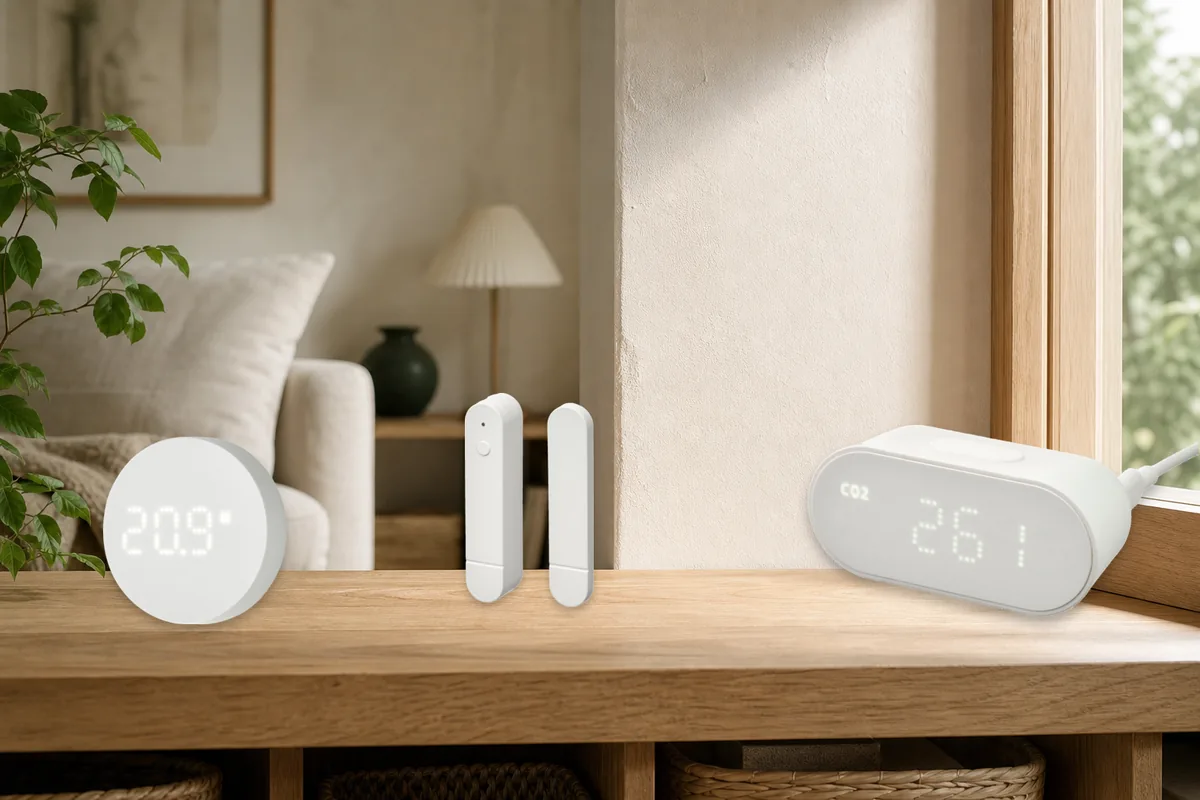
| MYGGBETT | Door/window contact sensor. | Open and closed state is a mature Matter sensor type across major platforms. | Notification rules, history, alarm use, and battery detail belong to the controller, not to Matter alone. |
| TIMMERFLOTTE | Temperature and humidity sensor with a local display. | Temperature and humidity are common Matter measurements. | An app may show two readings as separate tiles, omit calibration, or handle update timing differently. |
| MYGGSPRAY | Motion sensor for indoor or outdoor placement. | Motion or occupancy is widely understood. | Community reports include commissioning and reliability differences by firmware and Thread network. Test one before buying many. |
| ALPSTUGA | Air-quality sensor measuring CO₂, PM2.5, temperature, and humidity. | Basic air quality, temperature, and humidity are supported by several current controllers. | One platform may expose every measurement while another shows only part of the device. Display settings can remain IKEA-specific. |
| KLIPPBOK | Water-leak sensor with its own audible alarm. | The local beeper still provides an immediate warning even without a phone notification. | Leak state may exist without being available as the automation trigger you expected. Never make one wireless alert the only protection. |
| BILRESA | Dual-button or scroll-wheel Matter control. | Current Alexa and SmartThings documentation includes generic Matter buttons or switches. | Button events, direct binding, scenes, and scroll behavior are controller-specific. Test the exact event before planning the room. |
The 2026 Hub and Compatibility Table
This table separates official support, local control, cloud dependency, Matter or HomeKit paths, and the community caveat for each ecosystem. Local control means the hub can send the basic device command inside the house; accounts, voice processing, remote access, and phone notifications can still use cloud services.
| Platform | Current concrete hub examples | Official support | Local control and cloud dependency | Matter or HomeKit path | Community caveat |
|---|---|---|---|---|---|
| Apple Home | HomePod mini; HomePod (2nd gen); Apple TV 4K (2nd gen); Apple TV 4K (3rd gen) Wi-Fi + Ethernet. | Apple officially supports Matter lights, outlets, switches, and motion, contact, temperature, and humidity sensors. A Thread-enabled iPhone can provide limited direct control, but Apple recommends a home hub for the full experience. | Accessory traffic is local. Apple Account, iCloud Keychain, Siri, home membership, remote control, and some notifications use Apple services. | Add the IKEA QR code as a Matter accessory in Apple Home. This is not the older HomeKit-only pairing path. Share later with a fresh Matter code. | Apple's published Matter type list is narrower than IKEA's whole range. Verify ALPSTUGA air readings, KLIPPBOK leak behavior, and BILRESA events before standardizing. |
| Google Home | Google Home Speaker (2026); Nest Hub (2nd gen); Nest Hub Max; Nest Wifi Pro; Google TV Streamer (4K). | Google lists these models as Matter hubs with Thread. Its supported-device page includes lights, outlets, air-quality, contact, humidity, occupancy, and temperature sensors, while warning that not every type is fully supported. | Google says the hub controls Matter locally instead of sending basic commands through the internet. Google Account, Assistant or Gemini, app, routines, remote access, and phone services remain ecosystem dependencies. | Pair directly in Google Home, then use Linked Matter apps and services or a fresh sharing code for Home Assistant or another platform. | Nest Mini, Nest Audio, Google Home Mini, and Nest Hub (1st gen) can be Matter hubs for Wi-Fi devices but are not on Google's current Thread-border-router list. |
| Amazon Alexa | Examples from Amazon's May 2026 Thread list include Echo (4th gen), Echo Hub, Echo Show 15 (2nd gen), Echo Show 21, Echo Show 10 (3rd gen), Echo Show 8 (3rd gen), Echo Dot Max (2025), and supported eero 6, 7, Max, PoE, Pro, and Beacon models. | Amazon's Matter 1.5 documentation includes lights, plugs, generic buttons, contact, motion, temperature, humidity, air-quality, and water-leak device categories. | The Echo or eero-to-device Matter and Thread path is local. Alexa app setup, account identity, voice, routines, remote access, and some notifications depend on Amazon services. | Add the IKEA device in the Alexa app through a listed Thread-capable Echo or eero. Share the existing Matter device rather than creating a second Alexa copy through another bridge. | Many Matter-capable Echo models are not Thread border routers. Check the exact generation; a nearby compatible eero may supply Thread when the Echo does not. |
| Samsung SmartThings | SmartThings Station; SmartThings 2018 hub; Aeotec Smart Home Hub and current Hub 2; compatible Samsung TVs, monitors, Family Hub refrigerators, and soundbars with hub and Thread functions. | Samsung announced direct integration with 25 IKEA Matter-over-Thread products in April 2026. SmartThings lists IKEA-relevant lights, plugs, sensors, water-leak detectors, air-quality sensors, and generic buttons. | SmartThings' on-hub software, called Edge, handles supported Matter devices locally. Samsung Account, app services, remote access, and wider cloud integrations remain separate. | Pair directly to a compatible SmartThings hub. Use SmartThings' Share with other services flow to generate a fresh QR or numeric code. | SmartThings 2015 can control Matter-over-Wi-Fi but lacks its own Thread border router. Built-in Samsung hubs vary by model and market, so confirm Thread before buying. |
| Home Assistant | Home Assistant OS with the official Matter Server app; Connect ZBT-2 dedicated to Thread, or a compatible existing Thread border router from another ecosystem. | Home Assistant and its Matter Server are Matter certified. The official supported path is Home Assistant OS. Connect ZBT-2 supports either Thread or Zigbee, not both at once. | Normal Matter control and automations stay local; Home Assistant Cloud is optional. Vendor or controller services can still be needed for remote access, voice, or some updates. | Pair directly through the Companion app, or pair in Apple, Google, Alexa, SmartThings, or DIRIGERA first and add Home Assistant with multi-admin. | Keep local IPv6 and discovery working. A custom Container or VM network, multiple Thread networks with different saved passwords, or a phone holding the wrong credentials can make a good device look broken. |
| IKEA DIRIGERA | DIRIGERA hub with the current IKEA Home smart app. | IKEA describes DIRIGERA as a Matter controller, Thread border router, and Matter bridge for older IKEA non-Matter products. | The hub provides the IKEA-owned in-home path. Remote access, voice links, and outside-the-home app features can add account and cloud dependencies. | Pair new IKEA Matter devices in the IKEA app, then share them individually when another controller needs direct Matter access. Use bridge mode for supported older Zigbee devices. | Adding DIRIGERA as a bridge does not guarantee every native Matter-over-Thread device appears automatically in another app. Do not confuse bridge import with multi-admin sharing. |
Which Path Should Your Home Choose?
Apple Home already runs the house
Use the existing Thread-enabled Apple home hub and pair a harmless IKEA light or sensor in Apple Home first. After it works, share it to Home Assistant only if Home Assistant needs direct control. Keep the Apple home hub online because it is still carrying the Thread network, even after another Matter controller is added.
Google Home already has a Thread hub
Use Nest Hub (2nd gen), Nest Hub Max, Nest Wifi Pro, Google TV Streamer, or Google Home Speaker (2026). Do not assume Nest Mini or Nest Audio supplies Thread. Pair in Google Home, test the exact sensor or button behavior, then share the existing device to Home Assistant or another platform.
Alexa is the family control surface
Check Amazon's current Thread list by exact generation. Echo (4th gen), Echo Hub, several current Echo Show and Studio models, and supported eero hardware can provide the Thread route. An Echo Pop or other Matter controller without Thread needs a separate Thread border router. Keep critical automation elsewhere if it must survive an internet or voice-service outage.
SmartThings already owns the hub
Connect new IKEA Matter devices directly to a Thread-capable SmartThings hub. DIRIGERA is no longer the required middle box for this new range. SmartThings is especially attractive when the same household already uses Samsung appliances or televisions and wants local Edge automations. Confirm that the specific built-in hub includes Thread, because “SmartThings hub” covers several hardware combinations.
Home Assistant is the automation brain
Use Home Assistant OS, the current official Matter Server app, and one documented Thread network. Connect ZBT-2 in Thread mode is the straightforward Home Assistant-owned path. Pair the IKEA device to Home Assistant first, then share selected devices to Apple, Google, Alexa, or SmartThings for voice and family control. Keep serious automations in Home Assistant so a single motion event does not trigger five competing routines.
The house has older IKEA Zigbee devices
This is where DIRIGERA earns its place. It can maintain older TRÅDFRI-era bulbs, blinds, drivers, remotes, and sensors while bridging supported products outward. New native Matter-over-Thread devices can still be shared individually. A mixed house may reasonably keep DIRIGERA and Home Assistant, provided the owner documents which platform pairs each device and which Thread network it joined.
The Setup Order That Avoids Duplicate Networks and Resets
- Confirm the exact product. Look for both Matter and Thread on the box or product page. An older IKEA Zigbee product follows a different path.
- Confirm the exact hub model. Check that it is both a Matter controller and a Thread border router. Update its software before pairing.
- Pick one first controller. Use the ecosystem that already owns the stable Thread network or the system that will run the home's automations.
- Save the permanent setup code. Photograph the QR label and copy the numeric code into a private household record before installation.
- Start with one low-risk device. Pair a bulb, plug, temperature sensor, or contact sensor near the hub. Keep Bluetooth on and the phone on the normal home network.
- Test the real feature. Open the door, create motion, change the bulb, or trigger the leak sensor safely. Confirm the value is available to automations, not merely visible on a device page.
- Share rather than reset. In the first app, open Matter sharing and generate a fresh temporary code. Add the accessory as already in use in the second app.
- Choose one automation owner. Other platforms may provide voice and manual tiles, but only one should run each important household routine.
- Test an internet outage and a hub restart. Verify local control, then confirm remote access and notifications separately.
What to Avoid
- Do not buy a Matter-only Wi-Fi hub for a Thread accessory. The labels sound close, but the missing Thread radio stops the setup.
- Do not factory-reset a working device to add another app. Use multi-admin from the controller that already owns it.
- Do not reuse the original code as though the device were new. An already-commissioned Matter device needs a fresh sharing window and temporary code.
- Do not expect multi-admin to copy rooms or routines. It shares control of the physical device, not the organizational data in each app.
- Do not assume DIRIGERA bridge mode imports every new Thread device. Share native Matter devices individually when required.
- Do not buy a whole-house quantity before testing one. Controller support, firmware, Thread coverage, and exact feature exposure matter more than the logo alone.
What Works Locally, and What Still Uses Cloud?
Basic Matter commands are designed to stay on the local IP network. A KAJPLATS light can switch, a MYGGBETT can report open or closed, and a TIMMERFLOTTE can publish readings without sending each event through IKEA's cloud. Home Assistant makes this boundary clearest because its Matter integration is classified as local push and Home Assistant Cloud is optional.
Apple, Google, Alexa, and SmartThings also use a local hub-to-device Matter path. Their broader experiences still include accounts and cloud services for family membership, remote access, voice processing, mobile notifications, history, and app synchronization. DIRIGERA provides an IKEA-owned hub path, while remote and voice integrations add their own services.
Firmware is a separate maintenance decision. Matter over-the-air updates are optional, and controllers do not all discover or deliver every vendor update in the same way. Keep the original IKEA instructions and setup code, update one pilot device before updating a room, and preserve the controller that has a proven update path.
Safety and Reliability Boundaries
Affordable sensors are useful, but they are not substitutes for certified life-safety equipment or routine inspection. Keep smoke and carbon-monoxide alarms, door locks, heating controls, and water-shutoff procedures on their approved paths.
- KLIPPBOK: use its local audible alarm and phone alert as extra warning. Test it with a shallow tray of water as IKEA instructs, and inspect leak-prone areas physically.
- MYGGBETT: treat it as an automation and awareness sensor, not as the only burglar-alarm boundary.
- ALPSTUGA: use air readings for ventilation and comfort. Do not treat a consumer air-quality display as a replacement for required carbon-monoxide alarms.
- GRILLPLATS: obey the product's load rating and do not use a smart plug to make an unsafe appliance remotely controllable.
Tara's Recommendation
Use the hub you already own when it has both Matter and Thread, then make one platform responsible for automation. For a Home Assistant-first installation, that usually means Home Assistant OS plus a documented Thread path, with Apple Home, Google Home, Alexa, or SmartThings added only where the household values those controls.
Buy DIRIGERA for positive reasons: the IKEA app, older IKEA Zigbee devices, an IKEA-first support experience, or a second simple control surface. Do not buy it because every Matter-over-Thread device supposedly requires an IKEA-branded box. It does not.
Frequently Asked Questions
Do new IKEA Matter devices require DIRIGERA?
No. They require a compatible Matter controller and a Thread border router. DIRIGERA does both jobs, but a suitable Apple, Google, Alexa, SmartThings, or Home Assistant setup can do them instead.
Which Apple devices can run IKEA Matter-over-Thread accessories?
Use HomePod mini, HomePod (2nd gen), Apple TV 4K (2nd gen), or Apple TV 4K (3rd gen) Wi-Fi + Ethernet. Recent Thread-enabled iPhones can pair and locally control supported accessories, but a powered home hub remains the practical choice for automations, notifications, and remote control.
Does every Google or Alexa Matter hub support IKEA Thread devices?
No. Google separates Wi-Fi-only Matter hubs from Thread hubs, and Amazon publishes a model-by-model Thread list. Check the exact generation. A Matter logo without Thread-border-router support is not enough for these IKEA products.
Can SmartThings connect IKEA Matter devices without DIRIGERA?
Yes. Samsung announced direct support for the new IKEA Matter-over-Thread range in April 2026. Use a SmartThings hub or compatible Samsung device that includes both Matter-controller and Thread-border-router functions.
Can one IKEA Matter device appear in several smart-home apps?
Yes. Pair it once, then open Matter sharing in the working controller and generate a fresh code for each additional platform. Rooms, names, scenes, and automations remain separate in each app.
Will DIRIGERA automatically expose every new IKEA Matter device to Home Assistant?
Do not assume it will. DIRIGERA's Matter bridge is valuable for supported older IKEA Zigbee products. A new native Matter-over-Thread product may need direct pairing or individual multi-admin sharing.