The Short Answer: The Record and the Device Can Disagree
If a deleted Matter device will not re-add, first assume Home Assistant and the accessory disagree about whether they are still paired. Matter calls each controller relationship a fabric. Home Assistant may no longer show the old device, while the accessory still stores Home Assistant's fabric. That mismatch can produce errors such as Trying to add a NOC for a fabric that already exists. NOC is Matter's technical name for the credential that lets a device trust a controller.
If Apple Home still operates the accessory, use Apple's individual connected-service removal. In Google Home, use an individual unlink only if Linked Matter apps & services clearly offers one for Home Assistant. Then ask a working Matter controller to create a fresh sharing code. In the Home Assistant Companion app, add the accessory as a Matter device that is already in use.
If only Alexa, SmartThings, or a manufacturer app still controls it, first confirm that the app lists the accessory as Matter and offers Matter sharing or connected-service controls. Ordinary cloud or Bluetooth control does not make an app a Matter controller. If no Matter app or platform still lists the device, save its setup code and factory-reset only that accessory using the manufacturer's instructions. A fresh add can create new Home Assistant control names, so review automations and dashboards afterward.
Tara's rule: remove one controller relationship, prove one device works, and only then clean up old names or automations. A tidy screen is not worth rebuilding a working house.
Three Different Things Can Look Like a Ghost
Before deleting anything else, identify which layer still shows the accessory. The same word—device—is used for several records that do not have the same cleanup method.
The Matter integration is Home Assistant's software connection for all your Matter devices. Matter Server is the controller software behind those screens. Commissioning is Matter's word for securely pairing a device to a controller.
| What you still see | What it means | Safe next step | Do not do this |
|---|---|---|---|
| A device under Settings > Matter > Devices | Home Assistant still has a paired Matter device record. | Use Manage fabrics to remove one other controller, or Delete to remove the device from Home Assistant. | Do not remove the entire Matter integration. |
| The accessory is gone from Home Assistant, but another app lists Home Assistant as a connected service | The accessory may still store Home Assistant's fabric even though Home Assistant forgot its node. | Remove only the stale Home Assistant service in the working controller, then generate a fresh sharing code. | Do not choose remove from all services unless you intend to erase every controller. |
| An orange Unknown or External item in Matter Server's Thread map | It is inferred from a neighbor table. It is not a commissioned Home Assistant Matter node. | Refresh the reporting neighbors, wait for stale table data to age, and ignore it when real devices work. | Do not reset the mesh to make the drawing prettier. |
| Old unavailable controls, called entities, ending in _2 or _3 after a re-add | The fresh pairing created new Home Assistant records while old control names or automation references remain. | Confirm which device is live, repair automations, then remove or disable only the stale entities. | Do not edit Home Assistant storage files by hand. |
Why Delete Can Leave a Fabric Behind
Home Assistant's official Matter page separates two actions. Manage fabrics removes a chosen controller relationship from the accessory. Delete removes the device from Home Assistant itself. When the device is online, the current Matter Server attempts to tell the accessory to remove Home Assistant's fabric and then clears the local node record.
The important edge case is an offline or unreachable accessory. The stable Matter Server implementation skips the remote unpairing step when a device is offline. Even when an online removal attempt fails, the server can still forget its local record. In plain English, disappearance from Home Assistant proves that Home Assistant no longer lists the device; it does not always prove that the accessory received the fabric-removal command.
That behavior is sensible for a controller that must let you forget dead hardware, but it explains the re-add trap. The accessory can reject a new Home Assistant credential because it still has the old one. The safe recovery is to use a surviving controller to remove that stale fabric. Only use a model-specific factory reset when there is no surviving controller path.
The Safe Recovery Order
1. Pause the consequences, not the whole house
Disable only automations that could operate the affected accessory while you work. For a lock, garage door, alarm, heater, water valve, shade, or plug powering important equipment, keep manual control and an alternate safe path available. Do not use a critical front door or shutoff valve as the first test device.
2. Save the original setup code and the old Home Assistant names
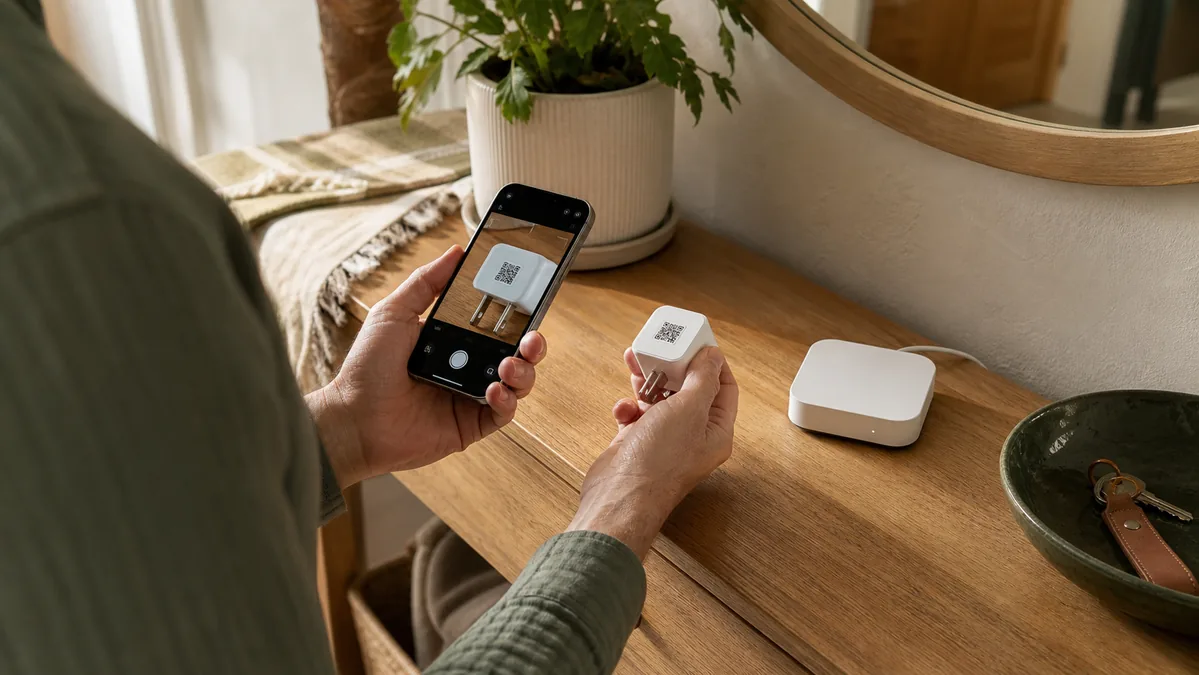
Photograph the accessory's Matter QR label and copy the numeric code somewhere private. A temporary sharing code is not a permanent replacement for the original label after a factory reset. Also record the Home Assistant device name, entity names, area, and every automation, scene, dashboard, notification, or voice routine that uses it. Tara's lost Matter setup-code guide explains why this step comes before reset.
3. Find any controller that still works
Try the accessory in Home Assistant, Apple Home, Google Home, Alexa, SmartThings, and the manufacturer's app. Count an app as a surviving Matter controller only if it identifies the accessory as Matter and offers Matter sharing or connected-service controls. A vendor app that controls the device only through its cloud, Bluetooth, or another native connection cannot remove a Matter fabric. Matter's multi-admin feature means one accessory can trust several controllers, so deleting it from one app does not necessarily remove it from the others.
4. Remove only the stale Home Assistant fabric
If Home Assistant still shows the device, open Settings > Matter > Devices. Use Manage fabrics when you intend to remove a particular controller. Use Delete only when you intend to remove the node from Home Assistant.
If Home Assistant already forgot the device but Apple still owns it, open Settings > General > Matter Accessories on the iPhone or iPad. Choose the accessory, tap Edit, tap the delete button, and choose Remove From [Connected Service] for the service that identifies your Home Assistant installation. Do not choose Remove From All Services.
If Google Home still owns the accessory, open its Linked Matter apps & services screen. Google's current help page documents this list and the sharing flow, but not an individual unlink sequence. Use an individual unlink control only when it clearly names the stale Home Assistant relationship. If that control is absent, do not remove the whole device; use Google's current help or device-maker support.
Alexa, SmartThings, and manufacturer apps do not share one standard menu. Continue only if the app identifies the accessory as Matter and clearly names the Home Assistant relationship you intend to remove. If it does not, stop and ask the platform or device maker for model-specific help instead of guessing.
5. Create a new sharing code and add it as already in use
From the controller that still works, open its Matter sharing flow and create a new temporary code. In the Home Assistant Companion app, choose to add a Matter device and confirm that it is already in use. Use the new sharing code, not the factory QR printed on the accessory. Keep the phone near the device during commissioning.
After it appears, operate the device from Home Assistant and confirm state changes in both directions. Then open Manage fabrics and make sure the expected controllers are listed. Tara's share-first migration guide covers the planned version of this handoff.
6. Factory-reset one accessory only when no controller survives
If the device is absent from every controller, no platform can remove the stale fabric or open a sharing window. With the original setup code safely stored, follow the manufacturer's exact reset procedure for that model. A power cycle is not always a factory reset, and holding the wrong button can change a different setting. Re-add the accessory as new and expect Home Assistant to create a fresh identity.
Do not reset Matter Server, its saved data, the Home Assistant Matter integration, the Thread network, or the border router. Those actions can turn one orphaned accessory into many unavailable devices. If the whole controller was lost rather than one device deleted, start with Tara's Matter backup and restore guide.
7. Repair names and automations before deleting old entities
Test the new device page first. Then repair each automation, scene, dashboard card, voice exposure, and notification that pointed at the old device or entity identifier. Rename the live entity only after you know which record is responding. When everything works through a normal day, delete or disable the stale record.
An Orange External Node Is a Different Problem
Matter Server 9's Thread map is a diagnostic picture assembled from devices' neighbor and route reports. An orange Unknown or External Router entry is not commissioned to Home Assistant's fabric. It might be another controller's device, a HomeKit-only Thread accessory, a border router, a non-Matter Thread device, a second radio identity, or an address that a neighbor still remembers.
There is no supported delete button for an inferred external entry because it is not stored as a Home Assistant Matter node. Select the commissioned neighbors that report it, update their connections, and allow their tables to age. The dashboard documentation notes that restarting the reporting device can sometimes refresh obsolete data, but do that only when the device is clearly identified and safe to restart. No fixed expiration time is guaranteed.
If the old accessory is absent from both Home Assistant's Matter device list and Matter Server's Nodes list, real control works, and only an orange map item remains, stop. The map is stale evidence, not a security alarm. Tara's Matter Server network-map guide explains the colors and refresh controls in detail.
What Is Local, What Uses Cloud, and Where HomeKit Fits
Local control means Home Assistant can still control the device over your home network when the internet is down.
| Path | Official support | Local control | Cloud or account dependency | Matter / HomeKit boundary |
|---|---|---|---|---|
| Home Assistant Matter fabric | Official Matter integration; Home Assistant OS with the Matter Server app is the supported server path. | Normal Matter control is local over Wi-Fi, Ethernet, or Thread. | No vendor cloud is required by Matter itself, although a maker may require an account for setup or updates. | Deleting Home Assistant's fabric does not factory-reset the accessory or erase other Matter controllers. |
| Apple or Google as a surviving Matter controller | Both platforms officially support Matter multi-admin and connected services. | In-home Matter commands can use the local network. | Account sync, remote access, voice, and some app features use platform services. | Apple's Matter accessory list is not the same as a HomeKit-only accessory. HomeKit-only devices do not use Matter fabrics. |
| Thread border router | Home Assistant, Apple, Google, Amazon, SmartThings, and vendors support different models and setup paths. | It forwards encrypted local Thread traffic. | Its vendor app may use an account, but the radio role is local transport. | Resetting the border router does not selectively remove one Matter controller fabric. |
| Matter bridge A hub that exposes its attached devices through Matter. |
Supported when the bridge and child types are supported by the controller. | Basic Matter control can stay local. | Bridge setup, richer features, and updates may still use the vendor app or cloud. | One bridge node can represent many child devices. Removing it can affect the entire group, so do not treat one child as a standalone accessory. |
Five Cleanup Moves to Avoid
- Do not delete the whole Matter integration. That risks the controller relationship for every Matter device, not only the stale one.
- Do not wipe Matter Server storage. Its saved controller identity and fabric data are part of Home Assistant's trust relationship with the house.
- Do not reset the Thread border router or rotate Thread credentials. A Matter fabric error is not proof that the radio network is wrong.
- Do not choose “remove from all services” casually. That can remove Apple, Google, Home Assistant, and other controller access together.
- Do not hand-edit hidden Home Assistant storage. Use the supported Matter UI, save diagnostics, and report a reproducible bug when removal is rejected.
The Calm Homeowner Recommendation
When a deleted Matter device refuses to return, treat it as a controller-record mismatch until proven otherwise. Save the setup code. Find a controller that still works. Remove only the stale Home Assistant fabric. Generate a fresh sharing code. Test the device before cleaning old entity names.
Factory-reset only the one accessory when every controller path is gone, and use the maker's exact instructions. Leave Matter Server, Thread credentials, and border routers alone unless the evidence shows a separate system-wide failure. That order preserves the parts of the home that still work and makes recovery explainable to the next person.
Frequently Asked Questions
Why does Home Assistant say a Matter fabric already exists?
Home Assistant may have forgotten its local node record while the accessory still stores Home Assistant's fabric. Remove the stale Home Assistant connected service from another controller when possible, then create a fresh sharing code and add the device as already in use.
Should I factory-reset the Matter device before re-adding it?
Only when no working controller can remove or share the stale fabric and you have saved the original setup code. Reset only that accessory with its manufacturer's instructions. Do not reset the border router, Matter Server, or the whole Thread network.
Why does a deleted device remain as an orange external node?
The Thread map builds orange external entries from neighbor reports. They are not commissioned Home Assistant Matter nodes and may be stale, belong to another fabric, or represent non-Matter Thread infrastructure. Refresh the reporting neighbors and allow their tables to age.
Will re-adding break my automations?
It can. A fresh commission may create new device and entity identifiers. Record the old names first, then review automations, scenes, dashboards, voice exposure, and safety routines after the live device returns.