The Short Answer: Yes, With a Working Thread Network
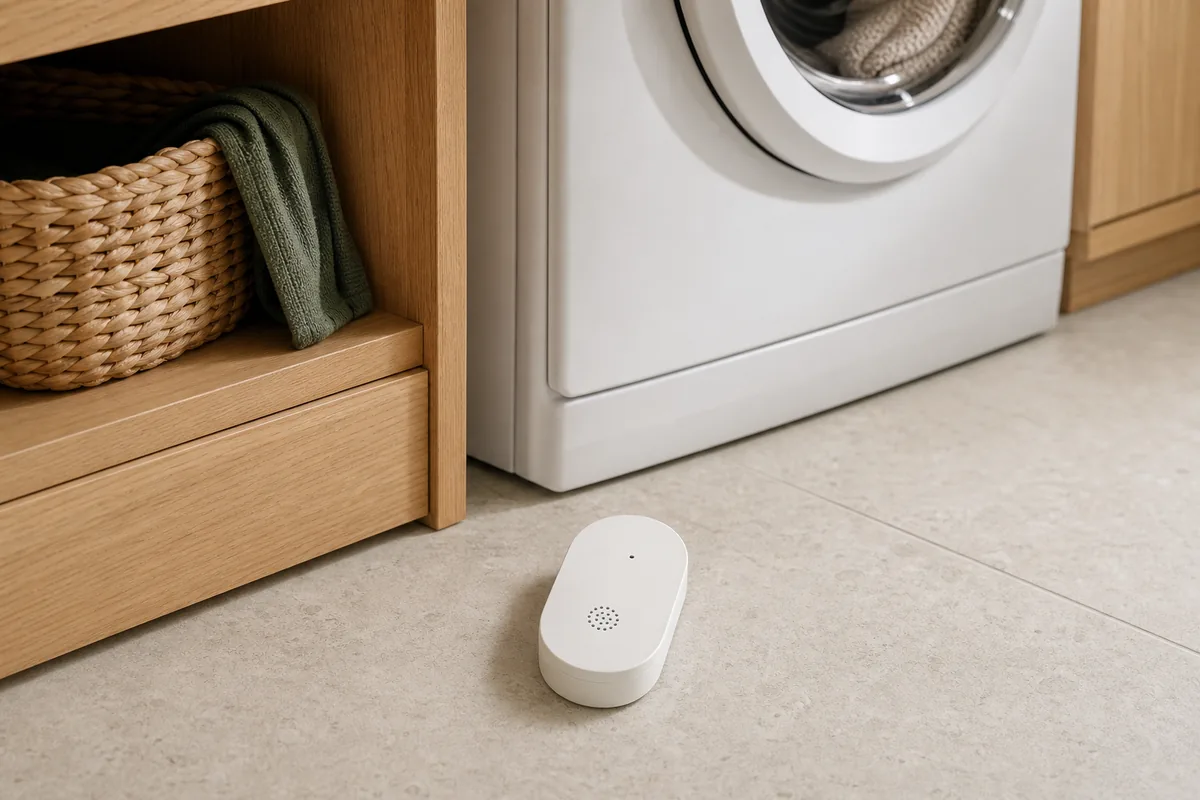
IKEA KLIPPBOK works directly with Home Assistant through its official Matter integration—the built-in connection for Matter devices. Normal wet and dry reports can stay local, meaning they travel inside the home without an IKEA cloud round trip. Owners also report a battery reading. You do not need IKEA DIRIGERA or an IKEA account for ordinary Home Assistant leak reporting. You do need the Matter Server software—the supported Home Assistant OS app that manages Matter devices—and a Thread border router, the hub or radio that connects KLIPPBOK's low-power network to the rest of the home network.
A common setup mistake is treating KLIPPBOK as a Zigbee sensor. It is Matter over Thread. Matter is the shared smart-home language; Thread is the wireless network carrying it. If your Home Assistant Connect ZBT-2 is already dedicated to Zigbee, Home Assistant says that same adapter cannot run Thread at the same time. Keep it on Zigbee and add a second Thread radio or use another compatible Thread border router.
At the US price of $9.99 on July 20, 2026, KLIPPBOK is inexpensive enough to be tempting in bulk. Resist that first order. Home Assistant pairing works for many owners, but current community reports range from stable service to repeated unavailable states. Set up one, update it, place it where it will live, and test it for at least several days before buying more.
What Home Assistant Can—and Cannot—Do
- Wet and dry state: Home Assistant can use KLIPPBOK's moisture entity—the reading on its device page that shows wet or dry—in alerts and automatic routines.
- Local operation: normal Matter reports stay inside the home; they do not need an IKEA cloud round trip.
- Built-in alarm: the sensor still sounds by itself when both bottom probes touch water, even without a smart-home system.
- Battery and software details: owners report a battery entity, and Home Assistant may show the sensor's built-in software, called firmware, plus an update entity when that path is available. An entity is simply a Home Assistant reading or control.
- No automatic shutoff: KLIPPBOK detects water. It does not close the main water supply unless you separately install and automate a compatible valve.
- No safe “offline means leak” shortcut: Home Assistant's official moisture trigger treats unknown or unavailable as neither wet nor dry. Offline monitoring needs its own alert.
KLIPPBOK is Matter-compatible, not individually Works with Home Assistant certified. Home Assistant officially supports the Matter standard, and KLIPPBOK is CSA Matter-certified and community-tested. It is not currently listed in the Works with Home Assistant product directory, so model-specific behavior can still change with firmware and controller releases.
Official Support, Local Control, and Ecosystem Paths
IKEA names Amazon, Apple, Google, Homey, and Samsung as compatible systems. That does not mean every app exposes a water-leak trigger in the same way. The table separates the published support from the practical Home Assistant path.
| First controller | Official support | Local or cloud | Matter or HomeKit path | Community and platform caveat |
|---|---|---|---|---|
| Home Assistant OS with Matter Server; Home Assistant Yellow or Connect ZBT-2 dedicated to Thread | Home Assistant's Matter integration is official; KLIPPBOK has generic Matter support but no individual Works with Home Assistant badge | Wet and dry reports and local routines stay local. Internet can still be used for firmware downloads and remote notifications | Add KLIPPBOK directly in the Home Assistant Companion app. If Apple Home also needs the state, Home Assistant's HomeKit Bridge supports moisture sensors | Use the supported Matter Server app on Home Assistant OS. Mixed owner reports make a one-device trial sensible |
| IKEA DIRIGERA | IKEA's documented hub, app, Thread border router, and update path | IKEA says basic smart functions are designed to work without internet; hub and product updates use internet access | DIRIGERA is optional for direct Home Assistant setup. If it owns KLIPPBOK first, use a current Matter sharing path where offered | Do not assume adding the DIRIGERA bridge automatically exposes every native Matter child to Home Assistant; share KLIPPBOK separately if needed |
| Apple Home with HomePod mini, HomePod (2nd generation), or a compatible Apple TV | IKEA names Apple compatibility | Matter traffic is local; Apple account, remote access, and notifications are separate services | KLIPPBOK uses Matter over Thread, not the older HomeKit accessory protocol. Home Assistant-first plus HomeKit Bridge is the clearest route when Home Assistant runs the leak logic | Apple's published Matter device list does not explicitly include water-leak sensors. Test direct Apple presentation before depending on it |
| Google Home with Nest Hub (2nd gen) or Nest WiFi Pro | IKEA names Google compatibility | Matter transport can stay local; app, history, remote, and notification features may use a Google account and cloud services | Pair or share through Matter; there is no legacy HomeKit path | Google's official supported-device list does not include water-leak detectors. Do not assume a Google Home automation trigger will appear |
| Amazon Alexa with a compatible Thread-enabled Echo | Amazon's current Matter table lists water-leak detectors | Matter commands are local where supported; Alexa app, voice, and remote services use an Amazon account | Pair or share through Matter | Amazon's table does not map that device type to an Alexa capability interface, so test the exact routine and notification surface |
| SmartThings with a 2018 SmartThings Hub, Aeotec Smart Home Hub, or another compatible controller | SmartThings officially supports Matter, Thread, multi-admin, and a water-sensor capability | Setup uses the SmartThings app and account. Device-to-hub Matter traffic is local; remote access and app services may use the SmartThings cloud | Pair or share through Matter | Published platform capability does not guarantee the exact KLIPPBOK card or routine options; verify before making it the only alert path |
Before Pairing: Check the Radio You Already Own
Home Assistant needs one reachable Thread border router. A Home Assistant Yellow or a Connect ZBT-2 configured for Thread can provide one. So can DIRIGERA and compatible Apple, Google, Amazon, and SmartThings hubs. The border router does not have to be the first smart-home controller that owns KLIPPBOK.
One radio cannot run the Zigbee and Thread networks at the same time. This applies to a Connect ZBT-2 and to Yellow's built-in radio. If either already runs your Zigbee lights and sensors, do not switch it casually. Use a second adapter dedicated to Thread, reuse another compatible border router, or plan a complete Zigbee migration first. Switching the existing radio can strand the Zigbee devices that depend on it.
Matter also needs working local IPv6 and mDNS—the addressing and discovery traffic inside your home. This does not mean your internet provider must offer IPv6. Guest-network isolation, aggressive multicast filtering, or a VLAN—a deliberately separated part of the home network—that blocks local discovery can break pairing even while normal Wi-Fi looks healthy.
How to Pair KLIPPBOK Directly With Home Assistant
- Update the supported path first. Install stable Home Assistant OS, Matter Server, and Companion app updates. Home Assistant's June 2026 Matter Server upgrade specifically improved reconnection and update behavior.
- Confirm Thread is ready. In Home Assistant, check the Thread integration and preferred network. Keep the phone, KLIPPBOK, and border router near one another for pairing.
- Install two new AAA batteries. They are sold separately. Save the Matter QR code and numeric setup code somewhere private before placing the sensor under an appliance.
- Open the pairing window. New KLIPPBOK units remain open for pairing for 15 minutes. Press the system button to reopen the window if needed.
- Add it from the phone app. In Home Assistant, go to Settings → Matter → Add device, choose a new device, and scan the QR code. Bluetooth helps the phone pass the Thread credentials during setup.
- Name it by location. “Laundry KLIPPBOK” is more useful in an urgent alert than “Water sensor.” Check that the moisture entity shows dry and note the battery and software information that Home Assistant exposes.
- Wet-test it before walking away. Confirm the physical siren, Home Assistant state change, notification, and offline warning. The next section gives the safe test.
If the sensor already belongs to Apple Home, Google Home, Alexa, SmartThings, or DIRIGERA, do not reset it first. Open that controller's Matter sharing flow, then choose Yes, it's already in use when Home Assistant asks. Matter multi-admin lets more than one controller operate the same accessory without moving ordinary traffic through one platform's cloud.
Run a Real Wet Test, Not Just a Dashboard Check
IKEA's manual says water must touch both metal probes on the bottom. Place KLIPPBOK flat on a smooth indoor surface and use a shallow tray with roughly 1–2 millimeters of clean water. Lower both probes into the water; do not submerge the casing, because the sensor itself is not waterproof.
- Confirm the built-in siren starts.
- Confirm Home Assistant changes from dry to wet.
- Confirm the intended phones receive a clear location-based warning.
- Lift the sensor, dry both probes, and confirm Home Assistant returns to dry.
- In a planned test, remove one battery and note how long Home Assistant takes to mark the sensor unavailable. Confirm the separate warning, restore the battery, and choose a delay that matches the observed behavior. The unavailable timeout varies by system.
The alarm sounds continuously for five minutes, then at intervals until the probes are dry or the batteries are exhausted. The system button only mutes it for about one minute. Leave that local alarm enabled: it is the warning that can still work when Home Assistant, Wi-Fi, remote access, or a phone notification is unavailable.
Create Two Alerts, Not One
The first alert is the obvious one: when the moisture entity changes to wet, notify the household immediately and identify the exact room. If a compatible automatic shutoff valve is installed, treat closure as a separate tested action with a manual override. A leak sensor beside a washer cannot detect water somewhere else in the house.
The second alert watches health rather than water. Notify someone when KLIPPBOK remains unavailable for a sensible period, such as 15 to 30 minutes, and when its battery becomes low. A short delay avoids noise during restarts. Do not combine unavailable with wet: Home Assistant explicitly says an unknown or unavailable moisture sensor does not count as detecting moisture.
A green “dry” card is not enough. Review when the sensor last reported, test it monthly, replace weak batteries promptly, and repeat the wet test after a firmware, Thread, or network change.
Firmware 1.0.13 and the Apple Border-Router Caveat
The Connectivity Standards Alliance's production ledger listed KLIPPBOK software 1.0.13 when this guide was checked on July 20, 2026. Its record does not include release notes, so it is fair to identify the version but not to promise that it fixes a particular problem. Community members have linked newer firmware with better results, while others still report dropouts. Treat those as owner observations.
Home Assistant can find Matter firmware through the Alliance's distributed compliance ledger and may present an update entity. The Home Assistant Matter documentation has one important limit: it cannot currently deliver a Thread-device update through Apple border routers. Update through Apple when offered. For a Home Assistant update on a mixed network, first add a supported non-Apple/Home Assistant border router to the same Thread network, then power down the Apple border routers, wait at least 30 minutes, and retry. Turn them back on afterward. Do not erase a working Thread network merely because an update is not visible.
DIRIGERA remains the most clearly documented IKEA firmware and support route. IKEA's written smart-product support promise is tied to devices connected to DIRIGERA or the older TRÅDFRI gateway. That is a real reason to choose DIRIGERA, but it is separate from whether direct local wet/dry reporting works in Home Assistant.
If KLIPPBOK Pairs but Later Goes Unavailable
Start with the least disruptive checks. A factory reset destroys the current Matter relationship and should be near the end, not the beginning.
- Check the physical alarm and batteries. If the local wet test fails, solve the sensor or battery problem before the network.
- Update Home Assistant, Matter Server, and the phone app. Record KLIPPBOK's reported software version before changing anything.
- Confirm the correct protocol. KLIPPBOK should be under Matter, not searched for in ZHA or Zigbee2MQTT.
- Inspect the Thread network. Make sure the intended network is preferred and the border router is powered, reachable, and close enough. Home Assistant's Matter network map can help reveal a weak route.
- Check local IPv6 and mDNS. Look for guest isolation, VLAN rules, multicast filtering, or a router feature that blocks traffic between Home Assistant and the border router.
- Power-cycle only the sensor. Remove both batteries briefly, reinstall them, and give the battery-powered sensor a few minutes to reconnect.
- Reset last. IKEA documents a factory reset by holding the system button for 10 seconds. Keep the QR code ready and rebuild the alerts after pairing.
Current reports are mixed rather than proof of one universal KLIPPBOK defect. Some owners describe repeated offline states after a day or two. Others run several reliably, but saw multiple units drop when a Thread router was unplugged. That pattern is why testing in the final location matters more than a successful five-minute bench pairing.
If You Pair to DIRIGERA First
DIRIGERA combines the IKEA app, an IKEA-supported update route, a Thread border router, and support for older IKEA devices. It is reasonable when those jobs matter. It is not required simply to get KLIPPBOK's leak state into Home Assistant.
A Home Assistant Core issue documents a current source of confusion: adding DIRIGERA as a Matter bridge does not necessarily bring along IKEA devices that are themselves native Matter accessories. Treat the bridge and KLIPPBOK as separate pairing questions. If the sensor is missing, use DIRIGERA's current Matter sharing option for KLIPPBOK itself when available, or pair KLIPPBOK directly to Home Assistant and keep DIRIGERA for its other roles.
What to Avoid
- Do not search for KLIPPBOK as Zigbee. Use Home Assistant's Matter flow and a working Thread border router.
- Do not convert a working Zigbee ZBT-2 casually. One adapter is dedicated to one protocol; add another Thread path instead.
- Do not disable the audible alarm with unsupported cluster commands. A community workaround has also been reported to interfere with state reporting, and battery changes can undo it.
- Do not treat a phone alert as the only protection. Keep the siren, health alert, and regular physical test.
- Do not put the casing in standing water. Only the two probes need to touch the shallow test water.
- Do not reset the whole Thread network as a first fix. That can disrupt every device on it while leaving the real IPv6, mesh, or firmware problem untouched.
When Another Sensor Is the Safer Choice
Choose a model with individual Works with Home Assistant certification when formal testing matters more than KLIPPBOK's low price. The current certified list includes Heiman L1-M for Matter over Thread in Europe, ThirdReality 3RWS18BZ for Zigbee worldwide, and frient FLSZB-110 for Zigbee in Europe and the US. The Zigbee models are especially sensible when the home already has a dependable Zigbee mesh and no Thread border router.
Availability and regional models change. Confirm the exact product number, radio, audible alarm, battery reporting, and certification for the market where it will be installed. A different brand does not remove the need for wet testing and unavailable alerts.
Tara's Practical Recommendation
KLIPPBOK is a reasonable low-cost trial for a home that already has a healthy Thread network. Pair one directly to Home Assistant Matter, leave the physical alarm enabled, confirm software and battery reporting, and run the real 1–2 millimeter wet test in the final room. Add an unavailable warning before calling the setup finished.
Use Home Assistant as the main leak-automation owner when that is where household alerts and any shutoff logic live. Share the resulting moisture entity to Apple Home with HomeKit Bridge if needed, or use Matter multi-admin only after confirming the second platform actually exposes the sensor. Put each action in one chosen platform to avoid duplicate notifications or conflicting routines.
FAQ
Does IKEA KLIPPBOK work with Home Assistant?
Yes. KLIPPBOK can pair directly with Home Assistant's official Matter integration and report wet or dry state locally. It needs a working Thread border router, and it is standard-based and community-tested rather than individually Works with Home Assistant certified.
Does KLIPPBOK need IKEA DIRIGERA?
No. DIRIGERA is optional for direct Home Assistant Matter setup. KLIPPBOK does need a Thread border router; DIRIGERA can provide that role, as can a dedicated Home Assistant Thread radio or a compatible border router from another ecosystem.
Is KLIPPBOK Zigbee or Matter over Thread?
KLIPPBOK is a Matter-over-Thread sensor, not a Zigbee sensor. A Home Assistant Connect ZBT-2 configured for Zigbee cannot also run Thread at the same time; use another radio or compatible border router for Thread.
Does KLIPPBOK need the cloud for leak alerts?
No vendor cloud is required for ordinary wet and dry reporting or local Home Assistant automations. Internet access may still be needed to discover and download firmware, and Home Assistant remote notifications need whatever remote-access path the household uses.
How should I test KLIPPBOK after pairing?
Place it flat so both metal probes touch 1–2 millimeters of clean water. Confirm the built-in siren sounds, Home Assistant changes to wet, the leak alert arrives, and a separate offline alert works. Dry it fully after the test.