The Short Answer: Not as a Normal Matter Camera Yet
As of July 14, 2026, Home Assistant does not create the normal camera tile and controls when you add a Matter 1.5 camera. Home Assistant’s June Matter upgrade added newer Matter software and Matter 1.5.1. That is necessary groundwork, but the announcement says Home Assistant is now better equipped to improve camera support. It does not say camera support is complete.
The practical check says the same thing. Home Assistant Core 2026.7.2 has no camera entry in the code that turns Matter devices into Home Assistant controls, and the current Matter integration page does not list cameras as a supported category. Matter Server has experimental camera viewing tools in a developer-focused dashboard, but that is not the ordinary Home Assistant camera card, automation, or recording experience.
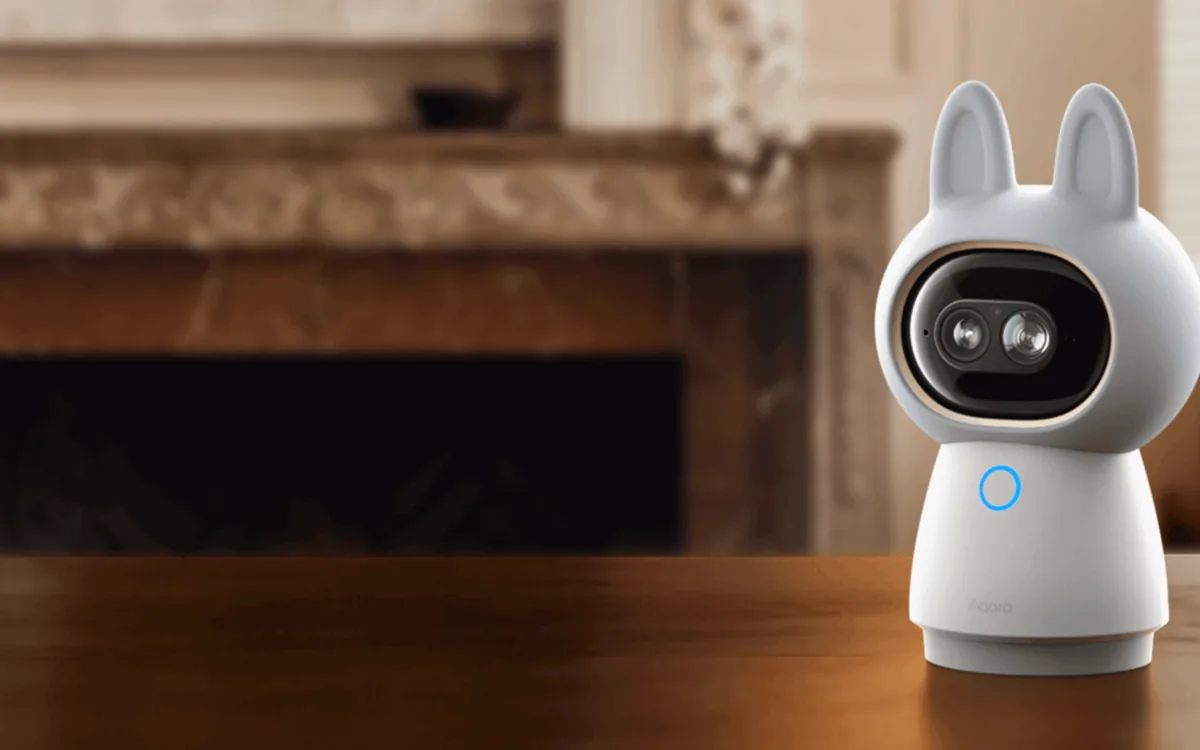
For the Aqara Camera Hub G350, Aqara documents “only streaming” to Home Assistant through RTSP, a standard way to send live video across your home network. Home Assistant’s official Generic Camera integration can turn that stream into a camera tile. Buy the G350 only if that limited route—and Aqara’s separate app for its advanced features—meets your needs today.
Why “Matter 1.5 Supported” Does Not Mean “Your Camera Works”
Three different layers have to line up. A logo or version number proves only one part of the chain.
| Layer | What exists now | What it means at home |
|---|---|---|
| The Matter standard | Matter 1.5 defines camera video, audio, two-way talk, multiple streams, pan-tilt-zoom, privacy and detection zones, and local or cloud recording. Matter 1.5.1 refines camera performance and recording behavior. | A certified camera and controller now have a common technical language. The standard does not force every platform to show every feature. |
| The Matter controller | Home Assistant’s Matter Server understands Matter 1.5.1. Its own web app has experimental live-view and pan-tilt-zoom work. | Developers can test the new camera pieces. “Experimental” is not the same as a supported Home Assistant dashboard or automation path. |
| The Home Assistant experience | Home Assistant Core still needs camera discovery, entities, services, interface work, and device testing. | Until those pieces land, adding a Matter camera may show no useful camera entity even when commissioning succeeds. |
Plain-English rule: a standard says what products may be able to exchange. A controller decides what it understands. Home Assistant still has to turn that information into buttons, video cards, events, and automations you can use.
What the Aqara G350 Actually Gives Home Assistant Today
The G350 is a real, certified Matter 1.5 camera. The Connectivity Standards Alliance lists it as a Wi-Fi camera device, certified on February 10, 2026. Its built-in hub can also help with Aqara accessories and Thread, but the camera’s high-bandwidth video does not travel over Thread.
In Home Assistant, the dependable documented route is an RTSP live stream. RTSP is a standard local video address on your home network. Enable the camera’s RTSP option in Aqara Home, then use the stream address and username/password the app shows with Home Assistant’s Generic Camera integration. Keep the stream private; never forward an RTSP port directly to the internet.
This route gives you a live picture. It does not bring Aqara’s pan-tilt-zoom controls, two-way talk, on-device AI settings, privacy switch, or recording library into Home Assistant. Aqara’s local microSD recording, NAS backup, and optional HomeGuardian cloud storage remain separate product features. A live RTSP stream does not import those recordings into Home Assistant.
The G350’s other ecosystems are also separate paths. Aqara says Apple Home video is limited to 1080p, and HomeKit Secure Video needs iCloud+ plus a compatible Apple home hub. The product page warns that Matter camera features depend on each ecosystem. Matter certification does not make HomeKit Secure Video, Aqara Home, and Home Assistant interchangeable.
Three Current Camera Paths Compared
If Home Assistant is the main platform, compare the path that works now—not the most exciting logo on the box.
| Current model and path | Official Home Assistant support | Local control and cloud dependency | Matter or HomeKit path | Main caveat |
|---|---|---|---|---|
| Aqara Camera Hub G350 Local RTSP stream | Aqara documents streaming only through RTSP. Home Assistant’s official Generic Camera integration accepts an RTSP URL. There is no finished Home Assistant Matter camera entity. | The RTSP live stream stays local. A microSD card can hold local recordings; NAS is a backup path through the card. HomeGuardian cloud storage is optional and paid. Home Assistant does not inherit the Aqara recording library. | Certified Matter 1.5 over Wi-Fi. Matter camera features vary by platform. Apple Home is limited to 1080p; HomeKit Secure Video requires iCloud+ and an Apple home hub. | Advanced controls stay in Aqara Home. Aqara staff said in May that ONVIF was not available. An open Matter Server issue reports the experimental G350 live view connecting endlessly and gives no posted fix date. |
| Reolink CX410 Official Reolink integration | The CX410 is among the models tested by Home Assistant’s official Reolink integration. It exposes local video and many supported events and controls. | Home Assistant says its Reolink integration is fully local and needs no cloud subscription or cloud account. The camera supports microSD or Reolink NVR storage plus RTSP and ONVIF. | No official Matter camera or HomeKit Secure Video path is advertised. Its strength is the mature native-local Home Assistant route. | It is a wired PoE camera, so plan Ethernet and power. Exact AI events and controls vary by model, firmware, and recorder. |
| UniFi Protect G5 Turret Ultra Official UniFi Protect integration | Home Assistant’s official UniFi Protect integration supports known Protect devices through the local console, with local event updates and secure camera streams. | The Home Assistant connection uses a local user or API key and local push. It requires a UniFi OS console running Protect and local recording storage; cloud single sign-on is not the Home Assistant credential path. | No official consumer Matter camera or HomeKit Secure Video pairing is advertised. Community bridges are separate, unsupported projects. | The camera is only part of the cost. You also need a compatible Protect console and storage, which can be excessive for one camera. |
What Should You Buy Right Now?
If you want the broadest Home Assistant experience today, favor a current camera with an official native-local integration. Reolink’s CX410 is a practical example when PoE wiring works for your home. UniFi’s G5 Turret Ultra is sensible when you already own—or deliberately want—a UniFi Protect recorder.
Choose the Aqara G350 when you specifically want its Aqara hub, local storage, Apple option, pan-tilt hardware, or Aqara Home features and you are satisfied with a basic RTSP live stream in Home Assistant. Do not choose it because you expect the Matter badge to deliver full camera controls in Home Assistant today.
Waiting for Matter is reasonable only if your purchase is optional and multi-platform camera control matters more than having a working camera now. Matter support will improve, but a release date, exact feature list, and upgrade behavior for each retail camera cannot be assumed.
A Five-Minute Camera Compatibility Checklist
- Check the exact model, hardware revision, and region. A family name is not enough; protocols and firmware can differ.
- Find the working Home Assistant path. Prefer an official integration. Otherwise require documented RTSP or ONVIF before buying.
- Separate live view from events and recordings. A video stream alone does not guarantee motion events, person detection, two-way talk, or archive playback.
- Choose storage deliberately. Confirm microSD, NVR, NAS, or cloud retention; note any subscription and whether recordings remain usable when internet service fails.
- Check every ecosystem separately. Matter, Apple Home, HomeKit Secure Video, Google Home, Alexa, SmartThings, the vendor app, and Home Assistant can expose different features.
- Plan power and network coverage. PoE is stable but needs cable. Wi-Fi cameras need strong signal and a power outlet. Battery cameras often restrict continuous local streaming.
Keep the Local Camera Path Safe
- Use a unique camera password and separate RTSP credentials when the product offers them.
- Do not expose RTSP or ONVIF ports to the public internet. Use Home Assistant’s secure remote-access path or a maintained VPN instead.
- Keep camera and recorder software current. A local camera is still a network computer with security updates.
- Use privacy masks and sensible placement. Avoid neighbors’ windows, private indoor spaces, and any area you do not need to record.
- Do not let one camera event unlock a door or disarm security. Detection can be wrong; use a second condition and a safer notification or lighting action.
Tara’s Recommendation
For a camera you need working this month, treat Matter as a future bonus. Buy a current model with a documented local Home Assistant route and storage that still works when the internet is down. The Matter label should not replace that checklist.
The G350 is an interesting first-generation Matter camera, but its useful Home Assistant feature today is ordinary RTSP streaming. If a live picture is enough and its Aqara or Apple features suit the rest of your home, that can be a reasonable compromise. If you want deep Home Assistant events, controls, and recordings now, choose a mature native integration instead.
Frequently Asked Questions
Does Home Assistant support Matter 1.5 cameras now?
Not as the normal Home Assistant camera tile and controls. Matter Server understands the Matter 1.5.1 foundation and has experimental camera tools, but Home Assistant Core and its interface still need the supported camera path.
Can the Aqara G350 stream to Home Assistant?
Yes. Aqara documents RTSP streaming as the current path. Home Assistant’s Generic Camera integration can turn that local stream into a camera entity, but it does not bring over Aqara’s full PTZ, two-way audio, AI, privacy, or recording controls.
Does a Matter camera guarantee local recording without a subscription?
No. Matter defines ways for camera systems to describe streams and recordings, but the camera maker and controller decide which choices are implemented. Check local storage, cloud fees, retention, and archive access for the exact model.
Is a Matter camera the same as HomeKit Secure Video?
No. They are different systems. For the G350, Aqara says Apple Home video is limited to 1080p, while HomeKit Secure Video requires iCloud+ and a compatible Apple home hub.
Should I wait for Matter before buying a Home Assistant camera?
Not if you need a reliable camera now. Choose a current model with a proven native integration, RTSP, or ONVIF and the local recording path you want. Wait only when multi-platform Matter support matters more than buying immediately.