The Short Answer: Yes, With a Real Matter Binding
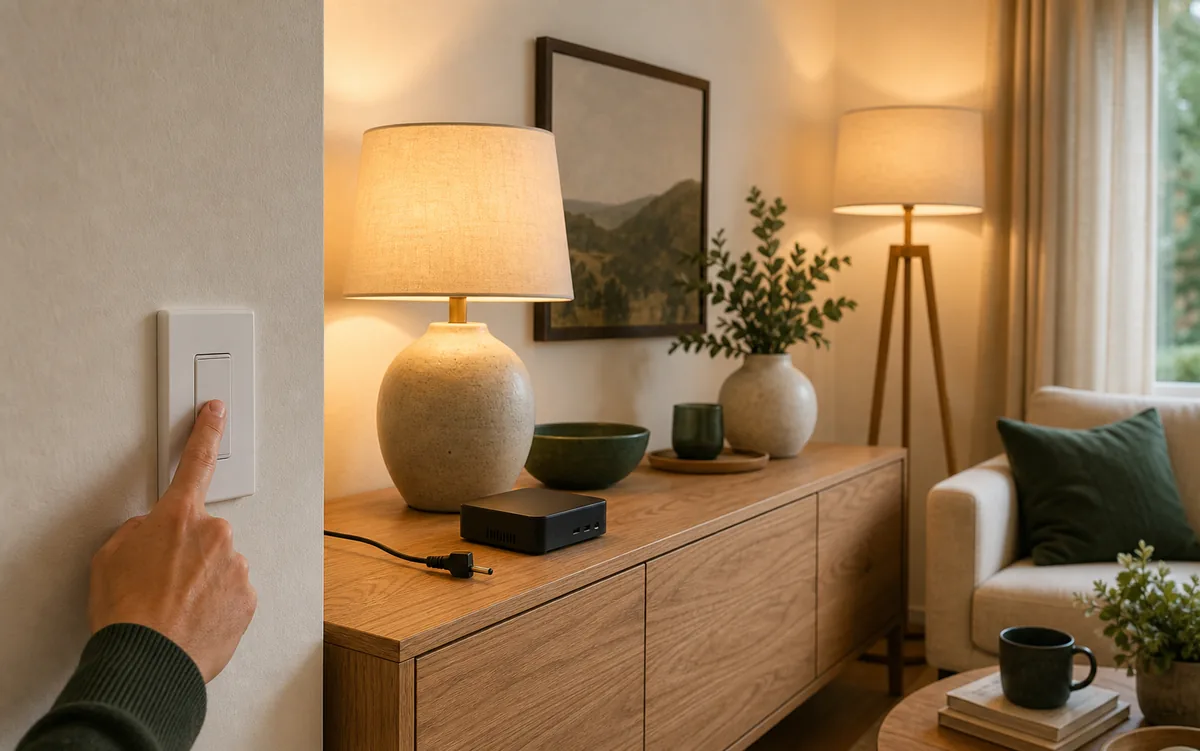
A Matter binding is a rule stored on a device that tells it to send a command directly to another Matter device. A compatible wall switch can therefore tell a compatible bulb to turn on without waiting for a Home Assistant automation. Once that binding is configured, Home Assistant Core and the Matter Server are not in the middle of each button press. This does not guarantee the light will work after the entire Home Assistant computer loses power, because that computer may also provide part of the Thread or Wi-Fi route.
Home Assistant's June 23, 2026 Matter Server 9 release made this practical for advanced homeowners. The app moved to matter.js 1.1.0, and that server's June 17 changelog includes a revamped experimental Binding overview and editor. The word experimental matters: the editor can create the relationship, but it cannot add features that the switch or light firmware—the software stored inside the device—does not contain.
That is why the honest recommendation is narrow. Use binding for a simple, tested lighting path that must survive a Home Assistant Core restart. Use a normal Home Assistant automation when you need double-press actions, conditions, scenes, mixed Zigbee/Wi-Fi/Matter devices, or different behavior by time of day. For a critical room, keep a physical switch that can still control its wired load even if every smart service fails.
A Local Switch, an Automation, and a Binding Are Different
| Control path | What happens in the house | Works if Home Assistant Core stops? | Main limitation |
|---|---|---|---|
| Physical wired load | The wall switch controls the circuit attached to it. | Usually yes. This is device behavior, not an automation. | Only controls the wired load unless the switch has another direct-control feature. |
| Home Assistant automation | A button event reaches Home Assistant; Home Assistant decides what to do and sends commands. | No. | Most flexible, but Home Assistant Core is part of every press. |
| Matter binding | The source switch sends a standard Matter command to the target light. | Yes, if the binding and network path are healthy. | Both devices need compatible clusters, and setup is still experimental. |
| Manufacturer direct pairing | A vendor-specific setup pairs a remote straight to a light. | Often yes. | May be separate from Matter binding and may not coexist with the smart-system setup you want. |
What Matter Server 9 Changed
Home Assistant's official Matter Server app 9.0.0 bundled matter.js 1.1.0. The Home Assistant app changelog calls 9.0 the first all-user release on the new server, and the matter.js changelog says version 1.1.0 added the revamped experimental Binding editor plus limited management for the device permissions that bindings need. As of July 12, 2026, the stable Home Assistant app is 9.0.4 and bundles matter.js Server 1.1.7.
In plain English, the Matter Server web dashboard can now show a compatible device's Binding entries and help create a direct source-to-target relationship. The dashboard also tries to give the source switch Operate permission on the target endpoint and cluster. That permission is the target light agreeing that this switch may operate a specific function.
As of July 12, 2026: Matter Server app 9.0.4 is already beyond the first 9.0.0 release. Update the app and read its release notes before testing, because early 9.0 migration and stability fixes arrived quickly. Take a full Home Assistant backup first.
Check Compatibility Before You Touch the Binding Editor
Binding needs more than two devices that carry a Matter logo. Matter organizes features into clusters, which are standard bundles such as On/Off, Level Control for dimming, and Binding. The source device needs the Binding cluster and a client cluster that can send the intended command. The target needs the matching server cluster that receives it.
- Both devices must be on Home Assistant's Matter fabric. A fabric is one controller's secure relationship with its Matter devices. Multi-admin can put the same accessory on several fabrics, but Home Assistant can only configure the relationship it is authorized to manage.
- The source endpoint must expose Binding. An endpoint is one controllable part of a device. A switch can have separate endpoints for its wired load, up paddle, down paddle, and indicator light. Check the physical-control endpoint, not only the first tile.
- The source needs the command client. Seeing a button-press event does not prove the button can send an On/Off or Level Control command directly.
- The target must accept that command. An On/Off binding cannot invent dimming, color, or scene behavior.
- The network must remain. Binding removes Home Assistant Core from the decision, not Wi-Fi, Thread routing, or electrical power.
Concrete Examples and What They Actually Prove
| Example | Official path | Local or cloud? | Matter binding caveat |
|---|---|---|---|
| Inovelli White Series VTM31-SN | Inovelli documents it as a Matter-over-Thread dimmer and publishes Home Assistant setup instructions. | The wired paddle and Matter control are local. No vendor cloud is required for ordinary Home Assistant control. | Working examples bind the controller on endpoint 2 to a compatible light. Physical-paddle behavior is not an arbitrary gesture mapper, and Inovelli warns that some firmware updates may require rebuilding bindings. |
| Tuo Smart Button or Innovation Matters Pushbutton Module | Home Assistant's official Matter docs list these as examples for button-press automations. | The Matter event can remain local, but a Home Assistant automation needs Home Assistant Core running. | An event entity is not proof of a Binding client. Check the dashboard before expecting direct control. |
| IKEA BILRESA with KAJPLATS | IKEA documents a four-press direct remote-to-light pairing path that needs no hub. | The direct path is local and can work without Home Assistant or cloud. | Treat IKEA's documented direct pairing and Home Assistant's generic Matter Binding editor as separate paths. Use Tara's BILRESA decision guide before mixing them. |
| Matter On/Off Light Switch in Google Home | Google officially allows commissioning this device type. | Google's Matter device path is local through a compatible hub, while app, account, voice, and remote features have wider ecosystem dependencies. | Google explicitly says its Home app does not expose the Binding cluster, so the user cannot configure that switch to a light there. |
How to Create a Matter Binding in Home Assistant
This is an advanced setup in an experimental dashboard. Start with one non-critical switch and one lamp. Do not begin with stair lighting, emergency lighting, a heater, a fan, an outlet, a lock, or anything where a missed or unintended command creates a safety problem.
- Back up and update. Create a full Home Assistant backup. Update Home Assistant and the Matter Server app to current stable releases. If you are moving from Matter Server 8.x, read the 9.0 migration notes before touching the device list.
- Add both devices to Home Assistant Matter. In the Companion app, commission each new accessory or share it from its current Matter controller. Confirm that normal Home Assistant control works first.
- Remove the duplicate experiment. Temporarily disable any Home Assistant automation that already maps this button to this light. Otherwise a successful binding and an automation can both fire, hiding what you are actually testing.
- Open the Matter Server dashboard. On Home Assistant OS, go to Settings > Apps > Matter Server > Open Web UI.
- Open the source switch or button. Select the node, then the endpoint that represents the physical control. Look for a Binding panel. If it is absent, check the other endpoints once. If none has it, stop—this device does not expose a binding that the dashboard can configure.
- Add the target. In the Binding panel, choose Add binding, select the target light, select its correct endpoint, and choose the compatible cluster. Start with On/Off. Add Level Control only when both devices clearly support dimming.
- Read the result. Confirm the new binding appears and that the dashboard does not report an access-control or capacity error. Do not manually loosen permissions just to make an error disappear.
- Test the physical press. Press the real paddle or button. Do not test only by toggling the source device from the Home Assistant dashboard; some devices intentionally send bound commands only for a physical action.
One light at a time: the current editor creates direct node-and-endpoint bindings, not a homeowner-friendly Matter group. Several lights usually need several binding entries, and small device tables or permission limits may run out. Use a Home Assistant light group when synchronized control matters more than controller-free operation.
Test the Outage Without Creating a New Failure
First prove the direct path with the old Home Assistant automation disabled. Then restart Home Assistant Core and press the switch during the restart. If the light still responds, you have removed Core from that command path.
Do not start by pulling power from the whole Home Assistant machine. If that box also runs your only OpenThread border router, Wi-Fi adapter, or network service, the test removes more than the controller. A good resilience test changes one thing at a time.
What Still Has to Be Running?
| Failure or outage | Should the binding still work? | Why |
|---|---|---|
| Internet service is down | Yes. | Normal Matter binding traffic stays inside the home. Vendor remote access and voice services are separate. |
| Home Assistant Core is restarting | Yes. | The direct command does not wait for a Home Assistant automation. |
| Matter Server is temporarily unavailable | Yes, after a valid binding is stored. | The controller is needed to configure or change the relationship, not to relay every press. |
| The entire Home Assistant box is unplugged | It depends. | Two devices on the same healthy Thread mesh may still communicate. Thread-to-Wi-Fi control, a sleepy button that lost its powered Thread parent, or any path using the box's only border router can fail. |
| Wi-Fi access point or required Thread border router is off | Often no. | Direct does not mean radio-free. A Wi-Fi-to-Thread binding still needs the border router, and Wi-Fi devices still need the LAN. |
| The switch or light loses power | No. | No software feature can replace power at the source or target. |
Apple Home, Google Home, Alexa, and SmartThings Are Not the Same Editor
Matter standardizes the building blocks, but consumer platforms decide which ones they expose. Google documents the boundary unusually clearly: its Home app can commission a Matter On/Off Light Switch but does not expose the Binding cluster needed to tell that switch which light to control.
Do not assume Apple Home, Alexa, or SmartThings offers the same generic binding screen just because all three support Matter switches or buttons. Their automations and routines can make a button useful, but that puts a controller or hub back into the decision path. Use direct binding only when the exact platform and product documentation describes it, or when Home Assistant's Matter Server dashboard shows the compatible endpoints and completes a tested binding.
Multi-admin—sharing one Matter device with several platforms—also does not copy rooms, automations, or binding setup between those platforms. Configure the binding on the Home Assistant fabric only after both devices are present there, and do not remove that fabric casually. For the broader sharing model, see Tara's Matter multi-admin guide.
Why a Binding Fails
There Is No Binding Panel
You may be looking at the wrong endpoint, or the source firmware may not implement Binding. Check every plausible physical-control endpoint once. If the panel is still absent, do not force it with copied cluster numbers. Use a Home Assistant automation, a wired load, or a documented manufacturer direct-pairing mode.
The Light Does Not Appear as a Target
Confirm the light is added directly to the same Home Assistant Matter fabric and is online. A light visible only through another integration or a bridge is not automatically a bindable Matter node. Also confirm the light endpoint exposes the server cluster you chose.
On/Off Works, but Double Press Does Not
That can be normal. Binding maps compatible Matter commands; it is not a general automation builder. Keep gesture logic, time conditions, scenes, and cross-protocol actions in Home Assistant. A simple bound on/off path can coexist with richer automations, but test carefully so one press does not produce duplicate commands.
It Works Only While Home Assistant Is Running
You may still be watching an automation rather than a binding. Disable the automation and repeat the physical-press test. If the light stops, inspect the Binding entry and access-control result in the Matter Server dashboard. If the direct press works during a Core restart but fails when the whole box is powered off, inspect the Thread or Wi-Fi route instead.
Tara's Recommendation
Use a direct Matter binding as a small resilience layer, not as a replacement for Home Assistant. Bind the one physical action the household expects to work every time—usually on/off, sometimes dimming—and leave scenes, occupancy, schedules, and cross-brand logic in Home Assistant.
Buy hardware for what it exposes today. For a wall control, prefer a switch that still operates its own safe wired lighting load and whose manufacturer documents the exact Matter endpoints. For a wireless button, assume Home Assistant automation until the current firmware and Matter Server dashboard prove a compatible binding. Never install or rewire a mains-voltage switch unless you are qualified; follow the manufacturer load limits and use a licensed electrician when needed.
Frequently Asked Questions
Can a Matter switch control a light when Home Assistant is down?
Yes, when the switch and light support the required Matter clusters and a direct binding has been configured. Home Assistant Core is then outside the press-to-light command path, but the necessary Wi-Fi or Thread network must remain.
Why is there no Binding section for my Matter button?
A Matter logo does not require every button to implement the Binding cluster or an On/Off or Level Control client. Check the correct endpoint. If the panel is absent, use a Home Assistant automation or the manufacturer's documented direct mode.
Will a binding work if the Home Assistant computer is unplugged?
Only if that computer is not also providing a required Thread border router, Wi-Fi path, or other network service. Restart Home Assistant Core first to test the controller-independent part without accidentally removing the radio path.
Is a Home Assistant automation the same as a Matter binding?
No. An automation requires Home Assistant to receive an event and send the result. A binding stores a direct device relationship. Automations are more flexible; bindings are narrower and can be more resilient.
Does IKEA BILRESA direct pairing use this Home Assistant binding?
Do not treat them as the same setup. IKEA documents a separate direct remote-to-light pairing flow. Home Assistant binding uses the Matter Server dashboard and requires compatible Matter clusters. Pick one path deliberately and test it before depending on it.
Related Tara Guides
If the Matter app itself is unhealthy, start with Matter Server 9 startup troubleshooting. If a button or switch is missing controls, read why Matter features go missing. For outage planning beyond one light, use the Home Assistant and Matter internet-outage guide and choose one automation brain.