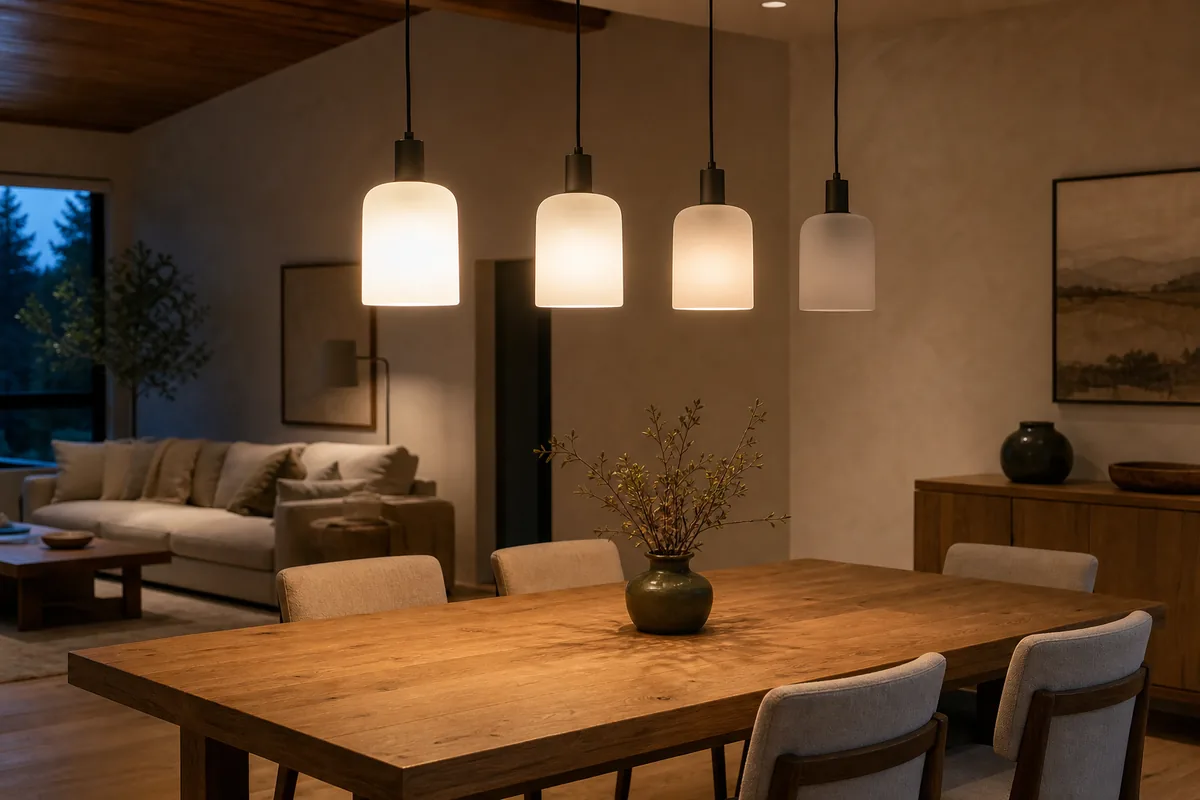
Short Answer: One Light Tile, Yes; One Matter Groupcast, Not Yet
Home Assistant can combine Matter bulbs into a Light Group, but that helper is a logical group inside Home Assistant. Matter is the cross-brand smart-home standard those bulbs use for local control. The helper gives the dashboard, an automation—a rule that runs by itself—or a voice assistant one controllable light entry, which Home Assistant calls an entity. It does not put the bulbs into a protocol-level Matter group that receives one simultaneous message. The commands still have to reach the underlying lights, so a row of bulbs can turn on in a visible sequence—the “popcorn effect.”
For bulbs you already own, create one Light Group and use it everywhere. Remove separate actions that also target the individual bulbs. A short fade, called a transition, can make a small difference less obvious, but adding a delay between bulbs makes the sequence worse. If the final bulb is seconds late or sometimes stays off, treat that as a reliability problem as well as a grouping limitation.
As of July 16, 2026, Matter itself defines group communication, and Matter 1.3 added scenes and command batching intended to improve synchronized lighting. Home Assistant's current Matter Server 9 uses Matter 1.5.1, but its public feature request for creating and managing Matter groups remains open with no milestone. Updating to Matter Server 9 improves the Matter foundation; it does not add a homeowner-facing groupcast button.
The plain-English difference: a Home Assistant Light Group is one remote control that presses several buttons. A true Matter or Zigbee group is one radio message that every chosen light hears together.
Three Different Things Called a Light Group
The word group is doing too many jobs. Knowing which kind you created explains both the timing and what must stay running.
- Home Assistant Light Group: a helper that combines lights from Matter, Hue, Zigbee, Wi-Fi, or several connection methods, which Home Assistant calls integrations. Home Assistant remains the automation brain and sends control through each member's connection.
- Matter groupcast: devices share a Matter group ID and listen on one local IPv6 multicast address—a private network destination shared by every member. One group command can reach several lights without a separate message for each bulb.
- Native bridge or radio group: a Hue room or scene, or a ZHA Zigbee group, is managed by that lighting system. Home Assistant can control the native group as one entity or command when the integration exposes it.
A Matter fabric is something else again: it is one controller's trusted relationship with its devices. Apple Home, Google Home, Alexa, SmartThings, and Home Assistant each use their own fabric. Matter's multi-admin sharing feature adds another controller to the same bulb; it does not copy a Home Assistant Light Group, room, scene, name, or automation into that controller.
Why the Bulbs Turn On One by One
Without groupcast, the controller has more work to do. It addresses each light, the command crosses Wi-Fi or a Thread mesh—the low-power radio network used by many Matter bulbs—the bulb processes it, and the new state returns to Home Assistant. Those paths are short, but they are not identical. A mixed group may also cross a Hue Bridge, a Thread border router that connects that radio mesh to the home network, and direct Wi-Fi before the room is finished.
The stagger can come from four layers:
- Controller timing: the Light Group must reach each member rather than issue one protocol-level group command.
- Network timing: a weak Thread route, congested Wi-Fi, retries, or a slow bridge can widen the gap.
- Device timing: different bulb models and internal device software, called firmware, can apply on, brightness, color temperature, and fade commands at different speeds.
- Automation overlap: a dashboard group, a per-bulb automation, and an Apple or Google routine can all react to the same event and make the sequence look unpredictable.
Thread is not automatically the culprit. Matter groupcast itself uses local IPv6 multicast. The immediate Home Assistant limitation is that the controller does not yet provide group creation and management. A healthy Thread mesh still matters because slow routes and retries can turn a slight sequence into an annoying one.
Which Lighting Path Actually Changes the Timing?
| Path and concrete examples | Official support boundary | Local control and cloud dependency | Matter and HomeKit path | Choose or avoid |
|---|---|---|---|---|
| Home Assistant Light Group Nanoleaf Essentials Matter A19, IKEA KAJPLATS, or any mix of supported light entities |
The official Group integration creates one light helper. It does not document protocol-level Matter group creation. | The helper and Home Assistant Matter commands run locally. Home Assistant must be available, along with each bridge, border router, and radio path used by the members. | Direct Matter bulbs keep their own Matter relationships. Home Assistant HomeKit Bridge can expose the group as one Apple Home tile, but it does not change how Home Assistant reaches the bulbs. | Choose for existing or mixed lights and simple dashboards. Avoid expecting exact synchronization across several protocols. |
| ZHA Zigbee group A set of compatible IKEA TRÅDFRI or other standard Zigbee bulbs using ZHA, Home Assistant's built-in Zigbee connection |
Home Assistant officially supports ZHA groups and says one group command can improve visual responsiveness. Device support and firmware still vary. | Local. A command from Home Assistant needs Home Assistant running; a compatible remote bound directly to the Zigbee group can keep basic control working without it. | Not Matter or native HomeKit. You can expose the resulting group entity to Apple Home through HomeKit Bridge. | Choose when synchronized local lighting is more important than direct cross-ecosystem Matter pairing. Avoid moving a stable room without a backup and test plan. |
| Native Philips Hue path Hue Bridge with Hue White Ambiance A60/E26 bulbs |
Home Assistant's Matter documentation recommends the native Hue integration because it is local and exposes richer Hue features than adding the bridge through Matter. | Home Assistant-to-Bridge control is local. Hue remote access, account features, and outside voice services can add cloud dependencies. | The Hue Bridge can provide its own Apple Home path, or Home Assistant can expose selected Hue entities through HomeKit Bridge. Matter bridging is available but is not the best Home Assistant path. | Choose when an existing Hue room or scene already changes cleanly. Avoid re-adding the Bridge through Matter solely for a newer logo. |
| Direct Matter bulbs Nanoleaf Essentials Matter A19 over Thread or IKEA KAJPLATS over Thread |
Official Home Assistant Matter control is local, but current group-management support is still an open Matter Server feature. | Routine commands stay local. Thread bulbs need a working Thread border router; vendor apps may still be useful for setup, firmware, or product-only effects. | Matter multi-admin can share each bulb with Apple, Google, Alexa, or SmartThings. Platform groups and scenes remain separate and are not copied into Home Assistant. | Choose for cross-platform control and vendor flexibility. Avoid buying a roomful when perfectly simultaneous changes are a hard requirement. |
| Matter binding One compatible Matter wall control bound to one compatible light endpoint |
Matter Server 9 exposes an experimental binding editor for devices that implement the required clusters. Binding several individual lights is not the same as creating a groupcast. | After setup, compatible devices can communicate locally without Home Assistant Core making the decision. Their Wi-Fi or Thread path and power still have to work. | Binding belongs to the Matter fabric where it was configured. Other ecosystems do not automatically receive or manage that relationship. | Choose for a tested switch-to-light path. Avoid treating it as a polished whole-room group editor. |
Set Up the Cleanest Matter Light Group Home Assistant Can Make Today
- Update and back up first. Install current stable Home Assistant and Matter Server releases, then make a Home Assistant backup. Do not reset working bulbs for this test.
- Confirm each bulb works alone. Turn every light on, off, and to the same brightness from its Home Assistant entity. Fix unavailable or slow individual bulbs before grouping them.
- Create one Light Group. Go to Settings > Devices & services > Helpers > Create helper > Group > Light group. Select the bulbs and give the group a room-based name.
- Target only the group. Use that group entity in dashboards, voice exposure, scripts, and automations. Remove or disable older actions that target the same member bulbs for the same trigger.
- Send one complete light action. Put on/off, brightness, color temperature, and a supported transition in one Light: Turn on action where practical. Do not build a loop with a pause between bulbs.
- Test three real cases. Test from fully off, from a different brightness, and from a different color temperature. Watch whether the same bulb is always last or whether the order changes.
- Use a transition only as a cosmetic tool. A modest fade can hide a small arrival difference. It is not groupcast and will not repair a light that misses commands.
If the gap is barely visible and every bulb ends in the right state, you have reached the practical limit of the current helper path. If a light is seconds behind, changes in a different order each time, or sometimes stays off, continue with network and device checks.
When the Delay Is More Than a Missing Group Feature
- Find the slow member. Control each bulb directly several times. One consistently slow bulb points to that device, its firmware, or its route.
- Separate mixed paths for one test. Make a temporary group containing only Matter-over-Thread bulbs, only Wi-Fi Matter bulbs, or only one bridge. A smoother same-path group tells you where the extra delay enters.
- Check Thread evidence. For Matter-over-Thread lights, use the Matter Server network view and Home Assistant Thread page. Look for weak links, the wrong Thread network, or a shared powered router that is offline.
- Check Wi-Fi and discovery. Matter-over-Wi-Fi depends on local IPv6 and multicast discovery. Keep Home Assistant, the bulbs, and the controller path on a simple reachable network before blaming the lamp.
- Update one pilot bulb. Verify its permanent Matter setup code is saved, update one device through a supported path, and retest before changing the whole room.
- Download diagnostics before resetting. In the Matter integration, save integration- and device-level diagnostics if one model behaves badly. A factory reset destroys useful evidence and can place the bulb on the wrong Thread network.
Buying another Thread border router is not a universal fix. More routers help only when they join the same Thread network and improve a weak path. A second network or an uncoordinated border router can add more confusion without giving Home Assistant Matter groupcast.
If Perfectly Synchronized Light Is Non-Negotiable
Choose the control architecture before buying the room. For a chandelier, kitchen row, theater, or staircase where every lamp must change together, a native group is a feature requirement, not a cosmetic preference.
- Already using ZHA: create a native Zigbee group under Settings > Zigbee > Groups. Home Assistant sends one group command, and the official ZHA docs specifically call out improved visual responsiveness.
- Already using Philips Hue: keep the Hue Bridge on its native local integration and use the room, zone, or scene behavior the Bridge exposes. Home Assistant itself warns that Hue over Matter loses useful native features.
- Building a fixed white-light circuit: consider one properly rated listed smart wall switch controlling ordinary compatible bulbs. That gives electrical simultaneity, but it is mains wiring: confirm neutral, load, dimmer, fixture, and local-code requirements with a qualified electrician.
- Need color bulbs plus Matter sharing: buy one sample first. Confirm acceptable timing, colors, updates, and Apple/Google/Alexa/SmartThings exposure before purchasing the whole room.
Do not put smart bulbs behind an ordinary wall dimmer unless both manufacturers explicitly support that combination. Smart bulbs normally need steady power so their radios remain reachable. Keep a physical control path that family members and guests can understand.
What Apple Home, Google Home, Alexa, and SmartThings Change
Matter multi-admin can let several platforms control the same physical bulb, but each platform maintains its own rooms, groups, scenes, names, and automations. A group built in Apple Home is not imported as a Matter group into Home Assistant. The same is true for Google Home, Alexa, and SmartThings.
For an Apple household, Home Assistant's official HomeKit Bridge can publish the Home Assistant Light Group as one accessory. That gives the family one tile and one Siri target. The actual command still returns to Home Assistant and follows the group's underlying Matter, Hue, or Zigbee paths, so the bridge does not guarantee simultaneous lighting.
Keep one platform responsible for each real automation. Home Assistant's Light Group, Matter control, ZHA, and native Hue integration can all run locally. Voice processing, remote control, household invitations, vendor firmware, and app-only scenes may still involve Apple, Google, Amazon, Samsung, Philips, Nanoleaf, or IKEA services. Test an internet outage separately from a Home Assistant restart; they prove different things.
What to Avoid
- Do not confuse one dashboard tile with one radio message. A Light Group improves organization, not the Matter transport.
- Do not assume a newer Matter version enables every feature in every controller. Matter 1.3 scenes and batching exist in the standard, while Home Assistant group management remains unexposed.
- Do not add per-bulb delays. They create an intentional sequence and make the popcorn effect more obvious.
- Do not build the same lighting automation in several ecosystems. Duplicate triggers cause repeated commands, wrong colors, and harder troubleshooting.
- Do not factory-reset a working room to make a map or group look tidy. Save codes and diagnostics, then make one reversible change at a time.
- Do not use a decorative smart-light scene as the only safety lighting. Stairs, exits, workshops, and essential task lighting need a dependable physical fallback.
Tara's Practical Recommendation
For Matter lights you already own, make one Home Assistant Light Group and stop there unless the stagger is truly disruptive. Keep all related automations in Home Assistant, use one clean action, and troubleshoot any bulb that is much slower than its neighbors. That produces the simplest local setup without resetting a working room.
For a new room where simultaneous light is part of the design, choose a native group path before buying: ZHA Zigbee groups, the native Hue Bridge integration, or one listed wall control for ordinary bulbs. Choose direct Matter bulbs for their real strengths—local control and cross-ecosystem sharing—while treating polished controller-side groupcast as a feature Home Assistant still needs to expose.
Related Tara Reading
- Can a Matter switch control a light if Home Assistant is down?
- IKEA KAJPLATS: Matter over Thread or Zigbee?
- Nanoleaf Matter and Thread lights outside Apple Home
- Philips Hue in Home Assistant: Bridge, Matter, or Zigbee?
- How to check Matter signal and connection evidence
- How Matter multi-admin works across platforms
Frequently Asked Questions
Can Home Assistant create a group of Matter lights?
Yes, Home Assistant can create a Light Group helper that appears as one light. As of July 16, 2026, it does not create and manage a true Matter protocol groupcast, so the individual bulbs can still react at slightly different times.
Does Matter 1.3 command batching remove the popcorn effect in Home Assistant?
Not automatically. Matter 1.3 added scenes and command batching to the standard, but a controller must implement and expose those features. Home Assistant Matter Server's group-management request is still open with no milestone.
Will a better Thread border router make Matter lights turn on together?
It can reduce retries when the Thread mesh is weak, but it cannot turn a Home Assistant helper into Matter groupcast. A good network helps reliability; protocol-level grouping is the missing synchronization feature.
Can one light group contain Thread, Wi-Fi, Hue, and Zigbee lights?
Yes. Home Assistant can combine supported light entities from different integrations. Because commands travel through different radios, bridges, and device firmware, a mixed group is more likely to show visible timing differences.
What is the smoothest local lighting group in Home Assistant today?
If synchronized switching is the priority, use a native ZHA Zigbee group or keep Philips Hue lights on the local Hue Bridge integration. Use direct Matter bulbs when cross-platform compatibility matters more than perfectly simultaneous changes.